The best human capital management software depends on where your HR record starts and how many modules you want from one vendor. Human capital management (HCM) software runs the employee lifecycle from hire to retire in one suite: core HR, payroll, time, talent management, benefits and analytics. Large employers with an HR systems team usually shortlist Workday, Oracle Fusion Cloud HCM or SAP SuccessFactors. US mid-market employers that care about payroll and benefits look at ADP Workforce Now, Paycom or Paylocity. Hourly and multi-site employers compare UKG Pro and Dayforce, and growing teams often land on Rippling or BambooHR. This page compares ten suites on what is native and what costs extra, what they cost when a price is public, how a hire runs through each one, and what reviewers report.
Prices and module scope come from vendor pages and documentation read on October 24, 2026. Eight of the ten suites publish no price, so we say "quote only" instead of passing off a third party's estimate as a list price. Ratings come from G2 or Capterra summaries, and each entry names its source. Review counts differ between snapshots, so read them as approximate; they're a signal, not a ranking. We didn't run hands-on trials, so every entry describes documented features and what reviewers report.
- HCM suites compared
- 10
- publish no price at all
- 8
- publish a starting rate or plan prices
- 2
- reviews behind the ratings
- 39,665
Best HCM Software by Situation
 Best for large employers with an HR systems teamWorkdayOne worker record behind HR, payroll, time and talent, configured through business processes.
 Best for SAP landscapes and multi-country groupsSAP SuccessFactorsEmployee Central holds the record, and payroll, time and recruiting are licensed on top.
 Best for US mid-market payroll and benefitsADP Workforce NowThree packages: payroll and HR, then benefits, then time and attendance.
 Best for employee-run payroll reviewPaycomEmployees preview and approve their own paycheck before each run.
 Best for hourly workforces and global payrollDayforceScheduling, time and payroll share one rules engine, with global payroll in 200+ countries.
 Best for HR and IT on one employee recordRipplingStarts at $8 per employee per month plus a base fee, with device and app access driven from the HR record.
 Best for HR-led teams that add payroll laterBambooHRPublished plan prices from $10 per employee per month, with payroll and benefits as quote-only add-ons.
 Not an HCM suite: for the gaps between your toolsThe People Ops ManagerCoordinates onboarding across HR, IT, finance and managers alongside the suite you already run.
HCM Software at a Glance
| Tool | Type | Core scope | Starting price (USD) | Rating |
|---|---|---|---|---|
| Workday | Enterprise HCM suite | Core HR, payroll, time, talent acquisition, analytics | Not published; custom quote | 4.1 (1,695) |
 Oracle Fusion Cloud HCM | Enterprise HCM suite | Core HR, payroll, time and labor, benefits, recruiting, performance, learning | Not published; custom quote | 3.9 (Capterra, 83) |
| SAP SuccessFactors | Enterprise HCM suite | Employee Central core HR; payroll, time, recruiting, performance, learning as separate modules | Not published as a suite price; custom quote, modules licensed separately | 4.1 (1,657) |
| ADP Workforce Now | Mid-market HCM suite | Payroll, HR, benefits, time, talent | Not published; Select, Plus and Premium packages, custom quote | 4.2 (4,477) |
| Paycom | Single-database HCM suite | HR, payroll, time, talent, benefits in one database | Not published; custom quote | 4.5 (6,740) |
 Paylocity | Payroll-attached HCM suite | HR, payroll, time and labor, benefits; Recruiting and Learning as add-ons | Not published; custom quote | 4.5 (5,079) |
 UKG Pro | Enterprise HCM suite | Core HR, payroll, benefits; time and scheduling via Workforce Management | Not published; custom quote | 4.3 (2,150) |
| Dayforce | Enterprise HCM suite with workforce management | HR, global payroll, time and scheduling, talent, analytics | Not published; custom quote | 4.2 (962) |
| Rippling | Workforce platform: HR, IT and finance | HRIS record drives payroll, benefits, time, recruiting, performance, devices and app access | Starts at $8 per employee per month plus a monthly base fee; payroll is quote only | 4.8 (11,089) |
| BambooHR | HRIS and employee lifecycle | HR record with applicant tracking and performance; payroll, benefits and time as add-ons | Core $10 / $10.25, Pro $17 / $17.50, Elite $25 per employee per month; payroll, benefits administration and time & attendance quote only | 4.4 (5,733) |
| The People Ops Manager Our product | Onboarding coordination | Shows who is ready for day one, what is blocked and who owns it | Invite-only | No reviews yet |
Quote only means the vendor doesn't publish a price. Ratings describe the whole product and come from G2 unless the card names Capterra. Price checked October 24, 2026.
What Is Human Capital Management Software?
Human capital management software manages the whole employee lifecycle in one suite, from recruiting and onboarding to pay, benefits, performance and offboarding. Employers buy it so HR, payroll and managers work from one employee record rather than re-entering a hire into separate tools. Most suites cover six areas, and you'll see them again in the matrix below.
- Core HR. The employee record, org chart, job and compensation history, and documents.
- Payroll. Pay runs, tax filing and deductions, usually fed by time and benefits data.
- Time and attendance. Timekeeping, scheduling and overtime rules, which matter most for hourly workforces.
- Talent management. Recruiting, onboarding, performance reviews, learning and succession planning.
- Benefits administration. Open enrollment, carrier connections and ACA reporting.
- Analytics. Headcount, turnover and cost reporting across the other modules.
Company size drives the need. Teams under a few dozen people can run on an HRIS plus a payroll provider, but once you have several hundred employees, multiple pay groups or hourly shifts, one suite starts to save more re-entry than it costs. The word "suite" hides a lot of variation, so the sections below group the ten products by where each one started. A suite that began as an HR and finance record behaves differently from one that began as payroll or timekeeping, and the difference shows up in the modules you'll have to buy separately.
- Pick the suite type first, then the vendor: enterprise record, payroll-first, workforce management or all-in-one.
- Ask for the module list in writing, because several suites sell payroll, time or recruiting as separate licenses.
- Eight of ten suites here are quote only, so you'll need time for sales calls, and a partner for the larger ones.
HCM vs HRIS: What Is the Difference?
An HRIS stores the employee record and handles basic HR administration such as time off, documents and reporting. HCM software includes that record and adds payroll, time, talent management, benefits and analytics in the same suite. In practice the line's blurry: vendors sell "HRIS" and "HCM" for similar products, and some HRIS tools such as BambooHR sell payroll and time as add-ons. A useful test is whether payroll and time run on the same record as HR. If they do, you're buying an HCM suite. If you only need the record, our guide to HRIS software compares the options, and our broader list of HR software covers tools that sit around the suite.
What HCM Software Includes: Native or Add-On
The module list on a vendor's homepage doesn't tell you what you'll actually get in your quote. This table shows what each vendor documents as part of the suite and where a module is a separate license, a higher tier or not confirmed from public sources. "Native" means the vendor lists the module as part of the suite. Whether it's included in your price is a question for the quote.
| Suite | Core HR | Payroll | Time | Recruiting | Performance | Benefits |
|---|---|---|---|---|---|---|
| Workday HCM | Native | Native | Native | Native, separate product line | Talent Management listed, scope to confirm | Not named on the HCM page |
| Oracle Fusion Cloud HCM | Native | Native | Native | Native | Native | Native |
| SAP SuccessFactors | Native (Employee Central) | Add-on | Add-on | Add-on | Add-on | In Employee Central, depth varies by country |
| ADP Workforce Now | Native, Select | Native, Select | Premium tier only | Native, tier not stated | Native | Plus tier and up |
| Paycom | Native | Native | Native | Native | Native | Native |
| Paylocity | Native | Native | Native | Add-on | Scope by contract, Learning is an add-on | Native |
| UKG Pro | Native | Native | Add-on (Workforce Management) | Packaging not confirmed | Packaging not confirmed | Native |
| Dayforce | Native | Native | Native | Native | Native | In G2's description, not on dayforce.com |
| Rippling | Native | Native, priced separately | Native module | Native | Native | Native |
| BambooHR | Native | Add-on, quote only | Add-on, quote only | Native on every plan | Performance native from Pro | Add-on, quote only |
Sources are the vendors' pricing, product and documentation pages, and where those were blocked, review-site summaries that each entry below names. Treat any cell marked "to confirm" as a question for your sales rep, not a gap.
Who Owns Each Step From Hire to Retire
An HCM suite owns the record, pay and benefits. It doesn't own every step that depends on them. Laptops, app access and the manager's first-week plan often live in other tools, and the suite only helps if it hands those tasks to the right owner on time. You'll want to check that hand-off in a demo.
- HRCreate the worker record from the accepted offer and send the new hire their forms offer accepted
- New hire and HRComplete tax forms, direct deposit and I-9 Section 1, and review the policies before day one
- ITCreate accounts, order the laptop and approve app access the week before the start date
- PayrollSet the pay group and tax setup so the first check is right before the first pay period closes
- ManagerRun the first-week plan and set goals day one to week one
- HR and benefits adminRun the enrollment window and send elections to carriers within the plan's enrollment window
- HR, payroll and managersProcess promotions, pay changes and performance cycles through the same record ongoing
- HR, payroll and ITRun the exit: final pay, benefits end date and access removal last day
The two steps that go wrong most often sit between teams, and that's where a suite helps least. IT access depends on a record that HR created, and the first paycheck depends on forms the new hire hasn't finished. Most suites cover the HR, payroll and benefits rows well, but only some, such as Rippling, drive the IT row from the same record, and the entries below say which.
How We Compared the Suites
We picked suites for relevance to the query and then read, for each one, a pricing page, a product page, a documentation or help page and a review source. Four questions drove the comparison.
- What is native and what is an add-on? Which modules the vendor lists as part of the suite and which need another license or tier.
- How does a hire run through it? What creates the record, who completes which step and where the data goes next.
- What does it cost? A published price where one exists, and a plain "quote only" where it doesn't.
- What do users report? A rating and one recurring strength and complaint, with the source named.
We left out applicant-tracking-only tools, payroll-only providers and HRIS products that don't sell payroll or time, because they answer different queries.
Enterprise Suites Built on the HR and Finance Record
Workday, Oracle Fusion Cloud HCM and SAP SuccessFactors grew out of enterprise software that already held a company's finance and HR data. They fit large, multi-entity employers, they sell through quotes and partners, and they expect someone to own configuration after go-live. The upside's one record and deep configurability, yet the downside's a long rollout and an administrator you may not have.
Workday
Workday HCM is an enterprise suite built on one worker record, with payroll, time, talent acquisition and analytics listed as modules and onboarding run through configurable business processes.
Workday HCM is built around one worker record, so a hire entered in Core HR is the same record that payroll, time and talent read from.
Workday's HCM page lists Human Resource Management as the foundation, with payroll, workforce management, talent acquisition, talent management and analytics as modules. Workday doesn't publish a price. Consultancies estimate implementation at 3 to 12 months, so plan for a partner and a dedicated administrator after go-live. TrustRadius reviewers most often mention limited reporting flexibility.
- you have well over 1,000 employees and an HR systems team or partner to configure business processes
- you want HR, payroll, time and talent on one vendor record instead of integrated point tools
- you need configurable approval workflows for hire, transfer and termination across many entities
- you're a small or mid-sized team without HRIS staff: consultancies describe partner-led rollouts and a dedicated administrator after go-live
- you want a price before a sales call: Workday publishes none
- flexible ad hoc reporting is a priority: reviewers repeatedly cite limited reporting flexibility
- Users like
- ease of use and an integrated HR, payroll and analytics record, per G2 summaries
- Users dislike
- limited reporting flexibility, hard customization and security role setup, per TrustRadius excerpts
- Source: G2, 1,695 reviews
How a hire runs through it
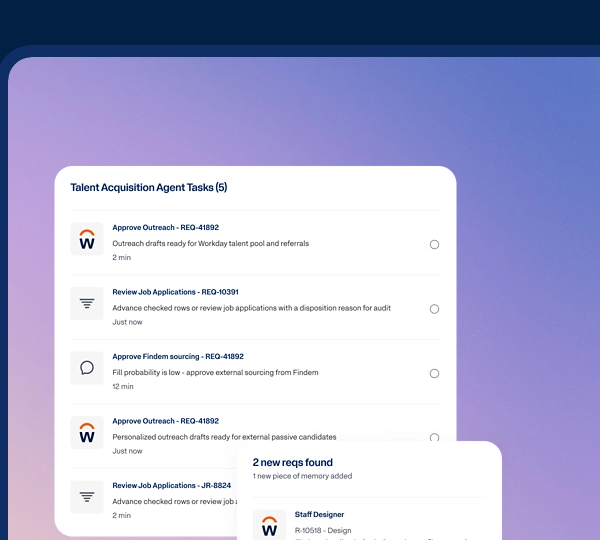
A Hire business process creates the worker, and it can distribute an onboarding Journey to the new hire automatically, according to Workday's administrator guide. A worker can have only one active onboarding process at a time, and a new onboarding event won't launch while one is active. Journeys need their own SKU, so ask whether the quote includes them before you count on them for IT and manager tasks, because that's where the hand-offs break.
- Starting price
- Not published; custom quote
- Implementation
- 3 to 12 months in consultancy estimates, not a Workday figure
- Journeys
- A separately licensed item per Workday's administrator guide
- Onboarding
- A worker can have one active onboarding process at a time
Oracle Fusion Cloud HCM
Oracle Fusion Cloud HCM covers core HR, payroll, time and labor, benefits and talent management in one suite, with event-triggered Journeys for onboarding and transfers.
Oracle Fusion Cloud HCM bundles core HR, payroll, time and labor, benefits and talent management in one suite, which makes it the closest to a single-vendor answer on this list.
Oracle groups Recruiting, Performance, Learning, Compensation and Succession under Talent Management, and lists Benefits and Absence in the same suite. Oracle doesn't publish a price, and third-party estimates put a mid-market single-pillar rollout at 3 to 9 months. One reviewer reports payroll in only a limited number of countries, so check localization for every country you pay in. Capterra shows 3.9 from 83 reviews, which is a small base next to the others, so don't over-read it.
- you already run Oracle ERP or Financials and want HR and payroll on the same vendor stack
- you need one suite spanning recruiting, performance, learning, benefits and payroll
- you have an implementation partner budget: Oracle sells fixed-fee partner packages for organizations up to 15,000 employees
- you lack technical HR admin capacity: reviewers describe the system as complex
- you need strong ad hoc reporting or easy data import: reviewers report limited ad hoc reporting and a clunky import
- you need payroll in many countries without checking localization: one reviewer reports payroll in a limited number of countries
- Users like
- an easy web interface, flexibility and integration options, per Capterra and GetApp summaries
- Users dislike
- slow support, complexity that needs technical expertise and limited ad hoc reporting, per review summaries
- Source: Capterra, 83 reviews
How a hire runs through it
Oracle describes Journeys as event-triggered guided workflows, and a third-party guide lists new hire, promotion and global transfer as triggers. Journeys can be reached inside a transaction or from a digital assistant. Because payroll, Time and Labor and Benefits sit in the same suite, a hire event feeds each without a separate integration. For mid-sized employers Oracle sells HCM Now, with fixed-fee partner implementation packages for organizations up to 15,000 employees.
- Starting price
- Not published; custom quote
- Journeys
- Event-triggered guided workflows for onboarding, transfers and promotions
- Payroll
- Native, but one reviewer says only a limited number of countries
- Implementation
- 3 to 9 months for a mid-market single-pillar project in third-party estimates
SAP SuccessFactors
SuccessFactors is SAP's modular HCM suite: Employee Central holds the employee record and other modules such as payroll, time, recruiting and performance are licensed on top.
SuccessFactors is modular by design: Employee Central is the employee record, and payroll, time, recruiting and performance are licensed on top.
That makes it flexible for global groups but awkward as a single bundle. Employee Central Payroll needs an Employee Central license, per SAP's payroll pricing page, and a partner write-up says SmartRecruiters is the recruiting offer for new deployments. SAP says a certified partner must implement it. Timelines run 12 to 20 weeks for a standard Employee Central project in SAP Press, and 9 to 18 months for multi-module or multi-country programs in a consultancy estimate. G2 figures differ across listings, so treat the rating as approximate.
- you already run SAP S/4HANA or ECC and want HR data in the same landscape
- you operate in many countries and need localized core HR and payroll under one vendor
- you have budget for a certified implementation partner and a multi-quarter rollout
- you have a few hundred employees: partner-led implementation and a modular price list are heavy at that size
- you want one bundle: payroll, time and recruiting are separate licenses with Employee Central as the prerequisite
- you want a modern, intuitive interface: reviewers call it outdated and initial configuration complex
- Users like
- a single platform for HR tasks and smooth integration with other SAP systems
- Users dislike
- an interface that feels outdated and complex initial configuration; counts and ratings differ across G2 listings
- Source: G2, 1,657 reviews
How a hire runs through it
In Onboarding 2.0 a hire is triggered from Recruiting or a third-party applicant tracking system. The pending hire is reviewed in Manage Pending Hires before the person becomes an employee, and an event published at the start of onboarding lets provisioning integrations act early, per a Rizing write-up. Internal moves work differently: a transfer event fires only for job or compensation changes, and a business rule that you configure decides whether it starts the internal hire process.
- Starting price
- Not published as a suite price; custom quote, modules licensed separately
- Payroll
- Employee Central Payroll needs an Employee Central license, per SAP's payroll pricing page
- Implementation
- Partner-led; 12 to 20 weeks for a standard Employee Central project in SAP Press, 9 to 18 months for multi-module or multi-country in a consultancy estimate
- Recruiting
- A partner write-up says SmartRecruiters is the recruiting offer for new deployments
Payroll-First Suites That Grew Into HCM
ADP Workforce Now, Paycom and Paylocity started as payroll providers and added HR, time, benefits and talent around the pay run. Their strength's the payroll and compliance core, although the talent modules are sometimes lighter and some are sold as add-ons. They fit US employers with a few hundred to a few thousand people. For a payroll-only comparison, see our guide to payroll software.
ADP Workforce Now
Workforce Now is ADP's mid-market suite on a single database. The adp.com product page lists payroll and HR in Select, benefits administration from Plus and Time and Attendance in Premium.
Workforce Now is ADP's mid-market suite, sold as three cumulative packages on one database.
On adp.com, Select includes payroll and HR, Plus adds benefits administration and Premium adds Time and Attendance, so time tracking is a Premium decision. Benefits comes with carrier connections and ACA data collection. Recruiting posts to 25,000+ job sites through JobTarget, per ADP's G2 vendor listing. ADP doesn't publish prices, and one third-party estimate of $27 to $48 per employee per month before implementation isn't a quote. G2 reviewers report an average 3-month implementation.
- you're a US mid-market employer that wants payroll, HR, benefits and time from one vendor with a payroll-grade compliance team behind it
- you need benefits administration with carrier connections and ACA data in the same system as payroll
- you want to start with payroll and HR and add modules as you grow
- you need time tracking in the entry package: it's listed only in Premium
- you want a published price: ADP shows none
- you prioritise a modern interface and fast support: recent G2 reviewers call navigation dated and support routing slow
- Users like
- ease of use and payroll, benefits and employee data in one place
- Users dislike
- poor customer support and navigation that takes many clicks
- Source: G2, 4,477 reviews
How a hire runs through it
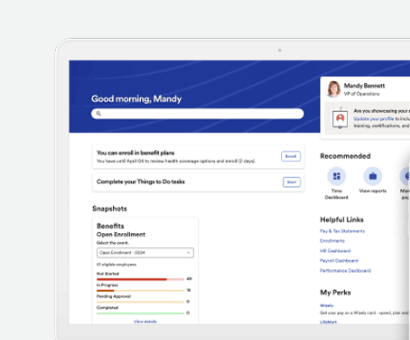
HR owns the hire. Guided workflows and the ADP Onboarding app collect tax withholding, direct deposit, emergency contacts, policies and I-9 Section 1 on mobile; the app is available to clients that have Payroll and Enhanced HR. Payroll then reads the same profile, and in Premium, Time and Attendance feeds hours into the pay run with errors flagged first. ADP's pages don't spell out the exact hand-off from onboarding to the first pay run, so ask for it in a demo.
- Starting price
- Not published; Select, Plus and Premium packages, custom quote
- Packages
- Select, Plus, Premium; benefits from Plus, Time and Attendance in Premium
- Integrations
- 108 listed on G2
- Implementation
- About 3 months on G2
Paycom
Paycom builds HR, payroll, time, talent and benefits in one in-house database. Its Beti payroll starts each pay period itself and has employees preview and approve their own check.
Paycom builds every module in one in-house database and gives employees a job that most payroll systems keep in HR: checking their own paycheck.
Paycom's software page lists HR management, time and scheduling, applicant tracking and onboarding, performance and learning, and benefits with COBRA and ACA reporting. Its pitch is that you won't need integrations between modules, because they share one database. Paycom doesn't publish a price, and OutSail's third-party estimate of $26 to $35 per employee per month is a ballpark rather than a quote.
- you want employees to own paycheck verification so HR stops chasing punch and expense errors before each run
- you prefer one vendor-built database over stitched-together modules
- you run hourly workforces and need time, scheduling and payroll tightly tied
- you want a published price: Paycom sells by quote only
- you want best-of-breed modules from different vendors: the single-database design favors the full suite
- you want employees kept out of payroll processing: Beti makes self-review the default workflow
- Users like
- ease of use, knowledgeable support and self-service that reduces errors, per G2 summaries
- Users dislike
- support response times, glitches after updates and complexity for new users, per G2 summaries
- Source: G2, 6,740 reviews
How a pay run works
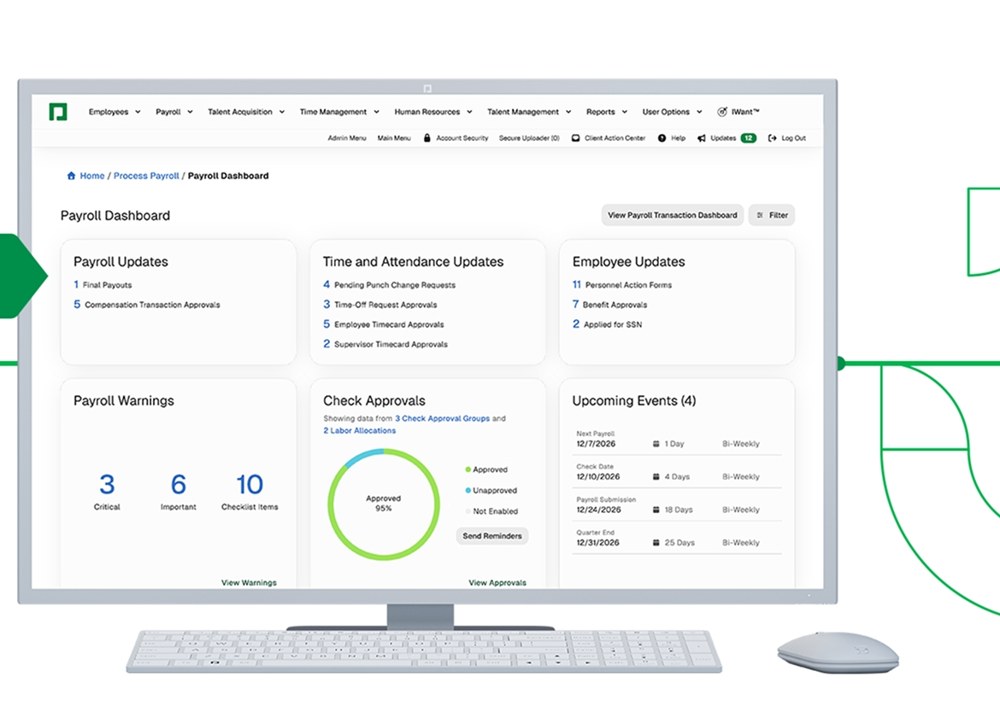
Beti starts payroll on the first day of each pay period and pulls hours, approved expenses, PTO, tax and benefit changes and merit transactions. Employees get app alerts for missing items, preview their check, fix flagged errors and approve it, while HR works from a dashboard of pending tasks. Employees can't change their own pay rate, and per Paycom's rollout template a check is still paid if an employee doesn't approve it. Some earnings, such as bonuses or commissions, may not show in the initial preview.
- Starting price
- Not published; custom quote
- Payroll
- Beti starts payroll on day one of each pay period; employees can't change their own pay rate
- Benefits
- Carrier connections, COBRA and ACA reporting inside the suite
- Implementation
- No vendor timeline found
Paylocity
Paylocity is a US HR and payroll suite whose onboarding runs on event packets with required default tasks.
Paylocity puts payroll, HR, time and benefits under one login and sells Recruiting and Learning as add-ons.
Onboarding runs through packets with required default tasks, and I-9 and E-Verify tasks go to named people. E-Verify isn't added automatically to a customized packet that contains I-9 tasks, so someone has to check that step. Paylocity lists hundreds of integrations in its marketplace; one snapshot counted 397. It doesn't publish a price. Third-party estimates of roughly $22 to $33 per employee per month aren't Paylocity figures, and one source estimates implementation fees at 10 to 20 percent of annual fees.
- you're a mid-sized US employer that hires in batches and wants onboarding packets, I-9 and payroll in one system
- you want a published price: Paylocity sells by quote, and advisors estimate roughly $22 to $33 per employee per month
- you need E-Verify without admin work: it isn't added automatically to a customized packet that contains I-9 tasks
- Users like
- a user-friendly interface, helpful chat and time tracking with mobile clock-in
- Users dislike
- hard to get answers when there is a problem, pushy sales contacts and limited report flexibility
- Source: G2, 5,079 reviews
How a hire runs through it
Integration vendors can push applicants in through Paylocity's onboarding API, but an admin still confirms and completes the hire in the onboarding portal. Paylocity sends webhooks for new hire, employee change, termination and payroll-processed events. They carry only the company and employee IDs, so a receiving system calls the API for the changed values, as a connector vendor describes it.
- Starting price
- Not published; custom quote
- Integrations
- Hundreds in the marketplace; one snapshot listed 397
- Cost estimate
- About $22 to $33 per employee per month for the suite, per G2 and OutSail estimates, not Paylocity figures
- Add-ons
- Recruiting and Learning are optional add-ons per the pricing page as summarized in search results
Workforce Management Suites
UKG Pro and Dayforce put time, scheduling and labor rules at the center. They suit employers with hourly, shift-based or multi-site workforces, where overtime rules, union requirements and forecasted labor demand matter as much as the HR record. For the scheduling side alone, see our guide to workforce management software.
UKG Pro
UKG Pro is the enterprise HCM suite from UKG: core HR, payroll and benefits on one employee record, with timekeeping and scheduling sold as UKG Pro Workforce Management.
UKG Pro is the enterprise HCM suite from UKG, with core HR, payroll and benefits administration on one employee record and timekeeping sold separately as UKG Pro Workforce Management.
UKG doesn't list a price. A third-party estimate of about $27 to $41 per employee per month isn't a UKG figure. A small G2 sample puts implementation at about 5 months. UKG Ready is a different, smaller product, and sources say UKG steers smaller employers there. We couldn't confirm how UKG packages the talent modules (applicant tracking, performance and learning) from public sources, so ask for it in writing.
- you have a large hourly or shift workforce and want payroll and workforce management from one vendor
- you want the self-service, mobile app and reporting that G2 reviewers praise
- you're above roughly 500 employees: UKG itself steers smaller employers to UKG Ready
- you want a public price or a low-cost option: UKG lists none and reviewers call it expensive
- you depend on smooth outbound data feeds to other systems: G2 reviewers flag weak data feeds
- you have a small team and no implementation budget: Capterra reviewers cite complex setup and slow support
- Users like
- self-service, reporting and the mobile app
- Users dislike
- weak data feeds to other systems; Capterra reviewers add expensive fees, bugs and slow support
- Source: G2, 2,150 reviews
How a hire runs through it
In UKG Pro Onboarding, hires move through statuses such as Initial Review. A 2022 release note describes hire records posting automatically from Process Hires into UKG Pro for US and Canadian employees, which removes manual re-entry before payroll. A December 2023 note says the owner can change a new hire's start date without sending the hire back to Initial Review. The onboarding API needs a support case to get a Client ID and Secret.
- Starting price
- Not published; custom quote
- Time and scheduling
- UKG Pro Workforce Management is a separate offering
- Onboarding
- Hire records can auto-post from Process Hires into UKG Pro for US and Canadian employees
- Implementation
- About 5 months on G2 from a small BetterCloud sample
Dayforce
Dayforce, formerly Ceridian, runs forecasting, scheduling, time and payroll on one system with shared compliance rules.
Dayforce runs HR, global payroll, time, scheduling and talent on one rules engine and one data model, which is why hourly and multi-site employers shortlist it.
dayforce.com lists Global Payroll across 200+ countries and on-demand pay through Dayforce Wallet. G2's vendor description includes benefits, but dayforce.com's module list doesn't, so confirm it in the quote. Dayforce doesn't publish a price, and G2 reviewers report an average 7-month implementation.
- you schedule hourly staff across many locations and want forecasts, budgets and pay rates considered when schedules are generated
- you need configurable rules for regional or union requirements checked before payroll closes
- you need fast setup: G2 shows an average implementation time of 7 months
- you want a published price: Dayforce lists none and third-party estimates differ several-fold
- you only need a standalone time clock for a small team
- Users like
- a single platform for HR, payroll, benefits and time, plus built-in overtime, break and tax rules
- Users dislike
- inconsistent support, a steep setup and learning curve, and login friction at peak payroll
- Source: G2, 962 reviews
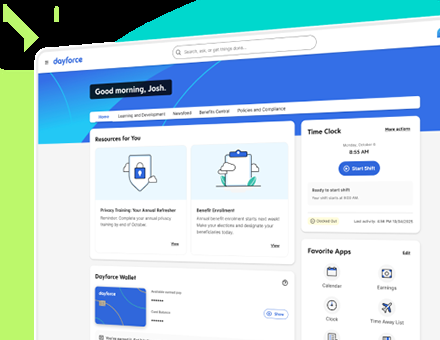
How a hire runs through it
A manager or HR user opens People, chooses New Hire and fills in personal details, payroll settings, job assignment, salary and location. The employee record exists only after the form is submitted, approved and processed. Then the person can be scheduled, and timesheets compare scheduled with worked time and flag exceptions. With the Calculate Net Pay setting on, the payroll engine recalculates net pay every time a timesheet is saved. An optional setting can block a hire when the job assignment has reached its budgeted limit.
- Starting price
- Not published; custom quote
- Forecasting
- Historical data, recent trends and seasonal predictions drive labor demand
- Rules
- Built-in configurable rules for global, regional and union requirements
- Implementation
- 7 months average on G2
- Global payroll
- 200+ countries on dayforce.com
- Benefits
- Listed in G2's vendor description but not on dayforce.com's module list; confirm in the quote
All-in-One Platforms for Growing Teams
Rippling and BambooHR start from the employee record and add modules as a company grows. They're the only two suites here that publish prices, and they suit teams from a few dozen to a few hundred people, and they're lighter to run than the enterprise suites. The trade-off's depth, since reporting and international payroll are where they usually reach their limits.
Rippling
A modular platform with a shared employee data model across HR, payroll, IT identity and device management, and finance products.
Rippling treats the HR record as a hub: payroll, benefits, time, recruiting, performance, device management and app access all read from it.
Its pricing page shows only that plans start at $8 per employee per month plus a monthly base fee. Payroll is quote only and the other modules aren't priced, so the bill grows as modules are added. Accepting an offer in Rippling Recruiting can trigger onboarding, and Workflow Studio builds triggers on employee attributes such as start date, work location and role, showing the trigger, actions and affected people before you publish. The most repeated complaints are pricing that rises with modules and support response times that vary.
- HR and IT jointly own onboarding and offboarding automation
- global payroll or EOR is in scope
- identity and device workflows are consolidation targets
- you only need basic HR records and time off
- you lack owners for configuration and access policies
- Users like
- an intuitive interface and payroll, benefits and time off in one place, per G2 summaries
- Users dislike
- pricing that is unclear and rises as modules are added, and support response times that vary
- Source: G2, 11,089 reviews
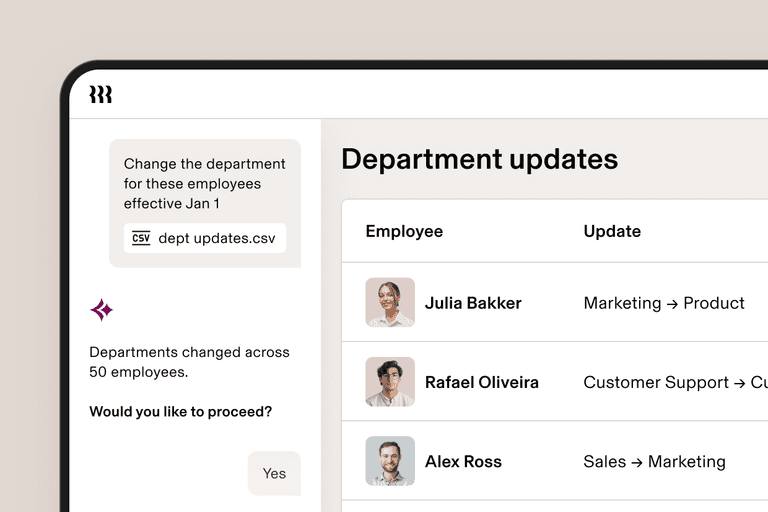
How a hire runs through it
Ashby, an applicant tracking system, says its Hired status pushes the record to Rippling, which starts payroll setup, device provisioning, app access and benefits enrollment. The IT group covers identity and access, device management and inventory, so IT steps can be driven from the HR record instead of tracked by hand. Global options include global payroll, employer of record and contractor of record. For a closer look, see our Rippling pricing guide.
- Starting price
- Starts at $8 per employee per month plus a monthly base fee; payroll is quote only
- Integrations
- 179 verified on G2; Rippling's own page claims 650+
- Capterra
- 4.9 from 4,886 reviews (October 2026)
- Performance
- Module with reviews, goals, 360, 1:1s and calibration; price not published
- US Payroll
- Separate product; starting rates depend on billing term
- IT
- Identity, access, device and inventory products
BambooHR
An HR-first platform for employee records, hiring, time off, manager workflows, and optional US payroll and benefits. Core and Pro prices conflict within its official page.
BambooHR starts from the HR record and adds payroll, benefits and time as paid extras, which keeps the base simple for small HR teams.
Core, Pro and Elite list at $10 or $10.25, $17 or $17.50 and $25 per employee per month; the plan tiles and the FAQ differ by 25 cents on two tiers. Teams with 25 or fewer employees pay a flat $250, $425 or $650 per month. Payroll, Benefits Administration and Time and Attendance are quote only, and bundling them gets 15 percent off for US employees. Applicant tracking is on every plan with 5, 25 or 50 open jobs, and performance with 360 reviews and goals starts at Pro.
- HR owns employee records and onboarding
- performance and engagement features can be scoped by plan
- existing IT identity stack remains in place
- you want the HR platform to provision devices and app access
- you require native international payroll
- Users like
- ease of use and a clean, simple interface
- Users dislike
- configuration difficulty and missing workflow-specific features; advanced reporting is limited
- Source: G2, 5,733 reviews
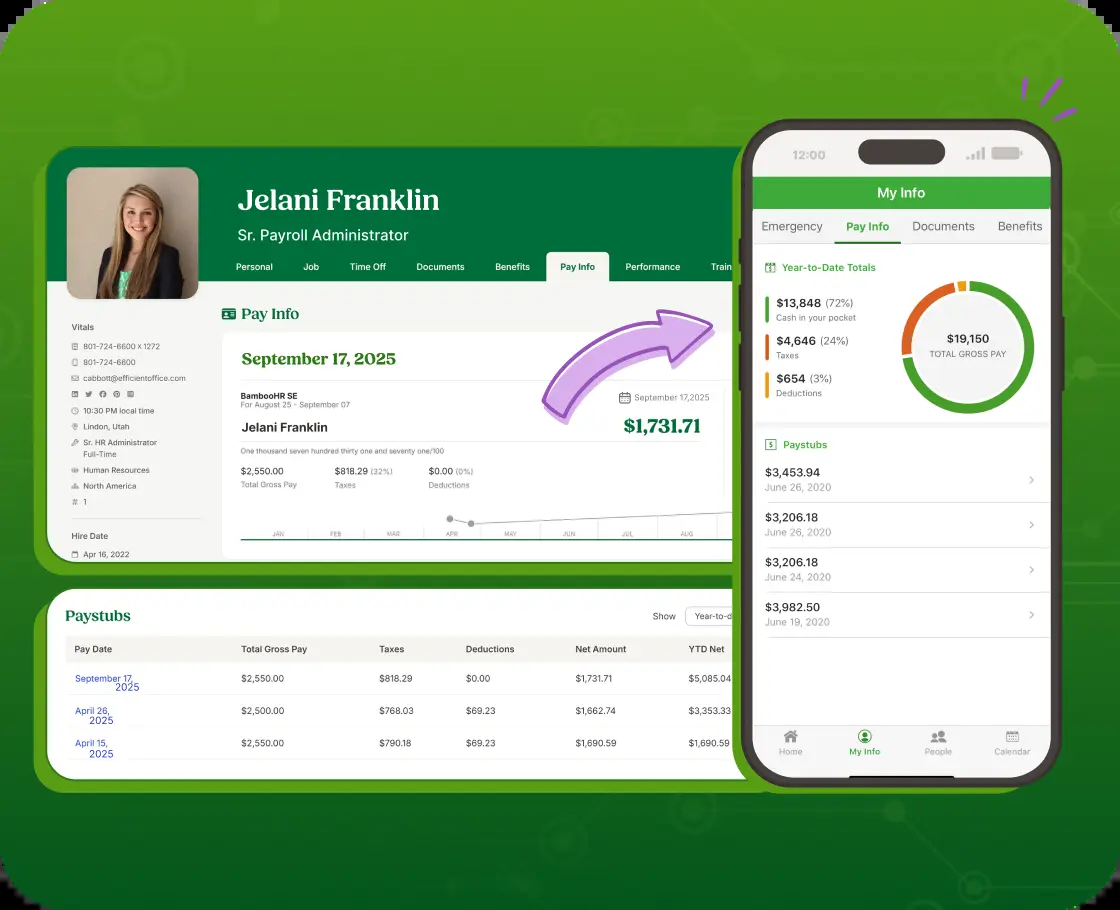
How a hire runs through it
The employee record is the source of truth: record and location changes sync to BambooHR Payroll without re-entry, and Time Tracking hours, including multiple project and role rates, and PTO flow into payroll. Onboarding runs on checklists, e-signature and preboarding packages, and IT is a checklist task rather than automated provisioning. Non-US payroll goes through local-provider integrations, marketplace partners or an employer of record. See our BambooHR pricing and BambooHR review guides.
- Starting price
- Core $10 / $10.25, Pro $17 / $17.50, Elite $25 per employee per month; payroll, benefits administration and time & attendance quote only
- Plans
- 25 employees or fewer pay a flat $250, $425 or $650 a month; payroll, benefits and time tracking are quote only
- Applicant tracking
- Included on every plan, with 5 open jobs on Core, 25 on Pro and 50 on Elite
- Integrations
- 165 verified listings on G2; BambooHR's onboarding page says 150+
- Performance
- Part of Pro ($17 per employee per month): review cycles, 360, goals, 1:1s; no calibration documented
- US Payroll
- Paid add-on
- Global Employment
- Powered by Remote
- Published pricing conflict
- Core $10 tile versus $10.25 FAQ; Pro $17 tile versus $17.50 FAQ
How Much Does HCM Software Cost?
HCM software costs are published for only two of these ten suites: Rippling starts at $8 per employee per month plus a monthly base fee, and BambooHR lists $10 to $25 per employee per month with payroll, benefits and time as quote-only add-ons. The other eight sell by quote, so any per-employee figure you'll see for them comes from a third party, not the vendor.
| Suite | What the vendor publishes (USD) | Third-party estimate in USD, not a quote |
|---|---|---|
| Rippling | From $8 per employee per month plus a monthly base fee; payroll quote only | None used |
| BambooHR | Core $10, Pro $17, Elite $25 per employee per month; add-ons quote only | None used |
| ADP Workforce Now | Select, Plus and Premium packages, no prices | $27 to $48 per employee per month (ERP Research) |
| Paycom | No prices | $26 to $35 per employee per month (OutSail) |
| Paylocity | No prices | Roughly $22 to $33 per employee per month |
| UKG Pro | No prices | About $27 to $41 per employee per month |
| Dayforce | No prices | None found |
| Workday, Oracle, SAP | No suite prices | None found |
Four things move the bill beyond the rate.
- Modules. Payroll, time, benefits and recruiting are often priced separately, as at BambooHR, SAP and Paylocity.
- Implementation. Enterprise suites are partner-led, and implementation's usually billed on top of the subscription; one third-party source puts Paylocity's at 10 to 20 percent of annual fees.
- Base fees and minimums. Rippling adds a monthly base fee, and SAP lists a 1,000 unit minimum for Employee Central Payroll.
- Administration. Workday and Oracle both lean on technical administrators after go-live, and that salary isn't in the quote.
How to Choose HCM Software
Start with the suite type that matches your size and workforce, then compare two or three vendors inside it rather than all ten. The sizes below are rules of thumb, not vendor requirements.
| If this describes you | Start with | Shortlist |
|---|---|---|
| Under about 200 people, HR-led, wants a simple record and add-ons | All-in-one platform | BambooHR, Rippling |
| A few hundred to a few thousand US employees, payroll and benefits are the core | Payroll-first suite | ADP Workforce Now, Paycom, Paylocity |
| Hourly, shift-based or multi-site workforce with union or overtime rules | Workforce management suite | Dayforce, UKG Pro |
| 1,000+ employees, multiple entities or countries, an HR systems team | Enterprise suite | Workday, Oracle Fusion Cloud HCM, SAP SuccessFactors |
- Get the module list in writing: which modules are in the quote and which are add-ons
- Ask who implements, how long it takes at your size and what the implementation fee is
- Confirm payroll coverage for every state and country you pay in
- Ask how a hire flows from the HR record into the first pay run, and watch it in a demo
- Test reporting: build one headcount report and one turnover report during the trial
- Ask how data feeds to your identity provider, benefits carriers and finance system
- Name the person who will administer the suite after go-live
- Get renewal terms and price-increase caps in the contract
Where Onboarding Coordination Fits Next to an HCM Suite
An HCM suite creates the record and runs pay and benefits. The tasks that cross teams, such as a laptop on backorder or an access request waiting on an identity that doesn't exist yet, usually live in tickets and chat threads, and nobody sees the whole picture. The People Ops Manager is built for that gap. It works alongside your HRIS or HCM suite and doesn't replace it. Our guides to the onboarding process and employee onboarding software cover that part of the lifecycle, and our list of HR metrics covers what to measure once the suite is live.
Frequently Asked Questions
Replacing one of these suites? Our guide to Workday alternatives compares seven options and what each one does when a new hire starts.
What is HCM software used for?
HCM software runs the employee lifecycle in one system: the employee record, payroll, time and attendance, recruiting and onboarding, performance and learning, benefits and analytics. Employers use it so HR, payroll and managers work from the same record instead of re-entering a hire into separate tools.
What is the difference between HCM and HRIS software?
Scope separates them. An HRIS holds the employee record and basic HR administration, and an HCM suite adds payroll, time, talent management, benefits and analytics on top. Vendors use the words loosely, so check the module list instead of the label.
How much does HCM software cost?
Most vendors won't say. Only Rippling (from $8 per employee per month plus a base fee) and BambooHR ($10 to $25) show prices, and the other eight sell by quote, so expect sales calls before you see a number.
What are the top HCM systems?
The top HCM systems depend on your size, though the pattern's consistent. Workday, Oracle Fusion Cloud HCM and SAP SuccessFactors fit large enterprises. ADP Workforce Now, Paycom and Paylocity fit US mid-market employers built around payroll and benefits. UKG Pro and Dayforce fit hourly and multi-site workforces, and Rippling and BambooHR fit growing teams.
How long does it take to implement HCM software?
HCM software implementation averages about 3 months for ADP Workforce Now and 7 months for Dayforce, according to G2 reviewers. SAP Press describes 12 to 20 weeks for a standard Employee Central project, and consultancies estimate 3 to 12 months for Workday. These are third-party figures, so ask each vendor for a timeline at your size.