The best payroll software depends on one thing before price: who files your payroll taxes, and in how many states. This guide compares nine US payroll tools on that question, on how fast pay lands, and on what each one costs for a team of 5, 15 or 50 people. Four of the nine publish a monthly price. The other five sell by quote, and we say so wherever that matters.
- payroll tools compared
- 9
- publish a payroll price
- 4
- sell by quote or publish no US payroll price
- 5
- Capterra reviews behind eight of the ratings
- 20,027
Best Payroll Software at a Glance
Pick by the situation you're in. Prices are the lowest published monthly plan unless a card says otherwise, checked on October 16, 2026.
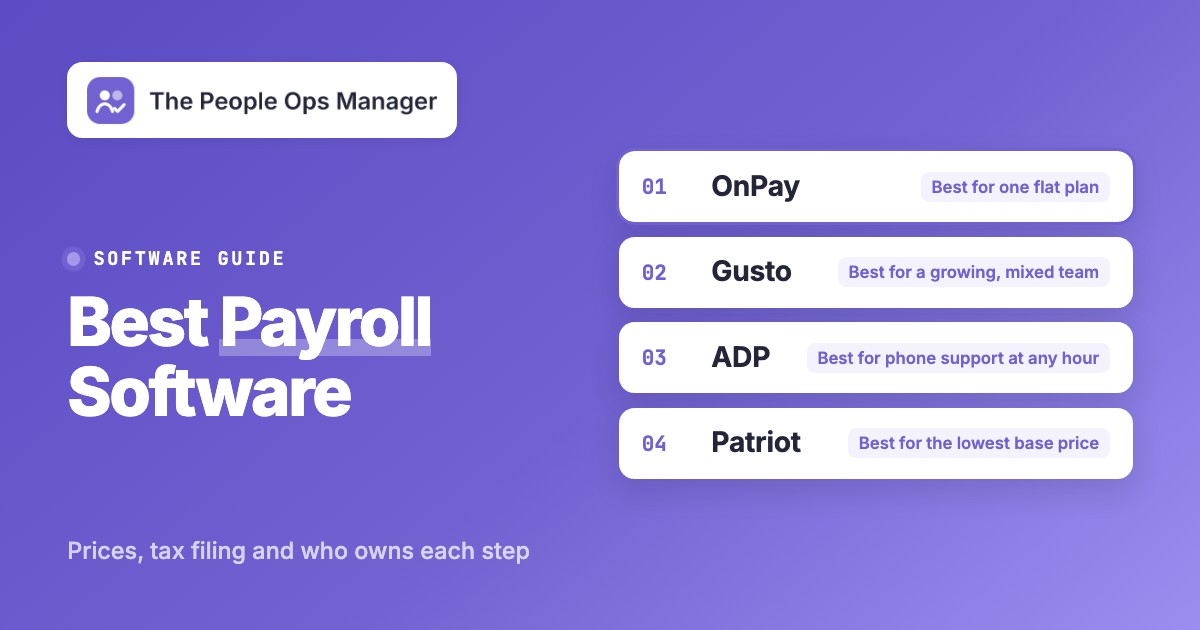
 Best for one flat planOnPayOne base plan includes federal, state and local tax filing and multi-state payroll, for $49 a month plus $6 per worker.
 Best for a growing, mixed teamGustoPlus adds multi-state payroll, next-day pay and contractor invoicing at $80 a month plus $12 per person.
 Best for phone support at any hourADP RUNEvery package includes 24/7 phone and chat support and tax filing. Price is by quote.
 Best if your books live in QuickBooksQuickBooks PayrollPayroll is sold with a QuickBooks accounting plan, with same-day direct deposit from the middle tier.
 Best for the lowest base pricePatriot PayrollBasic starts at $17 a month, but on Basic you file and deposit the taxes yourself.
 Our product · for the handoffs around payrollThe People Ops ManagerIt isn't payroll software. It tracks the finance task and the other handoffs that must finish before a new hire is ready.
| Tool | Category | Tax filing | Starting price | Rating |
|---|---|---|---|---|
| Gusto | HR and payroll suite | Included on every plan | Simple $49 per month plus $6 per person | 4.6 (Capterra, 4,137) |
| OnPay | Small business payroll | Federal, state and local included | $49 per month plus $6 per worker | 4.8 (Capterra, 464) |
| Patriot Payroll | Small business payroll | Full Service only; Basic leaves filing to you | Basic from $17 per month; Full Service from $37 per month; per-worker fee on top | 4.8 (Capterra, 3,640) |
| ADP RUN | Full-service payroll | Included in all four packages | Quote only; no prices published | 4.6 (Capterra, 1,456) |
 Paychex Flex Paychex Flex | Full-service payroll | Taxpay service; ask which tier includes it | Quote only; no prices published | 4.2 (Capterra, 1,805) |
 Paycor Paycor | HR and payroll suite | Tax filing, W-2 and 1099 processing | Not published | 4.4 (Capterra, 2,762) |
| QuickBooks Payroll | Payroll inside accounting | Full service on all three tiers | From $88 per month plus $6.50 per employee (bundled with QuickBooks accounting; 50% off for 3 months) | 4.5 (Capterra, 982) |
 Rippling Rippling | HR and payroll suite | Federal, state and local filing | From $8 per employee per month plus a base fee | 4.9 (Capterra, 4,781) |
 Deel Deel | Global and enterprise platform | Per country; US coverage not stated | HR from $5 per employee per month | 8.9/10 (TrustRadius, 89) |
| The People Ops Manager Our product | Onboarding coordination | Not payroll; tracks the finance task | Invite-only | No reviews yet |
Prices checked on vendor pages on October 16, 2026. Ratings are the Capterra figures shown on the review site or the vendor page, except Deel (TrustRadius, out of 10). Quote-only tools show Not published.
How to Choose Payroll Software: What to Check First
Seven checks separate payroll tools that look alike on a pricing page. Each one is something a vendor page can confirm before you sign.
- Who files and who is liable. The IRS expects employers to report wages on Form 941 each quarter, most also file Form 940 once a year, and all employment taxes must be deposited on time and by the required method. A full-service tier does this for you. A basic tier such as Patriot Basic only calculates payroll. Read the IRS employment tax due dates once so you know what you're handing over.
- How many states you pay in. Gusto Simple runs payroll in one state, and multi-state payroll starts on Plus. OnPay says multi-state payroll costs nothing extra, and ADP lists multi-jurisdiction payroll in all four packages.
- How fast pay lands and when the cutoff is. QuickBooks lists next-day direct deposit if you run payroll by 5 pm and same-day deposit if you run it by 7 am Pacific on the middle and top tiers. Gusto sells same-day pay at $90 per payroll and instant pay at $100 per payroll unless you're on Premium. ADP describes two-day processing cycles.
- How new-hire data gets in. The first paycheck depends on a W-4, a state withholding form and bank details. OnPay's base plan includes e-signature for the I-9, W-4 and offer letter. ADP lets new hires enter their own details before day one. Gusto charges $20 per Remote I-9 submission below Premium.
- What it connects to. If a bookkeeper works in QuickBooks or Xero, check that payroll posts there. OnPay, ADP and Rippling all list those accounting connections.
- Contractors and year-end forms. Look for W-2 and 1099 handling, and whether year-end forms cost extra. ADP charges an additional fee for W-2 and 1099 creation and delivery.
- Support and price clarity. Phone support, a named specialist and a published price are different things. ADP, Paychex and Paycor publish no price at all.
Who Owns Each Step From Signed Offer to First Paycheck
Payroll fails at the handoffs, not in the software. The tool calculates correctly once it has the right inputs, and the inputs come from four different people. This is how the steps usually split. Owners vary by company, so treat the order as a starting point.
- Hiring managerConfirms start date, pay rate, hourly or salaried status and the state where the employee works After the offer is signed
- HRCollects the W-4, the state withholding form and direct deposit details, and starts the I-9 Before day one
- FinanceAdds the employee to payroll with the right state and pay schedule Before the cutoff for the first pay period
- Hiring managerApproves hours and time off for the period Before every cutoff
- Payroll providerCalculates pay and withholding, and files and deposits taxes on full-service tiers Every run
- FinanceReviews the register, approves and funds the run Every run
- HRConfirms state new-hire reporting happened. OnPay and ADP include it in their plans After the hire
- FinanceSends W-2s to employees by January 31, and 1099-NEC forms to contractors Year end
Most missed first paychecks trace back to the second and third rows: a missing W-4 or a start date entered after the cutoff. The People Ops Manager tracks those handoffs across HR, IT, finance and managers. It doesn't run payroll or file taxes, so it sits next to whichever tool you pick below.
Payroll Software for Small Teams on a Budget
Patriot, OnPay and Gusto publish a price you can plan around. They cost the least per month, and they differ mainly in what the cheapest plan leaves to you.
Patriot Payroll
Best for the lowest base price
The deciding detail is which plan files your taxes: Basic calculates payroll and leaves filing and deposits to you, while Full Service files and deposits federal, state and local payroll taxes.
Patriot lists Basic Payroll at $17 a month and Full Service at $37 a month, each plus a per-worker fee, and says it charges only for workers who are paid that month. Sources disagree on the Full Service worker fee: TechRepublic's 2026 review shows $5, while Wise, Motley Fool and SoftwareFinder show $4. Confirm it at signup. Patriot's own pages blocked our fetch, so these figures come from search extracts of its pricing page and the TechRepublic review.
- you have a handful of employees and want the lowest monthly base price
- you want U.S.-based support and year-end W-2 and 1099 forms included
- you want tax filing at the lowest tier: Basic leaves filings and deposits to you
- you need a QuickBooks Online integration: a Capterra reviewer asked for one
- Users like
- ease of use, price and quick access to live support, per Capterra reviewers
- Users dislike
- a per-employee charge on top of the base fee and limited net-to-gross calculations, per Capterra reviewers
- Source: Capterra, 3,640 reviews
How it works in practice
Capterra reviewers single out year-end forms. One owner said W-2 and 1099 filing that used to take most of a day now takes minutes.
The low base price is real, but the per-worker fee grows with headcount. At 15 people Full Service costs about $112 a month against $139 for OnPay or Gusto Simple, and the gap holds at 50 people ($287 against $349). Run the calculator below with your own headcount.
- Starting price
- Basic from $17 per month; Full Service from $37 per month; per-worker fee on top
- Tax filing
- Full Service only
- Worker fee
- $4 to $5 depending on source
- Time tracking
- Add-on, $6 a month plus $2 per employee
OnPay
Best for one flat plan
The deciding detail is that one base plan covers what most small teams ask for: federal, state and local tax filing, multi-state payroll at no extra cost, and W-2 or 1099 workers in the same dashboard.
OnPay's pricing page lists $49 a month plus $6 per worker for the core product, with no tiers to climb. Add-ons are priced on top: HR at $15 base plus $2 per worker, time tracking at $15 base plus $4 per worker, and compliance resources at $10 base. New hires onboard themselves. The base plan includes e-signature for the I-9, W-4 and offer letter, plus automated state new-hire reporting. Workers' compensation is pay-as-you-go through a partner, and benefits cost premiums only.
- you want one price with full-service tax filing, multi-state payroll and W-2 or 1099 workers in one dashboard
- you want phone, email and chat support with extended weekday hours without a support tier
- you need deep reporting or benefits enrollment: reviewers call it less full-featured than larger suites
- you need a built-in time clock: time tracking is a paid add-on
- Users like
- ease of use, value and responsive support, per Capterra reviewers
- Users dislike
- limited reporting customization and fiddly PTO changes, per Capterra reviewers
- Source: Capterra, 464 reviews
How it works in practice
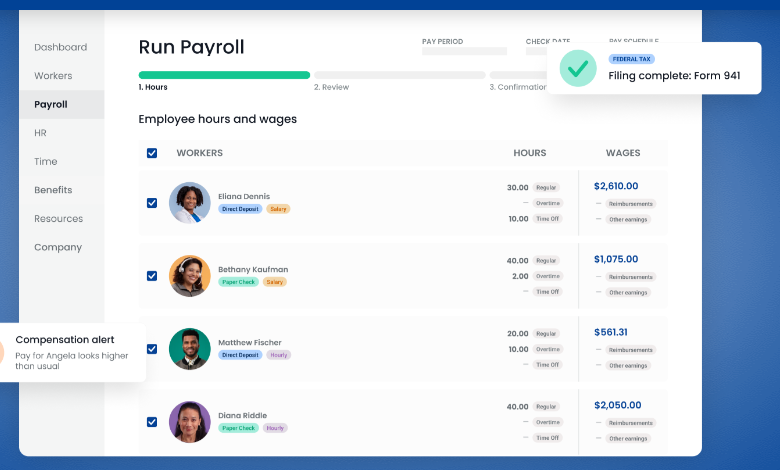
OnPay's features page says it files Form 941 quarterly and Form 940 at year end, and its pricing page lists W-2s, 1099s and year-end filings as included. Its page title says pricing starts at $55 a month, which is the $49 base plus one worker, not a separate plan.
Custom onboarding workflows and task delegation need the HR add-on. If you only need to collect paperwork and run payroll, the base plan is enough.
- Starting price
- $49 per month plus $6 per worker
- Add-ons
- HR +$15 base and $2/worker; Time Tracking +$15 base and $4/worker
- Tax filing
- Federal, state and local included
- Multi-state
- No additional cost
- Integrations
- QuickBooks Online and Desktop, Xero, Deputy, When I Work
- Support
- Phone, email and live chat on every plan
Gusto
Best for a growing, mixed team
The deciding detail is the plan ladder: Simple runs payroll in one state, while multi-state payroll, next-day pay and contractor invoicing start on Plus.
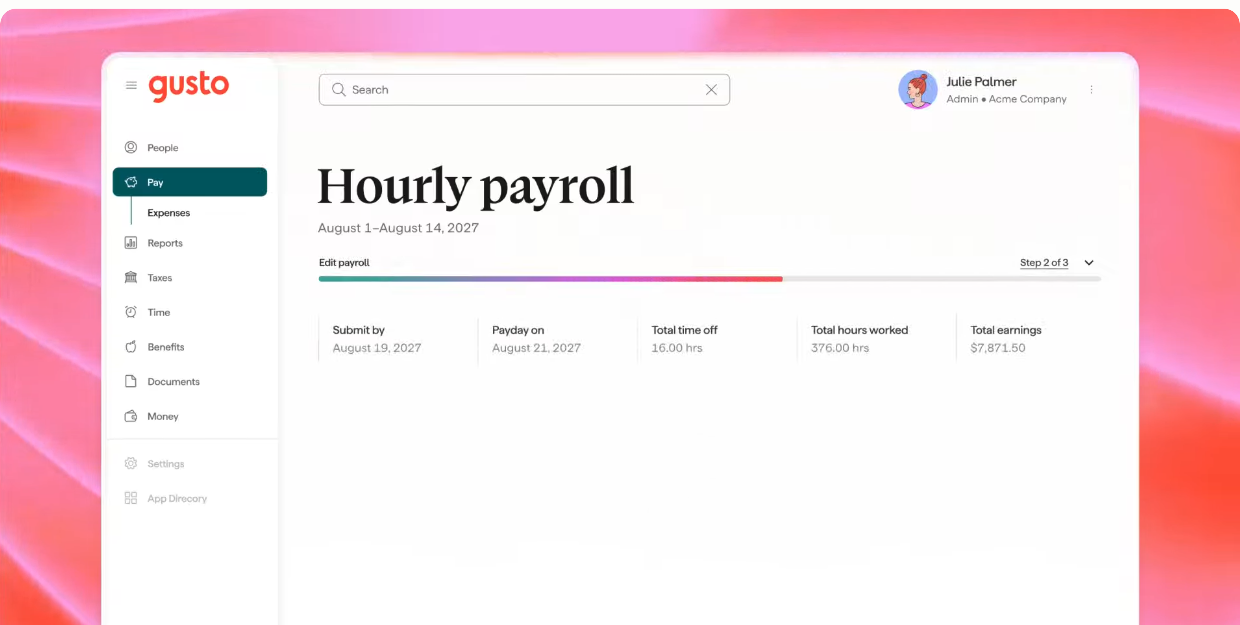
Simple costs $49 a month plus $6 per person and includes unlimited payrolls with tax filings and payments. Plus is $80 plus $12 per person and adds time tracking and scheduling, unlimited next-day pay, multi-state payroll and contractor invoice management. Premium is $180 plus $22 per person and adds a named advisor, HR guidance, Gusto Business Compliance, and unlimited same-day and instant pay. You can also buy speed separately: next-day pay on Simple is $15 a month plus $3 per person, same-day pay is $90 per payroll and instant pay is $100 per payroll.
- you're a small US team that wants new hire paperwork and I-9s next to the employee record and already runs payroll on Gusto
- you hire outside the US: provisioning doesn't cover international employees
- you need manager approvals before an offer goes out, which Deel handles and Gusto doesn't. We found no offer approval chain.
- Users like
- ease of use, guided setup and automatic tax filings, per Capterra reviewers
- Users dislike
- higher prices, slow support responses and features locked to higher plans, per Capterra reviewers
- Source: Capterra, 4,137 reviews
How it works in practice
Gusto shows a 4.6 Capterra average from 4,137 reviews on its pricing page. Reviewers praise the guided setup and the automatic quarterly filings, and criticize price and slow replies from support.
Gusto's price climbs faster per person than its rivals once you leave Simple. If you only need one state and standard pay timing, OnPay costs the same at the low end. If you hire across state lines or pay contractors, Plus is the plan that matters.
- Starting price
- Simple $49 per month plus $6 per person
- Integrations
- 153 apps in the Gusto app directory, including ATS tools such as Ashby and background checks through Checkr
- Plans
- Simple $49 + $6, Plus $80 + $12, Premium $180 + $22 per month and per person
- Remote I-9
- $20 per submission; E-Verify $5 more; both included on Premium
- Pay speed
- Next-day on Plus and up; same-day and instant on Premium
Full-Service Payroll With Phone Support
ADP RUN, Paychex Flex and Paycor handle filing for you in every package and sell on service. None publishes a price, so compare them by quote.
ADP RUN
Best for phone support at any hour
The deciding detail is support: every ADP RUN package includes 24/7 phone and online chat support, and every package files and deposits your payroll taxes.
ADP RUN is aimed at businesses with 1 to 49 employees and comes in four packages: Essential Payroll, Enhanced Payroll (marked most popular), Complete Payroll & HR Plus, and HR Pro Payroll & HR. ADP publishes no prices. Each package shows a Get pricing button, and ADP says cost depends on how often you run payroll, how many people you pay, how often you add or remove payees and which services you need. ADP states it calculates, files, deposits and reconciles payroll taxes in all four, and that it pays the fines if it makes a filing error.
- you want a provider that files and deposits federal, state and local payroll taxes and offers 24/7 phone and chat support
- you run payroll in several states and don't want a multi-state surcharge
- you want to see a price before talking to sales: ADP publishes none
- you need the cheapest per-employee cost: reviewers call ADP pricey and note extra fees for time tracking and benefits
- Users like
- automated tax filing and direct deposit, and a simple payroll run, per Capterra reviewers
- Users dislike
- pricing with no public list and long phone waits at busy times, per Capterra and TechJockey reviewers
- Source: Capterra, 1,456 reviews
How it works in practice
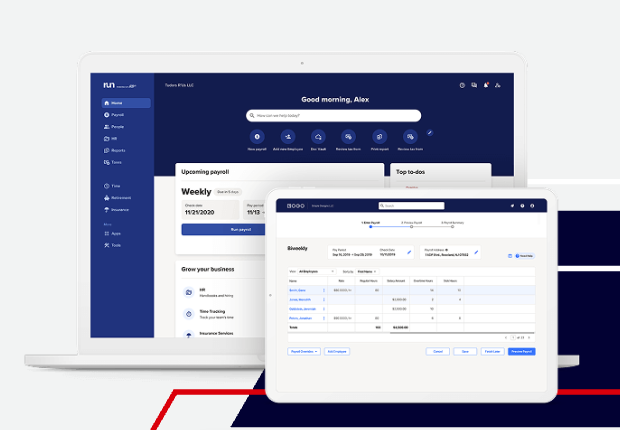
New-hire onboarding is in every package: employees fill in personal details, direct deposit and Form W-4 online before their first day. Electronic Form I-9 starts on Enhanced, and new-hire reporting is in every package.
ADP's product page shows a 4.6 Capterra rating from 1,456 reviews and says the ratings include incentivized reviews. Reviewers praise automatic tax filing and simple payroll runs, and complain about pricing that isn't public and long phone waits at busy times.
- Starting price
- Quote only; no prices published
- Plans
- Essential, Enhanced, Complete Payroll & HR Plus, HR Pro
- Pay timing
- Two-day processing; no faster option found
- Integrations
- General ledger export to QuickBooks, Xero and Wave
- Year-end
- W-2 and 1099 creation and e-filing for an additional fee
Paychex Flex
Best for payroll with a path to HR and PEO
The deciding detail is breadth: Paychex Flex pairs four payroll tiers with a Taxpay tax administration service and a route into HR Pro and PEO, but it publishes no prices.
The tiers are Basic, Foundations (marked best value), Advanced and Complete, and every tier shows Request Pricing. Paychex's comparison page lists W-2 and 1099 year-end processing, paper checks, direct deposit, tip disbursement and pay cards, plus an automatic tax administration service called Taxpay that files payroll taxes with the right agencies. The page doesn't say which tiers include Taxpay, so ask in the quote. The standard onboarding workflow is included in all HR and payroll plans, and Form I-9 and E-Verify can be added for a per-transaction fee.
- you want payroll, benefits, 401(k) and time off with one vendor and a path to a PEO later
- you want a named payroll specialist on the higher tiers
- you want published prices: every Paychex plan says Request Pricing
- you rely on fast support: Capterra rates Paychex customer service 3.9 of 5 and reviewers cite slow responses
- Users like
- ease of use and having payroll, benefits and time off in one place, per Capterra reviewers
- Users dislike
- recurring glitches, login lockouts and slow support, per Capterra reviewers
- Source: Capterra, 1,805 reviews
How it works in practice
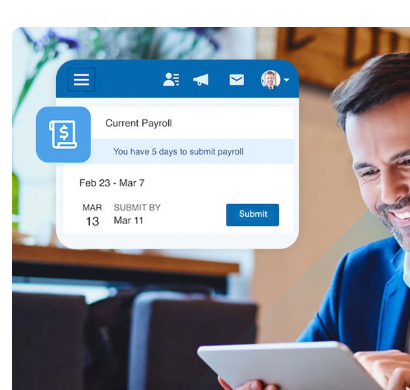
Capterra rates Paychex Flex 4.2 from 1,805 reviews, with customer service at 3.9 out of 5. Reviewers like having payroll, benefits and time off together, and cite glitches, login lockouts and slow support as the recurring problems.
Paychex acquired Paycor, which still operates as its own business unit, so a Paychex rep and a Paycor rep may both pitch you. Compare both quotes.
- Starting price
- Quote only; no prices published
- Plans
- Basic, Foundations, Advanced, Complete
- Support
- Phone, chat or email; premium tier adds a payroll specialist
- Pay methods
- Checks, direct deposit, tip disbursement, pay cards
Paycor
Best for teams that may grow past 50
The deciding detail is size fit: Paycor sells separate small-business (below 50 employees) and mid-market (50 to 1,000+) products, by quote only, and now operates as a standalone unit of Paychex.
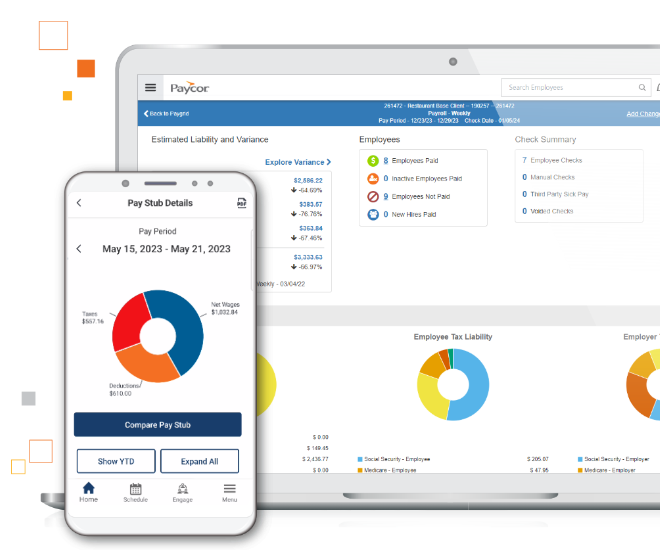
Paycor's pricing page asks small businesses to answer a few questions for a custom quote and lists no dollar amounts. The payroll page lists AutoRun scheduled payroll, a paystub preview up to three days before payday, direct deposit or a Paycor Visa card, wage garnishments, a customer sandbox and OnDemand Pay, an earned wage access feature. Paycor says it handles tax filing and W-2 and 1099 processing, and its compliance dashboard raises alerts such as missing or invalid tax IDs.
- recruiters hand over whole groups of hires at once: onboarding starts from a hired candidate in Paycor Recruiting and supports bulk invites
- your team leans on support to configure workflows. Support speed is the most common complaint in recent reviews.
- Users like
- an approachable interface and mobile access, per Capterra and GetApp reviewers
- Users dislike
- add-on fees, bugs and slow phone support, per Capterra and GetApp reviewers
- Source: Capterra, 2,762 reviews
How it works in practice
Paycor's own pages say customers stay on the Paycor platform after the Paychex deal. Its site still carries some older acquisition text, so ask your rep which roadmap applies to a small account.
Capterra reviewers call the interface approachable and the mobile access useful. The recurring complaints are add-on fees, bugs and slow phone support. Many of the older review excerpts predate the Paychex deal.
- Starting price
- Not published
- Integrations
- Paycor Marketplace and 140+ APIs
- Size fit
- Below 50 and 50 to 1,000+ employees
- Ownership
- Standalone business unit of Paychex
Payroll Software Inside a Bigger System
Here payroll is one module in accounting or HR software. That removes a sync to maintain, and it ties your payroll choice to the larger system.
QuickBooks Payroll
Best if your books live in QuickBooks
The deciding detail is the bundle: QuickBooks sells payroll attached to a QuickBooks accounting plan, so the payroll price is the bundle price, and same-day direct deposit starts on the middle tier.
The pricing page lists Payroll + Simple Start at $88 a month plus $6.50 per employee, Payroll + Essentials at $125 plus $6.50, and Premium + Plus at $203 plus $10. Each shows 50% off the monthly fee for three months, and the terms say the discount doesn't apply to per-employee fees. All three list full service payroll, where QuickBooks calculates, files and pays payroll taxes. The product is now branded QuickBooks Workforce.
- your bookkeeper works in QuickBooks and you want payroll journal entries to land there without a sync to maintain
- you want same-day direct deposit on a mid-priced plan
- you don't use QuickBooks accounting: the cheapest payroll tier is bundled with an accounting plan
- you want hiring and I-9 tools: they start on the most expensive tier
- Users like
- ease of use and tight accounting integration, per Capterra reviewers
- Users dislike
- bugs, price increases and slow phone support, per Capterra reviewers
- Source: Capterra, 982 reviews
How it works in practice
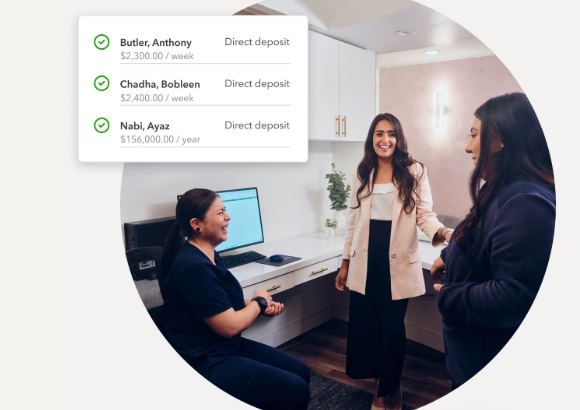
QuickBooks lists a 30-day free trial on the monthly base price. Add-ons include Checkr background checks from $29.99 per report.
Capterra shows about 982 reviews at 4.5. Reviewers praise ease of use and the accounting integration, and complain about bugs, price increases and slow phone support. The prices above are the regular prices, not the three-month promotion.
- Starting price
- From $88 per month plus $6.50 per employee (bundled with QuickBooks accounting; 50% off for 3 months)
- Plans
- Payroll + Simple Start $88, Payroll + Essentials $125, Premium + Plus $203, each plus a per-employee fee
- Pay timing
- Next-day on the lowest tier (run by 5 pm); same-day on the other two (run by 7 am PT)
- Contractors
- 1099 e-file included on every tier
- Onboarding
- Offer letters, digital paperwork and automated I-9 on the top tier
- Time tracking
- Included with Workforce Premium and Elite
Rippling
Best if HR, IT and payroll share one record
The deciding detail is that payroll is one module on a shared employee record, so it fits when HR, IT and payroll already run in Rippling, and the payroll price comes by quote.
Rippling's pricing page says plans start at $8 per employee per month with a monthly base fee, but it gives no payroll-specific number. The question about payroll cost is answered with a custom quote. Its payroll page says it calculates payroll taxes and files them with federal, state and local agencies, lets you run payroll as often as you need at no extra charge, and connects to Xero, QuickBooks and NetSuite among 650+ integrations. It can import year-to-date payroll data if you switch mid-year. We found no public statement on direct deposit timing or multi-state support.
- HR, IT and payroll should run from one hire event and one employee record
- you're switching providers mid-year and want year-to-date data imported
- you want a published payroll price: Rippling gives a quote
- you only need payroll: Merchant Maverick lists payroll as an add-on service on top of the platform
- Users like
- a clear payroll interface and one system for HR, IT and payroll, per Capterra reviewers
- Users dislike
- payroll sold only as an add-on with unclear pricing, and support that takes several tries, per Capterra and Merchant Maverick reviewers
- Source: Capterra, 4,781 reviews
How it works in practice
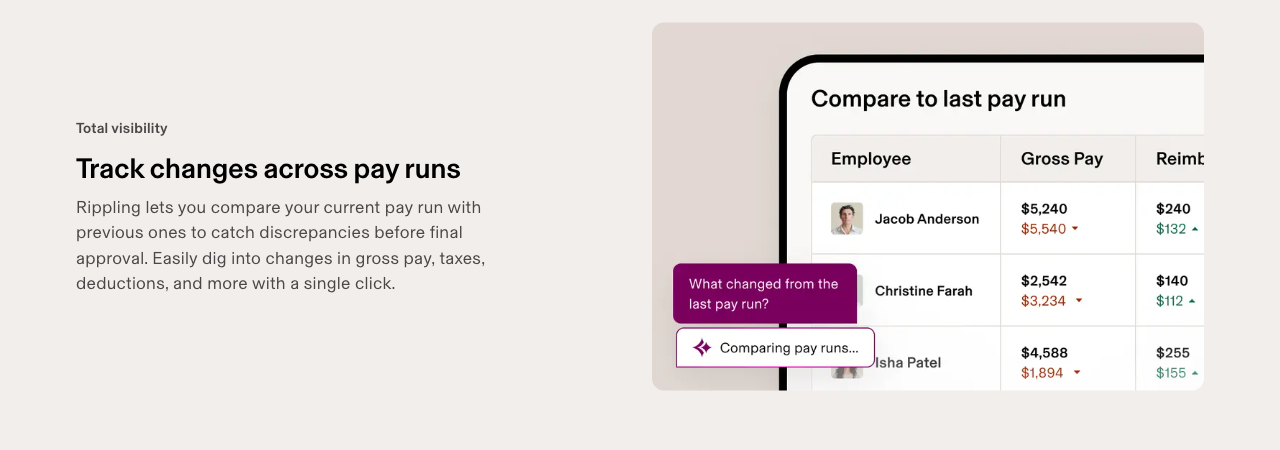
Capterra shows Rippling at 4.9 from 4,781 reviews, the highest rating in this list. Reviewers praise the clear payroll interface. Complaints include support that takes several attempts to reach the right team and a one-star report of multi-location labor allocation problems.
If you already use Rippling for IT and devices, adding payroll avoids a second employee record. If you do not, the platform fee comes first.
- Starting price
- From $8 per employee per month plus a base fee
- Integrations
- 650+, including Xero, QuickBooks and NetSuite
- Switching
- Imports year-to-date payroll data mid-year
Deel
Best for payroll across countries
The deciding detail is geography: Deel Payroll runs payroll through your own entities in several countries, with employees, contractors, EOR and PEO on one platform, and no US payroll price is published.
Deel's pricing page lists $49 per contractor per month, $125 per US PEO employee per month and $599 per EOR employee per month. Payroll through your own entity isn't priced there. Deel says small and midsize businesses can typically go live in 1 to 2 weeks, and lists integrations with Workday, SAP, Oracle, NetSuite, BambooHR, HiBob, Okta and Azure AD. Its pages don't describe US-specific W-2 and 1099 filing, multi-state support or direct deposit timing.
- you pay employees or contractors in several countries and want one payroll view
- you hire through EOR or PEO in some places and run your own entity in others
- you pay US employees only and want W-2 and 1099 handling documented: Deel's pages don't cover it, so a US-focused tool is easier to verify
- you want a US payroll price you can plan around: none is published
- Users like
- it cuts onboarding time for international hires
- Users dislike
- limited reporting and fees
- Source: TrustRadius, 89 ratings

How it works in practice
Deel's own page shows a 4.7 G2 rating from 15,384 reviews, but G2 blocked our check. The rating above is from TrustRadius, out of 10.
For a US-only team the global scope is overhead. For a team with contractors abroad it's the reason to pick Deel.
- Starting price
- HR from $5 per employee per month
- Integrations
- 200+ in Deel's marketplace, with native ATS connections to Ashby, Greenhouse, Lever, Workday and Workable and Okta SCIM provisioning
- Contractors
- $49 per contractor per month
- US PEO
- $125 per employee per month
- Go-live
- 1 to 2 weeks for small and midsize businesses, per Deel
Is There Free Payroll Software?
No tool in this list publishes a free payroll plan. What exists are trials and discounts, and they change often.
- QuickBooks lists a 30-day free trial on the monthly base price.
- OnPay's pricing page says one month free.
- Patriot, ADP and Paycor have advertised promotional discounts, such as ADP's three free months and Paycor's 50% off the first six months for small businesses. Check the current terms before you rely on one.
You can run payroll yourself without software, but you still owe the same filings. Employers report wages on Form 941 every quarter, most file Form 940 once a year, taxes must be deposited on time, and employees must receive a W-2 by January 31 according to the IRS. The cheapest paid way to get calculations without filing is Patriot Basic at $17 a month plus a per-worker fee, where you file and deposit.
How Much Does Payroll Software Cost?
Payroll pricing has two parts: a monthly base fee and a fee per person paid. Add-ons for pay speed, time tracking, I-9s and benefits come on top. The table shows the published plans for a team of 5, 15 and 50 people before promotions and add-ons.
| Plan | 5 employees | 15 employees | 50 employees |
|---|---|---|---|
| Patriot Full Service ($37 + $5) | $62 | $112 | $287 |
| Gusto Simple ($49 + $6) | $79 | $139 | $349 |
| OnPay ($49 + $6) | $79 | $139 | $349 |
| Gusto Plus ($80 + $12) | $140 | $260 | $680 |
| QuickBooks Payroll + Essentials ($125 + $6.50) | $157.50 | $222.50 | $450 |
The QuickBooks row includes a QuickBooks accounting plan, so it isn't like for like. ADP, Paychex, Paycor, Rippling and Deel are left out because they publish no US payroll price. Move the slider to see your own headcount.
Monthly cost at regular prices, before promotions and add-ons. Patriot's per-worker fee is $5 per TechRepublic's 2026 review; other sources show $4.
Payroll Software Buyer Checklist
Take these questions to every vendor, including the ones with a published price.
- Which tier files and deposits federal, state and local payroll taxes, and who pays a penalty if the filing is wrong?
- How many states can I pay in on this plan, and what is the fee for a new state?
- What is the payroll cutoff for next-day and same-day pay, in my time zone?
- Does the plan include the I-9, W-4 and state new-hire reporting, or are they per-use fees?
- What are the base fee, per-employee fee and per-contractor fee in writing?
- Are W-2 and 1099 creation and e-filing included or extra?
- Which accounting and time-tracking tools sync, and in which direction?
- How do I reach support, and is phone support on my plan?
Frequently Asked Questions About Payroll Software
What is the most used payroll software?
No independent source ranks payroll software by users, so review counts are the closest proxy. Among the tools here, Capterra shows Rippling with 4,781 reviews, Gusto with 4,137 and Patriot with 3,640. Review counts favor vendors that ask customers for reviews, so they don't measure market share.
What is the best easy payroll software?
Reviewers most often praise ease of use for Gusto, OnPay and Patriot, citing guided setup and quick payroll runs. OnPay and Gusto Simple both start at $49 a month plus $6 per person, so the choice comes down to states, pay speed and support.
Can I do my own payroll for free?
Yes, if you accept doing the calculations and filings yourself, which is what the free payroll section above walks through. No payroll tool in this list is free, so the only saving is the software fee.
Does payroll software file taxes for me?
Whether payroll software files taxes depends on the tier. Gusto, OnPay, ADP and QuickBooks file federal, state and local payroll taxes on their standard plans. Patriot Basic only calculates payroll, and Patriot Full Service files for you. For Paychex, ask which tier includes the Taxpay service.
What is the cheapest payroll software for one employee?
For one employee the published monthly cost is $42 for Patriot Full Service, $55 for OnPay and Gusto Simple, and $131.50 for QuickBooks Payroll + Essentials, which is bundled with accounting. Patriot Basic starts at $17 a month plus a per-worker fee, but you file and deposit the taxes yourself.
Can I run payroll for my LLC?
An LLC with employees runs payroll like any employer, with the same Form 941 and Form 940 filings. Whether an LLC owner can be on payroll depends on how the LLC is taxed, so ask an accountant first. Gusto lists a separate Solo plan for owners who pay themselves as an S corporation, which is a different product from the plans compared here.