The best employee scheduling software depends on how your team works, not on a single winner. A single-location shop with ten hourly staff should start with a free plan from Homebase or Sling. A restaurant that sets labor against POS sales fits 7shifts. A company that already runs Rippling for payroll can keep scheduling on the same employee record. This page compares nine tools by what they cost, how they handle swaps and open shifts, and where they stop, and it covers the part most lists skip: who owns each step and which rules apply to the schedule itself.
Every price comes from the vendor's own pricing page, checked on October 15, 2026, rather than from a review roundup. Where a vendor doesn't publish a price or showed it in another currency, we say so. We didn't run hands-on trials, so the entries describe documented features and what reviewers report.
- tools compared
- 9
- with a free plan
- 4
- lowest paid price per user per month (Sling Premium)
- $2.00
- schedule notice in Chicago, Seattle and NYC fast food
- 14 days
Best Employee Scheduling Software at a Glance
 Best free plan for one locationHomebaseFree for 1 location and up to 10 employees, with a time clock and optional payroll in the same app.
 Best for forecast-driven schedulesDeputyBuilds a schedule against a wage budget and shows the cost before you publish.
 Best low per-user priceWhen I WorkAuto-scheduling is included from the $2.50 tier.
 Best for restaurants7shiftsSets labor targets against projected POS sales.
 Best for deskless teamsConnecteamScheduling, GPS clock-in and checklists in one mobile app.
 Best if you already live in TeamsMicrosoft Teams ShiftsOpen shifts, swaps and a time clock inside Microsoft Teams.
 Best when scheduling must share a record with payrollRipplingScheduling and time tracking on the same employee data as HR and payroll.
| Tool | Type | Starting price | Free option | G2 rating |
|---|---|---|---|---|
| Deputy | Shift scheduling platform | From $5 per user per month (Lite) | No free plan; free trial of unstated length | 4.6 (666) |
| Homebase | Scheduling and time clock | Free for 1 location and up to 10 employees; paid from $30 per location per month | Free for 1 location, up to 10 employees | 4.6 (565) |
| When I Work | Shift scheduling platform | From $2.50 per user per month (Essentials) | No free plan; 14-day trial, no card | 4.4 (341) |
 Sling Sling | Shift scheduling platform | Free for up to 30 users; paid from $2.00 per user per month | Free for up to 30 users | 4.4 (88) |
| 7shifts | Restaurant scheduling platform | Free up to 15 employees; paid from $39.99 CAD per location per month (the page showed CAD) | Free for 1 location, up to 15 employees | 4.5 (121) |
| Connecteam | Frontline team app | Free for up to 10 users; Operations hub from $29 per month for the first 30 users | Free for up to 10 users | 4.6 (3,500) |
 Humanity Humanity | Shift scheduling platform | From $2.75 per employee per month, billed annually (Essentials) | No free plan; 30-day Professional trial | 4.3 (1,055) |
| Microsoft Teams Shifts | Included with Microsoft 365 | No separate price: Shifts is an app inside Teams | Part of Teams; no separate Shifts price | No reviews yet |
| Rippling | HR and payroll suite | From $8 per employee per month plus a base fee | 4.7 (14,044) |
Prices as shown on vendor pricing pages on October 15, 2026. Per-user, per-location and flat prices aren't directly comparable, see the cost section.
What to Check Before You Pick Employee Scheduling Software
Six checks separate tools that look alike on a pricing page. Each one has a way to test it before you sign.
- Where the schedule meets payroll. Approved hours should reach payroll without retyping. Test it by running one pay period with real shifts and comparing the export to the schedule, since that's where mismatches show up. Rippling does this natively, Homebase has its own payroll, and most others export to ADP, QuickBooks or Gusto.
- Swap and open-shift approval. Find out who has to approve a trade and whether the tool blocks a swap that creates overtime. Homebase documents guardrails for minimum notice, even trades and overtime, and Connecteam sends replacements and swaps to a manager review queue.
- Labor cost and overtime before you publish. The useful version shows the cost of the draft schedule while you build it instead of in a report afterward. Deputy compares wages with sales in real time on its Core tier, and 7shifts warns managers before someone enters overtime.
- Notifications that reach staff. A schedule nobody sees is the common failure in the small-business threads that rank for this keyword. Look for push, SMS and email reminders, and for read receipts, so you'll know who saw the schedule.
- Compliance rules. Notice periods, rest between shifts and hour limits for minors are rules about the schedule itself. Few tools document them in detail, however, so check the compliance section below against what the vendor shows. Don't assume a rule is enforced because the feature list mentions compliance.
- Price model. Per-user pricing grows with headcount, per-location pricing grows with sites, and hub pricing is flat up to a user cap. Match the model to how your team grows, not to the cheapest headline number.
Who Owns Each Step of Scheduling
Scheduling looks like a manager's task, but four roles touch every schedule, and a tool that ignores one of them fails in practice. Tool choice goes wrong when one of them has no place in the tool. The timeline below shows a typical hourly team, with the step each role owns.
- EmployeeSubmits availability and time-off requests before the draft
- ManagerBuilds the draft from templates, availability and the labor budget before the publish date
- ManagerPublishes the schedule and notifies staff 14 days ahead where a fair workweek law applies
- EmployeeRequests swaps, offers shifts and claims open shifts during the period
- ManagerApproves swaps and checks overtime exposure on each request
- PayrollReviews approved hours from the time clock each pay period
- HRChecks minors' hours, rest rules and schedule disputes at hire and on complaints
Two handoffs break most often. The first is availability: a new hire's availability gets collected on day one and never reaches the scheduler. The second is hours that change after payroll has closed, which nobody's tool flags. If you onboard hourly staff in volume, build the availability step into the onboarding process so the scheduler has it before the first shift, and check whether your onboarding software writes to the scheduling tool or only to the HRIS.
The 9 Best Employee Scheduling Software Tools
The tools are ordered by how many readers they fit, from dedicated scheduling platforms to a suite module. Prices are list prices for US customers on the date above, and each entry names a team it fits and a team that should skip it.
Deputy
Deputy is a shift scheduling and time clock platform for hourly teams, priced per user in three tiers.
Fits a team that runs several shifts a day and wants the schedule built against a wage budget, with the cost of each change visible to the manager.
On the Core tier, Deputy forecasts demand and fills shifts by lowest cost, an equal spread of hours or past preferences. Wages are compared with sales in real time so a manager can aim at a target labor percentage before publishing. Swap and find-replacement is on every tier, and manager approval is a per-location setting.
Integrations are the open question for US buyers, and they're worth a call before you sign. Deputy sells payroll through Paycor as an add-on ($8 per user plus a $49 monthly base fee, US only, on annual Core and Pro plans), and the features page we read named Australian providers, so confirm your payroll system is supported.
- you schedule several shifts a day and want the schedule built against a wage budget, not just filled in by hand
- you need swaps, availability and leave handled in one app, with the cost of each change visible to the manager
- you have 1 to 5 staff: monthly plans carry a $30 minimum spend per invoice, and there is no free plan
- you want US payroll bundled in: payroll runs through a Paycor add-on at $8 per user plus a $49 monthly base fee
- Users like
- ease of use and setup, both scored 9.2 out of 10 on G2
- Users dislike
- costs that climb with headcount, and per-user fees that hurt when many workers are occasional
- Source: G2, 666 reviews
How it works in practice
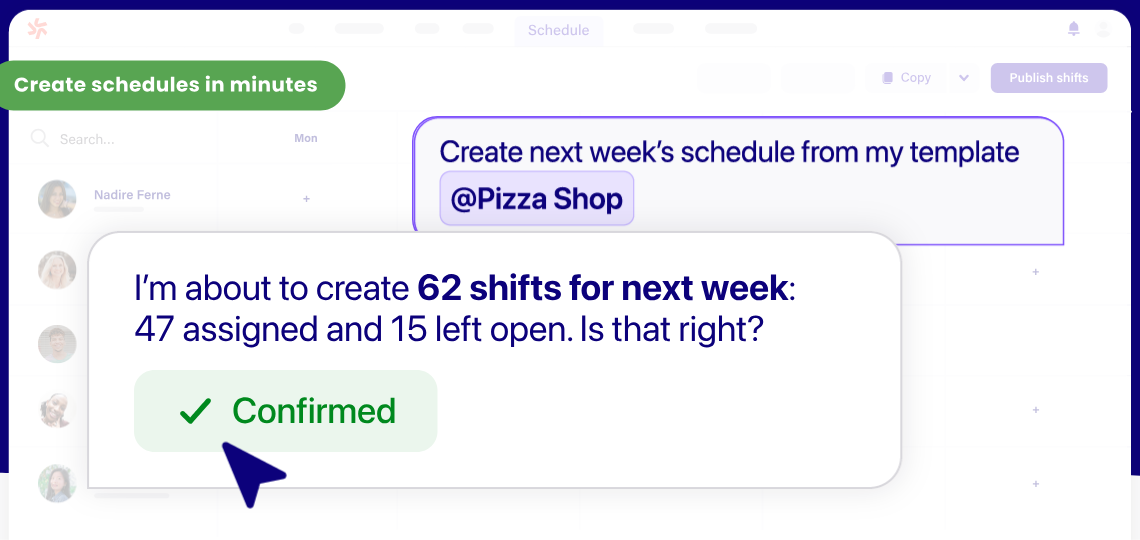
Managers start a schedule from past schedules, recurring shifts or seasonal templates. Availability is set in plain language and leave is handled separately. Staff swap shifts in the mobile app, and the time clock sends approved timesheets to payroll.
Monthly plans carry a $30 minimum spend per invoice, which makes Deputy poor value for a team of one to five. Add-ons such as HR ($2 per user) and Messaging+ ($1.95 per user) are priced separately.
- Starting price
- From $5 per user per month (Lite)
- Plans
- Lite $5, Core $6.50, Pro $9 per user per month
- Auto-scheduling
- Core and Pro
- Payroll
- Paycor add-on, US only, annual Core and Pro plans
Homebase
Homebase combines scheduling, a time clock and optional payroll, and charges per location instead of per user.
Fits a single-location shop or restaurant with up to 10 hourly employees that wants to pay nothing until the team grows.
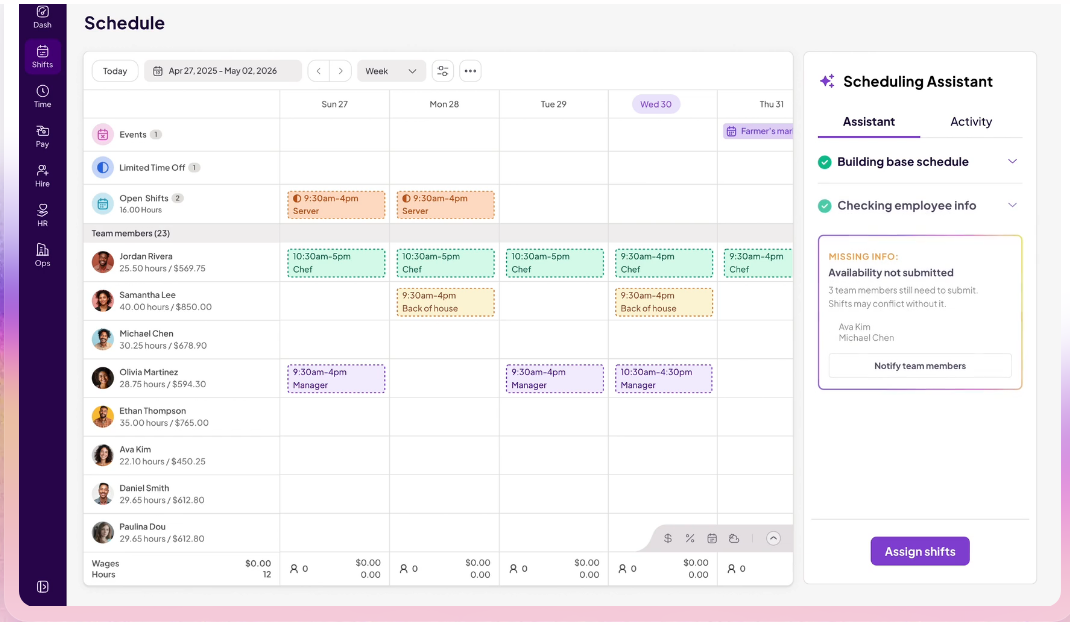
Homebase builds schedules by drag and drop or from saved templates, and overtime and conflict alerts show before you publish. Employees set availability in the app and managers approve changes.
The swap flow is documented clearly. The requester picks a teammate, the teammate accepts, and the request goes to the manager as pending final approval. Guardrails can require even trades, set minimum notice and block trades that break overtime or rest rules such as a 10-hour gap between a close and an open. If nobody accepts, the original employee stays on the shift and the manager can post it as an open shift, so the shift doesn't go uncovered.
- you run one or two locations and want a plan that costs nothing until you pass 10 employees
- you want the time clock, timesheets and payroll in the same tool as the schedule
- you run many locations: pricing is per location, up to $120 per location per month for labor cost management
- you need the AI scheduling assistant or time-off controls without moving to the $70 Plus tier
- Users like
- the all-in-one design with scheduling, time clock and payroll together, and the drag-and-drop schedule builder
- Users dislike
- payroll problems and time-clock glitches, with some key features reserved for higher tiers
- Source: G2, 565 reviews
How it works in practice
Pricing is per location, not per user: Basic is free for one location and up to 10 employees, Essentials is $30, Plus is $70 and All-in-One is $120 per location per month. The AI Scheduling Assistant and time-off controls start on Plus, and labor cost management starts on All-in-One. A limited-time offer gives six months of payroll plus the Plus plan when you add payroll; after that payroll costs $49 per month plus $6 per employee paid.
The time clock supports PINs, photos and geofencing, and hours flow to timecards and payroll.
- Starting price
- Free for 1 location and up to 10 employees; paid from $30 per location per month
- Plans
- Basic $0, Essentials $30, Plus $70, All-in-One $120 per location per month
- Integrations
- Square, Shopify, Clover, Toast and QuickBooks
When I Work
When I Work is a per-user shift scheduling app that includes auto-scheduling from its cheapest tier.
Fits a team with many hourly employees that wants auto-scheduling without paying more than a few dollars per person.
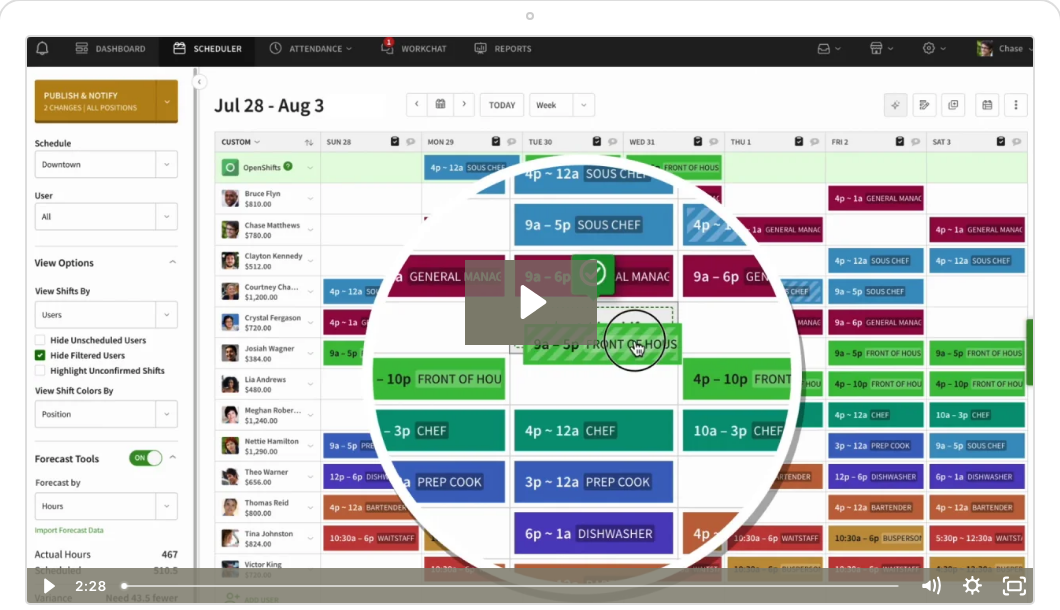
Auto-scheduling is included from the $2.50 Essentials tier. You enter the coverage you need and the tool assigns shifts from availability and qualifications. Templates cover repeat patterns such as weekend rushes, and labor forecasting compares scheduled hours with budgeted hours before you publish. Overtime warnings appear while you build, plus a mid-week notice when someone nears a limit.
Employees can trade shifts and pick up open shifts, and managers keep final approval. The Pro tier adds scheduling rules, role permissions and staff call-out reporting.
- you have many hourly employees and want auto-scheduling at the lowest per-user price on this list
- you want shift trading and open-shift pickup in the app, with managers keeping final approval
- you want a permanent free plan: only a 14-day trial exists
- you need the time clock priced in: the Time Tracking and Attendance toggle shows no price on the pricing page
- Users like
- shift scheduling and time tracking, which G2 scores around 9 out of 10, plus the mobile app
- Users dislike
- one reviewer cites thin advanced reporting and no geolocation tracking
- Source: G2, 341 reviews
How it works in practice
The pricing page doesn't say whether the headline price is a monthly or an annual rate, and the Time Tracking and Attendance toggle shows no price, so ask for a full quote with the time clock included, since that's where the real cost sits. The homepage names Rippling, ADP, QuickBooks and Gusto for payroll.
- Starting price
- From $2.50 per user per month (Essentials)
- Plans
- Essentials $2.50, Pro $5, Premium $8 per user per month
- Payroll
- Rippling, ADP, QuickBooks and Gusto are named on the homepage
Sling
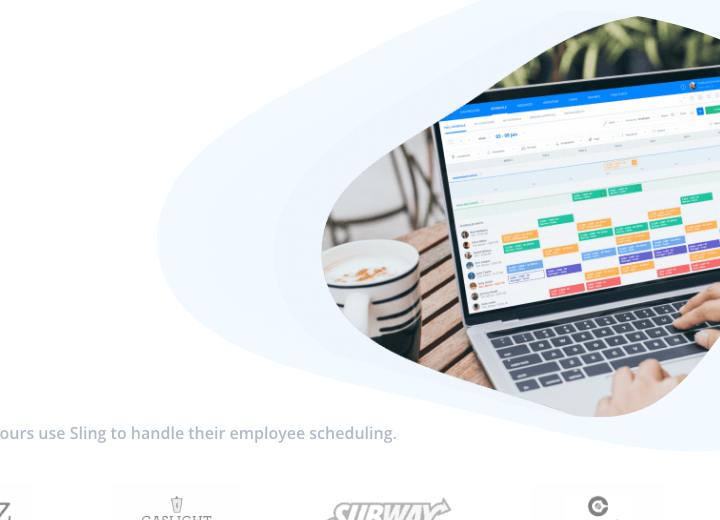
Sling is a scheduling and team messaging app with a free plan for up to 30 users and two cheap paid tiers.
Fits a team of up to 30 that needs scheduling, time-off requests and messaging for free, or a Toast POS restaurant that wants the schedule synced to the register.
The free plan covers shift scheduling, time-off requests, available shifts, news posts and private messaging for up to 30 users, and admins and managers count toward that cap. Premium at $2.00 per user per month adds mobile time tracking, labor cost management and overtime tracking. Business at $4.00 adds a kiosk time clock, hours and wages reports and no-show tracking.
Swaps follow a simple flow: one employee offers a shift, a coworker accepts, and a manager approves if company settings require it. The employee stays responsible for the shift until the exchange is complete.
- you have up to 30 people and need scheduling, time-off requests and messaging at no cost
- you run on Toast POS and want the schedule and time clock to sync with it
- you need forecasting and a long list of payroll integrations: we couldn't verify either on Sling's own pages
- you want labor cost or overtime tracking on the free plan: those start on the $2.00 Premium tier
- Users like
- an intuitive interface, flexible shift switching and good support
- Users dislike
- too many mobile notifications and limited customization, per Capterra and SaaSworthy summaries
- Source: G2, 88 reviews
How it works in practice
Prices are lower with annual billing ($1.70 and $3.40). Toast support documents a two-way time clock sync with Toast POS, but we couldn't verify other payroll integrations on Sling's own pages.
- Starting price
- Free for up to 30 users; paid from $2.00 per user per month
- Plans
- Free, Premium $2.00, Business $4.00 per user per month
- Trial
- 15 days on paid plans
7shifts
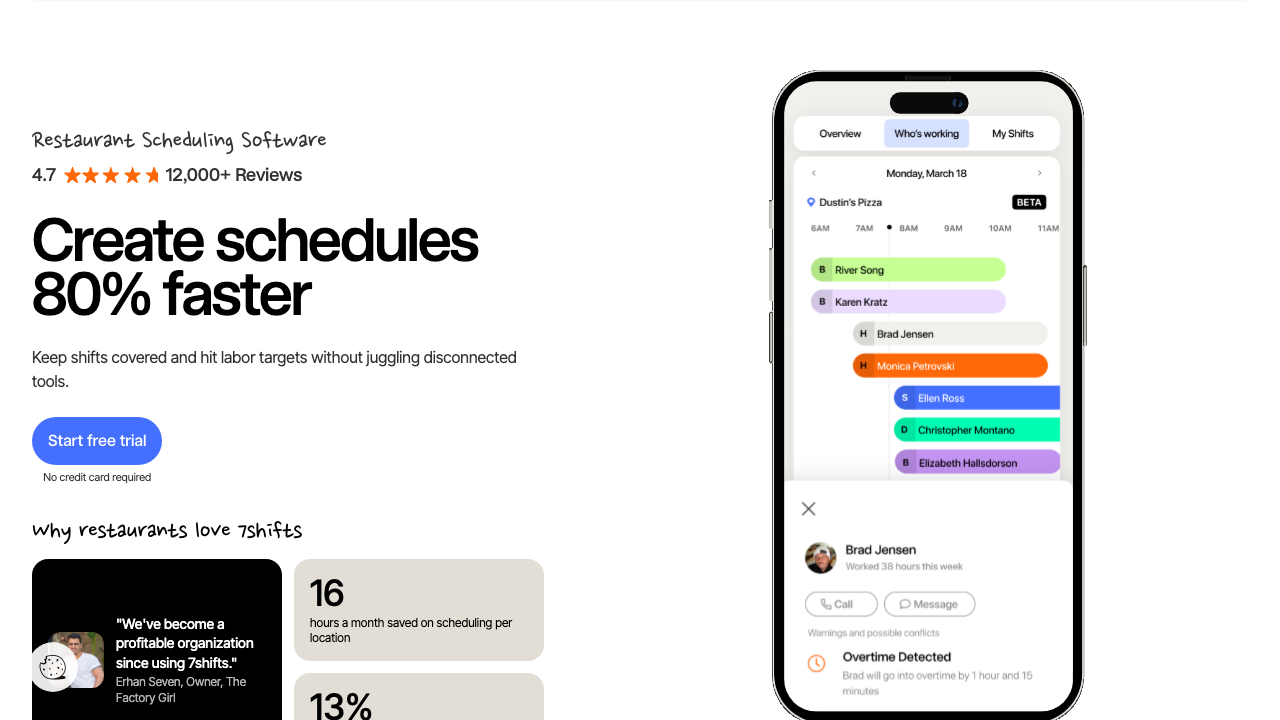
7shifts is a scheduling and labor platform built for restaurants, priced per location with caps on employee count.
Fits a restaurant, bar or cafe that wants labor set as a percentage of projected sales and overtime caught before the shift.
7shifts links the schedule to POS sales so managers can set labor targets and budget by department. Pro adds labor compliance tools, advanced time clocking and warnings when staff will go into overtime. Availability requests can require manager approval, and employees can offer up, trade and claim open shifts.
Plans cap employees by tier: Comp is free for one location and up to 15 employees, Essentials covers 30, Pro covers 60 and Premium is unlimited.
- you run a restaurant and want labor targets set against projected POS sales
- you want overtime warnings and state labor-law tools inside the schedule
- you're not in food service: the product, templates and POS links are built around restaurants
- you need one flat per-user price: cost steps up by location and by employee-count tier (30, 60, unlimited)
- Users like
- ease of use and ease of scheduling
- Users dislike
- inaccurate tracking and syncing, plus support and reporting, each named by a few reviewers
- Source: G2, 121 reviews
How it works in practice
The pricing page we loaded showed CAD ($39.99 for Essentials, $79.99 for Pro, $134.99 for Premium per location per month) and a 10% saving for annual billing, so confirm the USD price before you budget. Time clocking runs through 7shifts' own clock or a POS, and sales-only POS integrations may not carry punch data.
- Starting price
- Free up to 15 employees; paid from $39.99 CAD per location per month (the page showed CAD)
- Employee caps
- Comp 15, Essentials 30, Pro 60, Premium unlimited
- Price shown
- CAD on the page we loaded; USD price not confirmed
Connecteam
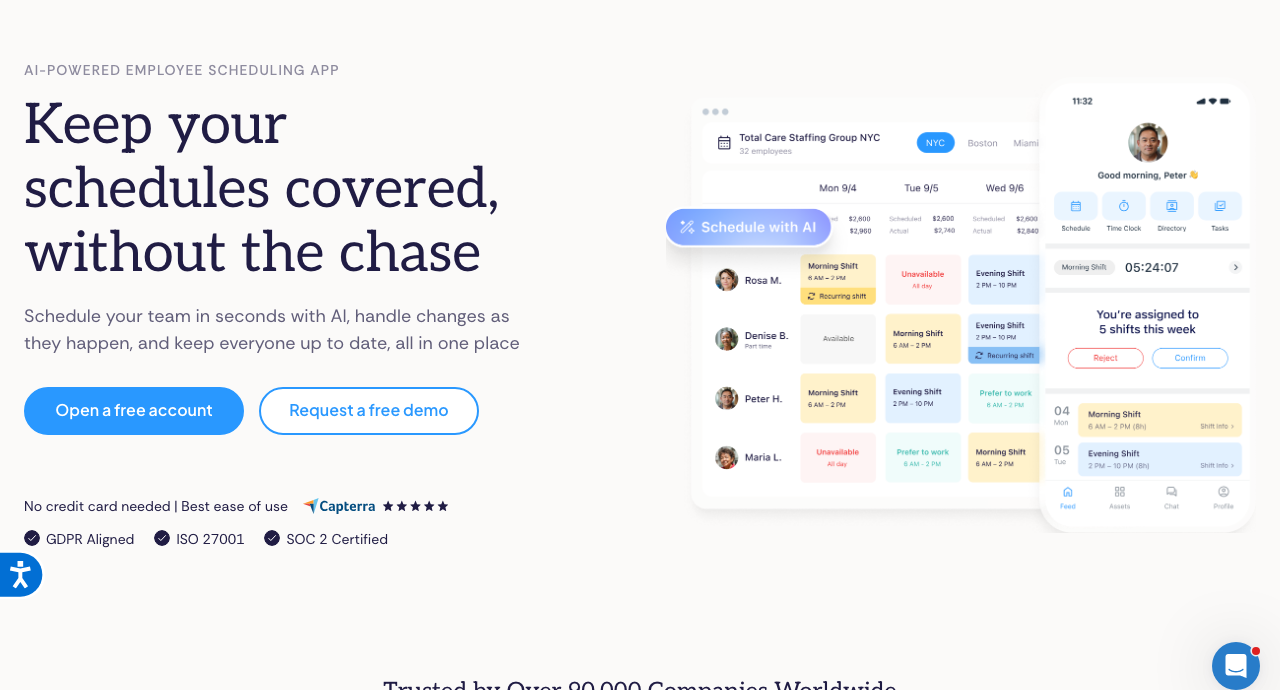
Connecteam is a mobile-first app for deskless teams that bundles scheduling, a time clock, checklists and chat, sold as hubs with a flat base fee.
Fits a cleaning, field-service or retail team whose staff live on their phones and need the schedule, a GPS time clock and checklists in one app.
Connecteam sells hubs with a flat monthly fee for the first 30 users. The Operations hub starts at $29 for GPS clock-in and basic scheduling, and $99 at the Expert tier adds auto-assigned shifts and unlimited geofence sites. The free Small Business plan covers up to 10 users.
If an employee can't work a shift, Find Replacement shows qualified, available coworkers and flags overlap and availability conflicts, and admins can require approval. Swaps go to a manager review queue.
- your staff work in the field or on a floor and need scheduling, GPS clock-in and checklists in one app
- you want a flat monthly fee for the first 30 users instead of a per-user price
- you run a restaurant that needs POS-driven labor budgeting: we found none on Connecteam's pages
- you want scheduling alone: the hub model adds modules you may not use
- Users like
- ease of use and a clean, visual design
- Users dislike
- an admin dashboard some reviewers find confusing, and frequent feature updates that are hard to keep up with, per Capterra
- Source: G2, 3,500 reviews
How it works in practice
Extra users above 30 cost $0.80 to $4.20 per user per month depending on the tier. Payroll integrations include RUN Powered by ADP, QuickBooks and Xero. We found no POS-based labor forecasting, which matters for restaurants.
- Starting price
- Free for up to 10 users; Operations hub from $29 per month for the first 30 users
- Plans
- Operations hub Basic $29, Advanced $49, Expert $99 per month for 30 users
- Integrations
- ADP RUN, QuickBooks and Xero
Humanity
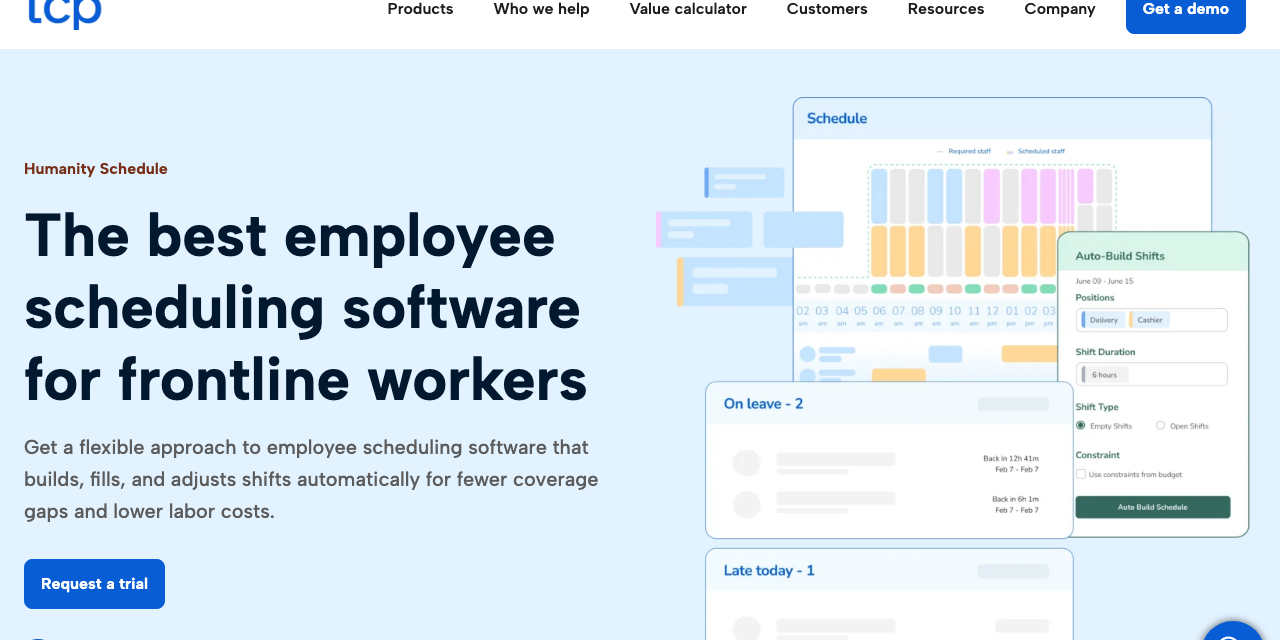
Humanity, from TCP Software, is a scheduling-first tool with auto-fill, compliance rules and labor budgets on its higher tier.
Fits a healthcare, retail or restaurant team that needs schedules checked against labor rules or agreements before they publish.
Humanity is scheduling first. Professional adds auto-fill from forecast demand and availability, compliance tools that catch conflicts with labor laws and shift rules, and labor cost reports that update as the schedule changes. Staff request time off, release shifts and change availability in the app, and managers approve.
The Essentials tier at $2.75 per employee per month, billed annually, covers drag-and-drop scheduling, swaps, a geofenced time clock and payroll export for up to 250 employees.
- you need schedules checked against labor rules or union agreements before they publish
- you already have payroll and HR elsewhere and want a dedicated scheduling tool that exports to them
- you want payroll, HR and time in one system: Humanity relies on integrations for those
- you need auto-fill, compliance tools or labor budgets on the cheapest tier: they start on Professional at $3.75
- Users like
- drag-and-drop scheduling, notifications and mobile access
- Users dislike
- confusing screens and occasional bugs or slowdowns, per Capterra reviewers
- Source: G2, 1,055 reviews
How it works in practice
Everyone with a login counts as an employee for billing, and that includes managers. Payroll and HR come through integrations with ADP, Oracle, Workday and BambooHR rather than a built-in suite, and an Open API is an add-on.
- Starting price
- From $2.75 per employee per month, billed annually (Essentials)
- Plans
- Essentials $2.75 (up to 250 employees), Professional from $3.75, Enterprise by quote
- Counting
- Managers and admins count as employees
Microsoft Teams Shifts
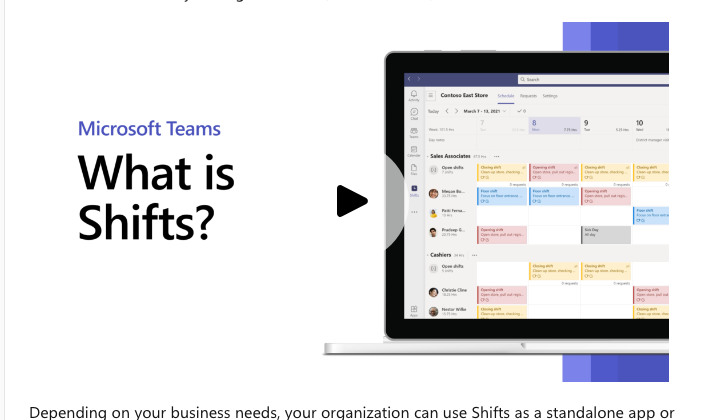
Shifts is the scheduling app inside Microsoft Teams, with open shifts, swap requests, time off and a time clock.
Fits an organization whose frontline staff already use Microsoft Teams and need basic scheduling at no extra software cost.
Managers build the schedule by hand or import it from Excel, and organize staff in schedule groups by department or job type. Staff see the team schedule, request open shifts, swap or offer shifts to a coworker, and request time off. Managers approve. A time clock covers clock-in, breaks and timecard editing.
Shifts is also the employee-facing view for larger workforce management systems: Microsoft documents a connector for Reflexis, and a custom connector through the Graph API.
- your frontline staff already use Teams and you need basic scheduling and a time clock at no extra software cost
- you already run a workforce management system and want Shifts as the employee-facing view
- you need auto-scheduling, labor cost forecasting or compliance rules: Microsoft's documentation describes manual and Excel-based scheduling
- you need a rating you can check: we found no G2 or Capterra page for Shifts itself
How it works in practice
Microsoft sells Frontline licenses for these workers, but we couldn't confirm current prices on a Microsoft page, so check them with Microsoft. The documentation describes manual and Excel-based scheduling, not auto-scheduling, forecasting or compliance rules.
- Starting price
- No separate price: Shifts is an app inside Teams
- Scheduling
- Manual or imported from Excel; open shifts and swap requests need manager approval
- Connectors
- Reflexis (Zebra) and custom WFM through the Graph API
Rippling
Rippling is a US workforce platform that runs HR, payroll, IT and finance on one employee record.
Fits a company that already runs Rippling for HR and payroll and wants scheduling on the same employee, time-off and certification data.
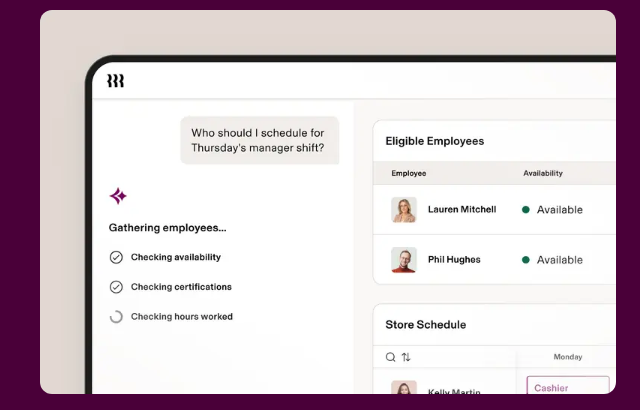
Rippling's scheduling module builds a first-draft schedule from a plain-language prompt, a template or last week's schedule, with overtime rules and labor costs factored in. Compliance flags for overtime and breaks follow each employee's work location, and the real-time budget impact of each shift is shown as you place it.
Employees submit availability and swap shifts with eligible teammates in the mobile app, with manager approval. Approved hours flow to payroll through Time and Attendance.
- you run Rippling for payroll and want shifts, time off and certifications on one record
- you want schedule cost and overtime flags tied to each employee's work location
- you only need standalone shift scheduling: pricing is quote-based, with a monthly base fee plus per-module charges, and no scheduling price is published
- you need open-shift claiming described in detail: the product page doesn't say how open shifts are posted or claimed
- Users like
- payroll, time off and attendance in one platform, per Capterra reviewers
- Users dislike
- modular pricing where costs climb as modules are added, a limited mobile app and occasional time-tracking glitches, per Capterra reviewers
- Source: G2, 14,044 reviews
- Starting price
- From $8 per employee per month plus a base fee
- Integrations
- 600+, including Greenhouse (hired candidates populate Rippling), Okta, Slack and Google Workspace
- Scheduling price
- Not published; quote-based
- Included in the entry price
- Platform entry price only, not the scheduling add-on
Is There a Free Employee Scheduling Software?
Yes, there is free employee scheduling software: four of the nine tools have a free plan, and each limits something.
- Homebase: free for one location and up to 10 employees, with basic scheduling and time tracking.
- Sling: free for up to 30 users, with scheduling, time-off requests and messaging. Admins and managers count toward the cap.
- Connecteam: free for up to 10 users, with the features of its hubs available on the small-business plan.
- 7shifts: the Comp plan is free for one location and up to 15 employees, with basic scheduling, availability and time-off requests.
Deputy, When I Work and Humanity have no permanent free plan, only trials: When I Work gives 14 days, Humanity 30 days, and Deputy a free trial of unstated length. The catch with every free plan is the point where you pass the cap, and that's where the price jumps. Check what the next paid tier costs before you build your process on a free one, because you'll hit the cap sooner than you expect.
Does Microsoft Have an Employee Scheduling Tool?
Yes, Microsoft has an employee scheduling tool called Shifts, and it lives inside Microsoft Teams. It lets managers create and publish schedules, add open shifts, approve swap and time-off requests and run a time clock. It's manual by design: Microsoft's documentation describes building schedules by hand or importing them from Excel, with no auto-scheduling or labor cost forecasting. That's enough for a frontline team already on Teams, but it won't help a restaurant that needs to hit a labor percentage. Larger organizations connect Shifts to a workforce management system such as Reflexis and use it as the employee view.
How Much Does Employee Scheduling Software Cost?
Scheduling software costs from nothing to about $9 per user per month for the tools on this list with published prices, and the model matters more than the number. Per-user prices grow with headcount. Per-location prices stay flat as headcount grows, but they multiply across sites. Connecteam sells a flat hub fee for its first 30 users. Rippling and the larger suites quote instead of publishing.
| Pricing model | Tools | What grows the bill |
|---|---|---|
| Per user | Deputy, When I Work, Sling, Humanity | Every added employee, and often every manager |
| Per location | Homebase, 7shifts | Every added site, and employee-count tiers at 7shifts |
| Flat hub fee | Connecteam | Users above 30, and the tier you need |
| Included | Microsoft Teams Shifts | The Microsoft license behind it |
| Quote | Rippling | Modules and employees |
The calculator shows monthly cost for one tier of each priced tool. It uses list prices from the date above and leaves out add-ons such as payroll and promotions, which vary by account.
Monthly cost at list prices. Homebase is per location, so one location is shown. Deputy monthly plans have a $30 minimum spend per invoice.
Scheduling Compliance: Overtime, Notice Rules and Minors
A schedule is also a legal record, and several rules apply to it. This section covers the ones that change how you use the tool. It isn't legal advice, so check your own city and state.
- Overtime. Under the Fair Labor Standards Act, covered employees get time and one-half their regular rate for hours worked over 40 in a workweek, according to the US Department of Labor. A tool that shows overtime while you build the schedule is checking this rule.
- Notice of the schedule. The same agency states that the FLSA has no provisions on scheduling employees, so under federal law an employer may change hours without prior notice unless an agreement says otherwise, per the DOL FAQ. Notice rules come from cities and states.
- Fair workweek laws. New York City requires fast food employers to give schedules 14 days in advance and to pay premiums for schedule changes. Chicago's Fair Workweek covers seven industries and employers with at least 100 employees (250 and 30 locations for a restaurant), with 1 hour of predictability pay for a shift change within 14 days and a right to decline hours less than 10 hours after the previous shift. Seattle requires 14 days of notice from retail and food service employers with 500 or more employees worldwide.
- Minors. Federal rules limit 14 and 15 year olds to 3 hours on a school day, 18 hours in a school week and, outside school hours, the window from 7 a.m. to 7 p.m. (9 p.m. from June 1 through Labor Day), per the DOL fact sheet. Few schedulers enforce this by default, so set it as a rule where the tool allows.
- Records. The DOL tells employers to keep payroll records for at least three years and time cards for two, per its recordkeeping fact sheet. Check that the tool exports the history, not only the current schedule.
Employee Scheduling Software Buyer Checklist
- Payroll export tested with one real pay period
- A swap request tested from the employee app, including manager approval
- Overtime and labor cost visible while building the schedule
- Notifications reach staff by push, SMS or email
- Notice period, rest gap and minors' hours set as rules where the tool allows
- Price checked at your headcount, including managers and add-ons
- Next paid tier priced if you start on a free plan
- Data export checked: schedule history and time cards
Frequently Asked Questions
What is the most used employee scheduling software?
No source ranks scheduling tools by active users, so the best public proxy is review volume. On G2, Connecteam shows about 3,500 reviews, Humanity about 1,050, Deputy about 670 and Homebase about 570, with counts that vary by page. Review volume shows popularity among reviewers rather than market share.
Is there free employee scheduling software?
Yes, free employee scheduling software exists. Homebase is free for one location and up to 10 employees, Sling for up to 30 users, Connecteam for up to 10 users and 7shifts for one location and up to 15 employees. Each limit's the point where you move to a paid tier.
Does Microsoft have an employee scheduling tool?
Yes, Microsoft has an employee scheduling tool. Shifts in Microsoft Teams handles manual schedules, open shifts, swap and time-off requests and a time clock. It doesn't auto-schedule or forecast labor cost.
Do I need separate scheduling software if my HR system has scheduling?
You don't always need separate scheduling software. If your HR and payroll platform, such as Rippling, includes scheduling, you've got one employee record and nothing to sync. A dedicated tool such as Deputy or 7shifts is worth it when you need forecast-driven schedules or POS-linked labor budgets that the suite doesn't offer.
Can an employer change a schedule without notice?
Under federal law, yes unless an agreement says otherwise, because the FLSA has no scheduling notice rule. Cities such as New York, Chicago and Seattle require about 14 days of notice for covered employers, so check local rules.