The best workforce management software depends on where your hours go after someone clocks in. A team with one or two locations and mostly hourly staff usually lands on a standalone app such as Homebase, Deputy or Connecteam. An employer that already pays people through Rippling, Paylocity, Paycor, UKG or Dayforce usually takes the time module from the same vendor. That's because approved hours then flow into one pay run. This page compares nine tools on the parts that decide the choice: how time is captured, which overtime and break rules apply, who approves hours before payroll, and what each tool costs.
Prices and plan limits come from vendor pages read on October 21, 2026. Five of the nine tools publish no price, and we say so instead of quoting a third party's estimate. Review ratings come from G2 or Capterra, and each entry names its source. We didn't run hands-on trials, so every entry describes documented features and what reviewers report.
- tools compared
- 9
- publish a US price for a paid plan
- 4
- offer a free plan, both capped at 10
- 2
- average implementation time for Dayforce on G2
- 7 months
Best Workforce Management Software by Situation
 Best free plan for one locationHomebaseFree for 1 location and up to 10 employees, with scheduling and time tracking.
 Best for deskless teamsConnecteamFree up to 10 users, but geofenced clock-in starts on the Advanced tier.
 Best for break rules at a low per-user priceDeputyBreak scheduling, missed-break flags and demand forecasting from $5 per user.
 Best low price for scheduling firstWhen I WorkAuto-scheduling from $2.50 per user, with the time clock sold as an add-on.
 Best punch controls inside a payroll suitePaylocityPaylocity's geofence, IP and biometric punch rules feed its own payroll.
 Best for forecasting across many locationsDayforceDayforce's forecast, schedule, time and pay all run on one rules engine.
 Best when time should flow into one payroll runRipplingFlags duplicate punches and missed clock-outs before payroll runs.
Workforce Management Software at a Glance
| Tool | Type | Starting price | Free option | Rating |
|---|---|---|---|---|
| Rippling | Modular HR, IT and payroll platform | From $8 per employee per month plus a base fee | None published | 4.7 (14,586) |
 UKG Ready | HCM suite with time and scheduling | Quote only; four plans (Start, Core, Plus, Advanced) | None published | 4.2 (Capterra, 1,152) |
| Paylocity | Payroll-attached HCM suite | Not published | None published | 4.4 (6,080) |
 Paycor | HR and payroll suite | Not published | None published | 4.4 (Capterra, 2,762) |
| Dayforce | HCM suite with workforce management | Not published; custom quote | None published | 4.2 (962) |
| Deputy | Shift scheduling platform | From $5 per user per month (Lite) | No free plan; free trial of unstated length | 4.6 (666) |
| Connecteam | Frontline team app | Free for up to 10 users; Operations hub from $29 per month for the first 30 users | Free for up to 10 users | 4.6 (3,500) |
| Homebase | Scheduling and time clock | Free for 1 location and up to 10 employees; paid from $30 per location per month | Free for 1 location, up to 10 employees | 4.6 (565) |
| When I Work | Shift scheduling platform | From $2.50 per user per month (Essentials) | No free plan; 14-day trial, no card | 4.4 (341) |
Prices as shown on vendor pages on October 21, 2026. Per-user, per-location and flat prices aren't directly comparable, see the cost section.
What Is Workforce Management Software?
Workforce management software schedules shifts, records time and attendance, tracks leave, applies overtime and break rules, and sends approved hours to payroll. The five jobs overlap, and tools differ in how many of them they cover. Here is each job in one line.
- Scheduling. The tool builds the schedule and handles availability, open shifts and swaps.
- Time and attendance. It captures clock-ins and breaks on a phone, a kiosk or a badge clock.
- Leave and absence. It handles requests, balances and approvals.
- Labor rules. It applies overtime thresholds, meal and rest breaks and notice periods.
- Hours to payroll. Approved timesheets reach the pay run without retyping.
Two kinds of product answer the query, and they're not interchangeable. Suites such as Rippling, UKG Ready, Paylocity, Paycor and Dayforce sell time and scheduling next to payroll and HR. Standalone apps such as Deputy, Connecteam, Homebase and When I Work focus on shifts and the time clock and pass hours to a payroll provider. Standalone apps usually leave recruiting, performance reviews and benefits to other systems. If scheduling is your main job, our guide to employee scheduling software goes deeper on swaps, open shifts and free plans.
Who Owns Each Step From Clock to Paycheck
Each step below has an owner, and a tool is only as good as the step it leaves without one.
- HRSet the pay rules: workweek start, overtime thresholds, meal and rest breaks before the first shift
- HR and ITAdd each new hire to the time system and give them a way to clock in, such as the phone app, a kiosk or a badge before day 1
- EmployeeClock in and out, take breaks, request leave or a shift swap every shift
- ManagerFix missed punches, approve overtime and approve swaps before the pay-period cutoff
- PayrollReview each period's exceptions and run payroll from approved hours each pay period
- FinanceCompare actual labor cost with the schedule and the budget weekly or monthly
Two of those steps decide which tool fits, while the rest depend on your own process. If the manager approval step is weak, bad hours reach payroll. If the hours-to-payroll step is manual, someone's retyping them. Suites remove the second problem by sending hours to their own payroll. Standalone apps export or sync to a payroll provider, so you'll want to test that sync with one real pay period.
Best Workforce Management Software Built Into HR and Payroll Suites
These five tools sell time, scheduling, payroll and HR together. None of them publishes a price for its time module, so the cards say so. Each entry leads with the capability that sets the tool apart, and you'll find the price once, in the card.
Rippling
Rippling is a modular workforce platform that runs HR, payroll and IT from one employee record, priced per module.
Fits a company that already runs payroll and HR on Rippling and wants clock-in data to land in the same pay run.
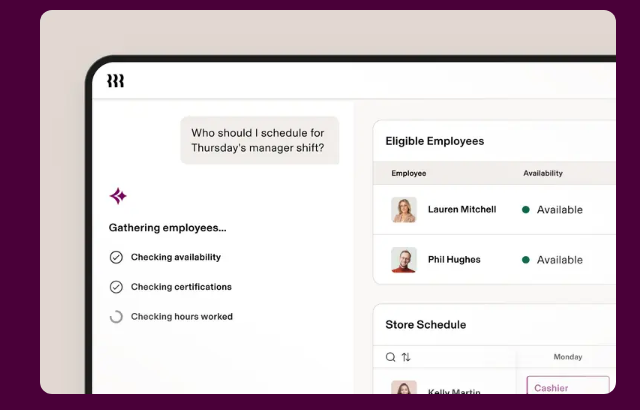
Employees clock in on mobile, on the web or on a physical time device. Rippling says it applies overtime and break policies by the employee's work location and alerts managers to missed breaks or overtime. Duplicate punches, missed clock-outs and shift mismatches are flagged before payroll runs, and approved hours go to Rippling Payroll.
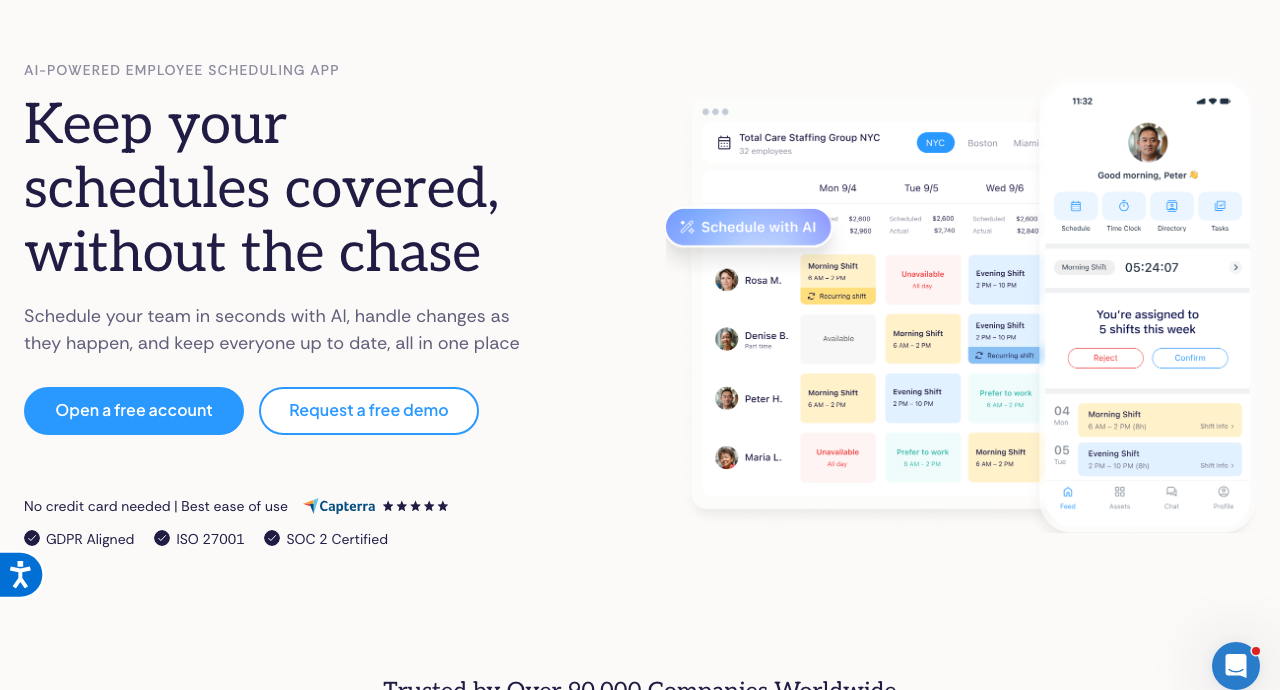
Scheduling is a separate add-on, although it drafts schedules from a plain-language prompt, a template or last week's schedule, collects availability and lets employees swap shifts with eligible coworkers.
- you already pay people through Rippling and want approved hours to flow into the same pay run
- overtime and break rules differ by work location and you want them applied from the employee's location
- you need a published price for the time module: only the platform starting price is public
- you run hourly shifts under city fair workweek laws: the scheduling page doesn't mention predictive scheduling
- you want a standalone time clock without adopting Rippling's HR and payroll
- Users like
- an all-in-one platform that is easy to use, with clock in and out described as simple, per G2 summaries
- Users dislike
- mobile app gaps, setup complexity and pricing that grows module by module, per G2 summaries
- Source: G2, 14,586 reviews
How it works in practice
Employees can log time against jobs, tasks and projects. Rippling's own page claims 650+ app integrations, while G2 lists 179 verified ones, so check that your payroll and identity tools are on the list that counts.
The scheduling page says noncompliant schedules trigger alerts while you build, but it doesn't name predictive scheduling laws or the jurisdictions covered. Ask which rules are configured before you rely on it, and don't assume the answer. The $8 per employee figure on Rippling's pricing page is the platform's starting point, not the time module's price.
In a demo, ask to see a missed clock-out being fixed. That's the step managers repeat every pay period, and it's where the pre-payroll flags either help or add work.
- Starting price
- From $8 per employee per month plus a base fee
- Integrations
- 179 verified on G2; Rippling's own page claims 650+
- Capterra
- 4.9 from 4,886 reviews, read October 19, 2026
- Time module price
- Quote only; Scheduling is a separate add-on
UKG Ready
UKG Ready is a mid-market HR, payroll, time and scheduling suite sold in four quote-only plans.
Fits a midsize employer that wants time, scheduling, payroll and HR from one vendor and is prepared to buy through a sales process.
UKG sells Ready in four quote-only plans: Start, Core, Plus and Advanced. Time and basic scheduling are in every plan, but the full Scheduler, which builds schedules from demand, skills and compliance rules and lets employees pick open shifts, is one of the modules you choose in Plus (three picks) or Advanced (six picks).
UKG says alerts flag missing punches and overtime, and that all plans include compliance tools, reporting and dashboards.
- you want time, scheduling, payroll and HR from one vendor and employees clock in on a phone, a web widget or a clock
- you need configurable overtime and meal-break rules that managers approve before hours load to payroll
- you need full scheduling out of the box: Start and Core include basic scheduling, and the Scheduler is a pick in Plus or Advanced
- you want a price before a sales call: all four plans are quote only
- you run a large enterprise workforce: UKG itself positions UKG Pro, not Ready, for larger employers
- Users like
- ease of use, time tracking and the mobile app for clocking in and viewing schedules
- Users dislike
- slow, outsourced customer service, mobile app logouts and configuration complexity
- Source: Capterra, 1,152 reviews
How it works in practice
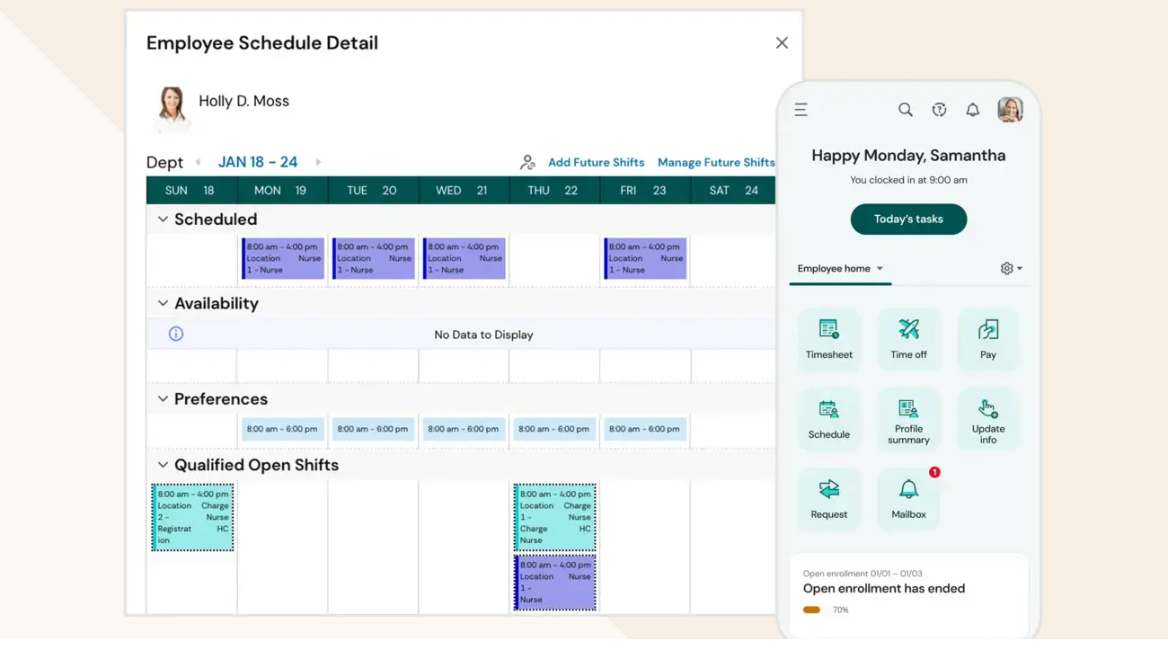
A University of Oregon deployment page shows how hours move. Non-exempt employees use a Clock widget on the UKG Ready homepage to clock in, clock out or transfer between jobs. Overtime in that setup is calculated after 8 hours a day or 40 a week, meal breaks can require a clock-out or auto-deduct 30 or 60 minutes, and managers approve an employee's entries from an Approvals dashboard before approved hours, premium earnings and leave load to payroll.
Those are one customer's settings, not UKG's defaults. UKG says its pay rules are flexible enough for shift differentials and multiple positions. We couldn't verify fair workweek support or geofencing on UKG's own pages, so don't assume either.
In a demo, ask which Plus or Advanced picks you'd need for the schedules you run today, because that's what moves the quote.
- Starting price
- Quote only; four plans (Start, Core, Plus, Advanced)
- Plans
- Start (under 200 employees), Core, Plus and Advanced; Plus adds three picks and Advanced six picks from a module list that includes Scheduler and leave
- Overtime example
- One university deployment calculates overtime after 8 hours a day or 40 a week and auto-deducts 30 or 60 minute meals
- Pricing
- Not published; third-party estimates conflict
Paylocity
Paylocity is a US HR and payroll suite whose onboarding runs on event packets with required default tasks.
Fits an employer on Paylocity payroll that wants strict control over how and where employees punch.
Employees can punch on a clock that reads a badge, fingerprint or face, on a kiosk tablet, on the web or in the mobile app. Employers can restrict punches by geofence, IP address or specific clock, and add attestation questions so an employee confirms a break or waives a meal.
Rules for state and federal overtime, breaks and premiums are set up by the employer. Alerts flag missed punches and approaching overtime, and managers approve employees' time cards before the data passes to Paylocity Payroll.
- you already use or are evaluating Paylocity payroll and want time, scheduling and pay in one app
- you need to control where and how people punch, with geofences, IP limits or biometric clocks
- you want a standalone workforce tool without Paylocity payroll: time data is described as passing to Paylocity Payroll, and reviewers mention sync problems between modules
- you must meet fair workweek laws: we found no predictive scheduling support documented
- you want a published price before a sales call
- Users like
- user-friendliness and modules that work together, per G2 summaries in search results
- Users dislike
- inconsistent support and limited flexibility in custom reports, per G2 and Capterra summaries
- Source: G2, 6,080 reviews
How it works in practice
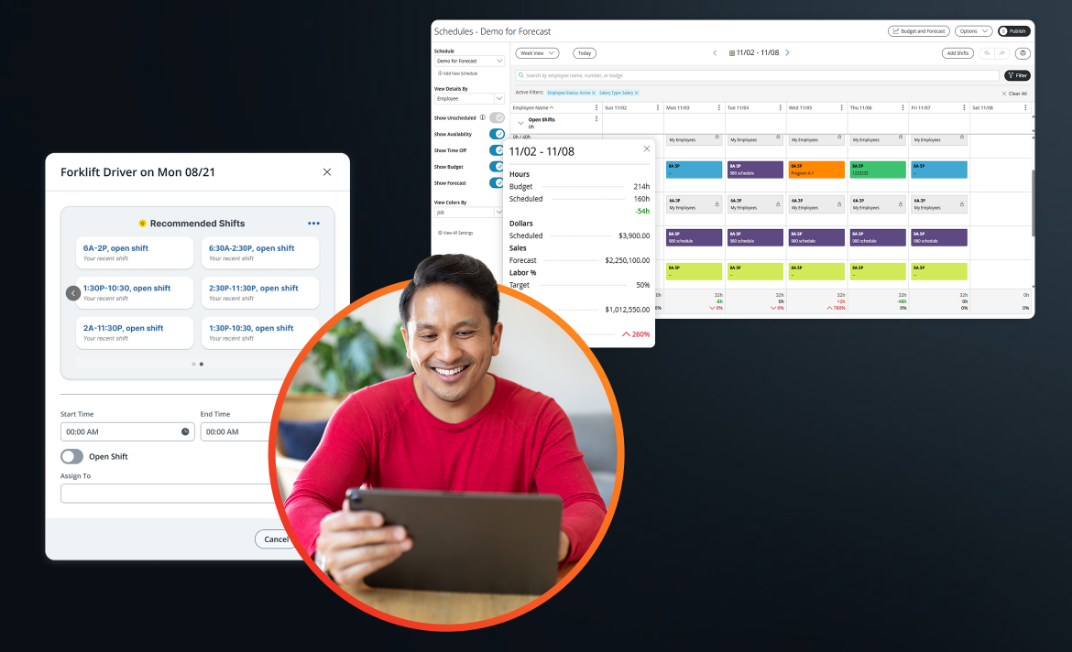
Scheduling is a separate module from Time & Labor, but it covers a lot: managers schedule by role, location or skill, the system can validate certifications before assigning a shift, and employees claim open shifts or swap with peers in the mobile app. Paylocity says AI can generate shift recommendations from historical company trends.
Time clocks are physical hardware, so ask for their cost in the quote. They won't be free.
To see the rules working, ask for a demo that clocks in from outside the geofence. That's the quickest check that the punch controls do what the page says. We found no predictive scheduling support documented on the pages we read. Reviewers on Capterra also report bugs and unreliable syncing between modules, plus PTO calculation problems between payroll and time.
- Starting price
- Not published
- Integrations
- Hundreds in the marketplace; one snapshot listed 397
- Cost estimate
- About $22 to $33 per employee per month for the suite, per G2 and OutSail estimates, not Paylocity figures
- Time module price
- Quote only
Paycor
Paycor is an HR and payroll platform, now a standalone business unit of Paychex.
Fits a mid-size employer that wants many overtime policy options and proactive violation alerts inside its HCM suite.
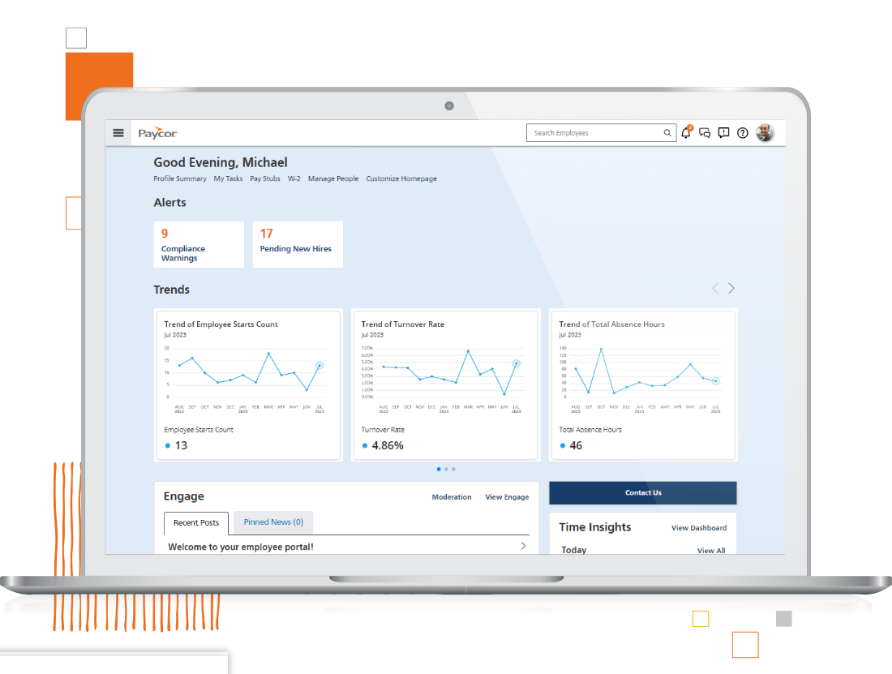
Employees punch on the Paycor Time mobile clock (tablet, facial scan, offline capture), in a browser or on Paycor timeclocks with Wi-Fi and PIN or badge entry. Admins can draw location maps so that mobile punches must happen at or near approved sites.
Paycor lists more than 10 overtime policies and says the system flags potential overtime, meal break and rest period violations before they occur. Paycor's time data feeds its payroll directly. Scheduling is a separate product.
- you want proactive overtime, meal break and rest period alerts and many overtime policy options
- you want time, scheduling and payroll from one HCM vendor, with hardware clocks as an option
- you rely on fast phone support: Capterra reviewers repeatedly cite long waits
- you need a clear list of predictive scheduling jurisdictions: coverage isn't documented publicly
- you want a published price before a sales call
- Users like
- an approachable interface and mobile access, per Capterra and GetApp reviewers
- Users dislike
- add-on fees, bugs and slow phone support, per Capterra and GetApp reviewers
- Source: Capterra, 2,762 reviews
How it works in practice
Overtime Insights break overtime spend down by department, manager and location. Paycor says its time product supports predictive scheduling laws, but the jurisdictions and premium pay rules aren't documented on the pages we read.
Paycor doesn't state which plan includes scheduling, geovalidation or Overtime Insights, so ask for them itemized in the quote.
Ask which of the overtime policies maps to your state. That's where a long list pays off, and where it's easy to pick the wrong one.
- Starting price
- Not published
- Integrations
- 320+ apps and tech partners, with background checks from Sterling and others and IT onboarding through an Aquera identity integration
- Overtime policies
- More than 10
- Time module price
- Quote only
Dayforce
Dayforce, formerly Ceridian, runs forecasting, scheduling, time and payroll on one system with shared compliance rules.
Fits a mid-size to large employer scheduling hourly staff across many locations that wants forecasts, budgets and pay rules in one rules engine.
Dayforce forecasts labor demand from historical data, recent trends and seasonal predictions, then generates best-fit schedules that consider staff preferences, business demand and pay rates. Employees can swap shifts and set their own preferences, and a worker's hours can be shared across locations through centralized scheduling.
The system calculates compliance in real time, and a manager sees the labor-cost impact of a shift change or overtime before payroll runs.
- you schedule hourly staff across many locations and want forecasts, budgets and pay rates considered when schedules are generated
- you need configurable rules for regional or union requirements checked before payroll closes
- you need fast setup: G2 shows an average implementation time of 7 months
- you want a published price: Dayforce lists none and third-party estimates differ several-fold
- you only need a standalone time clock for a small team
- Users like
- an intuitive interface and the time, attendance and scheduling scope
- Users dislike
- setup and configuration difficulty, with an ease-of-setup score below its ease-of-use score, plus uneven support
- Source: G2, 962 reviews
How it works in practice
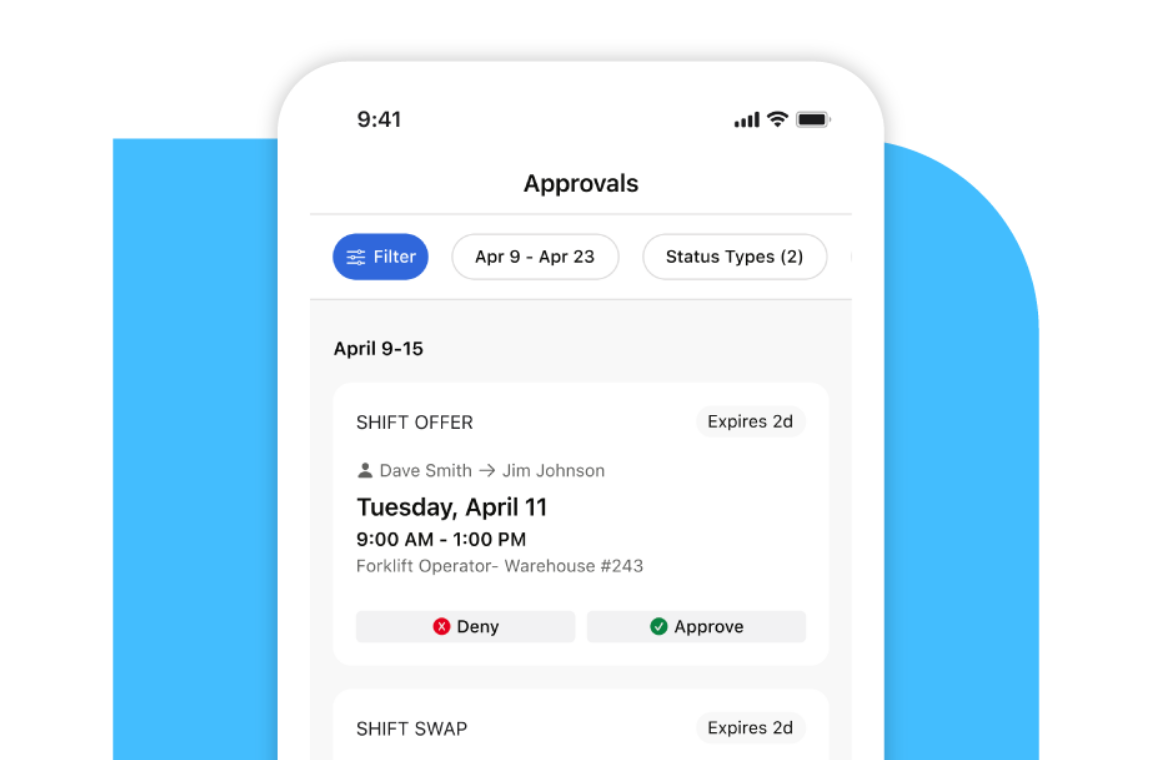
Managers can define KPIs and get threshold notifications, with dashboards for attendance, absenteeism and unplanned overtime. Dayforce says built-in rules cover global, regional and union requirements. Its scheduling FAQ poses a question about predictive and fair scheduling laws, but we couldn't read the answer, so confirm the rule list with sales, and ask what a schedule change costs in labor before it's published.
One customer testimonial on Dayforce's page says auto-scheduling is capped at 5% above contracted hours, which shows how rules can bound the schedule. Implementation is the cost to plan for: G2 shows an average of 7 months, and reviewers score setup lower than ease of use.
- Starting price
- Not published; custom quote
- Forecasting
- Historical data, recent trends and seasonal predictions drive labor demand
- Rules
- Built-in configurable rules for global, regional and union requirements
- Implementation
- 7 months average on G2
Best Standalone Workforce Management Apps for Hourly and Deskless Teams
The four standalone apps focus on shifts and the time clock, and they pass hours to a payroll provider. Each publishes a price, so they're easier to compare.
Deputy
Deputy is a shift scheduling and time clock platform for hourly teams, priced per user in three tiers.
Fits a multi-shift hourly team that wants break rules, overtime flags and a forecast-driven schedule at a low per-user price.
Deputy's Lite tier covers basic scheduling, timesheets, time clocking, labor law compliance, shift swapping and leave. Core adds auto-scheduling, demand forecasting, wage and labor budgets, timesheet auto-approval, biometric clocking and advanced labor law compliance.
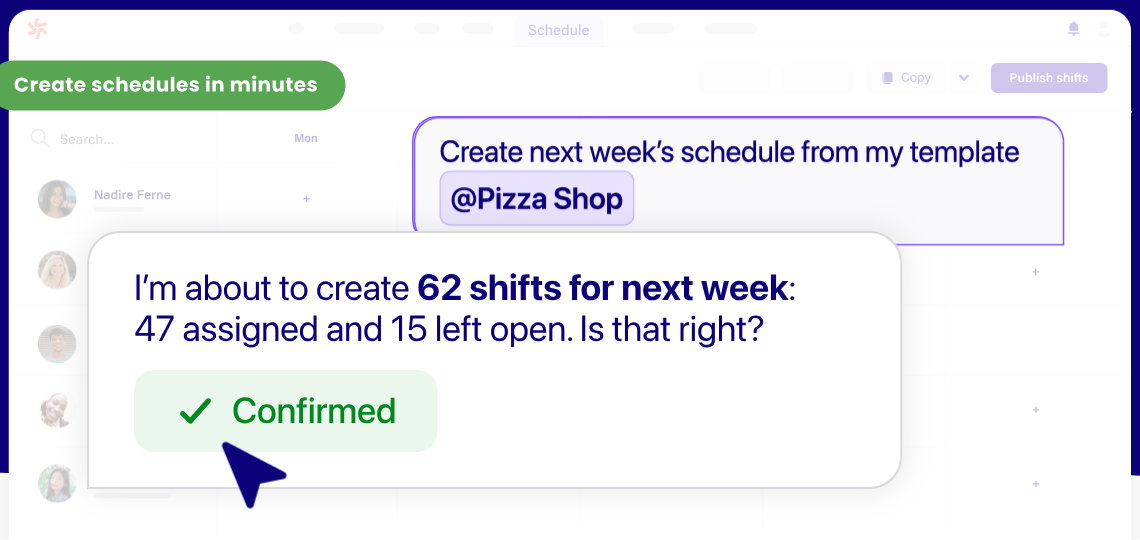
Deputy says it schedules required breaks, flags missed ones, logs an employee's waiver and marks timesheets where missed-break premium pay may be owed. Overtime hours are flagged on timesheets.
- you need meal and rest break scheduling and missed-break flags for hourly staff, plus fair workweek rules for the cities Deputy names
- you want biometric clocking and timesheet auto-approval from the mid-priced tier
- you have 1 to 5 staff: monthly plans carry a $30 minimum spend per invoice, and there is no free plan
- you want US payroll bundled in: payroll runs through a Paycor add-on at $8 per user plus a $49 monthly base fee
- Users like
- ease of use and setup, both scored 9.2 out of 10 on G2
- Users dislike
- costs that climb with headcount, and per-user fees that hurt when many workers are occasional
- Source: G2, 666 reviews
How it works in practice
Deputy's compliance pages name fair workweek rules in Chicago, Los Angeles, Philadelphia and New York City, and state that the software isn't legal advice. Hours reach payroll through Deputy's ADP, Gusto and QuickBooks integrations in the US, or through a payroll add-on powered by Paycor.
Every user counts toward the bill, admins and supervisors included, and Pro adds location hierarchies, pay centers and SSO for multi-site employers. In a demo, ask to see a missed break being flagged and a timesheet marked for premium pay, since that's the behavior you'd be relying on.
- Starting price
- From $5 per user per month (Lite)
- Plans
- Lite $5, Core $6.50, Pro $9 per user per month
- Auto-scheduling
- Core and Pro
- Payroll
- Paycor add-on, US only, annual Core and Pro plans
- Fair workweek
- Compliance pages name Chicago, Los Angeles, Philadelphia and New York City; missed-break flags cite California premium pay
- Payroll add-on
- Paycor-powered payroll at $8 per user plus a $49 monthly base fee, US only, on annual Core and Pro
Connecteam
Connecteam is a mobile-first app for deskless teams that bundles scheduling, a time clock, checklists and chat, sold as hubs with a flat base fee.
Fits a team with workers on the road or on a floor that needs a mobile time clock with geofenced job sites.
Admins create jobs with addresses and can attach a geofence to a job. Employees clock in from the mobile app. A job tied to a fence appears only within range, but an unfenced job can be clocked into from anywhere.
When a clocked-in worker leaves the fence, the admin's setting decides whether nothing happens, the worker gets a reminder or the app clocks them out automatically, and out-of-fence clock-outs are flagged for approval. Geofences are capped by plan: up to 10 on Advanced and unlimited on Expert.
- your workers' job sites change through the week and you need clock-in limited to a geofence, with auto clock-out when they leave
- you want a free plan for up to 10 users and a flat base fee for the first 30 after that
- you need rules for overtime, meal breaks or fair workweek schedules: none are documented in what we read
- you run a restaurant that needs POS-driven labor budgeting: we found none on Connecteam's pages
- you need several hubs for a team over 30 users: each hub carries its own base fee
- Users like
- ease of use and a clean, visual design
- Users dislike
- an admin dashboard some reviewers find confusing, and frequent feature updates that are hard to keep up with, per Capterra
- Source: G2, 3,500 reviews
How it works in practice
Timesheets get checked and locked, then they're exported or pushed to payroll in QuickBooks Online, Gusto, Paychex Flex, Xero in Australia and the UK, or MYOB, with export files for QuickBooks Desktop and ADP Run. Auto-assign shifts and up to 12 schedules need the Expert tier. Test the fence radius on a real site, because it's adjustable and the default may not fit your yard or lot. Time-off policies with balances sit in the separate HR and Skills hub, and each hub is billed on its own.
In the pages we read we found overtime alerts and auto clock-out, but we didn't find an overtime-rule engine, break rules or a predictive scheduling feature.
- Starting price
- Free for up to 10 users; Operations hub from $29 per month for the first 30 users
- Plans
- Operations hub Basic $29, Advanced $49, Expert $99 per month for 30 users
- Integrations
- ADP RUN, QuickBooks and Xero
- Geofences
- Up to 10 on Advanced and unlimited on Expert, radius adjustable
Homebase
Homebase combines scheduling, a time clock and optional payroll, and charges per location instead of per user.
Fits a single-location shop or restaurant with up to 10 hourly employees that wants a time clock and a schedule without paying for either.
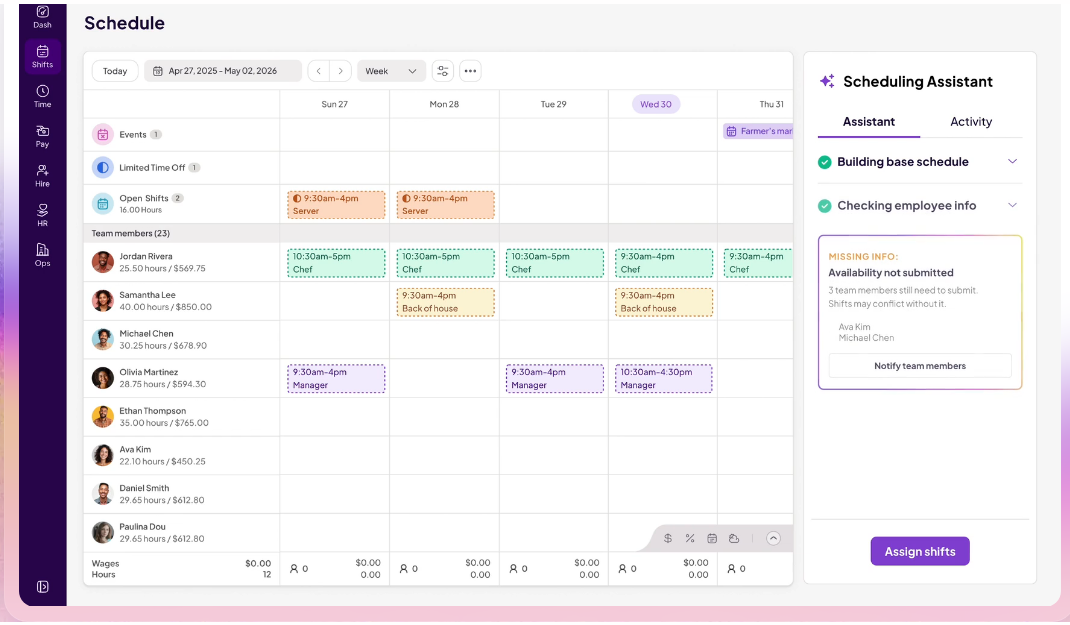
Employees clock in on a phone, tablet or POS device with a personal PIN. The clock's options include GPS and geofencing, kiosk and offline modes, break tracking and waivers, and auto clock-out. Managers set overtime thresholds, such as 40 hours a week or 8 a day, and get alerts before employees reach them.
In the schedule builder, projected labor cost updates as shifts change and is compared with sales forecasts built from past sales, optionally through a POS connection. Timesheets sync to ADP, Gusto and QuickBooks, or to Homebase's own payroll.
- you run one or two locations and want a plan that costs nothing until you pass 10 employees
- you want the time clock, timesheets and payroll in the same tool as the schedule
- you run many locations: pricing is per location, up to $120 per location per month for labor cost management
- you need the AI scheduling assistant or time-off controls without moving to the $70 Plus tier
- Users like
- the all-in-one design with scheduling, time clock and payroll together, and the drag-and-drop schedule builder
- Users dislike
- payroll problems and time-clock glitches, with some key features reserved for higher tiers
- Source: G2, 565 reviews
How it works in practice
Plan gating decides what you'll get. Location-based clock-in starts on Essentials. Labor forecasting is on All-in-One, and the pricing page lists overtime alerts there too, although the overtime page doesn't say which plan includes its features, so test the alerts on a trial before you rely on them. Don't assume they're included, and ask which tier you'd need for the alerts you've seen.
Payroll is an add-on at $49 per month plus $6 per employee paid. The forecasting page doesn't describe predictive scheduling alerts.
- Starting price
- Free for 1 location and up to 10 employees; paid from $30 per location per month
- Plans
- Basic $0, Essentials $30, Plus $70, All-in-One $120 per location per month
- Integrations
- Square, Shopify, Clover, Toast and QuickBooks
- Overtime
- Thresholds per day or week with alerts; the pricing page lists overtime alerts under All-in-One
When I Work
When I Work is a per-user shift scheduling app that includes auto-scheduling from its cheapest tier.
Fits a small hourly team that wants scheduling and shift swaps first and a time clock second.
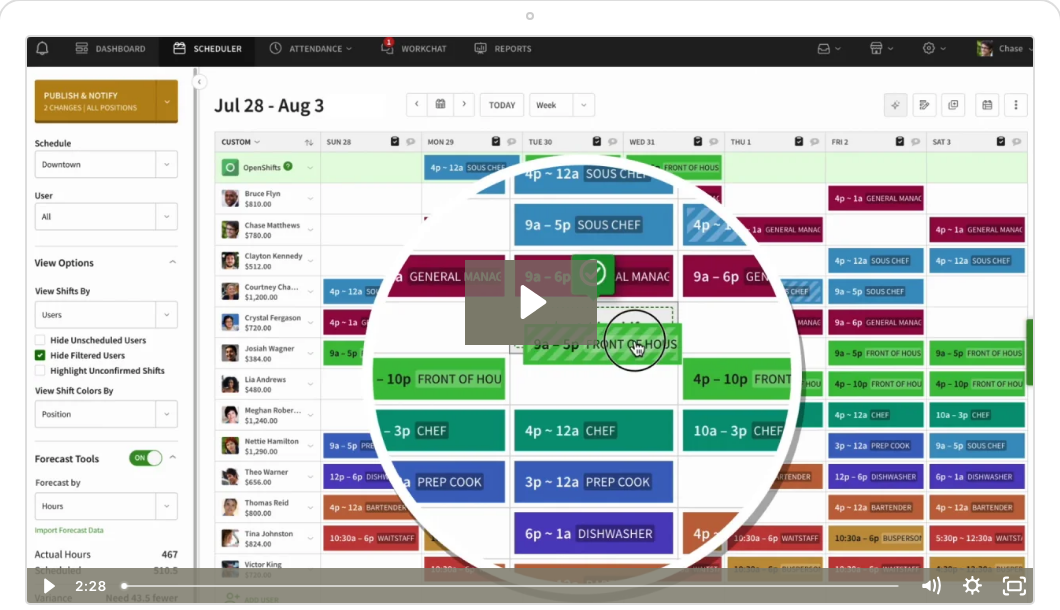
Managers build schedules with auto-scheduling, templates and OpenShifts that staff claim, then publish them to the staff's mobile app. The time clock is an add-on toggle on the pricing page. With it on, employees clock in and hours collect on timesheets that export to payroll, for example to Gusto after the pay period is finalized or synced nightly to ADP RUN with regular, overtime and PTO hours.
Scheduling rules, which enforce limits on assignments, start on Pro.
- you have many hourly employees and want auto-scheduling at the lowest per-user price on this list
- you want shift trading and open-shift pickup in the app, with managers keeping final approval
- you want a permanent free plan: only a 14-day trial exists
- you need the time clock priced in: the Time Tracking and Attendance toggle shows no price on the pricing page
- Users like
- shift scheduling and time tracking, which G2 scores around 9 out of 10, plus the mobile app
- Users dislike
- one reviewer cites thin advanced reporting and no geolocation tracking
- Source: G2, 341 reviews
How it works in practice
We didn't find a break-rule engine, an overtime engine or a fair workweek feature in the pages we read. Pro lists scheduling rules and callout reporting, but their compliance scope isn't documented.
The pricing page doesn't show the time clock add-on's price, and its FAQ says every plan includes time and attendance, which contradicts the toggle, so get the price in writing and ask whether the time clock is on in your quote. One Capterra reviewer reported no audit trail.
- Starting price
- From $2.50 per user per month (Essentials)
- Plans
- Essentials $2.50, Pro $5, Premium $8 per user per month
- Payroll
- Rippling, ADP, QuickBooks and Gusto are named on the homepage
What Separates Workforce Management Tools
Seven checks separate tools that look alike on a feature list. Each one has a way to test it before you sign.
| Check | What to look for | How to test it |
|---|---|---|
| Overtime and break rules | Paycor lists more than 10 overtime policies, Homebase's thresholds are daily and weekly, and UKG's rules are set per customer | Enter a 9-hour shift with no break and see what the tool flags |
| Punch controls | Connecteam's geofence cap depends on plan, Paylocity's limits include IP and biometrics, Deputy's biometric clocking starts on Core | Clock in from outside the site and from a second phone |
| Approval before payroll | Deputy's timesheet auto-approval starts on Core, and UKG's entries go through an Approvals dashboard | Leave one punch missing and see who gets alerted |
| Scheduling depth by plan | UKG's Scheduler is a module pick, Homebase forecasting needs All-in-One, Deputy auto-scheduling starts on Core | Ask which plan includes the scheduling feature you saw in the demo |
| Hours to payroll | Suites send hours to their own payroll, apps sync to ADP, Gusto, QuickBooks or Paychex Flex | Run one real pay period and compare totals line by line |
| Implementation time | G2 shows an average of 7 months for Dayforce, and a suite rollout includes a payroll cutover | Ask for a timeline that includes a parallel pay run, and don't skip it |
| Pricing model | Per user, per location, a flat hub fee or a quote | Price your real headcount, including managers |
Start from the step that's failing today. If you're losing hours between the clock and payroll, a suite's built-in sync is the fix. If it's shift conflicts and swaps, a standalone app's schedule builder is the cheaper fix, although you'll still need to test its payroll export. And if you've got fewer than 10 people at one site, you'll probably start on a free plan and move up when the cap hits.
How Much Does Workforce Management Software Cost?
Among the tools that publish a price, workforce management software costs from nothing to about $9 per user per month, or $30 to $120 per location, and the model matters more than the number. Rippling, UKG Ready, Paylocity, Paycor and Dayforce quote instead of publishing a time module's price.
| Pricing model | Tools | What grows the bill |
|---|---|---|
| Per user | Deputy, When I Work | Every added employee, including admins and supervisors |
| Per location | Homebase | Every added site |
| Flat hub fee | Connecteam | Users above 30 and the tier you need |
| Quote | Rippling, UKG Ready, Paylocity, Paycor, Dayforce | Modules, employees and hardware |
The calculator shows monthly cost for one tier of each tool that publishes a price. It leaves out add-ons such as the When I Work time clock and payroll, and Deputy's monthly plans carry a $30 minimum spend per invoice.
Monthly cost at list prices on October 21, 2026. Connecteam's pricing page doesn't label the billing term, so the calculator uses the lower figures.
Is There Free Workforce Management Software?
Yes, two of the nine tools have a free plan, but both stop at 10.
- Connecteam is free for up to 10 users. Paid Operations Hub plans start at $29 per month for the first 30 users.
- Homebase is free for one location and up to 10 employees, with basic scheduling and time tracking. Paid plans start at $30 per location per month.
Deputy has no free plan, and When I Work has a 14-day trial. The suites sell through a sales team, so there's no free tier to try. A free plan is a good way to test the time clock, but check what sits behind the paid tiers: geofenced clock-in, labor forecasting and overtime alerts do.
Workforce Management vs HRIS vs Payroll Software
Buyers often ask about "the three HR systems", and the split that matters for this category is HRIS, payroll and workforce management. The three overlap in suites, but they're separate products when bought apart.
| System | Main job | Data it owns | Examples on this page |
|---|---|---|---|
| Workforce management | Schedules, hours, breaks and leave | Shifts, punches, timesheets | Deputy, Connecteam, Homebase, When I Work |
| HRIS | The employee record and HR workflows | Employee profile, role, pay rate | Rippling and UKG Ready include one |
| Payroll | Paying people and filing taxes | Gross pay, deductions, tax filings | Paylocity, Paycor and Dayforce include it |
It's the workforce management layer that decides which hours get paid. A standalone app is easier to buy and swap, but a suite avoids the sync. For the other two categories, see our guides to HRIS software and payroll software.
Labor Rules a Workforce Management Tool Has to Handle
A time tool records hours that a law then prices, so it's worth knowing what the rules ask of the data. This section isn't legal advice, so check your own state's and city's rules.
- Overtime. Under the Fair Labor Standards Act, covered employees who aren't exempt must receive overtime pay for hours over 40 in a workweek at not less than time and one-half their regular rate, according to the US Department of Labor. A tool that shows hours against the 40 as you build the schedule is checking this rule.
- Records. Employers must keep payroll records for at least three years and time cards for two years, per the DOL recordkeeping fact sheet. Check that the tool's export includes its history, not only the current period.
- Breaks and notice. Meal break, rest break and schedule notice rules come from states and cities, not from the federal law. Of the nine tools, Deputy names fair workweek rules for four cities, and Paycor says it supports predictive scheduling laws without listing them, so there's little public detail to go on. Our scheduling software guide covers the city rules in more detail.
Where These Tools Leave a Gap
None of these tools tells you whether a new hire is ready to work before the first shift: whether the new hire's clock-in access exists, the pay rules are set and the manager knows to approve the hours. That coordination sits between HR, IT and the manager, and none of these tools owns it. For how that handoff works, see our guide to the employee onboarding process.
Frequently Asked Questions
What does workforce management software do?
Workforce management software answers three questions every pay period: who is scheduled, what hours did they actually work, and what should payroll pay. A tool that applies overtime and break rules between the second and third question is doing the core job. Some tools stop after the second and hand the third to a payroll provider, and that's the difference between a suite and a standalone app.
Is workforce management software the same as an HRIS or payroll software?
No, workforce management software isn't the same as an HRIS or payroll software. If you've only got budget to fix one gap, ask which record is missing. Without an employee record you need an HRIS, without a way to pay people you need payroll, and without trustworthy hours you need time and scheduling. A suite covers all three from one vendor, while a standalone app covers hours only and hands them to your payroll provider.
How much does workforce management software cost?
Workforce management software has published entry prices for four of the nine tools here: $2.50 per user per month for When I Work, $5 for Deputy, $29 per month for Connecteam's first 30 users and $30 per location per month for Homebase. The other five need a quote, so you'll need a sales call, and you should ask for clocks and add-ons to be itemized.
Is there free workforce management software?
Yes, free workforce management software exists. Connecteam is free for up to 10 users and Homebase is free for one location and up to 10 employees. Both cap the free plan at 10 people, and features such as geofenced clock-in, labor forecasting and overtime alerts sit behind paid tiers.
Which workforce management tools support fair workweek laws?
Deputy's compliance pages name Chicago, Los Angeles, Philadelphia and New York City, and Paycor says its time product supports predictive scheduling laws without listing jurisdictions. For Rippling, Paylocity, Connecteam, When I Work and Homebase we found no documentation of it, and for UKG Ready and Dayforce we couldn't confirm it from the pages we could read. Ask each vendor which jurisdictions and premium pay rules it configures, and don't rely on a sales claim you can't see in writing.
What is the best software for monitoring employee productivity?
The best software for monitoring employee productivity isn't on this page, because the tools here record clock-ins, schedules and leave. That's time and attendance, not activity monitoring. Products that track apps or screens are a separate category and raise privacy and consent questions, so check local law and your own policy before using one.