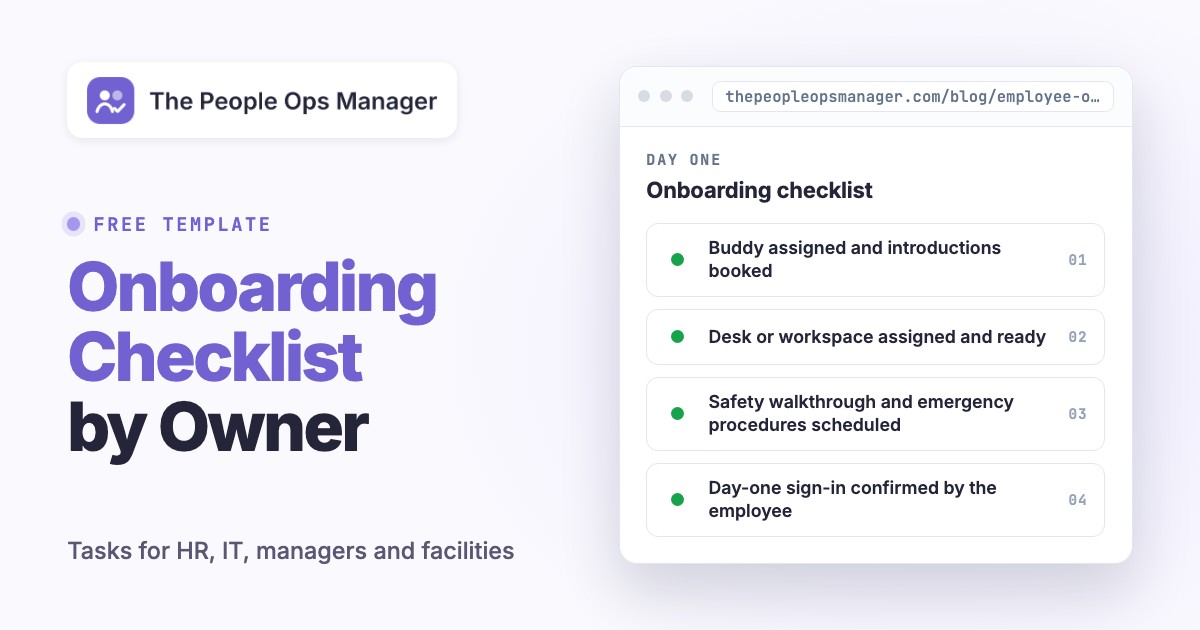
An onboarding checklist is a list of the tasks that get a new hire from signed offer to productive work, with an owner, a due date and proof of completion for each one. A good one tells a manager whether a new colleague can actually start, shows IT which access is still missing, and lets payroll close paperwork without putting sensitive records on a shared board.
This page gives you the full employee onboarding checklist for US teams: a template by phase, a separate checklist for HR, IT, managers and facilities, the documents and deadlines that apply on day one, and branches for remote and role-specific hires. Copy the tables into a spreadsheet or your task tracker and swap in your own owners and dates. The legal notes are a starting point, and you'll still want to check current federal, state and local rules before you rely on them.
- Give every task one accountable owner, a due date and a piece of evidence that shows it's done.
- Split the list by team (HR and payroll, IT, manager, facilities) so nobody reads past their own rows.
- Track legal deadlines separately from the 30-60-90 day development plan.
- Call day one ready only when access, equipment, a manager and a first task are confirmed.
- Count a task as blocked, not done, until the evidence exists.
What Should an Onboarding Checklist Include?
An onboarding checklist covers five phases: before the start date, the first day, the first week, the first month and the next two months. Within those phases it should cover employment paperwork, pay and benefits setup, equipment and accounts, safety and security, relationships, and a clear route to productive work. The checklist belongs to the organization, but each task belongs to a named person, and that's the part most templates skip.
Several of these tasks, such as the Form I-9 and policy acknowledgments, are legal requirements; our HR compliance guide lists which laws apply at which headcount.
A status column alone isn't enough. Add an owner, a due date, a dependency, proof of completion and an escalation contact to every row. If IT marks an account as provisioned and the employee can't sign in, the task isn't done. If HR holds an I-9 document but nobody has completed the verification step, that task isn't done either. Evidence should match the outcome, not the action someone attempted.
The 90-day schedule used here is a management framework. It doesn't replace a legal filing deadline, and it isn't a rule that every employer must hold a formal review at day 90. Adjust it to the role and your own policies. If you want the longer 30-60-90 plan with goals for each month, our new hire onboarding template covers it, and the onboarding process guide explains how the steps fit together.
Onboarding Checklist Template by Phase
Copy this table into your HRIS task list, a spreadsheet or an onboarding project. Replace the sample owners with real names, and you'll want a status column too. Keep tax, identity and medical records in approved systems, since they shouldn't sit in a shared tracker; a shared tracker should only show whether the workflow is complete.
- HRConfirm accepted offer, start date, location, manager and role. Proof: approved hire record. On acceptance
- PayrollConfirm pay setup and the tax-form workflow. Proof: setup status, not tax details. Before day 1
- HRSend the first-day agenda, arrival or login instructions and contacts. Proof: delivery confirmation. 5 days before
- ITOrder or assign the device and approved equipment. Proof: asset and delivery record. 10 days before
- ManagerRequest least-privilege access for the first assignment. Proof: approved access request. 7 days before
- ITTest access and device readiness, or name the exception. Proof: successful test. 2 days before
- ManagerAssign a buddy and book introductions. Proof: calendar invitations. Before day 1
- ManagerWelcome the hire and explain the day's priorities. Proof: check-in done. Day 1
- HREmployee completes Form I-9 Section 1. Proof: I-9 workflow status. By day 1
- ITEmployee signs in to the essential tools. Proof: login confirmed by the employee. Day 1
- ManagerExplain hours, support routes and first-week expectations. Proof: shared first-week plan. Day 1
- FacilitiesShow safety procedures and role-relevant workplace rules. Proof: training record where required. Day 1
- HREmployer completes I-9 Section 2 after examining documents. Proof: I-9 status. Within 3 business days of day 1
- PayrollCheck payroll and benefit enrollment workflows. Proof: completion or follow-up status. Week 1
- HRFile the new-hire report with the state directory. Proof: filing confirmation. Within 20 days of hire
- HRAssign required policy and security training. Proof: training record. Week 1
- ManagerIntroduce key partners and clarify handoffs. Proof: intro meetings held. Week 1
- ManagerAssign a bounded first task with review criteria. Proof: task brief and feedback. Week 1
- ManagerReview access, workload, role clarity and support needs. Proof: check-in notes without sensitive data. Day 30
- ManagerExpand ownership with agreed checkpoints. Proof: milestone and review notes. Day 60
- HRAsk what's still confusing or blocked and collect feedback on onboarding. Proof: improvement actions with owners. Day 60 to 90
- ManagerReview outcomes and development priorities. Proof: written next-quarter goals. Day 90
Onboarding Checklist by Owner
A single long list makes every team scroll past tasks that aren't theirs, which is exactly how rows get missed, and it's why we split the list. Give each owner a short list that ends in evidence; they'll actually read it. Together the four lists below cover the same ground as the phase template, and each one can be pasted into the team's own tracker.
HR and Payroll Onboarding Checklist
HR coordinates the process and owns the hire record, the paperwork workflow and the first feedback loop. Payroll owns pay setup.
- Hire record confirmed: legal employer, start date, work location, manager, role
- Secure route sent for payroll and tax forms (W-4 and any state or local forms)
- Form I-9 Section 1 date and Section 2 deadline tracked in the calendar
- New-hire report to the state directory owner and date assigned
- Benefits eligibility dates and enrollment window sent to the employee
- Required policy and security training assigned to this role
- Day-30, day-60 and day-90 conversations booked with the manager
- Onboarding feedback request scheduled and its owner named
IT Onboarding Checklist
The IT team turns an approved request into a working setup. The check that really matters is whether the new hire can do real work on day one. A shipped laptop isn't the same as a usable one.
- Device ordered or assigned and the delivery date recorded
- Accounts created from the manager's approved, least-privilege request
- Multifactor authentication enrolled or an enrollment time scheduled
- Email, chat and the core work tools tested with a real sign-in
- Support route sent: who to contact and how if the first login fails
- Security and acceptable-use training assigned
- Exceptions named with an owner and a temporary alternative
- Day-one sign-in confirmed by the employee
Manager Onboarding Checklist
The manager defines the work, and that's why this list starts early. Most of the damage in a weak onboarding comes, especially in small teams, from a manager who's unprepared, so this list starts before the offer is accepted.
- First-week plan written: what the role owns, who can help, a realistic first contribution
- Role-based access requested for the first assignment only
- Buddy assigned and introductions booked
- First task chosen, with a clear definition of done and review criteria
- Day-one welcome and a five-minute end-of-day recap planned
- Cross-team partners who receive the new hire's work introduced in week one
- 30, 60 and 90 day conversations in the calendar
- Blockers outside the employee's control passed to the process owner
Facilities Onboarding Checklist
Facilities covers the physical and safety side for office and site roles, and the delivery side for remote ones.
- Desk or workspace assigned and ready
- Badge, keys or building access issued, with visitor instructions for day one
- Parking or transit details sent
- Standard equipment delivered, or a remote shipment confirmed through an approved address
- Safety walkthrough and emergency procedures scheduled
- Accessibility and accommodation requests routed through the confidential process
- Office supplies and any role-specific gear in place
What Documents Does a New Hire Bring on Day One, and Which Deadlines Apply?
New hires bring documents that prove identity and the right to work, plus the details payroll needs. For Form I-9, the employee chooses which acceptable documents to present from the official USCIS lists, so your welcome email should link the lists and shouldn't demand a particular combination. An employee presents either one List A document, which proves both identity and work authorization, or one List B document for identity together with one List C document for work authorization.
| Item | What it's | Who acts | Deadline |
|---|---|---|---|
| Form I-9 Section 1 | Employee attests to work authorization | Employee | No later than the first day of employment |
| Form I-9 Section 2 | Employer examines the employee's documents in person and records them | Employer or authorized representative | Within 3 business days of the first day of employment |
| Acceptable documents | One List A document, or one List B plus one List C | Employee chooses | Presented for Section 2 |
| Form W-4 | Gives the employer what it needs to withhold federal income tax | Employee | Before the first payroll |
| New-hire report | Name, address, SSN and hire date sent to the state directory | Employer | Within 20 days of the date of hire |
USCIS says an employee who presents a List A document shouldn't be asked for anything else, and that's worth repeating to hiring managers, and the full acceptable documents lists are on its site. For a hire who'll work fewer than 3 business days, Section 2 is due no later than the first day of employment, and E-Verify has its own timing if you use it.
The 20-day new-hire report comes from federal child support rules, and the Office of Child Support Enforcement lists the data you send. Your state directory may add reporting channels or penalties, so give one person the job of checking them. The IRS explains Form W-4 as the way employees help their employer withhold the correct federal income tax.
Day One: The Readiness Gate
Start with a human welcome and a practical test. A ready employee can enter the building or join the video call, sign in to the systems needed today, name the person to ask when something breaks and say what to do once orientation ends. Those four checks are a better readiness test than a percentage of tasks complete.
Give the hire a short agenda instead of a slide deck: a welcome conversation, a tool and support check, essential policy and safety information, team introductions and a small first assignment. Let them ask private questions about access, schedules and accommodations. Confirm that I-9 Section 1 is finished by its deadline, without leaving the new hire to navigate the form alone.
The manager ends the day with a five-minute recap: what worked, what didn't, what'll happen tomorrow and who owns each remaining blocker. If access isn't working, don't close the task because IT sent an invitation. Record the actual failure, the owner and a temporary alternative; that's what the next person will need.
First Week to Day 90: What Changes at Each Stage
Each stage of the first 90 days has a different job, and the manager's questions change with it, so don't reuse one check-in script.
| Stage | What the employee does | What the manager checks | Evidence |
|---|---|---|---|
| Week 1 | Learns where work is assigned, how decisions are recorded and who receives their work; finishes one small deliverable | Context, approval limits, a practice task with a clear definition of done | Task brief and feedback |
| Day 30 | Explains the team's priorities in their own words; uses the real systems | What is unclear, what is slower than expected, whether tools match what training promised | Check-in notes without sensitive data |
| Days 31 to 60 | Takes a real responsibility with agreed decision limits | Who approves changes, when to ask for help, which stakeholders to inform | Milestone and review notes |
| Day 90 | Reviews goals and sets the next set | Outcomes, relationships, development priorities, and where the process made the hire wait | Written next-quarter goals and improvement actions |
For the first week, pick a deliverable that gives concrete feedback, such as a practice ticket for a support specialist or an anonymized case for a people operations coordinator. Don't judge anyone by a completion percentage; someone can easily finish every training module and still lack access to the core system.
If a recurring blocker is outside the employee's control, such as a delayed laptop or a missing permission, assign it to the process owner and don't treat it as a performance problem. At day 90 the employee's feedback on the process matters as much as the manager's feedback on the person, so give each answer a named owner or it'll come back with the next hire.
What Are the 4 C's of Onboarding?
The 4 C's of onboarding are compliance, clarification, culture and connection. The framework is commonly attributed to Talya Bauer's 2010 report for the SHRM Foundation, and it's a handy way to check that a checklist isn't all paperwork.
| C | What it means | Where it lives in this checklist |
|---|---|---|
| Compliance | Forms, policies and legal requirements | I-9, W-4, new-hire report, required training |
| Clarification | The employee knows the role and what's expected | First-week plan, first task, 30-60-90 conversations |
| Culture | Organizational norms, written and unwritten | Team norms, communication habits, buddy |
| Connection | Relationships and networks at work | Introductions, cross-team partners, buddy |
Most checklists lean heavily on compliance because it's so easy to tick. If your list has plenty of compliance rows and no clarification or connection rows, you've got a gap, so add them.
Who Owns Onboarding? Use a Handoff Matrix
Onboarding usually fails between departments. HR assumes IT approved the account, IT waits for the manager to confirm the role, and the manager assumes the hire has been trained. Each team may have finished its own task while the employee is still blocked.
Assign one accountable owner per outcome and make dependencies visible. The manager approves role access, IT provisions it and the employee confirms it works. The evidence is a successful sign-in, never the existence of an access ticket. For payroll, HR supplies the approved hire record, payroll completes setup and the employee has a secure way to correct missing information.
| Field | Example | Why it matters |
|---|---|---|
| Task | Test the employee's core application login | States the outcome |
| Owner | Named IT administrator | One accountable person |
| Due | Before the start date | Makes readiness measurable |
| Dependency | Manager-approved role access | Shows why work may be waiting |
| Status | Blocked, not complete | Avoids false green dashboards |
| Proof | Employee confirmed successful sign-in | Verifies the result |
| Escalation | IT lead after the agreed response window | Gives the team a recovery route |
Role, Remote and Hybrid Variants
Keep the core checklist stable and add branches rather than writing a new list for each case. Of course, a ten-person company won't need every branch below. Don't burden every hire with the whole training catalog; they'll tune out.
| Situation | Add these tasks |
|---|---|
| Remote | Verified device delivery to an approved address, tested video and sign-in, a time-zone-aware agenda, written communication norms, a backup contact method |
| Hybrid | Which activities need an office visit, how to get help on remote days, desk booking |
| Frontline or site-based | Site access, shift scheduling, job-specific safety instruction, who to call on a bad shift |
| People manager | Approval authority, budget limits, escalation paths, a first round of one-to-ones |
| People operations | Confidential data training and a supervised practice workflow |
| Intern or short-term | A narrow scope, a named supervisor, an end date and an offboarding step from day one |
Remote hires don't get the passing question to a coworker, so replace it with a scheduled check-in and a named person to message. Accessibility shouldn't be an afterthought: offer a way to request accommodations, route requests confidentially and keep medical detail out of the shared tracker. For the other end of the employee lifecycle, see our employee offboarding checklist.
How Do You Use the Checklist in a Spreadsheet, Word or PDF?
You can use the onboarding checklist in a spreadsheet by pasting the phase table into Excel or Google Sheets, which lets people filter by owner. Add columns for status, due date and evidence, and a data validation list for status values such as Not started, In progress, Blocked and Done. Word or PDF works for a one-off handover or a signed acknowledgment, but a document can't show which rows are blocked, so it fits low volumes best.
A spreadsheet is enough for a handful of hires if owners update it, and it's free. When volume grows, the difficulty is rarely the number of rows; it's the handoffs between HR, IT, payroll and managers. A copy of the template per hire, filtered by owner, keeps each team's view short.
How to Measure Whether Onboarding Works
Measure operational outcomes, not the number of boxes ticked. A small set of definitions shows whether the process is improving. The HR metrics guide has the wider set of formulas.
| Metric | Suggested definition | What to investigate |
|---|---|---|
| Day-one readiness rate | Hires with tested access and equipment before start / all starts | Missing approvals or delivery delays |
| Access resolution time | Time from a reported blocker to verified working access | Unclear IT ownership or handoffs |
| First-task readiness | Hires with a documented first assignment / all starts | Manager preparation gaps |
| On-time compliance workflow rate | Applicable tasks done by their deadlines / applicable tasks | Deadline or process failures |
| Onboarding issue recurrence | Repeat issues by category across successive hires | Fixes that didn't address the cause |
The onboarding metrics above are suggested internal definitions, not industry benchmarks. Pick one reporting period and collect no more employee data than you need.
Common Onboarding Checklist Mistakes
- Making HR responsible for outcomes it can't complete alone. HR coordinates, but managers define the work, IT provisions systems and payroll handles pay. Give every task a real owner.
- Using one deadline for every task. An I-9 requirement, a benefits enrollment window and a development conversation run on different clocks. Put each applicable deadline in the tracker and let the right specialist confirm it, because a legal deadline is non-negotiable and a development goal is not.
- Treating task creation as completion. An invitation isn't a login, and a welcome meeting isn't role clarity. Ask for evidence of the result.
- Ending the list after week one. The hire may feel welcomed and still not know what good work looks like. The 30, 60 and 90 day conversations are where the plan gets corrected.
Where Onboarding Coordination Software Fits
Software helps when the hard part is the handoff and not the list. A coordination workflow can show who owns an action, what's blocked and whether a hire is ready for day one. It shouldn't be confused with an HRIS, payroll system or employment-verification service. If you're also choosing an HRIS, our BambooHR review shows how to judge broader HR software against your needs, and the choice of system should stay separate from your definition of a finished outcome.
Onboarding Checklist FAQ
What belongs on an employee onboarding checklist?
Preboarding, employment paperwork, payroll and benefits workflows, equipment and access, role expectations, training, introductions, a first assignment and follow-up conversations. Give each task an owner and proof of completion.
What are the benefits of onboarding employees?
A structured process helps new hires become productive sooner and shows them what's expected. SHRM describes good onboarding as building loyalty and engagement, while rushed onboarding leaves people with forms and an ad hoc tour. Measure your own results with day-one readiness and first-task readiness; it's the honest answer.
How long should onboarding take?
Onboarding in this template runs through the first 90 days as a management framework. Some roles need longer. Legal paperwork and enrollment deadlines run on their own clocks and should be tracked separately.
Who owns the onboarding checklist?
HR usually coordinates the shared process, while managers, IT, payroll, facilities and the employee each own different outcomes. Assign one accountable owner to each task.
What is required on an employee's first day in the US?
The employee completes Form I-9 Section 1 no later than the first day of employment for pay, and the employer generally completes Section 2 within 3 business days after that day. Short employment periods and other cases differ, and other requirements depend on the employer and location.
What documents do I need to bring for onboarding?
For Form I-9, one List A document, or one List B plus one List C document, chosen by the employee from the official USCIS lists. Payroll will also ask for the details needed for Form W-4 and pay setup.
Can I use a spreadsheet for onboarding?
Yes. Start with the phase template and add status, owner, due date, dependency, evidence and escalation columns. Move to a coordination workflow when cross-team handoffs get hard to track.