HR software is a set of tools that store employee records and run the jobs around them, such as payroll, benefits, hiring, onboarding, time off and scheduling. No single product does every job well, so the best HR software for you depends on which job hurts most today. This guide compares nine tools for US employers, grouped by the job they do best. Five publish a US dollar price for a paid plan, one shows its price in euros, and three are sold by quote only. Three also have a free plan with a size limit. Wherever a price is missing, we say so. Prices and ratings were checked between October 15 and October 20, 2026.
- HR tools compared, by job
- 9
- have a free plan with a real size limit
- 3
- are sold by quote only
- 3
- monthly base fee on Gusto's cheapest plan, plus $6 per person
- $49
Our Picks by Situation
Start here if you already know the job you need done. Every pick has a full entry below.
Software doesn't make you compliant on its own; our HR compliance guide explains which laws apply to your headcount and what records to keep.
A full suite is the next step up from the tools on this list. Our guide to the best human capital management software compares ten suites on native modules, prices and ratings.
Reviews and goals are another job HR platforms cover. Our guide to the best performance management software compares nine tools on review cycles, calibration and cost.
Time and scheduling are one of the jobs HR tools cover. Our guide to the best workforce management software goes deeper on time clocks, overtime rules and hours to payroll.
 Best for a clean employee recordBambooHRCore is $10 per employee per month, and I-9 and E-Verify sit inside the same system.
 Best for a small team that also needs payrollGustoSimple is $49 a month plus $6 per person, month to month, with a built-in I-9.
 Best for the lowest price per userZoho PeopleListed from EUR 1.25 per user on the page we could read, with a free plan for up to 5 users.
 Best when IT setup keeps slippingRipplingA hire event can grant app access by role, and device control sits in a separate IT product.
 Best for mid-sized and multi-country teamsHiBobApproval paths start at the signed offer. Pricing is by quote.
 Best for a large company with an HR systems teamWorkdayConfigured by an admin, and advisors describe implementation as a months-long project.
 Best free start for hiringBreezy HRFree for one active position, with unlimited users on every plan.
 Best free start for hourly staffHomebaseFree for one location and up to 10 employees, with a time clock in the same app.
HR Software at a Glance
| Tool | Job it does best | What it hands off at hire | Starting price | G2 rating |
|---|---|---|---|---|
| BambooHR | Core HR platform | Checklists assign tasks to HR, managers, IT and the employee; I-9 and E-Verify through an app | Core $10, Pro $17 and Elite $25 per employee per month | 4.4 (7,724) |
| Zoho People | Low-cost core HR platform | Checklists with a named owner per task; I-9, W-4 and W-9 as e-sign templates | From EUR 1.25 per user per month on annual billing (the page we could read showed EUR, a USD page was not confirmed) | 4.4 (424) |
| HiBob | Core HR platform for mid-sized and multi-country teams | Workflows and task lists start from the offer; approval paths are built in | Not published | 4.5 (2,555) |
| Gusto | Payroll-first HR suite | Onboarding checklist with I-9, work email and app accounts; custom tasks from Plus | Simple $49 per month plus $6 per person | 4.6 (13,554) |
 Paylocity | Payroll-attached HCM suite | Onboarding packets with seven required tasks; I-9 and E-Verify tasks go to named people | Not published | 4.4 (6,080) |
| Rippling | Modular HR, IT and payroll platform | App access by role from the hire event; device control needs the IT product | From $8 per employee per month plus a base fee | 4.7 (14,586) |
| Workday | Enterprise HCM platform | Onboarding and offboarding Journeys built by an admin; I-9 steps assigned by role | Not published | 7.8/10 (TrustRadius, 674) |
| Breezy HR | Self-serve ATS | Add to BambooHR or HiBob from the Hired stage (Business plan) | Free for 1 active position; paid from $157 per month on annual billing (Startup) | 4.4 (686) |
| Homebase | Scheduling and time clock | Free for 1 location and up to 10 employees; paid from $30 per location per month | 4.6 (565) | |
 The People Ops Manager Our product | Onboarding coordination | Shows who is ready for day one, what is blocked and who owns it | Invite-only | No reviews yet |
Price status as of October 20, 2026. Ratings are rounded from G2, except Workday, whose score is from TrustRadius out of 10. G2 blocked direct reads for several tools, so some counts come from search results.
What HR Software Does, and the Six Jobs It Covers
HR software keeps one record per employee and runs the recurring jobs attached to that record. The jobs differ enough that most products are strong at two or three of them, but thin at the rest. Read the table first, because it can save you a demo call with a vendor that doesn't cover your pain.
| Job | What the software holds or runs | Tools in this list that lead with it |
|---|---|---|
| Employee record (core HR) | Profiles, job history, documents, time off, org chart, reports | BambooHR, Zoho People, HiBob |
| Payroll | Pay runs, tax filings, direct deposit, contractor payments | Gusto, Paylocity |
| Hiring (applicant tracking) | Job posts, candidate pipeline, interview scheduling, offers | Breezy HR |
| Onboarding | Checklists for HR, IT and the manager, I-9, welcome tasks | BambooHR, Gusto, Rippling |
| Time and scheduling | Shifts, time clock, timesheets, leave | Homebase |
| Whole-company platform | Several jobs on one employee record, configured by an admin | Rippling, Workday |
HR software, HRIS and payroll software overlap, which is why the labels confuse buyers. An HRIS is the record system at the center, payroll software runs pay, and "HR software" is the wider label for the whole set of jobs, so one product can fit all three descriptions. If you only need the record, read our HRIS software comparison. If you only need pay runs, read our payroll software guide.
Benefits administration is the one job we didn't research for this page. Gusto sells health insurance through its own brokers, and several tools above add benefits as a module, but we've no verified comparison, so we leave it out of the ranking and say so here.
Two things decide which row matters most. The first is size. In our view, a team under about 25 employees is usually better off with one tool that does payroll and the record together than with a stack. Once hiring runs weekly or you have shift workers, a second tool earns its place. The second is who has to use it.
Best HR Software by Job
Each entry shows what the tool does for its job, one detail that's easy to miss on the pricing page, what reviewers say, the price, and who should skip it. Core HR tools come first, then payroll-led suites, then the whole-company platforms, and finally hiring and time. We think the order matters, but only slightly.
BambooHR
BambooHR
BambooHR is a core HR platform for small and mid-sized companies, with employee records, onboarding checklists, reports and an applicant tracking module.
BambooHR starts from the employee record and works outward to checklists, time off and reports.
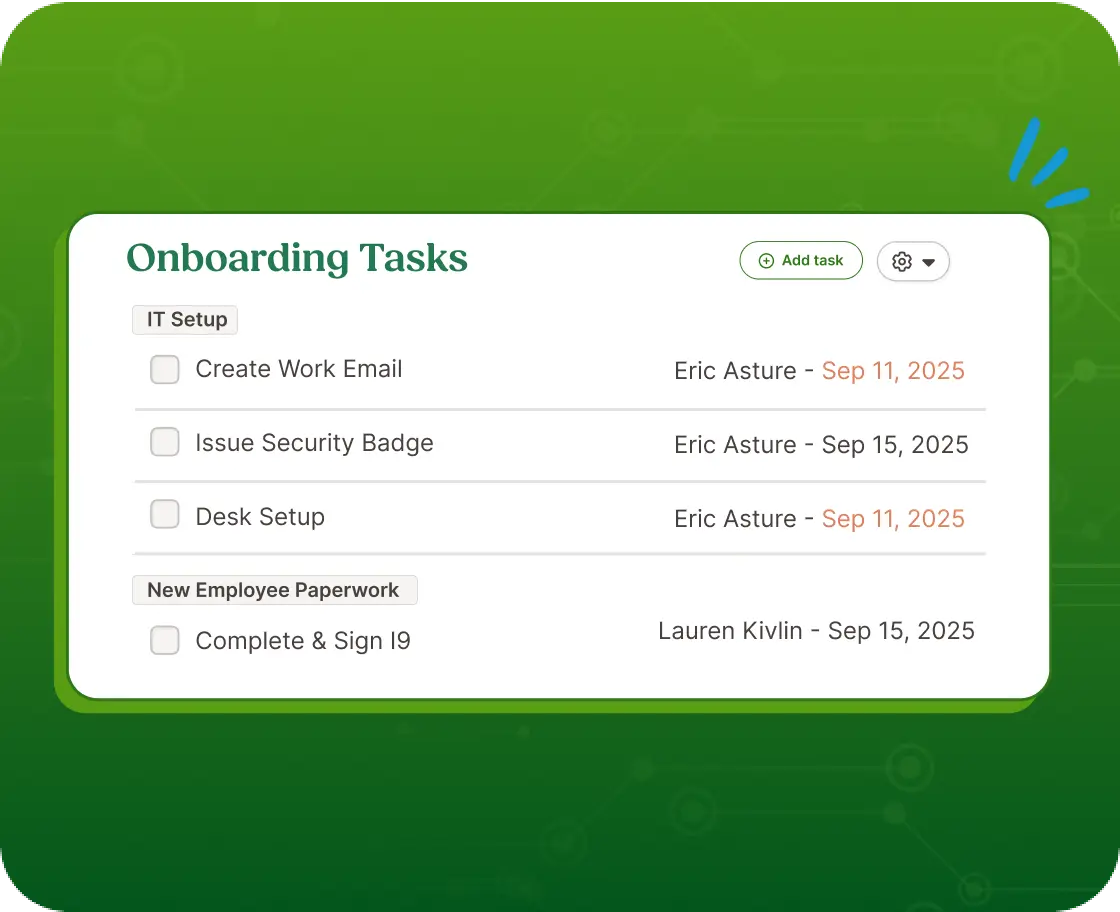
Onboarding is a simple checklist where each task is assigned to HR, the manager, IT or the new hire, and I-9 and E-Verify run through an app inside the same system. Hiring is included too: every plan has an applicant tracking module, with 5 open jobs on Core, 25 on Pro and 50 on Elite. Payroll, benefits and time tracking are separate paid modules sold by quote.
- you're a small to mid-sized US team that wants records, onboarding checklists, I-9 and E-Verify in one HR system
- you need deep custom reports or very flexible workflows: reporting and customization are the repeated complaint on G2 and Capterra
- IT provisioning is your bottleneck: we found no native device or app provisioning, so IT steps stay manual tasks
- Users like
- ease of use, the most-tagged strength on G2 (906 mentions)
- Users dislike
- missing features (261 mentions) and limited customization (183) on G2, and Capterra reviewers add limited advanced reporting and rigid workflows
- Source: G2, 7,724 reviews
How it works in practice
The practical limit shows up in IT, and it's easy to miss on the pricing page. BambooHR has no native device or app provisioning in the sources we read, so account creation stays a manual task on the checklist. If that's where your first week breaks, pair it with an identity tool or look at Rippling below. For a deeper look, see our BambooHR review and BambooHR pricing breakdown.
- Starting price
- Core $10, Pro $17 and Elite $25 per employee per month
- Plans
- Core $10, Pro $17 and Elite $25 per employee per month; teams of 25 or fewer pay a flat $250, $425 or $650 a month
- Applicant tracking
- Included on every plan, with 5 open jobs on Core, 25 on Pro and 50 on Elite
- Integrations
- 165 verified listings on G2; BambooHR's onboarding page says 150+
Zoho People
Zoho People
Zoho People is a cloud HR platform from Zoho with an employee database, leave, attendance, onboarding and performance, sold per user on four tiers.
Zoho People is the cheapest per-user HR record in this list, and its free plan covers a team of up to five.
Checklists carry a named owner per task, and I-9, W-4 and W-9 forms are available as e-sign templates. Leave, attendance and performance sit in the same product, which suits a team that already runs other Zoho apps.
- you already run Zoho apps and want the cheapest per-user HR record in this list
- you want a free plan to start: it covers up to 5 users
- you need E-Verify: we found no mention of it in Zoho's US documentation
- IT provisioning is your bottleneck: we found no native device or app provisioning, so those steps are checklist tasks
- Users like
- ease of use and automated attendance tracking, per G2 summaries in search results
- Users dislike
- less depth than BambooHR, reporting limits and slow support, per G2 and Gartner Peer Insights summaries
- Source: G2, 424 reviews

How it works in practice
Two caveats. The pricing page we could read showed euros, and we didn't confirm a US dollar page, so treat the figures as a guide. And US onboarding has gaps: we found no mention of E-Verify in Zoho's US documentation.
- Starting price
- From EUR 1.25 per user per month on annual billing (the page we could read showed EUR, a USD page was not confirmed)
- Plans (EUR, annual)
- Essential HR 1.25, Professional 2, Premium 3 and Enterprise 4.50 per user per month
- Free plan
- Employee database and leave for up to 5 users
- Integrations
- 24 in the marketplace, 13 from Zoho and 11 from others, including QuickBooks, DocuSign and Slack
HiBob
HiBob
HiBob (the product is called Bob) is a core HR platform with workflows, approvals and optional modules for payroll, hiring and performance.
HiBob (the product is called Bob) suits companies that want lifecycle workflows with approvals, especially across several countries.
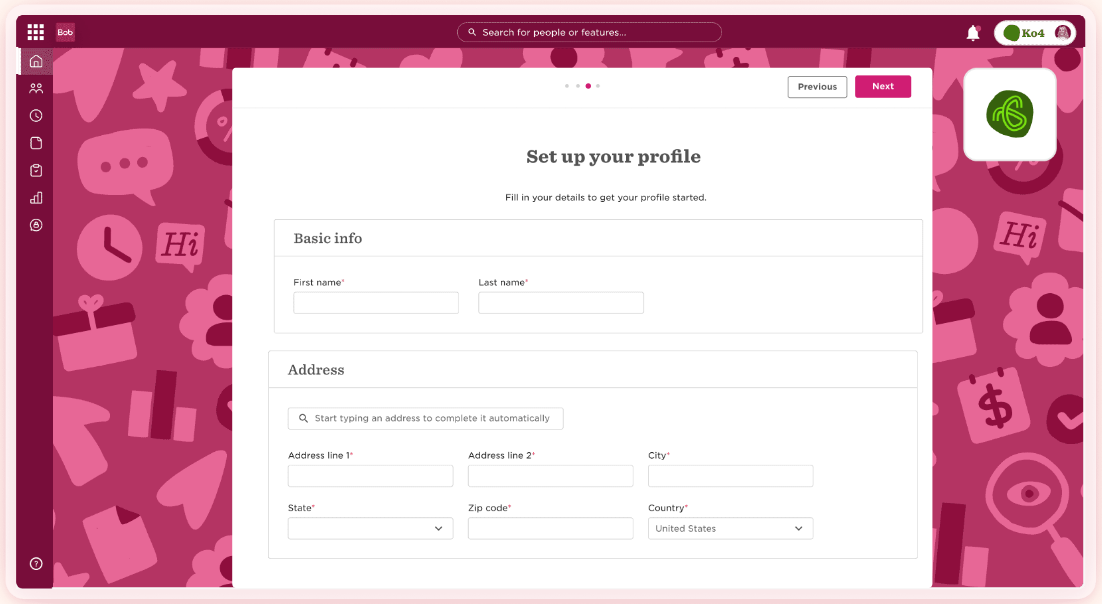
Workflows and task lists start from the offer, and approval paths are built in, so a salary change or a new hire can wait for a named approver before anything else moves. Core HR comes with every subscription; payroll, hiring, performance and analytics are modules you add.
- you're a mid-sized or multi-country company that wants lifecycle workflows with approvals in one platform
- you need I-9 and E-Verify handled natively: we found only a Fragomen WorkRight I-9 integration in the marketplace
- you need a price before a sales call: the pricing page is a demo request
- Users like
- an intuitive interface (1,186 mentions) and ease of use, per G2 summaries in search results
- Users dislike
- missing flexibility or features and customer support, per G2 summaries, and Capterra reviewers add slow reports and a clunky time-off module
- Source: G2, 2,555 reviews
How it works in practice
I-9 works as a workflow task, and E-Verify goes through a partner: the only integration we found in the marketplace was a Fragomen WorkRight I-9 connector. The pricing page is a demo request, so you can't compare cost before a sales call.
- Starting price
- Not published
- Modules
- Core HR is included in every subscription; payroll, hiring, performance and analytics are modules
- Integrations
- 100+ per HiBob, including Okta, Entra ID, Slack and Greenhouse
- US payroll
- Announced for January 2026 on Gusto's payroll engine; we found no reviews of it yet
Gusto
Gusto
Gusto is a payroll-first HR platform for small US businesses, with an employee database, an onboarding checklist and built-in I-9 handling.
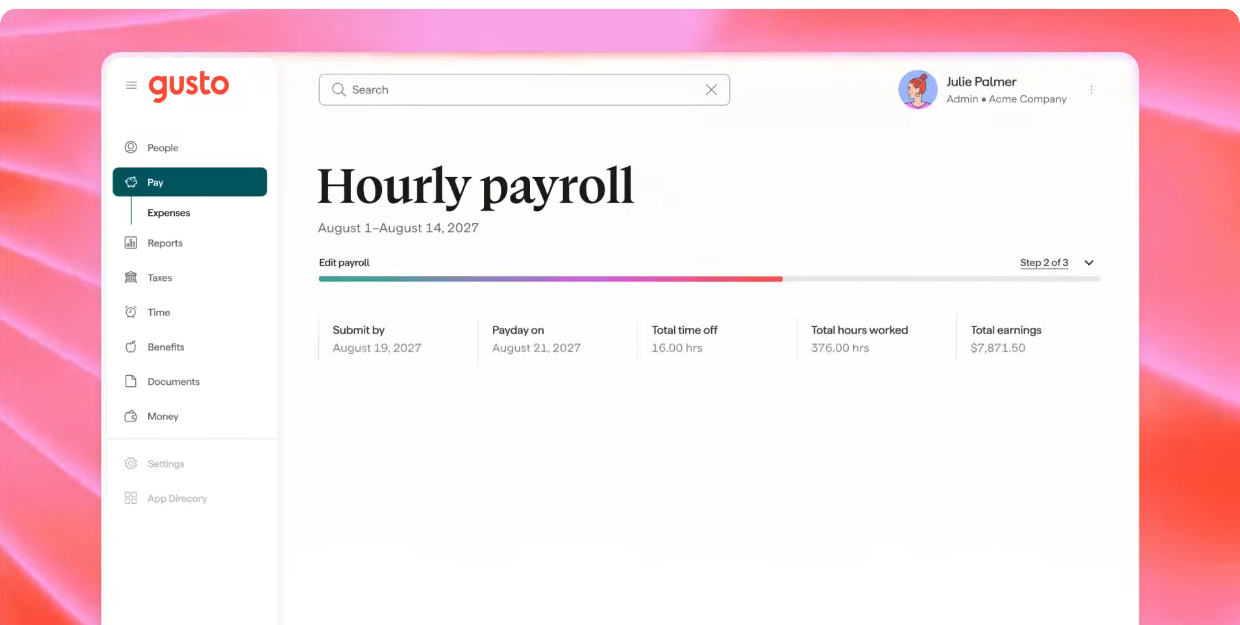
Gusto is a payroll product that grew HR features around the pay run, and it's the simplest route for a small US team that wants one login.
A new hire gets an onboarding checklist that includes the I-9, a work email on every plan, and app accounts from the Plus plan. Custom onboarding tasks and custom fields also start at Plus, and that's why the cheapest plan feels basic to teams that want to adapt the checklist.
- you're a small US team that wants payroll, I-9 and an onboarding checklist from one vendor
- you want published, month-to-month prices
- you need a native org chart or deep reports: we found no native org chart in Gusto's sources, and reviewers call reporting limited
- you want custom onboarding tasks, custom fields or app provisioning on the cheapest plan: all three need Plus
- Users like
- ease of use and quick setup, per G2 summaries in search results
- Users dislike
- limited reporting and customization, and slow support on complex issues, per Capterra and SoftwareFinder review excerpts
- Source: G2, 13,554 reviews
How it works in practice
Reporting is the repeated complaint, although payroll itself gets good marks. We found no native org chart in Gusto's sources, and reviewers call reporting limited, so a company that wants to slice the workforce by team or cost center will outgrow it.
Whichever system you pick, decide first which numbers it has to produce; our guide to HR metrics lists the formulas.
- Starting price
- Simple $49 per month plus $6 per person
- Plans
- Simple $49, Plus $80 and Premium $180 per month, plus $6, $12 or $22 per person
- I-9 and E-Verify
- Remote I-9 is $20 per submission and E-Verify $5 more; both are included in Premium
- Integrations
- 153 on G2, including Checkr for background checks; Google Workspace and Microsoft 365 work email on every plan
Paylocity
Paylocity
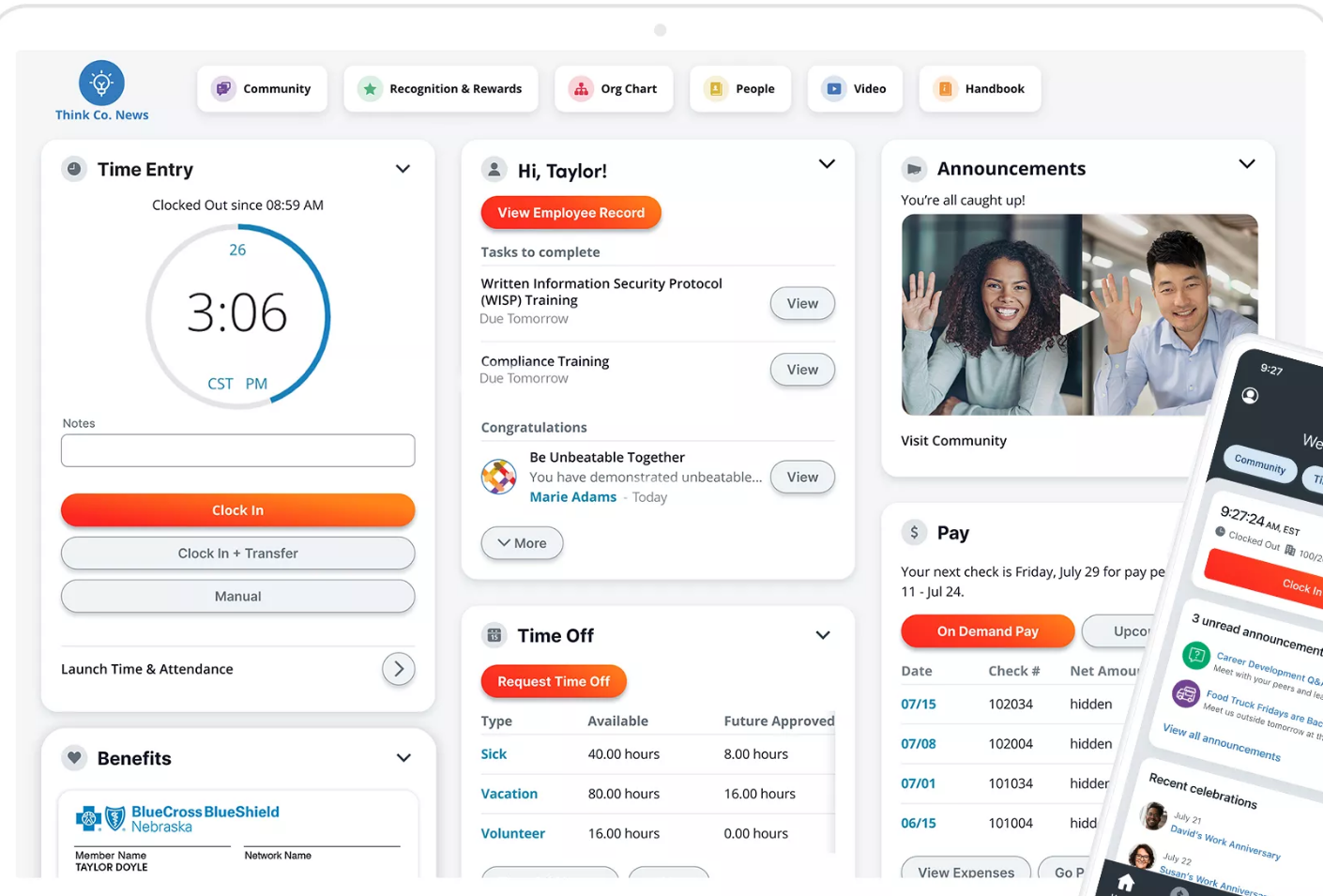
Paylocity is a US HR and payroll suite whose onboarding runs on event packets with required default tasks.
Paylocity fits mid-sized US employers that hire in batches and want payroll and onboarding in one suite.
Onboarding runs on packets with seven required default tasks, and the I-9 and E-Verify steps are assigned to named people, so a batch of starters follows the same route. IT access sits in separate Access Management and Asset Management products rather than the HR module.
- you're a mid-sized US employer that hires in batches and wants onboarding packets, I-9 and payroll in one system
- you want a published price: Paylocity sells by quote, and advisors estimate roughly $22 to $33 per employee per month
- you need E-Verify without admin work: it isn't added automatically to a customized packet that contains I-9 tasks
- Users like
- user-friendliness and modules that work together, per G2 summaries in search results
- Users dislike
- inconsistent support and limited flexibility in custom reports, per G2 and Capterra summaries
- Source: G2, 6,080 reviews
How it works in practice
E-Verify isn't added automatically to a customized packet that contains I-9 tasks, so an admin has to switch it on. Paylocity publishes no price, and the range above comes from third parties, and that's why the compare table shows it as not published.
- Starting price
- Not published
- Integrations
- Hundreds in the marketplace; one snapshot listed 397
- Cost estimate
- About $22 to $33 per employee per month for the suite, per G2 and OutSail estimates, not Paylocity figures
Rippling
Rippling
Rippling is a modular workforce platform that runs HR, payroll and IT from one employee record, priced per module.
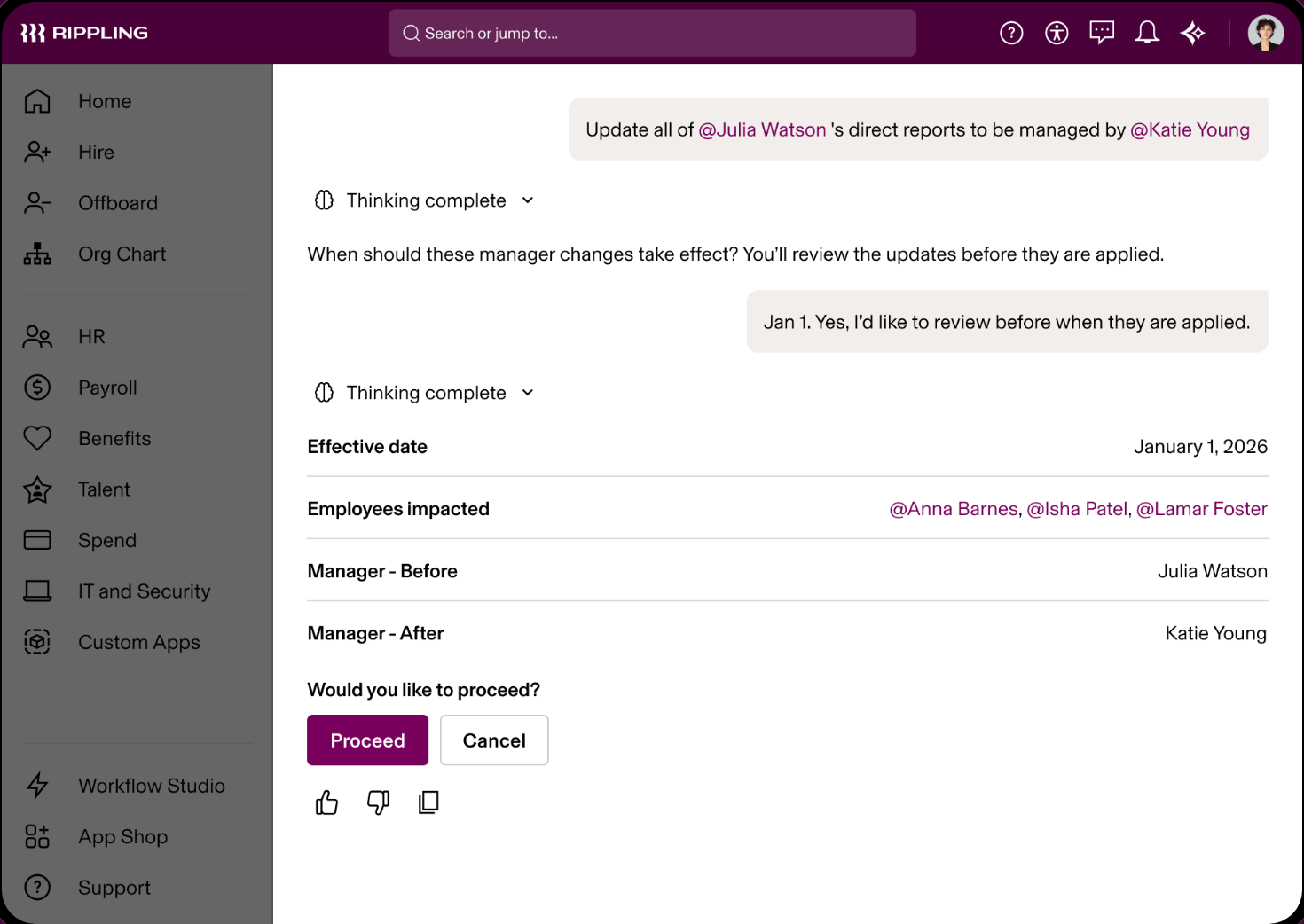
Rippling runs HR, payroll and IT from one employee record, priced per module, which makes it the strongest fit when access and devices are the weak step.
A hire event can grant app access by role, so the same trigger that creates the payroll profile also provisions accounts. Device control, such as shipping and managing laptops, needs the separate IT product. Digital W-4 and state forms are covered, but we found no public documentation of E-Verify steps.
- IT setup is the step that keeps slipping and you want accounts and apps triggered by the same hire event as the paperwork
- you want one employee record to feed HR, payroll and IT
- you need a fixed published price: only the $8 starting figure and a monthly base fee are public, and the rest is a quote
- nobody can own workflow setup: Capterra reviewers describe building custom workflows as taking real upfront time
- Users like
- automation across onboarding, payroll and benefits, plus a clean interface, per Capterra excerpts and G2 summaries
- Users dislike
- cost that grows as modules are added and support response times that vary, per Capterra excerpts and search summaries
- Source: G2, 14,586 reviews
How it works in practice
Cost is where reviewers push back, since the bill grows as modules are added, although the entry price looks very low. Only the $8 starting figure and a monthly base fee are public. Capterra reviewers also say custom workflows take real upfront time, so plan for an owner who builds them.
- Starting price
- From $8 per employee per month plus a base fee
- Integrations
- 179 verified on G2; Rippling's own page claims 650+
- Capterra
- 4.9 from 4,886 reviews, read October 19, 2026
Workday
Workday
Workday HCM is an enterprise human capital platform that holds the HR record, onboarding and offboarding journeys and I-9 handling in one system.
Workday HCM is the enterprise option: the HR record, onboarding and offboarding journeys, and I-9 handling sit in one system that an admin configures, and it's very much built for that admin.
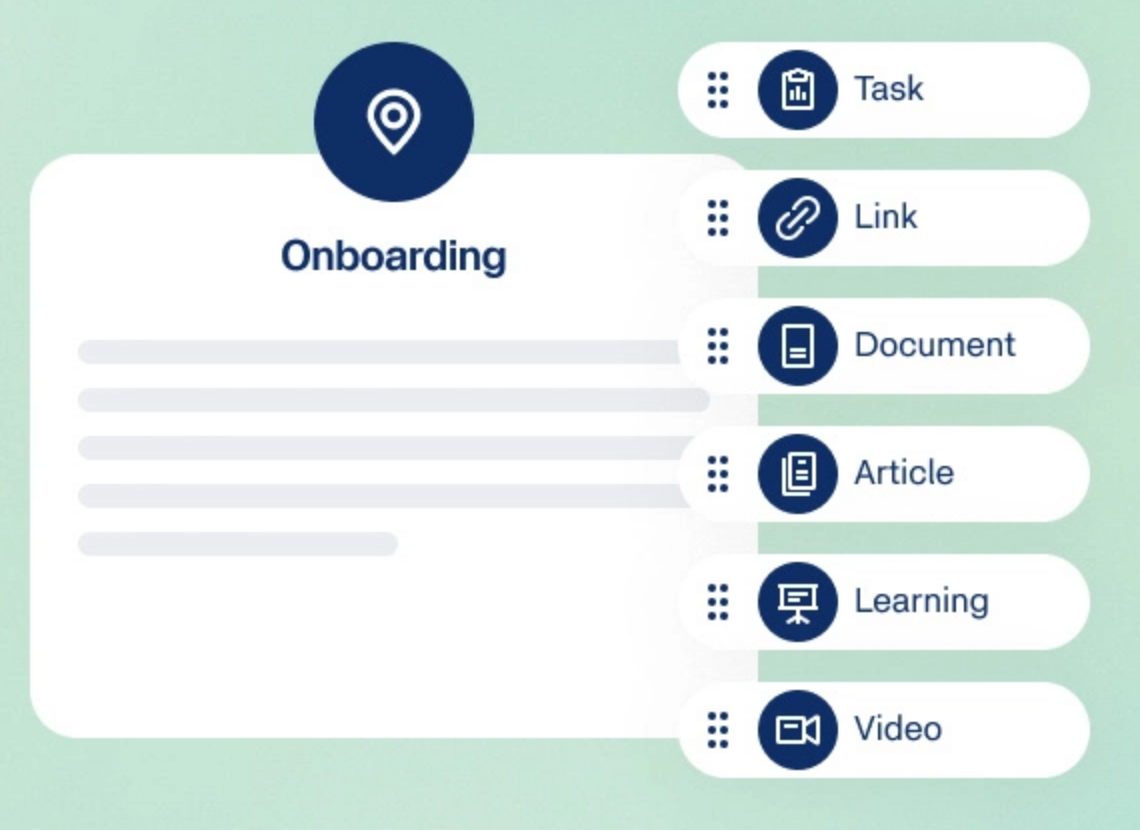
Onboarding and offboarding run as journeys built by an administrator, and I-9 steps are assigned by role: employees complete Section 1 in a business process, while HR roles handle assignment, audit and reverification. IT provisioning groups are requested by HR.
- you have well over 1,000 employees and an HR systems team or partner to configure business processes
- you're a small or mid-sized team: advisors describe 5 to 9 month implementations that need partners and dedicated HRIS staff
- you want pricing before a sales call: Workday publishes none
- Users like
- it's the source of truth for HR data
- Users dislike
- limited reporting flexibility and hard customization
- Source: TrustRadius, 674 ratings
How it works in practice
Workday publishes no price. The rating shown is from TrustRadius on a 10-point scale, and that's why it reads 7.8 and not 4.x: don't compare it directly with the G2 scores above.
- Starting price
- Not published
- Implementation
- 5 to 9 months typical, per an OutSail estimate, not a Workday figure
- I-9
- Employees complete Section 1 in a business process; HR roles handle assignment, audit and reverification
Breezy HR
Breezy HR
Breezy HR is a self-serve applicant tracking system with a free single-job plan, unlimited users on every plan and paid tiers that add scheduling links, scorecards and offer management.
Breezy HR is an applicant tracking system with a free plan, and it's the easiest way to add hiring without moving your HR record.
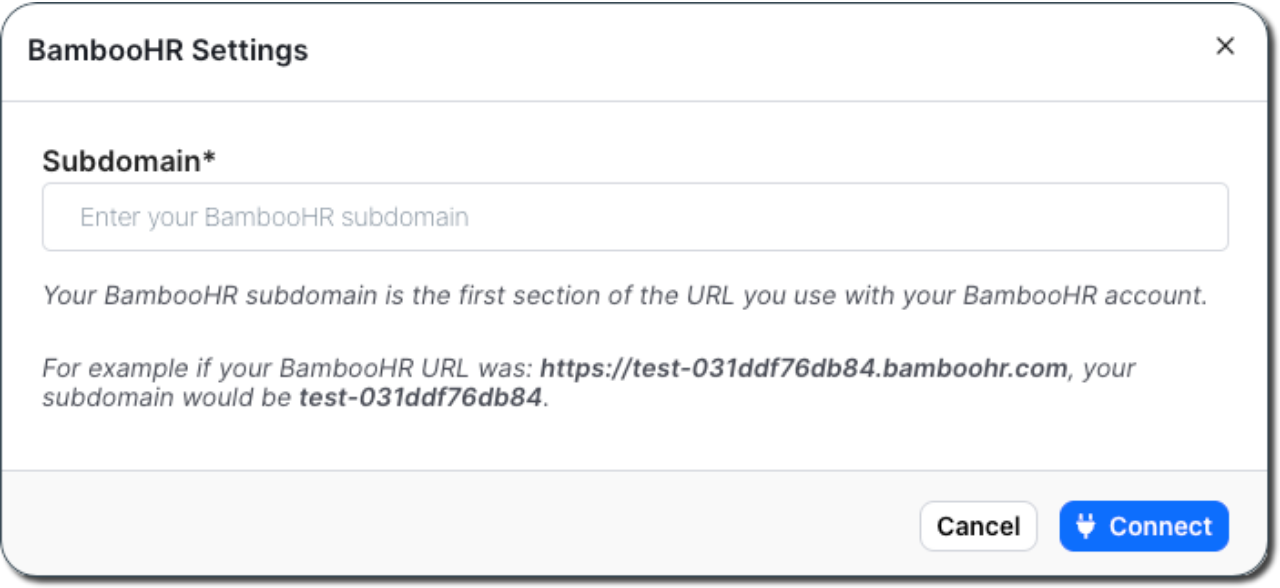
Every plan has unlimited users. The free Bootstrap plan covers one active position at a time, with a branded career site and distribution to 50+ job boards. Startup adds unlimited positions and EEOC and OFCCP reporting, Growth adds scorecards and e-signatures, and Business adds offer approvals and HRIS pushes.
- you hire for one role at a time and want a free plan before you pay anything
- you run BambooHR or HiBob and want a Hired-stage push that carries EEO fields
- you need offer approvals or the HRIS push but only want a cheaper tier: both sit on Business, listed at $439 to $529 a month
- your HRIS is not BambooHR, HiBob, HeavenHR or ADP: we found no other native hired handoff
- you want a flat price: AI scoring, texting and onboarding are metered or paid add-ons
- Users like
- an intuitive interface and quick setup, per G2 summaries in search results
- Users dislike
- limited reporting and thin bulk actions at high candidate volume, plus occasional glitches, per G2 and Capterra summaries
- Source: G2, 686 reviews
How it works in practice
The handoff to your HR record is native only for BambooHR, HiBob, HeavenHR and ADP, from the Hired stage, and only on Business. If your HR tool isn't on that list, a hire means re-entering the data. For a full comparison, see our applicant tracking software guide.
- Starting price
- Free for 1 active position; paid from $157 per month on annual billing (Startup)
- Plans
- Bootstrap free, Startup $157, Growth $273, Business $439 per month on annual billing as listed
- Integrations
- 50+ job boards, Google and Office 365 calendars, Slack, Zoom, Meet and Teams video
- Compliance
- EEOC and OFCCP reporting from Startup, with an on/off switch
Homebase
Homebase
Homebase combines scheduling, a time clock and optional payroll, and charges per location instead of per user.
Homebase puts scheduling, a time clock and optional payroll in one app, and it charges per location instead of per person.
The free Basic plan is limited to 1 location and up to 10 employees. Essentials at $30 per location removes the employee cap, Plus at $70 adds the AI scheduling assistant and time-off controls, and All-in-One at $120 adds employee onboarding, labor cost management and HR and compliance tools. Payroll is an add-on at $49 a month plus $6 per employee paid.
- you run one or two locations and want a plan that costs nothing until you pass 10 employees
- you want the time clock, timesheets and payroll in the same tool as the schedule
- you run many locations: pricing is per location, up to $120 per location per month for labor cost management
- you need the AI scheduling assistant or time-off controls without moving to the $70 Plus tier
- Users like
- the all-in-one design with scheduling, time clock and payroll together, and the drag-and-drop schedule builder
- Users dislike
- payroll problems and time-clock glitches, with some key features reserved for higher tiers
- Source: G2, 565 reviews
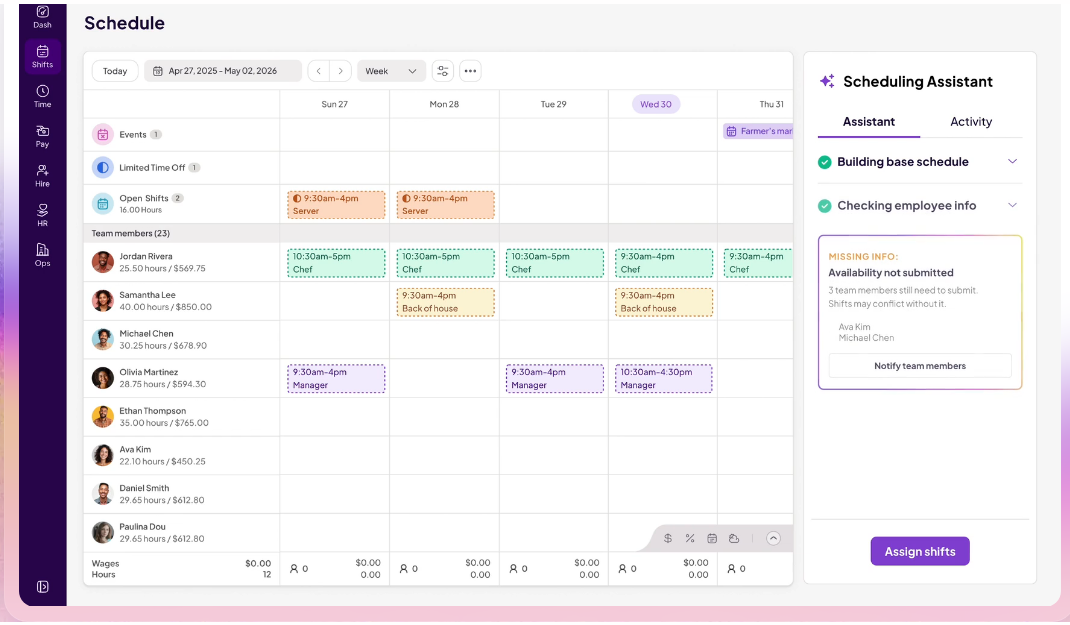
How it works in practice
Per-location pricing works for one shop and gets expensive across many sites. Reviewers also report payroll problems and time-clock glitches. For restaurants and shift teams, compare it with the tools in our employee scheduling guide.
- Starting price
- Free for 1 location and up to 10 employees; paid from $30 per location per month
- Plans
- Basic $0, Essentials $30, Plus $70, All-in-One $120 per location per month
- Integrations
- Square, Shopify, Clover, Toast and QuickBooks
Is There Free HR Software?
Yes, but every free plan caps something, and that cap matters a lot. The cap decides whether the plan is a real tool or a trial that ends when you grow, so read the limit before you move data in.
| Tool | Free plan | The limit | What you give up |
|---|---|---|---|
| Zoho People | Employee database and leave | Up to 5 users | Everything above the free tier, priced per user |
| Homebase | Basic scheduling and time tracking | 1 location, up to 10 employees | Unlimited staff and advanced scheduling start at $30 per location |
| Breezy HR | Applicant tracking | 1 active position at a time | Scorecards, e-signatures and offer approvals sit on paid plans |
Gusto, BambooHR, Rippling, HiBob, Paylocity and Workday have no free plan in the sources we read. Gusto lets you set up an account for free, but the plans start at $49 a month.
How Much Does HR Software Cost?
HR software prices fall into three shapes among the tools here. Some charge per employee per month (BambooHR, Zoho People, Rippling). Some charge a monthly base plus a per-person fee (Gusto). Homebase charges per location, and Breezy HR charges per plan with unlimited users. Paylocity, HiBob and Workday publish nothing, and Rippling publishes only a starting figure.
The calculator below uses published plans only. It shows why a base fee matters more for a 5-person team than a 50-person one.
Monthly cost on published plans. Gusto includes payroll; BambooHR Core does not, and payroll, benefits and time tracking are quote only.
Who Owns What When Several Tools Share the Job
Once you run more than one tool, the work between them gets dropped, even when each tool works well. The core HR record, payroll, the hiring tool and IT each belong to a different owner, and each one needs a signal from the one before it. The timeline shows the usual order and who's responsible at each step.
- Hiring managerAccepts the candidate in the hiring tool and sends the offer Offer stage
- HRCreates the employee record and starts the onboarding checklist Offer accepted
- HRSends Section 1 of the I-9 and tax forms to the new hire Before day one
- ITCreates accounts and prepares the laptop Before day one
- PayrollAdds the starter to the next pay run First pay cycle
- Hiring managerConfirms the first-week plan and the schedule First week
Each arrow in that list is a handoff that one tool doesn't do for another. Breezy HR pushes a hire into BambooHR or HiBob only on its Business plan, and BambooHR leaves IT account creation as a manual task. Those gaps are normal, yet they're especially costly when nobody owns them.
How to Choose HR Software
Work through these in order. Each step removes tools from the shortlist, though not always the ones you expect.
- Name the job that hurts most. If it's payroll errors, start with Gusto or Paylocity. If it's scattered employee files, start with a core HR tool. If it's slow hiring, add Breezy HR before replacing anything.
- Count employees and locations. Per-location tools (Homebase) and per-employee tools (BambooHR, Zoho People) cross over at different sizes.
- Check what the cheapest plan leaves out. Custom fields, workflows, reports and integrations are the usual features held back.
- Ask what happens at the handoff. Ask each vendor which system sends the new hire to the next one, and who gets the task when it fails.
- Confirm I-9 and E-Verify support if you hire in the US. Gusto, BambooHR, Paylocity and Workday document it; Zoho People and Rippling don't in the sources we read.
- Test with one real hire. Run a fake starter through offer, record, forms, accounts and first pay before you commit.
Where These Tools Leave a Gap
All nine tools do their own job. None of them tells you, per new hire, which task is blocked and who owns it. That view matters most when HR, IT, finance and a hiring manager each work in a different system.
For teams that already run one of the tools above, our onboarding guide lays out the full sequence: employee onboarding process, steps and owners. If you're choosing a record system first, our HRIS software comparison goes deeper on seven core HR platforms, and the payroll software guide covers the payroll side.
FAQ
What is HR software?
HR software stores employee records and runs HR jobs such as payroll, benefits, hiring, onboarding, time off and scheduling. Most products lead with one or two of those jobs and add the rest as modules.
How much does HR software cost?
HR software costs anywhere from nothing to a quote-only enterprise contract. Among published prices here, Zoho People starts at EUR 1.25 per user, Rippling at $8 per employee, BambooHR Core at $10 per employee, and Gusto adds a $49 monthly base fee to $6 per person. HiBob, Paylocity and Workday publish no price. Compare the tier that includes the feature you need.
What is the best free HR software?
The best free HR software depends on the job. Zoho People is free for up to 5 users, Homebase is free for 1 location and up to 10 employees, and Breezy HR is free for 1 active position. Each free plan caps something, so the right one is the one whose cap you're very unlikely to reach this year.
What is the best HR software for a small business?
For a small US team that wants payroll and HR together, Gusto is the simplest route, with plans from $49 a month plus $6 per person. For a small team that wants the employee record first, BambooHR Core costs $10 per employee per month.
Do I need separate software for payroll and HR?
You don't always need separate payroll and HR software. Gusto and Paylocity combine payroll with HR features. BambooHR, Zoho People and HiBob start from the record and add payroll as a module or an integration. A separate tool makes sense when one product is clearly weaker at the job you care about.
How long does it take to set up HR software?
HR software setup time depends on the tool and the team. We found no setup times published by the vendors. The only figure we've is an advisor estimate for Workday: 5 to 9 months, from OutSail and not from Workday. Run one test hire before you move everyone.