The best HRIS software depends on who in your company has to touch the employee record, and what happens to that record between an accepted offer and the first day. This guide compares seven HRIS platforms for US employers on what they cost, what the record holds, and which hiring steps each one automates or only assigns to a person. Three of the seven publish a US dollar price, one showed euros on the page we could read, and three sell by quote only. We say so wherever a price is missing. Prices and ratings were checked on October 19, 2026.
- HRIS platforms compared
- 7
- publish a US dollar price
- 3 of 7
- document E-Verify support in their own help pages
- 4 of 7
- BambooHR monthly price on Core for 25 or fewer employees
- $250
Our Picks by Situation
Start here if you already know your situation. Each pick has a full entry further down.
An HRIS covers the record, while an HCM suite adds payroll, time and talent in one system. Our guide to human capital management software shows which suites include what and which modules cost extra.
Performance reviews are often the first module teams add to an HRIS. Our guide to performance management software shows which tools run inside an HR platform and which stand alone.
HRIS software is one of several jobs HR tools cover. Our guide to the best HR software groups nine tools by job, from core HR and payroll to hiring and scheduling, with free-plan limits.
 Best for a small team that wants payroll tooGustoMonth-to-month plans from $49 a month plus $6 per person, with the I-9 built in.
 Best for a clean HR record with I-9 built inBambooHRCore is $10 per employee per month, and the I-9 app opens the E-Verify case once Section 2 is complete.
 Best for the lowest price per userZoho PeopleListed from EUR 1.25 per user on the page we could read, with a free plan for up to 5 users.
 Best when IT setup keeps slippingRipplingA hire event can grant app access by role, and device control sits in a separate IT product.
 Best for mid-sized and multi-country teamsHiBobWorkflows with approval paths start at the signed offer. Pricing is by quote.
 Best for batch hiring inside a payroll suitePaylocityOnboarding packets carry seven required tasks, and the I-9 steps go to named people.
 Best for large organizations with an HR systems teamWorkdayJourneys and business processes are configured by an admin, and implementation is a project.
 Our product · for the gaps between HR, IT and financeThe People Ops ManagerWorks alongside your HRIS and shows which starter is blocked and who owns the task.
Best HRIS Software at a Glance
| Tool | Type | What it does at hire | Starting price | G2 rating |
|---|---|---|---|---|
| Gusto | Payroll-first HR suite | Onboarding checklist with I-9, work email and app accounts; custom tasks from Plus | Simple $49 per month plus $6 per person | 4.6 (13,554) |
| BambooHR | Core HR platform | Checklists assign tasks to HR, managers, IT and the employee; I-9 and E-Verify through an app | Core $10, Pro $17 and Elite $25 per employee per month | 4.4 (7,724) |
| Zoho People | Low-cost core HR platform | Checklists with a named owner per task; I-9, W-4 and W-9 as e-sign templates | From EUR 1.25 per user per month on annual billing (the page we could read showed EUR, a USD page was not confirmed) | 4.4 (424) |
| Rippling | Modular HR, IT and payroll platform | App access by role from the hire event; device control needs the IT product | From $8 per employee per month plus a base fee | 4.7 (14,586) |
| HiBob | Core HR platform for mid-sized and multi-country teams | Workflows and task lists start from the offer; approval paths are built in | Not published | 4.5 (2,555) |
| Paylocity | Payroll-attached HCM suite | Onboarding packets with seven required tasks; I-9 and E-Verify tasks go to named people | Not published | 4.4 (6,080) |
| Workday | Enterprise HCM platform | Onboarding and offboarding Journeys built by an admin; I-9 steps assigned by role | Not published | 7.8/10 (TrustRadius, 674) |
| The People Ops Manager Our product | Onboarding coordination | Shows who is ready for day one, what is blocked and who owns it | Invite-only | No reviews yet |
Price status as of October 19, 2026. Ratings are rounded from G2, except Workday, whose score is from TrustRadius out of 10. G2 blocked direct reads for several tools, so some counts come from search results.
What HRIS Software Is, and How It Differs from HCM and HRMS
HRIS software is the system of record for employee data. It stores each person's profile, job and pay details, documents and time off in one place, controls who can see which fields, and lets employees update their own details. Most HRIS platforms also run the onboarding checklist, because the new hire's record is created there.
Vendors use the labels HRIS, HRMS and HCM loosely, so read the feature list and not the name on the box. As a working rule from the vendor pages we read:
- HRIS: employee records, permissions, reports, self-service and onboarding tasks.
- HRMS: an HRIS plus payroll and time tracking, in most vendor usage.
- HCM (human capital management): the widest label. It adds talent management, workforce planning and analytics, and enterprise suites such as Workday use it.
- Payroll: calculating pay and filing taxes. Gusto and Paylocity start here and add the HR record, while BambooHR and HiBob start with the record and add payroll as a module. Our payroll software guide covers that side.
- PEO and EOR: employment services, not software categories. This guide covers software only.
What to Compare Before You Choose an HRIS
Seven checks separate a tool you'll keep from one you'll replace in two years.
- What the record holds and who can see it. BambooHR sets No Access, View Only or Edit per section or field. Paylocity supports unlimited custom fields in reports. Gusto's custom fields start on Plus, and an admin can't make one required.
- Reports. BambooHR lists 40+ standard reports plus custom ones that only show fields the viewer's access level covers. Reporting limits come up in reviews of BambooHR, Gusto, Paylocity and Zoho People, so ask to see the exact report you need.
- Hiring paperwork and the I-9. Ask who completes Section 2 and whether E-Verify is built in, bought separately or left to you.
- IT and app setup. Rippling can grant app access by role from the hire event. Gusto provisions apps on Plus and above. BambooHR and Zoho People turn IT setup into a task assigned to a person.
- Workflows and approvals. HiBob and Rippling describe multi-step approval paths, and Workday builds them from business processes.
- Integrations. Counts differ by source: BambooHR says 150+ and G2 lists 165, while Rippling claims 650+ and G2 lists 179. Ask for the list for your own payroll, ATS and identity provider.
- A price you can verify. Three of the seven tools here publish a US dollar price, and the rest need a sales call.
Who Owns What From Accepted Offer to Day One
Whichever HRIS you pick, the same steps happen between a signed offer and the first day. The tools differ in which steps they automate and which they only assign to a person. Our onboarding process guide walks through the same sequence tool by tool, and the onboarding software roundup compares tools built for it.
- HRCreate the employee record and send the paperwork invite offer accepted
- New hireComplete personal details, tax forms and I-9 Section 1 by day one
- ITCreate the work email and software accounts before day one
- HR or the named I-9 ownerReview documents and complete I-9 Section 2 within 3 business days of the start date
- HR adminAdd the E-Verify step if the packet was customized when the packet is built
- Payroll adminConfirm bank and tax details reached payroll before the first pay run
- ManagerRun check-ins at 30, 60 and 90 days after the start date
The I-9 is the step with a legal clock on it. Gusto's help center says the employee completes Section 1 by day one and the employer completes Section 2 within 3 business days, in person or through an authorized representative the employee chooses for a remote hire. Gusto fills in, uploads and stores the form but doesn't file it with the government. The other tools differ on who owns Section 2: a named I-9 Manager at BambooHR, whoever holds the I-9 Employment Verification task at Paylocity, and HR roles for assignment, audit and reverification at Workday.
E-Verify is where the tools differ most, so here is what each vendor's own pages say:
- BambooHR: the case opens once Section 2 is finished.
- Gusto: it submits from the account if you're already enrolled, at $5 per submission.
- Paylocity: an admin has to add the E-Verify task, because a customized packet that contains I-9 tasks doesn't get it automatically.
- Workday: E-Verify is a configured integration step.
- Rippling: it says it automates E-Verify, but we couldn't find a help article on the steps.
- HiBob and Zoho People: we couldn't find E-Verify support in the documentation we could read.
HRIS Software for Small Teams (Under 100 Employees)
Small teams buy an HRIS for three things: one place for records, I-9 and tax paperwork that doesn't live in email, and a price they can read. These three publish the most.
Gusto
Gusto is a payroll-first HR platform for small US businesses, with an employee database, an onboarding checklist and built-in I-9 handling.
Gusto starts from payroll and adds the HR record, so a small team gets pay, taxes, the I-9 and a new hire checklist from one vendor.
The default onboarding checklist covers inviting the employee, which sends the W-4 and I-9, filling out the I-9, assigning a buddy, adding a work email, creating software accounts, ordering business cards, giving a tour and setting up check-ins. The new hire completes personal details, documents and I-9 Section 1 on their own. The buddy, the tour and the business cards are tasks a person does. Admins get an email for overdue tasks, but Gusto doesn't email when a task is completed.
The plan decides how far this goes. Custom checklist tasks can be assigned to admins or employees and due before, on or after day one, but they need Plus, and so do custom fields and app provisioning. Google Workspace and Microsoft 365 work email provisioning is on every plan. Offboarding has a checklist on every plan, with defaults for final payroll, a new manager for direct reports and removing app access, but only one template for everyone.
- you're a small US team that wants payroll, I-9 and an onboarding checklist from one vendor
- you want published, month-to-month prices
- you need a native org chart or deep reports: we found no native org chart in Gusto's sources, and reviewers call reporting limited
- you want custom onboarding tasks, custom fields or app provisioning on the cheapest plan: all three need Plus
- Users like
- ease of use and quick setup, per G2 summaries in search results
- Users dislike
- limited reporting and customization, and slow support on complex issues, per Capterra and SoftwareFinder review excerpts
- Source: G2, 13,554 reviews
How it works in practice
Custom fields come in five types: currency, date, number, radio and text. They can be admin-only or visible to team members, and Reports can show them as a column in the custom employee report. Gusto's help center describes no native org chart, and we couldn't find one in its sources.
A hire's checklist moves to Active when you mark it complete, or automatically 30 days after the start date if the employee is on payroll. The checklist's I-9 task can't be deleted because the form is required by law.
- Starting price
- Simple $49 per month plus $6 per person
- Plans
- Simple $49, Plus $80 and Premium $180 per month, plus $6, $12 or $22 per person
- I-9 and E-Verify
- Remote I-9 is $20 per submission and E-Verify $5 more; both are included in Premium
- Integrations
- 153 on G2, including Checkr for background checks; Google Workspace and Microsoft 365 work email on every plan
BambooHR
BambooHR is a core HR platform for small and mid-sized companies, with employee records, onboarding checklists, reports and an applicant tracking module.
BambooHR is the record-first choice in this group: a core HR database with checklists, reports and an I-9 app, with payroll sold separately by quote.
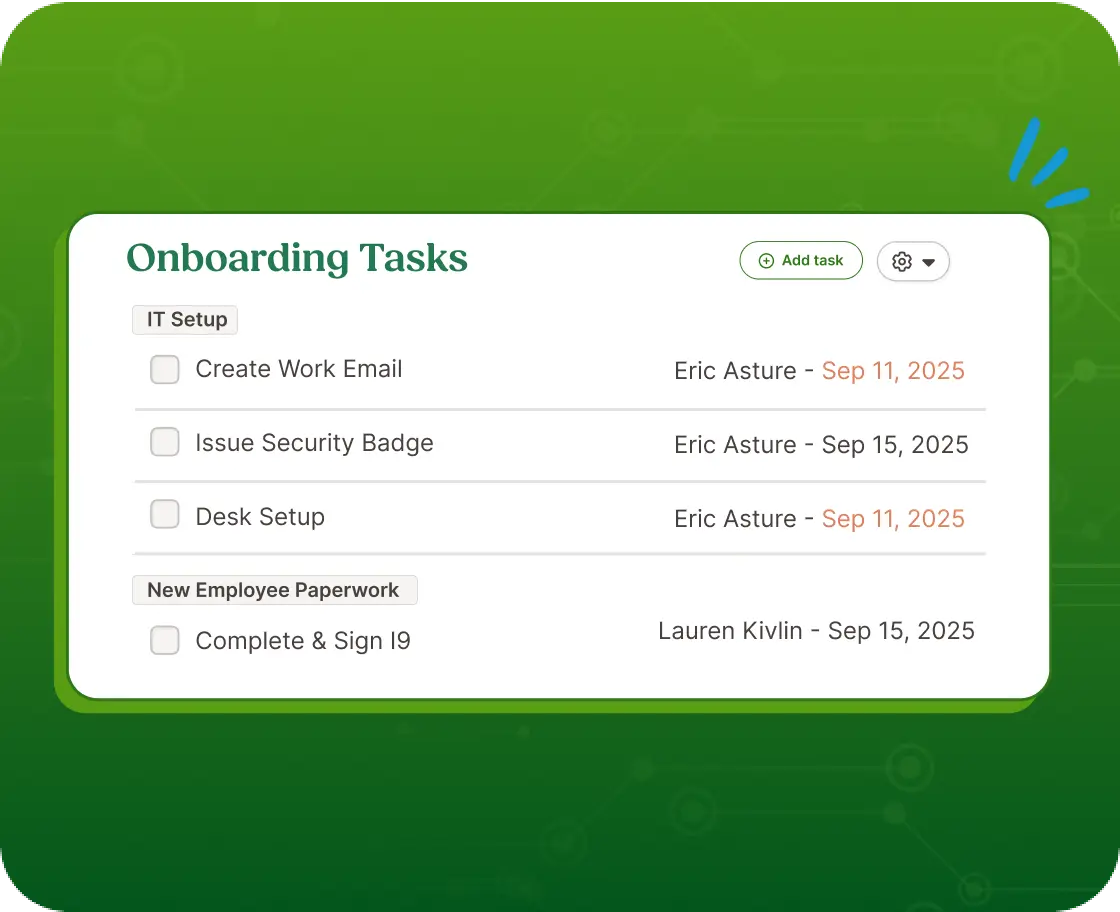
Onboarding and offboarding run on checklists with automated reminders. Admins build custom tasks and assign them, and BambooHR's own offboarding checklist guide splits the work between managers, IT, HR and the departing employee. Those assignments go to people. We couldn't find native device or app provisioning, so IT steps stay manual tasks. New hires e-sign W-4s, tax forms and direct deposit before day one, and a signed-document report shows what is pending.
The I-9 and E-Verify run through an app from Mitratech. The Account Owner installs it under Settings, the employee completes Section 1 with an e-signature and a document upload, and an assigned I-9 Manager completes Section 2. If the company is enrolled, the E-Verify case is created once Section 2 is done.
- you're a small to mid-sized US team that wants records, onboarding checklists, I-9 and E-Verify in one HR system
- you need deep custom reports or very flexible workflows: reporting and customization are the repeated complaint on G2 and Capterra
- IT provisioning is your bottleneck: we found no native device or app provisioning, so IT steps stay manual tasks
- Users like
- ease of use, the most-tagged strength on G2 (906 mentions)
- Users dislike
- missing features (261 mentions) and limited customization (183) on G2, and Capterra reviewers add limited advanced reporting and rigid workflows
- Source: G2, 7,724 reviews
How it works in practice
Access levels are the strongest part of the record. A custom access level sets No Access, View Only or Edit by section or field, and what a person can do, such as adding or terminating an employee or rehiring, is set separately. Reports follow the same levels, so a user only reports on the fields and employees their level covers.
The applicant tracking module is included on every plan, with open jobs capped at 5 on Core, 25 on Pro and 50 on Elite. The pricing page shows $10 and $17 for Core and Pro while its FAQ says $10.25 and $17.50, so confirm the number in your quote. Our BambooHR pricing breakdown covers the plans in detail.
- Starting price
- Core $10, Pro $17 and Elite $25 per employee per month
- Plans
- 25 employees or fewer pay a flat $250, $425 or $650 a month; payroll, benefits and time tracking are quote only
- Applicant tracking
- Included on every plan, with 5 open jobs on Core, 25 on Pro and 50 on Elite
- Integrations
- 165 verified listings on G2; BambooHR's onboarding page says 150+
Zoho People
Zoho People is a cloud HR platform from Zoho with an employee database, leave, attendance, onboarding and performance, sold per user on four tiers.
Zoho People has the lowest seat price in this list and fits best for teams that already run other Zoho apps.
Onboarding has two flows. Candidate onboarding covers the invite, personal details, offer letter, NDA, background check authorization and e-signature. Employee onboarding covers policies, team introductions, goals and training. What matters for ownership is the Checklists and Tasks feature: each task has a named owner, a priority and a due date, owners are notified when a workflow fires, and finishing a task can trigger an email, a field update or a custom function. In the sources we read, IT provisioning isn't native, so creating the laptop account is simply a task on someone's list.
The US edition adds I-9, W-4 and W-9 as e-sign templates with bulk send, auto-fill from the employee record, workflow triggers and reminders. They need Zoho Sign or a third-party e-sign integration. We couldn't find E-Verify support in its US documentation.
- you already run Zoho apps and want the cheapest per-user HR record in this list
- you want a free plan to start: it covers up to 5 users
- you need E-Verify: we found no mention of it in Zoho's US documentation
- IT provisioning is your bottleneck: we found no native device or app provisioning, so those steps are checklist tasks
- Users like
- ease of use and automated attendance tracking, per G2 summaries in search results
- Users dislike
- less depth than BambooHR, reporting limits and slow support, per G2 and Gartner Peer Insights summaries
- Source: G2, 424 reviews

How it works in practice
Plans stack up by tier. Essential HR adds onboarding, document management and HR reports. Professional adds attendance, timesheets and shift scheduling. Premium adds performance management and payroll and compensation. Enterprise adds an HR helpdesk, learning management and a sandbox. The pricing page showed euros to us and redirected to the German edition. A dollar toggle exists on the page, but we couldn't confirm dollar figures, so check the US price in your own quote.
The marketplace lists 24 integrations, 13 from Zoho and 11 from other vendors, including QuickBooks, DocuSign, Slack and Microsoft Teams.
- Starting price
- From EUR 1.25 per user per month on annual billing (the page we could read showed EUR, a USD page was not confirmed)
- Plans (EUR, annual)
- Essential HR 1.25, Professional 2, Premium 3 and Enterprise 4.50 per user per month
- Free plan
- Employee database and leave for up to 5 users
- Integrations
- 24 in the marketplace, 13 from Zoho and 11 from others, including QuickBooks, DocuSign and Slack
HRIS Software for Mid-Sized Teams (100 to 1,000 Employees)
At this size the record needs permissions, approvals and integrations with an ATS and an identity provider. Price moves to a sales call for two of these three.
Rippling
Rippling is a modular workforce platform that runs HR, payroll and IT from one employee record, priced per module.
Rippling treats the hire as one event that can reach HR, payroll and IT, which is why it shows up wherever IT setup is the slow step.
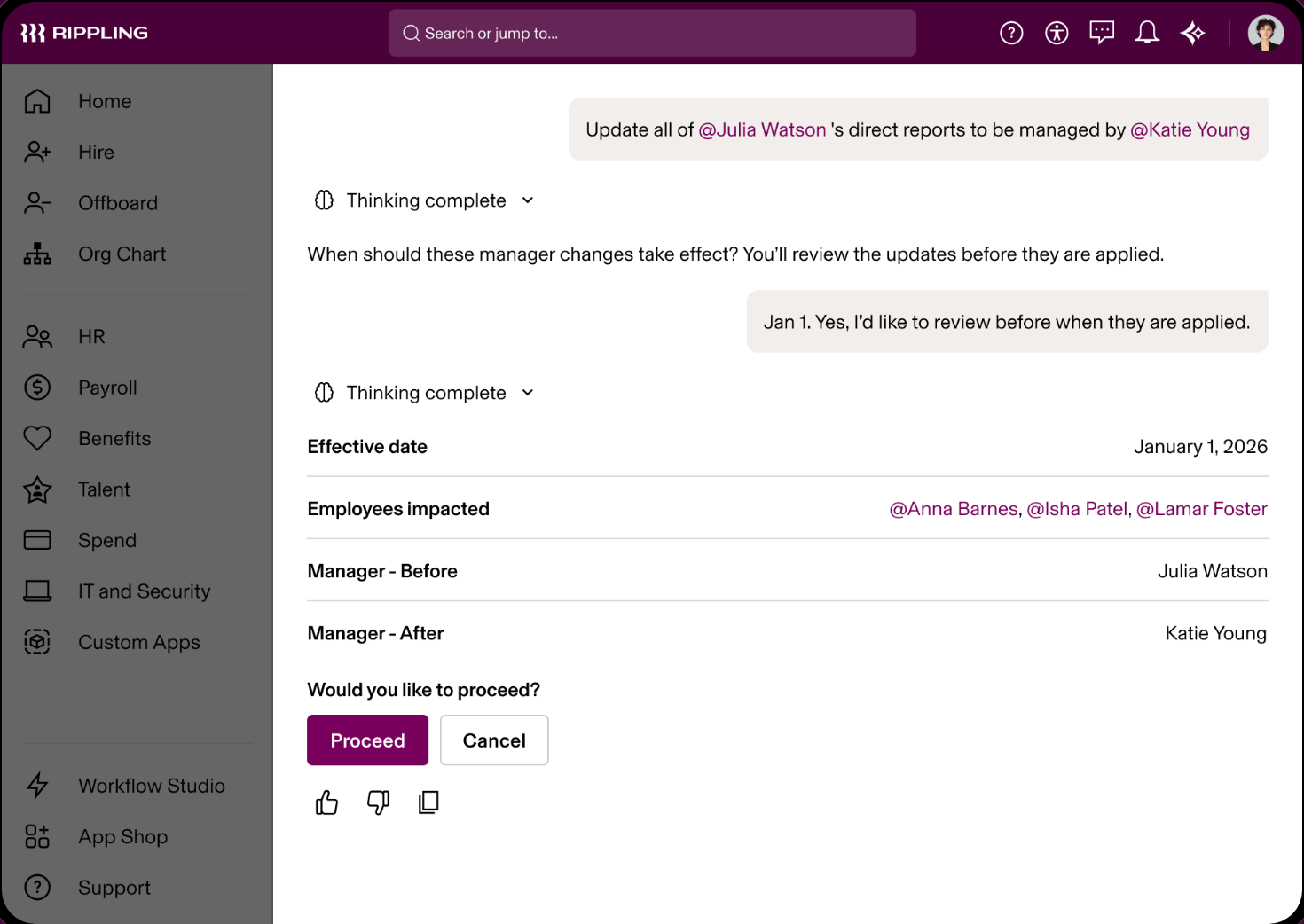
According to Rippling, role-based app access can be granted automatically to each new hire, welcome packets and first-day agendas go out on a timer, and 30, 60 and 90 day check-ins are scheduled. Device provisioning and the lock or wipe step at offboarding belong to Rippling's IT product, and its device management page says the HR trigger needs the core platform. Rippling's own onboarding article adds that you may still need to work with IT to get some apps, such as Office 365, connected into workflows.
Rippling says it automates I-9, E-Verify and right-to-work checks across supported geographies, and that state-specific forms go out by hire location. That's vendor marketing. We couldn't find help article on who completes which section.
- IT setup is the step that keeps slipping and you want accounts and apps triggered by the same hire event as the paperwork
- you want one employee record to feed HR, payroll and IT
- you need a fixed published price: only the $8 starting figure and a monthly base fee are public, and the rest is a quote
- nobody can own workflow setup: Capterra reviewers describe building custom workflows as taking real upfront time
- Users like
- automation across onboarding, payroll and benefits, plus a clean interface, per Capterra excerpts and G2 summaries
- Users dislike
- cost that grows as modules are added and support response times that vary, per Capterra excerpts and search summaries
- Source: G2, 14,586 reviews
How it works in practice
Approvals are multi-step and conditional, and Rippling says they update when the org chart changes. How to configure them wasn't visible in the public documentation we could read. Rippling also says it supports unlimited custom fields and a no-code report builder.
The starting price is public, but the base fee and the per-module prices are not, so the total depends on which modules you buy. Third-party estimates of the total conflict with each other, so we don't repeat them.
- Starting price
- From $8 per employee per month plus a base fee
- Integrations
- 179 verified on G2; Rippling's own page claims 650+
- Capterra
- 4.9 from 4,886 reviews, read October 19, 2026
HiBob
HiBob (the product is called Bob) is a core HR platform with workflows, approvals and optional modules for payroll, hiring and performance.
HiBob (the product is called Bob) pairs a core HR record with lifecycle workflows, which suits mid-sized and multi-country teams.
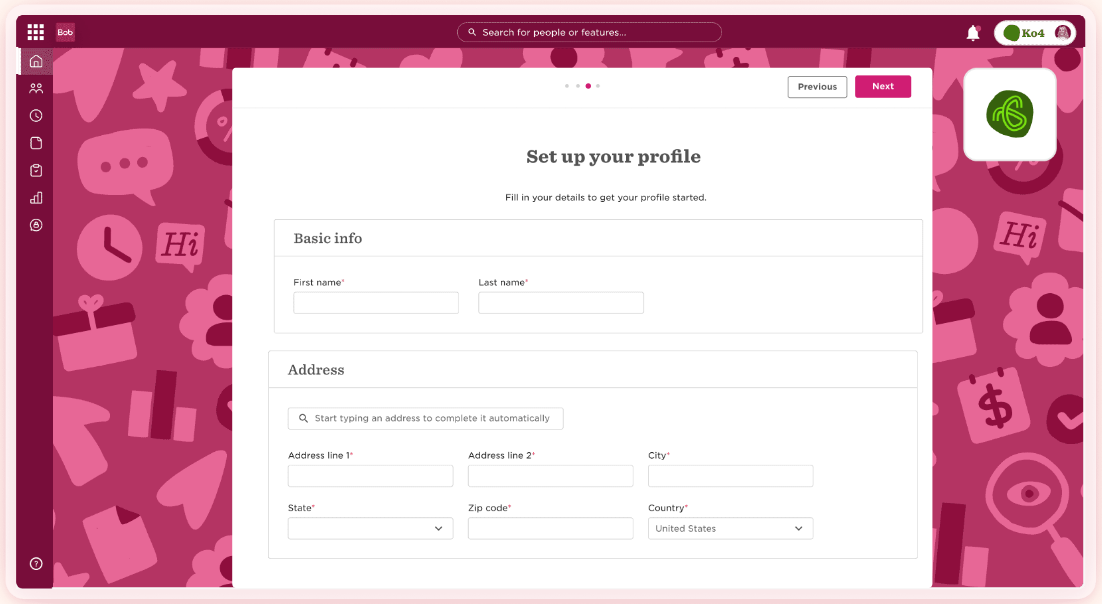
Onboarding starts when the offer is signed. One record is created at offer signing, tasks trigger from the start date, new joiners handle their own documents and e-signatures, and managers handle check-ins. Task lists can start on a schedule: HiBob's examples start on-site onboarding 14 days before the start date and offboarding 5 days before separation. Workflows support multi-step approval paths and e-signed documents with an audit trail.
Core HR is included in every subscription, and payroll, hiring, talent, learning and analytics are modules. HiBob announced native US payroll built on Gusto's payroll engine for January 2026. We couldn't find reviews of it, so treat it as new. We couldn't find native I-9 or E-Verify in HiBob's documentation, and its marketplace lists a Fragomen WorkRight I-9 integration that doesn't mention E-Verify.
- you're a mid-sized or multi-country company that wants lifecycle workflows with approvals in one platform
- you need I-9 and E-Verify handled natively: we found only a Fragomen WorkRight I-9 integration in the marketplace
- you need a price before a sales call: the pricing page is a demo request
- Users like
- an intuitive interface (1,186 mentions) and ease of use, per G2 summaries in search results
- Users dislike
- missing flexibility or features and customer support, per G2 summaries, and Capterra reviewers add slow reports and a clunky time-off module
- Source: G2, 2,555 reviews
How it works in practice
HiBob says it has 100+ integrations and names Okta, Entra ID and OneLogin for identity, Slack and Teams, and Greenhouse, Workable, SmartRecruiters and Teamtailor for hiring. The Okta page says people can sign in to Bob with Okta credentials and that changes in Bob update Okta user data. It doesn't say whether a termination in Bob disables the Okta account, so ask.
HiBob's FAQ sorts customers into Growth (under 200 employees), Scale (200 to 1,000) and Enterprise (1,000+). Its help center sits behind a customer login, so you can't read the admin documentation before you buy.
- Starting price
- Not published
- Modules
- Core HR is included in every subscription; payroll, hiring, performance and analytics are modules
- Integrations
- 100+ per HiBob, including Okta, Entra ID, Slack and Greenhouse
- US payroll
- Announced for January 2026 on Gusto's payroll engine; we found no reviews of it yet
Paylocity
Paylocity is a US HR and payroll suite whose onboarding runs on event packets with required default tasks.
Paylocity runs onboarding on event packets, and the packet rules make the I-9 owner explicit.
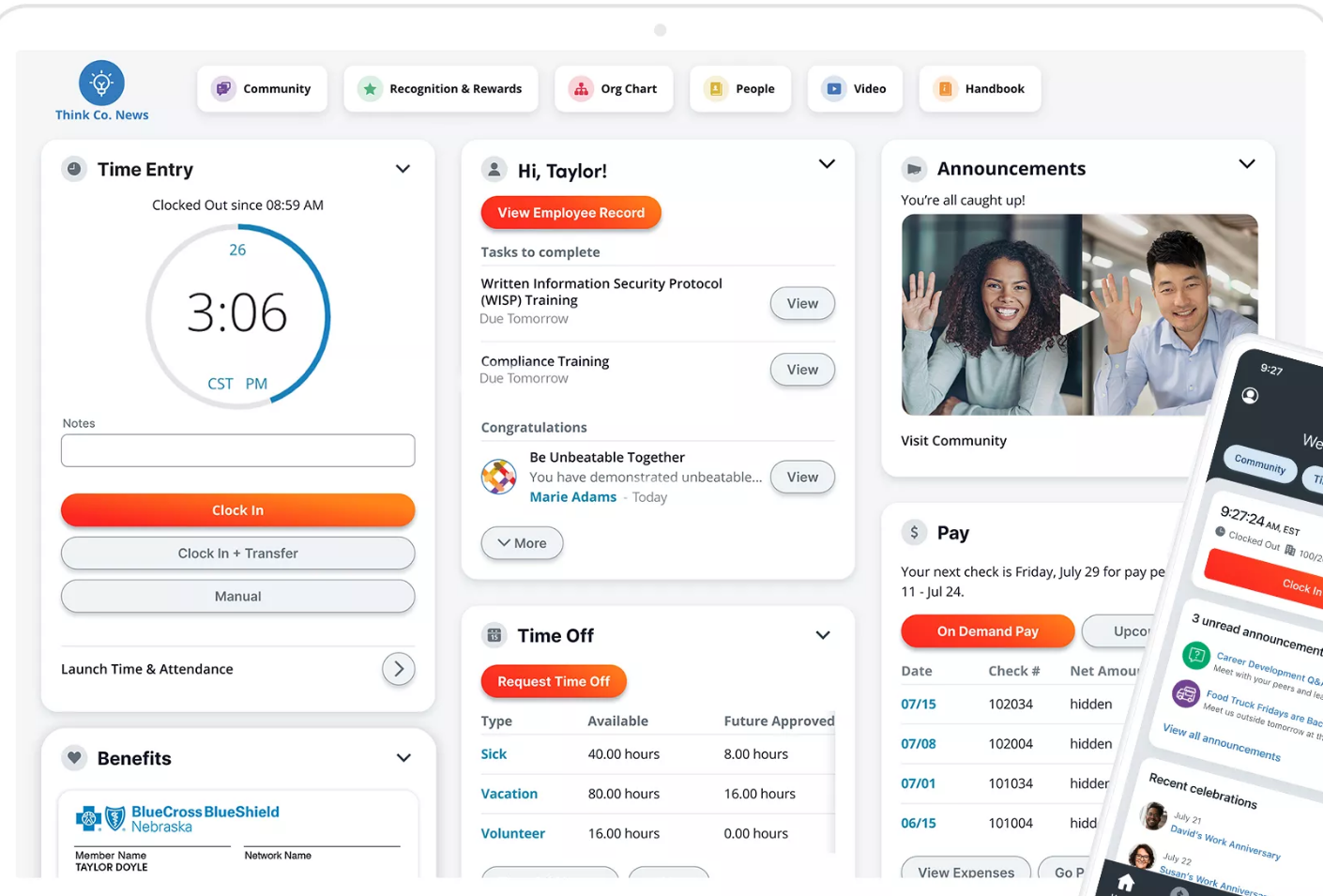
Every onboarding packet must include seven default tasks: department and position, employment status, pay rate, personal contact, tax setup, withholding forms and work location. Default tasks can't be edited, so an admin copies and customizes them. The admin owns the work location setting, and if it's skipped the withholding wizard uses the default company address. For remote workers, the admin selects the employee's home address and the employee then completes the home address task.
For the I-9, the employee completes Section 1, the work location fills in Section 2 automatically, and whoever holds the I-9 Employment Verification task completes Section 2. E-Verify isn't added automatically to a customized packet that contains I-9 tasks, so an admin has to add it.
- you're a mid-sized US employer that hires in batches and wants onboarding packets, I-9 and payroll in one system
- you want a published price: Paylocity sells by quote, and advisors estimate roughly $22 to $33 per employee per month
- you need E-Verify without admin work: it isn't added automatically to a customized packet that contains I-9 tasks
- Users like
- user-friendliness and modules that work together, per G2 summaries in search results
- Users dislike
- inconsistent support and limited flexibility in custom reports, per G2 and Capterra summaries
- Source: G2, 6,080 reviews
How it works in practice
Paylocity's pages returned a bot check when we tried to read them, and we didn't bypass it. The onboarding details above come from Paylocity's documentation. The product claims below come from search summaries of its pages.
Paylocity says it supports unlimited custom fields usable in reports, stores signed forms in the employee record and can open reports to non-admin roles with their own security role. Its marketplace snapshot showed 397 integrations, while its enterprise pages cite 350+.
Advisors estimate the suite at roughly $22 to $33 per employee per month, with implementation at 10 to 20 percent of annual spend. Those are estimates from G2 and OutSail, not Paylocity figures.
- Starting price
- Not published
- Integrations
- Hundreds in the marketplace; one snapshot listed 397
- Cost estimate
- About $22 to $33 per employee per month for the suite, per G2 and OutSail estimates, not Paylocity figures
HRIS Software for Large Organizations
Workday
Workday HCM is an enterprise human capital platform that holds the HR record, onboarding and offboarding journeys and I-9 handling in one system.
Workday is the enterprise option: one system for the HR record, onboarding and offboarding journeys and the I-9, configured by an admin or a partner and not simply switched on.
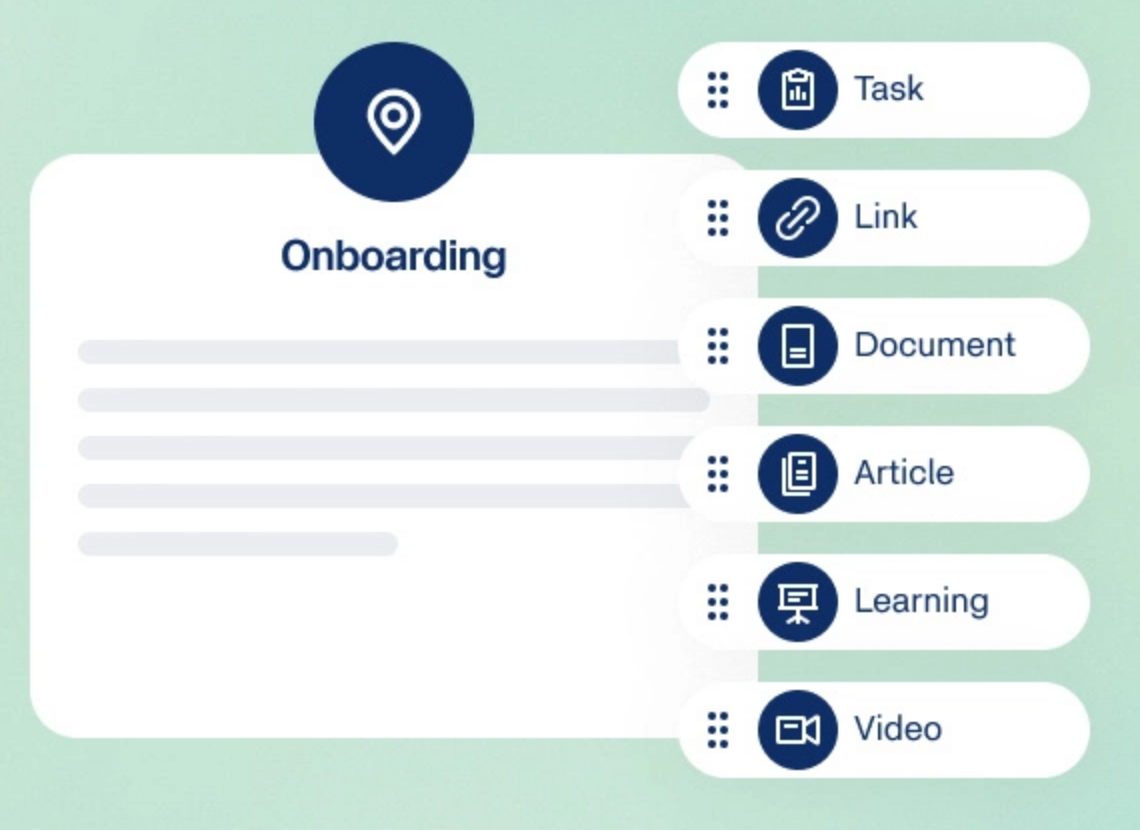
Workday builds ownership from business processes and security groups. For the I-9, employees complete the Complete Form I-9 process, and pre-hires can do it before their start date. Roles such as HR Administrator, HR Partner and HR Auditor handle assignment, internal audit and Section 3 reverification. Workday's administrator guide says it lets you create a legal Form I-9 but doesn't assume responsibility for compliance. E-Verify is a configured integration step. Journeys, Workday's onboarding and offboarding checklists, are configured by admins from Onboarding and Offboarding templates.
Workday publishes no US price. Advisors describe typical implementations at 5 to 9 months, with partners and dedicated HRIS staff. That's an advisor estimate, not a Workday figure.
- you have well over 1,000 employees and an HR systems team or partner to configure business processes
- you're a small or mid-sized team: advisors describe 5 to 9 month implementations that need partners and dedicated HRIS staff
- you want pricing before a sales call: Workday publishes none
- Users like
- it's the source of truth for HR data
- Users dislike
- limited reporting flexibility and hard customization
- Source: TrustRadius, 674 ratings
How it works in practice
Workday's product page describes Org Studio for modeling organizational changes across regions, analytics and reporting, and conversational self-service for requests such as time off. It says little about employee record fields, custom fields or document storage, so ask for those in a demo.
The I-9 administrator guide page we read was last updated in June 2023. Confirm the current steps in a test tenant before you plan around them.
- Starting price
- Not published
- Implementation
- 5 to 9 months typical, per an OutSail estimate, not a Workday figure
- I-9
- Employees complete Section 1 in a business process; HR roles handle assignment, audit and reverification
What HRIS Software Costs by Team Size
HRIS pricing comes in three shapes: a per-employee rate, a base fee plus a per-person fee, and a quote. Only the first two can be compared, and they aren't like for like, because Gusto's price includes payroll and BambooHR's doesn't.
Monthly cost at the listed rates. Add-ons on Simple and Plus: Remote I-9 at $20 per submission and E-Verify at $5 more. Left out because there is no dollar price to compute: Rippling (base fee unpublished), Zoho People (euros), HiBob, Paylocity and Workday.
How to Set Up and Migrate to a New HRIS
Most HRIS problems surface in the very first pay cycle, not in the demo. A short checklist keeps the move from becoming a second job.
- List every system that holds employee data today, including payroll, the benefits carrier, the ATS and spreadsheets, and name one system of record per field
- Export one clean file with names, start dates, managers, job titles, pay and locations, and fix duplicates and missing managers before import
- Decide which history moves: job and pay history, signed documents, reviews and past I-9s
- Set roles and field-level permissions before you import, so managers don't see pay fields
- Connect the ATS, payroll, identity provider and Slack, and test the handoff with one hire
- Run one test hire end to end with an I-9 Section 2 owner and an IT task assigned to real people
- Pick a cutover date at a payroll boundary and keep the old system read-only for one cycle
Where The People Ops Manager Fits
An HRIS holds the record and assigns tasks, but it rarely shows across HR, IT, finance and the hiring manager which starter is blocked and who owns the blocking task.
FAQ
Moving off a large suite? Our Workday alternatives page covers UKG Pro, SAP SuccessFactors, Dayforce, ADP Workforce Now, Rippling and HiBob.
What is HRIS software?
HRIS software is the system of record for employee data. It stores profiles, job and pay details, documents and time off, controls who can see which fields, and usually runs the onboarding checklist. Payroll is built in at some vendors, such as Gusto, and an add-on at others, such as BambooHR.
What is the difference between an HRIS, an HRMS and an HCM?
The difference between an HRIS, an HRMS and an HCM is mostly in the label, because vendors use all three loosely. As a working rule, an HRIS holds the employee record, an HRMS adds payroll and time tracking, and an HCM adds talent management, workforce planning and analytics. Compare the feature list instead of the label.
How much does HRIS software cost?
HRIS software costs from about $10 per employee per month to a quote. For a 50-person company, the published plans work out to roughly $349 a month for Gusto Simple, with payroll, and $500 for BambooHR Core, without it. Rippling starts at $8 per employee plus an unpublished base fee. HiBob, Paylocity and Workday sell by quote only.
What are examples of HRIS software?
Examples of HRIS software in this guide are Gusto, BambooHR, Zoho People, Rippling, HiBob, Paylocity and Workday. For a small business, Gusto fits a US team that wants payroll with the record, BambooHR fits one that wants the record first, and Zoho People has the lowest listed price and a free plan for up to 5 users.
Does an HRIS handle the I-9 and E-Verify?
Whether an HRIS handles the I-9 and E-Verify depends on the tool. BambooHR, Gusto, Paylocity and Workday document I-9 handling and E-Verify support in their help pages, with different owners for Section 2. Zoho People offers I-9 e-sign templates, and we couldn't find E-Verify support for it or for HiBob. Rippling says it automates both.
Do I need an HRIS if I already have payroll software?
If your payroll vendor also offers the HR record, as Gusto and Paylocity do, you may not need a second system. If payroll is separate, an HRIS is where the record, the permissions and the onboarding tasks live, and it passes bank and tax details to payroll.