The main Workday alternatives for US employers are UKG Pro, Oracle Fusion Cloud HCM, SAP SuccessFactors and Dayforce at the enterprise end, and ADP Workforce Now, Rippling and HiBob in the mid-market. Which one fits depends on why you're leaving. On G2, the complaints about Workday are about usability and setup, not missing modules, so a replacement that's only cheaper or newer can leave you with the same problems.
We read each vendor's pricing page, a product or help page that shows how a hire runs, and the G2 listing. Where a page blocked us, as SAP's, Oracle's and parts of Workday's documentation did, we used search-result summaries of it and say so. We didn't run hands-on tests, so read every claim as documentation-level. If you're still comparing suites rather than replacing one, our human capital management software guide and HRIS software comparison cover the wider field.
Which Workday alternative fits your reason for leaving?
The Workday alternative that fits best depends on your reason for leaving, and each pick below names why it wins and what you'll want to check first. Only Rippling and SAP's Employee Central publish a price, so "quote only" is what you'll usually see.
 Best for a large hourly or shift workforceUKG ProPayroll-strong HR with timekeeping and scheduling sold separately as UKG Pro Workforce Management. Quote only.
 Best for forecasting and scheduling hourly staffDayforceOne application and one data model across HR, time, pay and talent, with Global Payroll in 200+ countries. Quote only.
 Best if you already run Oracle applicationsOracle Fusion Cloud HCMEvent-triggered Journeys for onboarding and transfers, and fixed-fee partner packages up to 15,000 employees. Quote only.
 Best for SAP landscapes and multi-country groupsSAP SuccessFactorsEmployee Central holds the record at $6.30 per user per month; payroll, time and recruiting are licensed on top.
 Best for US mid-market payroll with benefitsADP Workforce NowThree packages: payroll and HR, then benefits administration, then time and attendance. Quote only.
 Best if IT access and payroll should share the HR recordRipplingHR, payroll and IT products on one employee record, from $8 per employee per month plus a base fee.
 Best for a mid-sized team that wants a lighter systemHiBobCore HR in every subscription, with payroll, hiring and performance as modules. Quote only.
 Our product · for the gaps between toolsThe People Ops ManagerWorks next to your HR system and shows which new hire is blocked and who's holding the task.
Why teams look for Workday alternatives
G2 rates Workday HCM 4.2 out of 5 from 2,473 reviews on October 28, 2026, and ease of use is what reviewers praise most, with 117 mentions. The complaints that stand out are about using and configuring it, not about missing modules.
The documented limits add three practical points. Workday publishes no price and routes buyers to a demo, so you can't compare cost before a sales call. According to Workday's administrator guide, onboarding Journeys require the Journeys SKU, so they're a separately licensed item, and a worker can have only one active onboarding process at a time. And implementation's a project: consultancies estimate 3 to 5 months for mid-market rollouts using an accelerated approach and 6 to 12 months for a full suite, though those aren't Workday figures.
That mix explains who leaves, and it's mostly a question of staffing. A team with an HR systems owner and a partner gets a configurable record and accepts the learning curve, but a team that doesn't have one feels every extra click.
Workday alternatives compared
Workday's listed first so each row reads as a trade against it. "Quote only" means the vendor doesn't publish a price, and we read the G2 data on October 28, 2026.
| Tool | How it differs from Workday | Starting price (USD) | G2 rating |
|---|---|---|---|
 Workday | One worker record for HR, payroll, time and talent; Journeys are a separate SKU | Not published; custom quote | 4.2 (2,473) |
| UKG Pro | Payroll heritage; timekeeping and scheduling sold as UKG Pro Workforce Management | Not published; custom quote | 4.3 (2,256) |
| Oracle Fusion Cloud HCM | Suite from core HR to payroll and benefits; event-triggered Journeys; very small G2 review base | Not published; custom quote | 3.8 (90) |
| SAP SuccessFactors | Employee Central is the record; payroll, time and recruiting are separate modules | Not published as a suite price; custom quote, modules licensed separately | 4.1 (1,661) |
| Dayforce | Single data model with time, scheduling and Global Payroll in 200+ countries | Not published; custom quote | 4.2 (962) |
| ADP Workforce Now | Tiered packages: payroll and HR, benefits from Plus, time from Premium | Not published; Select, Plus and Premium packages, custom quote | 4.2 (4,478) |
| Rippling | HR record can drive payroll, benefits, devices and app access, each a separate product | Starts at $8 per employee per month plus a monthly base fee; payroll is quote only | 4.7 (14,761) |
| HiBob | Core HR in every subscription; payroll, hiring and performance are modules | Not published; the pricing page is a demo request | 4.5 (2,712) |
| The People Ops Manager Our product | Shows who is ready for day one, what is blocked and who owns it | Subscription via Stripe Checkout, card required | No reviews yet |
Prices checked on vendor pages in October 2026. Where a vendor publishes none we say so and don't print third-party estimates.
Only Rippling and SAP's Employee Central print a number, but everyone else, Workday included, asks for a sales call. That's why the comparison that matters is a written quote for your headcount with each module named.
What happens when a new hire starts in each system?
The hire event is where a suite either coordinates HR, IT and managers or hands the work back to people, and that's easy to miss in a demo. This table shows what the vendor documents for each system: what starts the hire, who acts next and the documented limit. Where we found nothing public, we say so and don't guess.
| System | What starts the hire | Who acts next | Documented limit |
|---|---|---|---|
| Workday | A Hire business process creates the worker and can send an onboarding Journey | The configured business process | One active onboarding process per worker; Journeys need their own SKU |
| UKG Pro | Process Hires posts the record into UKG Pro for US and Canadian employees | The onboarding owner, who can move a start date without a new Initial Review | API access to onboarding data needs a support case for credentials |
| Oracle Fusion Cloud HCM | An event such as a new hire or transfer starts a Journey | Employees and managers, guided in a transaction or through an assistant | We found no public detail on I-9 or IT access steps |
| SAP SuccessFactors | Recruiting or a third-party ATS triggers Onboarding 2.0 | HR reviews the pending hire in Manage Pending Hires | A no-show cancels an incomplete onboarding only after that review and before the start date or within 30 days of it |
| Dayforce | A manager or HR user submits the New Hire form in People | Whoever approves and processes it | The record exists only after approval; an optional budget limit can block the hire |
| ADP Workforce Now | The ADP Onboarding app collects tax, deposit, policy and I-9 Section 1 data | HR | Needs Payroll and Enhanced HR; the handoff to the first pay run isn't spelled out |
| Rippling | An accepted offer in Rippling Recruiting can trigger onboarding | Workflow rules by start date, location and role across HR, IT and spend | IT steps need the IT products; payroll is a separate quote |
| HiBob | Workflows and task lists start from the offer | Task owners by role, with due dates set relative to the start date | I-9 runs through a partner integration; no native I-9 found |
On the pages we read, only SAP and Dayforce document a review or approval step in the hire itself. If you're relying on someone to sign off before an account is created or a pay record exists, ask each vendor to show that step with your own role names.
Enterprise Workday alternatives
These four are built for large employers, and only SAP prints a number, for Employee Central alone. Each entry follows the same order: what happens between accepted offer and day one, what it costs and where the gate sits, and who shouldn't buy it.
UKG Pro
UKG Pro
UKG Pro is the enterprise HCM suite from UKG: core HR, payroll and benefits on one employee record, with timekeeping and scheduling sold as UKG Pro Workforce Management.
UKG Pro fits a large employer whose pay rules and hourly schedules matter more than a polished onboarding screen.
UKG Pro comes from payroll, so the hire is an employee-and-pay record first. In UKG Pro Onboarding a new hire moves through review statuses such as Initial Review, and a release note describes records from Process Hires posting automatically into UKG Pro for US and Canadian employees, so payroll doesn't receive a re-keyed hire. December 2023 onboarding notes add that the onboarding owner can change a start date without sending the hire back to Initial Review, which is the kind of small fix that'll save HR a day.
Timekeeping and scheduling are a separate offering, UKG Pro Workforce Management, so an hourly employer should confirm both pieces in one quote. G2 rates UKG Pro 4.3 from 2,256 reviews. Reviewers praise ease of use and self-service (171 mentions), but their top complaints are a steep learning curve with reporting and integration complexity (45 mentions), navigation (45) and slow support (39).
- you have a large hourly or shift workforce and want payroll and workforce management from one vendor
- you want the self-service, mobile app and reporting that G2 reviewers praise
- you're above roughly 500 employees: UKG itself steers smaller employers to UKG Ready
- you want a public price or a low-cost option: UKG lists none and reviewers call it expensive
- you depend on smooth outbound data feeds to other systems: G2 reviewers flag weak data feeds
- you have a small team and no implementation budget: Capterra reviewers cite complex setup and slow support
- Users like
- ease of use and self-service (171 mentions)
- Users dislike
- a steep learning curve with reporting and integration complexity (45 mentions), navigation (45) and slow support (39)
- Source: G2, 2,256 reviews
How it works in practice
API access to onboarding data needs a support case to obtain a client ID and secret, so an outbound feed to IT or finance systems is a project, not a setting you'll just switch on. UKG also sells UKG Ready for smaller employers, which tells you who UKG Pro isn't aimed at. If your Workday complaint is the learning curve, ask UKG to show the setup of one approval and one report in the demo, because G2 reviewers raise both.
- Starting price
- Not published; custom quote
- Time and scheduling
- UKG Pro Workforce Management is a separate offering
- Onboarding
- Hire records can auto-post from Process Hires into UKG Pro for US and Canadian employees
- Implementation
- About 5 months in a small G2 sample
- Entry price
- Quote only
Oracle Fusion Cloud HCM
Oracle Fusion Cloud HCM
Oracle Fusion Cloud HCM covers core HR, payroll, time and labor, benefits and talent management in one suite, with event-triggered Journeys for onboarding and transfers.
Oracle fits an employer that already runs Oracle Fusion applications and wants HR and payroll on the same vendor stack.
Oracle's onboarding runs on Journeys, which are event-triggered guided workflows for onboarding, career exploration and transfers. They can be reached from a digital assistant, from collaboration tools or inside a transaction, so a manager can finish a task without opening a separate HR screen. The suite covers core HR, payroll, time and labor, benefits, recruiting, performance and learning on one data source.
Don't lean too hard on the G2 numbers. The Oracle Global Human Resources Cloud listing shows 3.8 from 90 reviews, a small base, and its top complaint, complexity that needs technical expertise, has only 4 mentions. That's a signal, but it's not a verdict. Oracle doesn't publish a price, and its pricing page blocked us, so there's no number for us to print.
- you already run Oracle ERP or Financials and want HR and payroll on the same vendor stack
- you want one suite across recruiting, performance, learning, benefits and payroll
- you have budget for a partner: Oracle sells fixed-fee packages for up to 15,000 employees
- you lack technical HR admin capacity: reviewers describe the system as complex
- you need strong ad hoc reporting or easy data import: reviewers report limits on both
- you pay people in many countries and haven't checked payroll localization
- Users like
- ease of use and integrations, on a very small review base
- Users dislike
- complexity that needs technical expertise (4 mentions on a listing with 90 reviews)
- Source: G2, 90 reviews
How it works in practice
For mid-sized employers, Oracle HCM Now offers fixed-fee partner implementation packages for organizations up to 15,000 employees, so you'll be working with a partner. One reviewer reports payroll support in a limited number of countries, so check localization for every country you pay in. Reviewers also describe limited ad hoc reporting and a clunky data import. If you chose Workday for its configurability, ask Oracle to show your hardest approval path, not a standard hire.
- Starting price
- Not published; custom quote
- Journeys
- Event-triggered guided workflows for onboarding, transfers and promotions
- Payroll
- Native, but one reviewer says only a limited number of countries
- Implementation
- 3 to 9 months for a mid-market single-pillar project, third-party estimate
- Entry price
- Quote only
SAP SuccessFactors
SAP SuccessFactors
SuccessFactors is SAP's modular HCM suite: Employee Central holds the employee record and other modules such as payroll, time, recruiting and performance are licensed on top.
SuccessFactors fits a global group that already runs SAP and accepts a partner-led, modular rollout.
Employee Central holds the record and fires events such as hire, transfer and termination. In Onboarding 2.0 a hire can be triggered from Recruiting or a third-party applicant tracking system, and the pending hire is reviewed in Manage Pending Hires before the person becomes an employee. A no-show event can cancel an incomplete onboarding only after that review and before the start date or within 30 days of it. That's a precise rule, though, and it's the kind of detail your configuration partner needs to confirm for your case.
SAP's pricing page, which blocked a direct fetch, is summarized in search results as listing Employee Central at $6.30 per user per month on a 1 to 5 year contract, with a certified partner required to implement. Payroll is Employee Central Payroll, which needs an Employee Central license and carries a 1,000 unit minimum. Time, recruiting and performance aren't in that price; they're separate modules. G2 rates SuccessFactors 4.1 from 1,661 reviews, with a steep learning curve (68 mentions), an interface that isn't intuitive (67) and limited customization (60) as the top complaints.
- you already run SAP S/4HANA or ECC and want HR data in the same landscape
- you operate in many countries and need localized core HR and payroll under one vendor
- you have budget for a certified implementation partner and a multi-quarter rollout
- you have a few hundred employees: partner-led implementation and a modular price list are heavy at that size
- you want one bundle: payroll, time and recruiting are separate licenses with Employee Central as the prerequisite
- you leave Workday mainly over usability: G2 reviewers raise the same learning-curve and navigation themes here
- Users like
- a user-friendly interface (144 mentions) and integration with other SAP systems
- Users dislike
- a steep learning curve (68 mentions), an interface that isn't intuitive (67) and limited customization (60)
- Source: G2, 1,661 reviews
How it works in practice
Those complaints match Workday's, so SuccessFactors is a sidegrade if usability is why you're leaving. It makes sense when the reason's a vendor landscape, such as an SAP ERP shop that wants HR data in the same stack, or a multi-country group that needs localized core HR under one contract. A partner write-up says SmartRecruiters is the recruiting offer for new deployments, so confirm the current recruiting module in your quote.
- Starting price
- Not published as a suite price; custom quote, modules licensed separately
- Payroll
- Employee Central Payroll needs an Employee Central license, per SAP's payroll pricing page
- Implementation
- 12 to 20 weeks standard (SAP Press); 9 to 18 months multi-module or multi-country (consultancy)
- Recruiting
- A partner write-up says SmartRecruiters is the recruiting offer for new deployments
- Entry price
- Employee Central $6.30 per user per month; other modules by quote
Dayforce
Dayforce
Dayforce, formerly Ceridian, runs forecasting, scheduling, time and payroll on one system with shared compliance rules.
Dayforce fits an employer with hourly, multi-location staff where scheduling and pay rules drive the HR system.
Dayforce describes one application with a single data model, so HR, time, pay and talent share records, and that's the pitch for hourly employers. A manager or HR user opens People, chooses New Hire and fills the form with personal details, payroll settings, job assignment, salary and work location. The employee record is created only after the form is submitted, approved and processed, and an optional setting can block a hire when the job assignment has reached its budgeted occupant limit. That's a real control for retail and healthcare employers that hire against approved positions.
Once the record exists the person can be scheduled and have time tracked, and timesheets compare scheduled to worked hours and flag exceptions. Global Payroll covers 200+ countries per dayforce.com. G2 rates Dayforce 4.2 from 962 reviews, with ease of use and customizable options as the top praise (153 mentions), though complaints cluster on support (59 mentions), outdated help articles and missing features (49) and limited reporting (48).
- you schedule hourly staff across many locations and want forecasts and pay rules considered together
- you hire against approved positions and want an optional budget limit to block a hire
- you need configurable regional or union rules checked before payroll closes
- you need fast setup: G2 shows an average implementation time of 7 months
- you want a published price: Dayforce lists none and third-party estimates differ several-fold
- you only need a standalone time clock for a small team
- Users like
- ease of use and customizable options (153 mentions)
- Users dislike
- poor customer support (59 mentions), outdated help articles and limited reporting (49 and 48)
- Source: G2, 962 reviews
How it works in practice
Seven months is longer than the 3 months G2 reviewers report for ADP Workforce Now, so don't expect a fast exit from Workday, but it isn't unusual for this class of suite. Dayforce lists no price, and third-party estimates differ several-fold, so we don't print one. If reporting flexibility is why you're leaving Workday, note that G2 reviewers criticize Dayforce reporting too, and ask to build one real report in the demo.
- Starting price
- Not published; custom quote
- Forecasting
- Historical data, recent trends and seasonal predictions drive labor demand
- Rules
- Built-in configurable rules for global, regional and union requirements
- Implementation
- 7 months on average in G2 reviews
- Global payroll
- 200+ countries on dayforce.com
- Benefits
- Listed in G2's vendor description but not on dayforce.com's module list; confirm in the quote
- Entry price
- Quote only
Mid-market Workday alternatives
These three suit employers that find Workday heavy. They differ a lot: ADP is payroll first, Rippling is a modular platform and HiBob is a lighter core HR system.
ADP Workforce Now
ADP Workforce Now
Workforce Now is ADP's mid-market suite on a single database. The adp.com product page lists payroll and HR in Select, benefits administration from Plus and Time and Attendance in Premium.
ADP Workforce Now fits a US employer that wants payroll, HR and benefits from a payroll-grade vendor and doesn't need Workday's configurability.
ADP lists three packages: Select with payroll and HR, Plus adding benefits administration and Premium adding Time and Attendance. The onboarding itself runs in the ADP Onboarding app, which collects tax withholding, direct deposit, emergency contacts, policies and I-9 Section 1. Eligibility requires Payroll and Enhanced HR, and the benefits step requires ADP Benefits. ADP's pages don't spell out the handoff from onboarding to the first pay run, so ask to see it.
ADP doesn't publish a price. G2 rates Workforce Now 4.2 from 4,478 reviews, the second-largest review base here after Rippling. Ease of use leads the praise with 309 mentions. The top complaints are poor customer support (111 mentions), report navigation (98) and limited customization and reporting flexibility (84).
- you're a US mid-market employer that wants payroll, HR, benefits and time from one vendor with a payroll-grade compliance team behind it
- you need benefits administration with carrier connections and ACA data in the same system as payroll
- you want to start with payroll and HR and add modules as you grow
- you need time tracking in the entry package: it's listed only in Premium
- you want a published price: ADP shows none
- you prioritise a modern interface and fast support: recent G2 reviewers call navigation dated and support routing slow
- Users like
- ease of use (309 mentions) and payroll and benefits access in one place
- Users dislike
- poor customer support (111 mentions), report navigation (98) and limited customization and reporting flexibility (84)
- Source: G2, 4,478 reviews
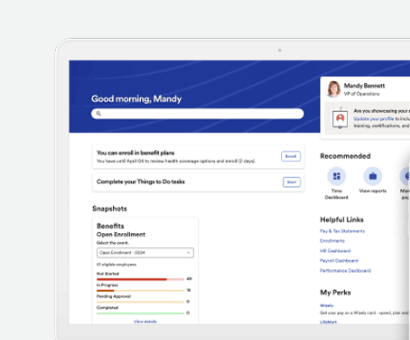
How it works in practice
Time and Attendance sits only in Premium, so an hourly employer will want a quote for that tier. The G2 complaints about reporting flexibility are the same ones Workday gets, which matters if reporting is your reason for leaving. ADP is the shorter path if the real gap is payroll accuracy and benefits administration, but a longer one if you'd like to model complex approvals.
- Starting price
- Not published; Select, Plus and Premium packages, custom quote
- Packages
- Select, Plus, Premium; benefits from Plus, Time and Attendance in Premium
- Integrations
- 108 listed on G2
- Implementation
- About 3 months in G2 reviews
- Entry price
- Quote only
Rippling
Rippling
A modular platform with a shared employee data model across HR, payroll, IT identity and device management, and finance products.
Rippling fits a team that wants HR, payroll and IT access to share one employee record without a Workday-style configuration project.
Rippling's workflow pages say onboarding actions can fire across HR, IT and spend based on attributes such as start date, work location and role. Accepting an offer in Rippling Recruiting can trigger onboarding, and Workflow Studio shows the trigger, actions and affected people for review before a workflow is published. The IT side isn't part of the HR product; it's a separate group: identity and access, device management and inventory.
Pricing's where you lose clarity. The pricing page says plans start at $8 per employee per month with a monthly base fee, that costs depend on the products you pick, and that payroll is a custom quote. G2 rates Rippling 4.7 from 14,761 reviews, with ease of use and a single login leading the praise (6,967 mentions). The top complaints are missing features such as reporting and support response (1,241 mentions), slow performance (885) and a steep learning curve (857).
- HR and IT jointly own onboarding and offboarding and you want one record to drive both
- global payroll or employer-of-record services are in scope
- identity and device workflows are consolidation targets
- you only need HR records and time off: the module count adds setup you won't use
- you lack an owner for configuration and access policies
- you need a firm total cost before a sales call: only the entry rate is published
- Users like
- ease of use with a single login (6,967 mentions)
- Users dislike
- missing features such as reporting and support response (1,241 mentions), slow performance (885) and a steep learning curve (857)
- Source: G2, 14,761 reviews
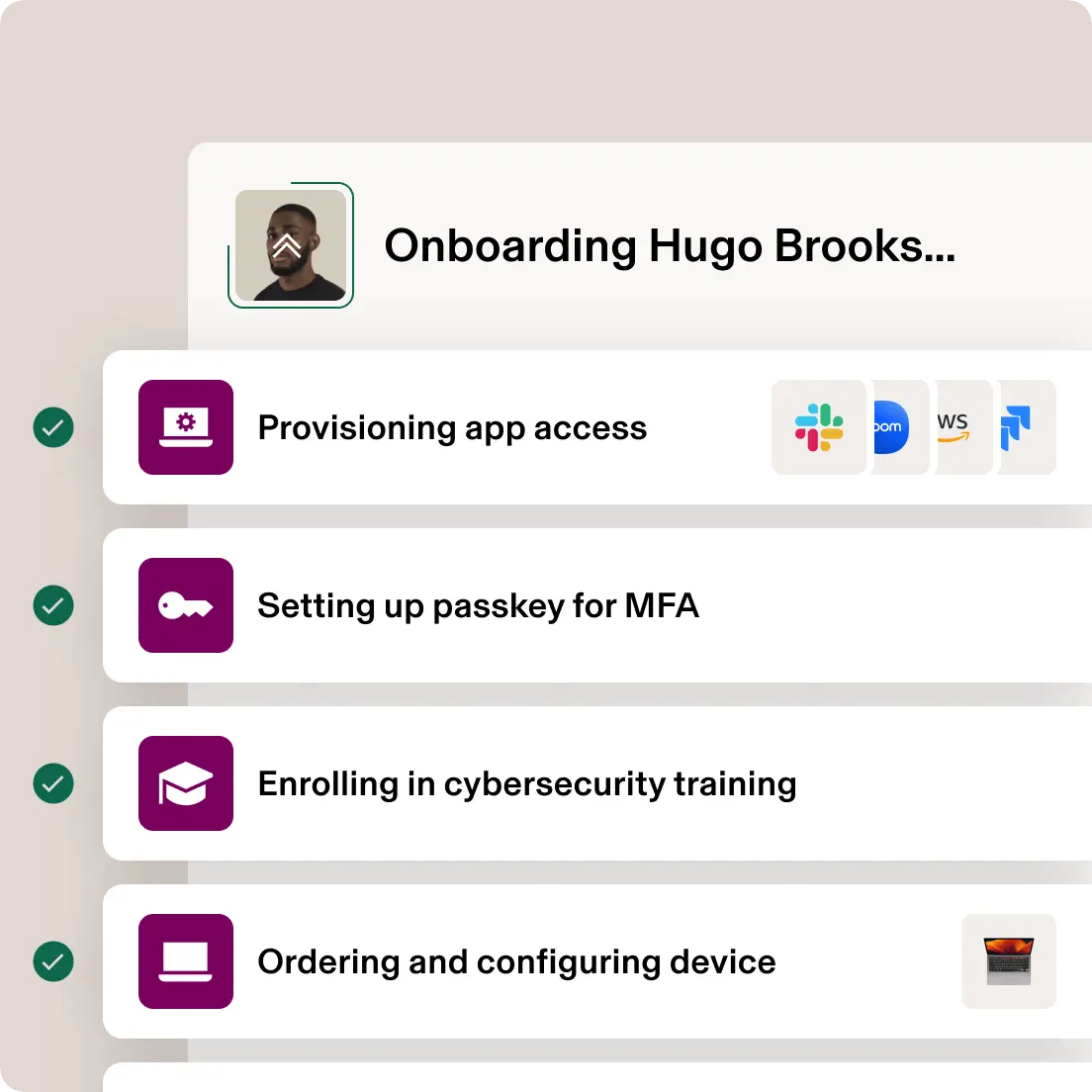
How it works in practice
The learning-curve complaint shows up here too, but it fits a platform with this many modules to configure. Rippling's a fit when HR and IT jointly own onboarding and you want one record to drive both, but it's a poor fit if you only need HR records and time off.
- Starting price
- Starts at $8 per employee per month plus a monthly base fee; payroll is quote only
- Integrations
- 179 verified on G2
- Capterra
- 4.9 from 4,886 reviews (October 2026)
- Performance
- Module with reviews, goals, 360, 1:1s and calibration; price not published
- US Payroll
- Separate product; starting rates depend on billing term
- IT
- Identity, access, device and inventory products
- Entry price
- From $8 per employee per month plus a base fee
HiBob
HiBob
HiBob (the product is called Bob) is a core HR platform with workflows, approvals and optional modules for payroll, hiring and performance.
HiBob fits a mid-sized or multi-country team that finds Workday too heavy and wants workflows with approvals in a lighter system.
HiBob's FAQ describes three stages: Growth for companies under 200 employees, Scale for 200 to 1,000 and Enterprise for 1,000 and above. Core HR, including workflows, is in every subscription, while payroll, hiring, talent management, learning and workforce planning are modules. Onboarding runs on workflows and task lists that start from the offer, with an owner role and a due date relative to the start date on each task.
HiBob's site now lists a US Payroll product described as covering all 50 states, and we found no independent reviews of it. G2 rates HiBob 4.5 from 2,712 reviews. The top praise is an intuitive design (847 mentions), but complaints are missing features such as navigation and task history (399 mentions), limited dashboards for complex structures (302) and limited customization for complex organizations (274).
- you're a mid-sized or multi-country company that wants lifecycle workflows with approvals in one platform
- you want an interface that G2 reviewers call intuitive
- you need I-9 and E-Verify handled natively: we found only a partner integration
- you run a complex multi-entity enterprise: G2 reviewers cite limited dashboards and customization for complex structures
- you need a price before a sales call: the pricing page is a demo request
- Users like
- an intuitive design (847 mentions) and helpful support (548)
- Users dislike
- missing features such as navigation and task history (399 mentions), limited dashboards for complex structures (302) and limited customization (274)
- Source: G2, 2,712 reviews
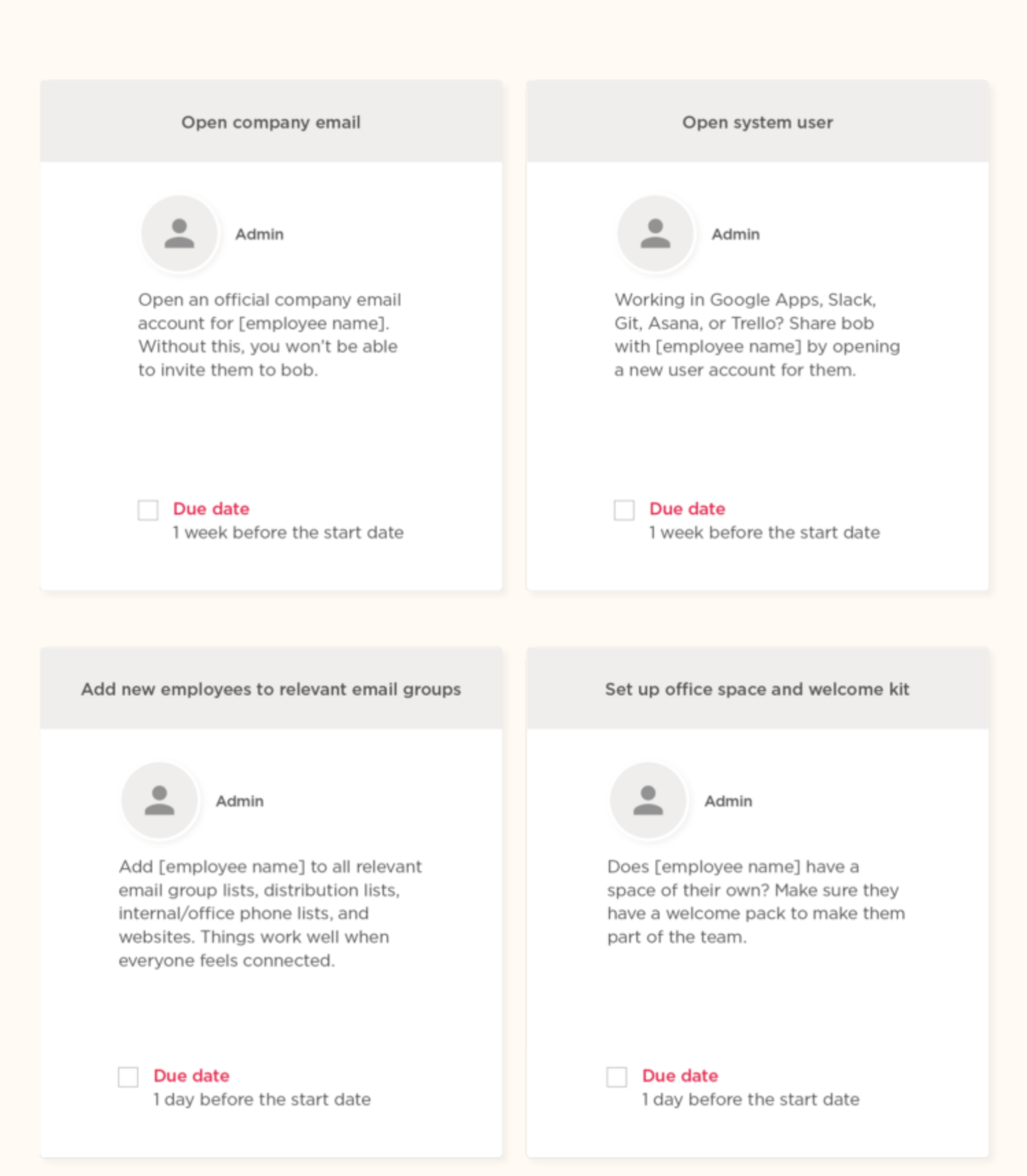
How it works in practice
The complaints about complex structures matter if you're leaving Workday because of scale, since a global enterprise with many entities is where HiBob's reviewers report limits. For I-9, we found only a Fragomen WorkRight integration in the marketplace and no native I-9 or E-Verify, so ask who completes Section 2 before you assume it's covered.
- Starting price
- Not published; the pricing page is a demo request
- Modules
- Core HR is included in every subscription; payroll, hiring, performance and analytics are modules
- Integrations
- 100+ per HiBob, including Okta, Entra ID and Slack
- US payroll
- Listed on hibob.com as a US Payroll product covering all 50 states (checked October 28, 2026); an earlier announcement named Gusto's payroll engine, and we found no reviews of it yet
- Performance
- Bob Performance module: 360 reviews, goals, performance mapping; price not published
- Entry price
- Quote only; pricing page is a demo request
What does switching from Workday involve?
Switching from Workday is a project of months, not weeks, and the evidence we found says so. Every figure below's an estimate from a consultancy, a publisher or a small G2 sample, and none of them comes from Workday or a vendor's contract.
| System | Implementation evidence (months or weeks) | Source type |
|---|---|---|
| Workday | 3 to 5 months mid-market accelerated; 6 to 12 months full suite | Consultancy estimates |
| UKG Pro | About 5 months | Small G2 sample |
| Oracle Fusion Cloud HCM | 3 to 9 months for a mid-market single-pillar project | Third-party estimate |
| SAP SuccessFactors | 12 to 20 weeks standard Employee Central; 9 to 18 months multi-module or multi-country | Publisher article and consultancy document |
| Dayforce | 7 months on average | G2 reviews |
| ADP Workforce Now | About 3 months | G2 reviews |
| Rippling | Described as quick by reviewers; no figure found | G2 summaries |
| HiBob | No figure found | n/a |
The spread's the point. A move from Workday to a lighter system can be faster, but SuccessFactors and Oracle are both partner-led and can run as long as the Workday project you're replacing. Here's the order we'd use, as our own checklist rather than vendor documentation.
- HR systemsList which Workday modules you actually license and use, including whether Journeys is licensed before demos
- HRWrite the three reasons for leaving, ranked, and the one report you can't build today before demos
- HR and ITRun the same real hire through each shortlisted demo, with your role names demo week
- PayrollConfirm country coverage and the handoff to the first pay run in writing before signing
- FinanceGet a written total for your headcount with every module named before signing
- HR systemsExport worker history and open business processes, then agree what stays read-only in Workday before cutover
When should you stay on Workday?
Workday still fits when its strengths are what you're paying for. Reviewers praise ease of use with 117 mentions, and one verified reviewer at a large enterprise on G2 highlights configurable business processes and a strong security framework. Stay if you've got an HR systems team or a partner, well over 1,000 employees, and approvals that differ by entity or country.
Stay if what you're hitting is training or configuration, not capability. A few days of role-based training or a small business process change can cost less than a multi-month migration. However, if all that's wrong is that tasks wait on IT or managers after the hire, replacing the suite may be the wrong fix: a coordination layer next to it can close that gap. Our onboarding process guide and employee onboarding software roundup cover that route.
Where onboarding coordination fits next to an HCM suite
Frequently asked questions about Workday alternatives
Who are Workday's main competitors?
The main Workday competitors for US employers are UKG Pro, Oracle Fusion Cloud HCM, SAP SuccessFactors and Dayforce at the enterprise end, and ADP Workforce Now, Rippling and HiBob in the mid-market. They don't match on whether payroll and time are in the suite, who configures it and whether the vendor publishes a price.
Is Workday the same as Salesforce?
Workday and Salesforce aren't the same company or product category. Workday sells human capital management and finance software, with HR, payroll, workforce management, talent acquisition and analytics on its HCM page, while Salesforce is best known for CRM.
Which is better, SAP or Workday?
Neither SAP nor Workday wins outright. G2 rates Workday HCM 4.2 from 2,473 reviews and SAP SuccessFactors 4.1 from 1,661, and reviewers raise similar usability complaints about both. SuccessFactors fits an SAP landscape and a partner-led, modular rollout, since payroll, time and recruiting aren't part of Employee Central.
What is Workday software for?
Workday HCM is an enterprise suite that keeps one worker record for human resources, payroll, time and attendance, talent acquisition and analytics. Onboarding runs through configurable business processes, and Journeys aren't included by default; they need a separate license.
What is the cheapest Workday alternative?
The cheapest Workday alternative can't be ranked by price, because only two vendors publish one. Rippling plans start at $8 per employee per month plus a monthly base fee, and SAP lists Employee Central at $6.30 per user per month, with payroll, time and recruiting extra. UKG, Oracle, Dayforce, ADP and HiBob are quote only.
What are the top HCM systems?
The top HCM systems by G2 review count on October 28, 2026 are Rippling (14,761), ADP Workforce Now (4,478), HiBob (2,712), Workday HCM (2,473) and UKG Pro (2,256). Review count shows popularity, not fit, so don't read it as a ranking. Our human capital management software guide compares the suites in more depth.