Rippling is a strong choice when your people operations team needs employee records to drive payroll, app access, device setup, and approvals. It's less compelling when you only want a basic payroll service or a lightweight HR database. The important question isn't whether Rippling has enough features. It's whether your organization can own the workflows that connect them.
This Rippling review evaluates the product from a People Ops perspective: who initiates a hire, who approves access, what happens before day one, and who verifies that the employee is actually ready. We'll separate what Rippling documents from operational recommendations and customer opinions. We haven't run a paid implementation or tested a production account.
- Best fit: teams that want HR events to coordinate payroll, IT access, and device workflows.
- Key advantage: employee attributes can drive permissions, approval routing, and onboarding actions.
- Key tradeoff: modular pricing requires a complete quote, not just the advertised starting rate.
- Before buying: test one real hire, one role change, and one termination with the actual process owners.
Our verdict: who should choose Rippling?
Choose Rippling if employee lifecycle changes repeatedly cross department boundaries. A new hire may need an employee record, a payroll profile, a laptop, software access, a benefits invitation, and manager sign-off. Rippling's case is strongest when you want those actions connected rather than copied between unrelated systems.
Consider a narrower product if payroll or HR records are your only problem. You shouldn't pay for a broad operating model merely because the vendor's demo makes automation look easy. If you won't use the access, approval, or device workflows, evaluate a simpler setup and compare the actual scope of each quote.
Our editorial assessment: Rippling is unusually relevant to People Ops teams that share onboarding ownership with IT. That doesn't mean automation eliminates accountability. Your hiring manager still decides what access is appropriate, HR still validates the worker record, and IT still needs an exception path when provisioning fails.
| Buyer situation | Rippling fit | Why |
|---|---|---|
| HR and IT repeatedly exchange hire and termination tickets | Strong | Shared employee attributes can trigger downstream access workflows. |
| Multiple departments approve employee changes | Strong | Role-based approval routing can reduce manual reassignment. |
| A small team needs straightforward US payroll only | Conditional | Ask whether the platform and module scope justify the quote. |
| Highly customized legacy access environment | Conditional | Verify every critical integration and fallback before committing. |
What does Rippling actually do?
Rippling combines an HR information system with products for payroll, benefits, IT, and workforce operations. The core value is a shared employee data model. Instead of an HR administrator emailing IT every time a person changes departments, the employee's role and other attributes can drive policies and actions in connected modules.
The vendor describes HRIS onboarding that can extend from offer letters to device shipping. Its document management covers signatures and audit trails. Payroll receives changes to new hires, salaries, and benefits deductions from the HR system. Those connections are more meaningful than the generic claim that everything is in one dashboard.
The distinction matters because a successful employee record doesn't automatically prove a successful first day. Someone can exist in the HRIS while their laptop is late, their manager hasn't approved an app, or their work location is wrong. People Ops needs both the system event and the human confirmation.
The employee record is the starting point, not the finish line
For an ordinary new hire, HR should confirm the legal name, employing entity, start date, department, manager, location, and compensation details before triggering downstream work. That data affects payroll and access decisions. If it's inaccurate, automating the handoff can spread the error faster.
Rippling's role-based permissions model lets teams define access using employee attributes. It also supports approval chains that route requests based on attributes such as department. That's a useful foundation for repeatable hiring, but only after the team agrees on which fields are authoritative.
Where the modules connect
| Workstream | Rippling capability | Human owner who still matters |
|---|---|---|
| HR record and documents | Employee data, document collection, signatures | People Ops verifies data and exceptions |
| Payroll | HR changes and benefits deductions sync into payroll | Payroll owner reviews each pay run |
| Benefits | Enrollment prompts and deductions tied to HR and payroll | Benefits administrator resolves eligibility questions |
| App access | Provisioning and deprovisioning rules | IT approves privileged or exceptional access |
| Devices | Shipping, configuration, retrieval, and lock or wipe workflows | IT confirms receipt and return evidence |
| Manager approvals | Attribute-based routing and approval chains | Hiring manager confirms role-specific needs |
How well does Rippling handle employee onboarding?
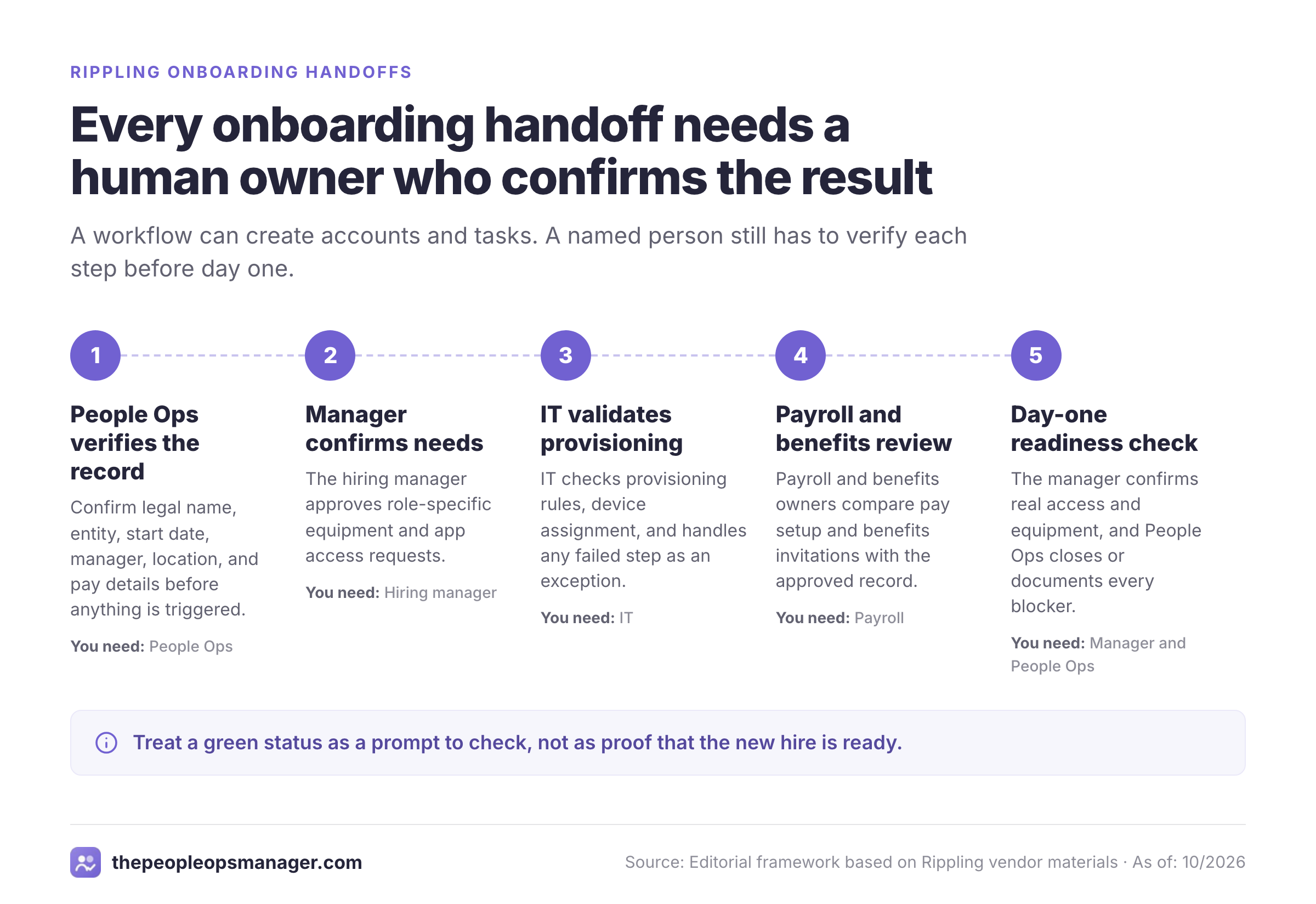
Onboarding is Rippling's most persuasive use case for a People Ops buyer. The vendor describes workflows for assigning devices, provisioning applications, adding group memberships, and sending employee communications. A real implementation should test each handoff rather than assume the complete chain works just because the HR record was created.
- People OpsVerify the worker record and start date; initiate onboarding Before start
- Hiring managerConfirm role, equipment, and requested app access Before start
- ITValidate provisioning rules, device assignment, and exceptions Before start
- Payroll and benefitsReview pay setup and benefits invitation status Before first pay cycle
- Hiring managerConfirm actual access and equipment readiness Day one
- People OpsClose blockers and document unresolved exceptions After start
The workflow that a demo should prove
Ask the salesperson to create a fictional hire with a department, manager, work location, and start date. Change the department before the start date and watch what happens to the app assignments and approval chain. Then move the start date. A credible demonstration should show which actions update automatically, which are queued, and which require an administrator.
Next, ask the demonstrator to intentionally fail one provisioning step. Don't accept a successful green status for the overall hire until the failure appears somewhere an owner will see it. The product's ability to create an account isn't the same as proof that the employee can sign in.
Finally, ask who closes the readiness loop. IT might show that an app account exists, but the manager needs to confirm that the correct workspace, group, or license is available. HR shouldn't be expected to diagnose identity problems, and IT shouldn't be expected to validate compensation.
The gaps that automation won't close by itself
Physical device arrival depends on shipping and the employee's location. An application may require a license, a separate approval, or an external administrator. A manager may forget to approve an exception. Benefits eligibility may depend on policy details that don't fit a generic template.
Rippling can coordinate many of these events, but you still need a written escalation path. Define what constitutes a blocker, who receives it, and how long the team will wait before contacting a human. Without that process, the dashboard may look complete while the new hire waits.
Payroll, benefits, and time tracking: what should People Ops verify?
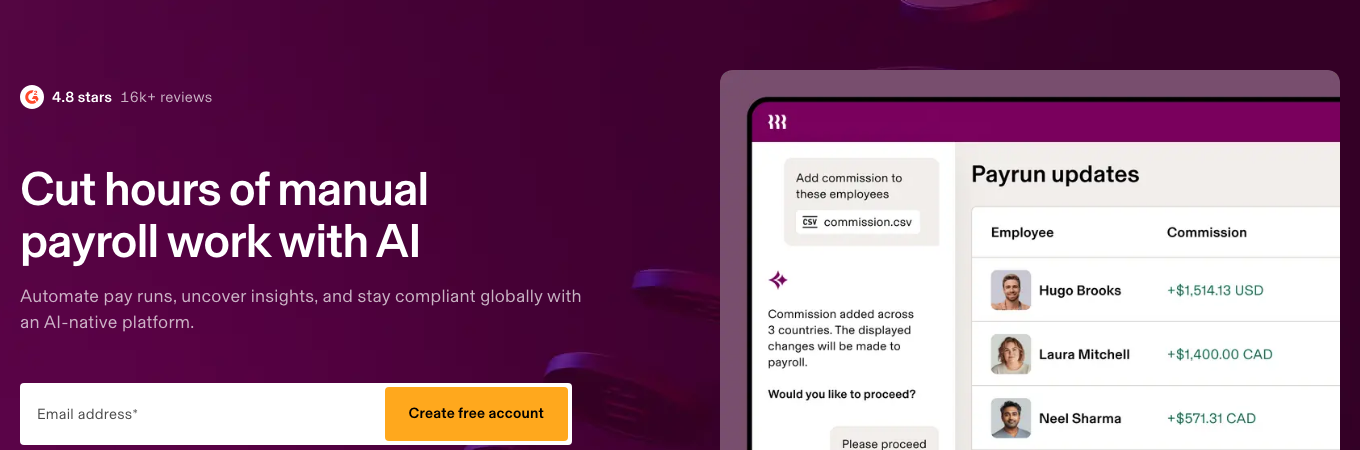
Rippling says new hires, salary changes, and benefits deductions flow directly from HR data into Payroll. That's an attractive reduction in manual re-entry. It doesn't remove the need for payroll reconciliation, especially during migration or after a compensation change.
Approved time and attendance hours can flow into Payroll. Rippling also describes configurable labor policies and alerts for missed breaks or overtime. Buyers should check which policies apply to their work locations, who approves corrected time, and how a disputed timecard is handled before a pay run closes.
For benefits, Rippling describes automatic enrollment prompts and deductions that sync with payroll. It also lists ACA tracking, COBRA-related workflows, and open enrollment tracking. Treat those as product capabilities to configure and validate, not a guarantee that your organization has met every legal obligation.
A payroll validation sequence worth running
Use a controlled test employee record and compare expected pay inputs with what the payroll preview displays. Include a mid-cycle pay change, a benefits deduction, a leave entry, and a corrected timecard. Then have a payroll owner sign off on the results and document the rollback plan if a field is wrong.
The aim isn't to prove that the software can calculate every scenario in a sales demo. It's to discover whether your own policies and approval steps survive the transition. If you have multiple employing entities or unusually complex pay allocation, ask for a written scope confirmation rather than relying on a generic feature checklist.
Rippling IT: app access, devices, and offboarding
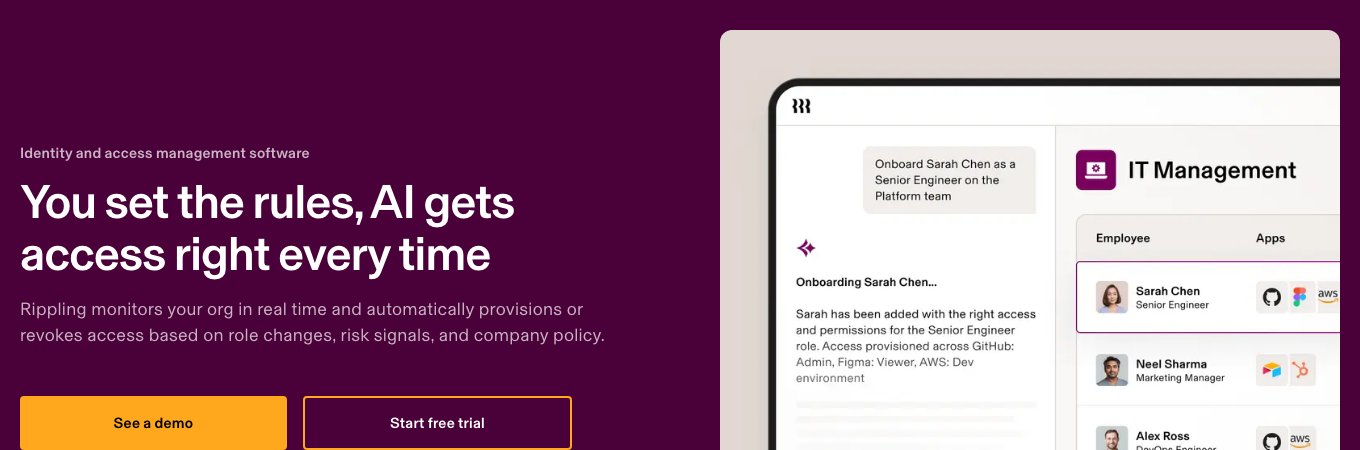
Rippling's IT functionality is a major reason to evaluate it instead of an HR-only platform. Its identity and access management materials describe scheduled provisioning, role-based access, custom approval chains, and deprovisioning. The device management materials describe device shipping, retrieval, and the ability to schedule locking or wiping as part of offboarding.
For People Ops, the value isn't simply fewer IT tickets. It's a cleaner handoff between the employment event and the access decision. HR controls the employment status and effective date. IT controls access policies. The manager confirms the person's business need.
The role-change test is as important as onboarding
A promotion or transfer can clearly be riskier than a straightforward new hire. A person may gain access to a new system without losing the old permissions. Rippling's permission profiles can update as employee attributes change, but you should test both the grant and the removal of access.
Build a role-change scenario that moves an employee from a sales role to a finance role. Check the expected app additions, removed groups, new approvers, and exceptions. Ask whether a change is immediate, scheduled, or held for approval. Then check whether the team can audit who requested and approved it.
Offboarding requires evidence, not just a trigger
Rippling describes coordination between HR and IT to suspend access and schedule offboarding actions. It also describes device return workflows. Those are useful capabilities, but a termination isn't complete merely because a workflow was launched.
Your checklist should confirm the effective separation time, app account suspension, outstanding tokens or access exceptions, device return, and any transfer of business-owned files. NIST's account-management guidance emphasizes disabling accounts when they're no longer associated with an individual. It's sensible to keep a human owner accountable for verifying each critical step.
Use our employee offboarding checklist to define the evidence your team expects, regardless of which platform executes the action.
Rippling pricing: what will it really cost?
Rippling's US pricing page advertises plans starting at $8 per employee per month, with a monthly base fee. Its small-business page has also displayed a $40 monthly base fee alongside that starting rate. These are starting figures, not a verified all-in quote for payroll, benefits, IT, and implementation. Both pages direct buyers to contact sales for a configuration-specific price. We read both figures on the vendor pages on October 27, 2026; confirm the current US quote directly.
The practical buying mistake, frankly, is comparing a platform starting rate with another vendor's complete payroll package. Don't do that. Request a line-item quote with the platform, each selected module, headcount assumptions, onboarding or implementation work, any minimums, and the contract's renewal terms.
A quote checklist you can send to sales
- List every product and module in scope, with the exact legal contracting entity.
- Show platform base charges and employee-based charges separately.
- Identify which integrations, workflow actions, and permission controls are included.
- Specify implementation work, migration responsibility, and acceptance criteria.
- Confirm support channels, escalation path, and response expectations in writing.
- Explain billing for employees who join, leave, or change countries mid-cycle.
- State contract term, renewal mechanism, notice deadlines, and price-change language.
- Provide an exit plan for employee records, payroll history, and audit evidence.
How to evaluate total cost without guessing
Build your own model from the written quote. Separate recurring platform fees, per-person module fees, one-time setup, and any optional services. Run a scenario for current headcount and another for your expected hiring plan. Don't invent a per-module price from a third-party review when the vendor hasn't confirmed it.
If a quoted feature sounds broad, ask for its exact entitlement. For example, an app integration listing doesn't automatically establish which provisioning actions are supported or which licenses you'll need. Ask to see the action performed in the demo.
For a focused discussion of quote structures and published starting rates, see our Rippling pricing guide.
What do customer reviews suggest?
Review sites are useful for Rippling, but only if you read them as a buyer in a similar situation. Review listings for a broad platform tend to mix very different buyers: a company that bought only payroll and one that rolled out HR, IT, and devices will describe different products. Read them as individual experiences, not measured product performance.
When you read the listings, look for two kinds of comments: praise for connected HR, payroll, and IT workflows, and complaints about setup effort, learning curves, support for complex issues, or unusual payroll setups such as multi-location allocation. The outcome depends on the workflow, the company configuration, and expectations.
The right way to use review sites is to filter for companies like yours. A salaried, single-entity software business isn't a substitute for a franchise operating across locations. Read recent critical reviews, identify the exact workflow, and ask Rippling to demonstrate that case.
What we wouldn't conclude from review scores
A high aggregate rating doesn't prove a particular payroll rule, integration, or support escalation will work for you. It also doesn't tell you whether the reviewer bought the same modules you're considering. Use ratings as a discovery tool, not as acceptance criteria.
The most valuable review evidence is specific: a reviewer names a workflow, the product behavior, and the resulting problem. Generic comments about ease of use or being all in one aren't enough to decide an enterprise migration.
How does Rippling compare with alternatives?
If you mainly need US payroll with a simpler scope,  Gusto deserves a look. Rippling is the more natural candidate when HR events also need to coordinate identity, devices, and broader cross-functional workflows.
 BambooHR is another HR-centered option to compare. Ask both vendors to demonstrate your exact employee record, approval, and onboarding requirements. If international employment is the main buying problem, shortlist a specialist such as
 Deel and compare country-specific service scope, not just the marketing category.
| Primary need | Start with | What to verify |
|---|---|---|
| Payroll-first US setup with straightforward onboarding | Gusto | Included payroll states, approvals, and add-ons |
| HR records and an HR-first operating model | BambooHR | Payroll integration, document workflows, and admin roles |
| Employee-driven IT access plus payroll and HR | Rippling | Provisioning actions, module scope, and role changes |
| Cross-border hiring and employment services | Deel | Supported country, entity arrangement, and payroll handoffs |
Of course, no platform wins every category. The table is a way to avoid buying a broad system for a narrow problem. If you're already deciding between Rippling and BambooHR, read our BambooHR vs Rippling comparison.
A practical Rippling implementation plan
A platform rollout should begin with ownership and acceptance criteria, not with a feature shopping list. The most useful pilot is one that touches the same teams that will own the system after the vendor leaves.
Map the current employee lifecycle
Document each hire, transfer, and termination trigger. Name the HR, IT, payroll, benefits, and manager owners. Record the evidence that closes each handoff.
Clean the source employee fields
Agree on authoritative values for entity, location, manager, department, start date, and employment status. Resolve conflicting records before automating downstream changes.
Configure permissions and approvals
Start with least-privilege roles. Make exception approvals explicit. Test a role change that must remove as well as grant access.
Pilot onboarding and offboarding
Run realistic scenarios with failed app provisioning, delayed devices, and corrected start dates. Confirm that the right human receives each exception.
Reconcile payroll and benefits
Compare expected inputs and deductions with payroll previews. Have payroll and benefits owners sign off on the tested scenarios.
Set operational monitoring and escalation
Define how to spot overdue tasks, where unresolved blockers live, and who signs off on day-one readiness. Don't close the pilot without this evidence.
What success looks like after launch
Track completion and exception rates, not only the number of automations enabled. Useful internal measures include whether access was ready when needed, whether a device arrived, whether pay data matched the approved record, and how long blockers remained unowned. Those are proposed operating metrics, not performance claims about Rippling.
The most important metric is accountability. If the workflow fails, an owner should know about it and be able to resolve it without guessing which team is responsible. A well-configured system should make the handoff visible. It shouldn't encourage everyone to assume somebody else checked it.
Where a separate onboarding coordination layer may help
Some organizations already have an HRIS and payroll platform but still struggle to see which human approvals or cross-team tasks remain blocked. A coordination layer can be useful when replacing the system of record isn't justified. The People Ops Manager, the publisher of this blog, focuses on who is ready for day one, what is blocked, and what needs approval across HR, IT, finance, and managers. It isn't an HRIS, payroll processor, or I-9 tool.
You shouldn't adopt a second tool merely to recreate tasks Rippling already handles well. First define the evidence that's missing from your current process. If the gap is real, evaluate a focused coordination workflow; if it isn't, simplify your Rippling configuration instead.
Final recommendation
Rippling makes the most sense when your organization is ready to operate a connected employee lifecycle. The value is strongest at the seams between HR, payroll, IT, and managers. It's weaker when you only need one narrow administrative function and can't justify the implementation or ongoing ownership.
Before signing, ask for a complete USD quote and a live demonstration of a hire, role change, and termination. Make the vendor show how a failed step is surfaced, who approves exceptions, and how the team proves the employee is ready. That's a better buying test than a long list of features.
Is Rippling a payroll service or an HRIS?
Rippling is both an HRIS platform and a provider of payroll and other workforce modules. The selected modules determine the scope of the system you buy.
Does Rippling support automated onboarding?
Rippling describes onboarding workflows that can connect employee records with device assignment and app provisioning. Buyers should test the exact integrations and approvals they need.
How much does Rippling cost?
Rippling advertises a starting rate of $8 per employee per month plus a monthly base fee, but a complete configuration requires a custom quote. Confirm the current US price and every selected module with sales.
Can Rippling remove access when an employee leaves?
Rippling's identity management materials describe scheduled deprovisioning and coordinated offboarding. IT should still verify that critical accounts and exceptions were actually resolved.
Is Rippling better than Gusto?
Rippling is a stronger candidate when HR events must also drive IT and device workflows. Gusto is worth comparing when straightforward US payroll is the main priority.
Does Rippling replace an onboarding project manager?
Rippling can automate many onboarding tasks, but it doesn't remove the need for named owners, exception handling, and a readiness sign-off. Keep the human accountability model explicit.