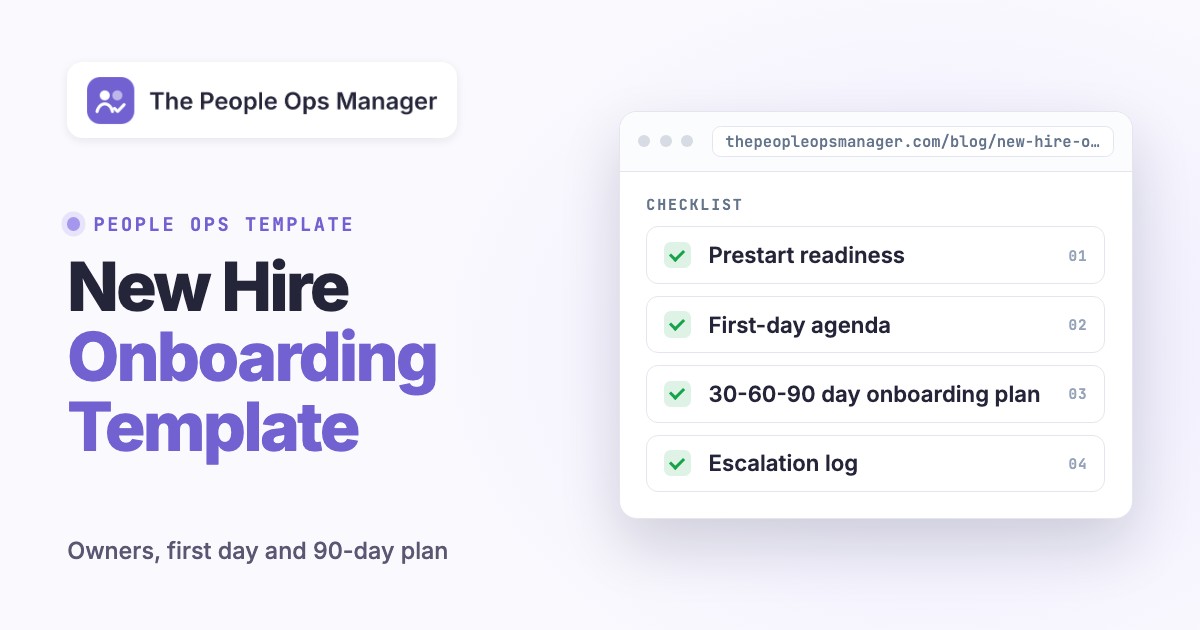
A new hire onboarding template should tell every owner what to do, when it is due, what counts as done, and how to resolve a blocker. The copy-ready template below covers preboarding, the first day, the first week, and 30-, 60-, and 90-day milestones. It's built from a master task register, a day-one agenda, a role-specific success plan, and an escalation log. You'll be able to paste the tables into a spreadsheet, document, or task system without buying onboarding software.
A checklist can say "create account." A working onboarding plan names the IT owner, the access request, the verification step, and whoever'll unblock the hire if the account fails. That's the part that gets lost between HR and the hiring manager.
This is a US-oriented operating template, not an employment-law compliance substitute, so adapt the federal paperwork fields and check state, local, industry, and role-specific requirements before using it for a real employee.
- Copy the employee cover sheet and master task table into one per-hire record.
- Give every task one accountable owner, one due date, one acceptance check, and one escalation contact.
- Schedule first-day, week-one, 30-day, 60-day, and 90-day conversations before the start date.
- Keep sensitive identity, tax, and payroll documents in approved systems, not in the shared tracker.
Copy-ready new hire onboarding template
Create a separate copy for each employee; you'll thank yourself later. Keep the shared version free of sensitive personal information, because more people can see it than you'd expect. The table below is a coordination record, and it isn't a repository for Form I-9 documents, tax forms, banking details, medical information, or copies of identification.
Employee cover sheet
| Field | Replace with |
|---|---|
| Employee | [Employee name or internal ID] |
| Position and department | [Job title] / [Team] |
| Start date and time zone | [YYYY-MM-DD] / [Time zone] |
| Work arrangement | [On-site, hybrid, or remote] |
| Hiring manager | [Name] |
| People Ops coordinator | [Name] |
| IT service owner | [Name] |
| Onboarding buddy | [Name] |
| Payroll and benefits contact | [Name] |
| Primary coordination channel | [Approved task system or private channel] |
| First-day meeting location | [Office room or video link] |
| Escalation contact | [Name and method] |
| Overall readiness | [Not started / At risk / Ready / Complete] |
Master task register
Paste these columns into a spreadsheet and create a row for each deliverable. "Evidence" means a safe confirmation, such as a ticket ID or an access test result, never the employee's sensitive document itself. The example deadlines are operating targets, and they aren't legal deadlines except where a regulatory rule is specifically noted.
| Phase | Task | Owner | Target | Acceptance check | Status | Next action |
|---|---|---|---|---|---|---|
| Prestart | Confirm signed offer and start date | HR | Day -10 | Offer stored in HR system | Open | [ ] |
| Prestart | Send arrival instructions and first-day agenda | HR | Day -5 | Employee confirms receipt | Open | [ ] |
| Prestart | Approve role-based application access | Manager | Day -7 | Approved access list attached to IT ticket | Open | [ ] |
| Prestart | Prepare device and identity account | IT | Day -5 (ship earlier for remote hires) | Device ready and login test scheduled | Open | [ ] |
| Prestart | Assign buddy and schedule check-ins | Manager | Day -5 | Invitations accepted | Open | [ ] |
| Prestart | Confirm payroll intake route | Payroll | Day -3 | Secure intake invitation delivered | Open | [ ] |
| Day 1 | Welcome and explain success criteria | Manager | Day 1 | Employee can name first-week priority | Open | [ ] |
| Day 1 | Confirm access to core tools | IT + employee | Day 1 | Employee successfully signs in | Open | [ ] |
| Day 1 | Complete employee I-9 step (Section 1) | Employee + HR | Day 1 at the latest (USCIS rule) | HR records completion in approved system | Open | [ ] |
| First week | Complete employer I-9 review (Section 2) | Authorized employer representative | Within 3 business days of Day 1 (USCIS rule) | HR records verified completion | Open | [ ] |
| First week | Explain pay cycle, time entry and support routes | Payroll + manager | Week 1 | Employee locates instructions | Open | [ ] |
| First week | Demonstrate one complete work task | Manager + buddy | Week 1 | Employee repeats task with feedback | Open | [ ] |
| Day 30 | Review goals and unresolved blockers | Manager | Day 30 | Decisions and owners recorded | Open | [ ] |
| Day 60 | Transfer a recurring responsibility | Manager | Day 60 | Handoff accepted by employee | Open | [ ] |
| Day 90 | Evaluate outcomes and next-quarter goals | Manager + employee | Day 90 | Written plan agreed | Open | [ ] |
Allowed status values: Open, In progress, Blocked, Done, and Not applicable. Add Completed at, Verified by, and Evidence reference columns when your team needs a durable audit trail. A task isn't done because an invitation was sent. It's done when the receiving person can perform the action or the accountable owner confirms the required record is complete.
- Confirm start date, manager, location, and payroll intake contact.
- Approve required access before IT provisions it.
- Verify device delivery and successful first login.
- Schedule welcome, buddy introduction, and manager check-ins.
- Complete required US employment paperwork in the approved system.
- Demonstrate a first meaningful task and record feedback.
- Record 30-, 60-, and 90-day outcomes and open blockers.
Assign ownership before the employee starts
An onboarding template works only when it separates the person who does the task from the person who's accountable for the result. HR can coordinate the process, but HR usually can't approve engineering repository access or decide whether a new sales rep is ready for a customer call.
| Decision or deliverable | Accountable | Responsible contributor | Proof of completion |
|---|---|---|---|
| Start date, employment record, policy delivery | People Ops | HR coordinator | Record in approved HR system |
| Role scope and first work assignment | Hiring manager | Team lead or buddy | Accepted first-week plan |
| Application entitlements and device | IT service owner | IT technician | Successful access test |
| Payroll and tax intake | Payroll owner | Employee via secure system | Payroll confirmation |
| Team introductions and social support | Hiring manager | Buddy | Meetings completed |
| Role proficiency and 90-day outcomes | Hiring manager | Employee and coach | Work sample and review notes |
Escalation rule: If a Day 1 critical dependency is blocked, the task owner must identify a workaround and notify the hiring manager before the start of the employee's first scheduled work session. Record the workaround's expiration date. A temporary account or shared password shouldn't become an unreviewed permanent fix.
For a remote employee, add shipping confirmation, identity verification method, time-zone overlap, a secure support channel, and a fallback way to reach IT when sign-in fails. For a regulated or safety-sensitive role, add the approved training and authorization checkpoints before unsupervised work.
- People OpsOffer, arrival details and required paperwork routing Before start
- Hiring managerRole scope, access approval, buddy and goals Before start
- ITDevice, identity and tool access verified Before day 1
- Employee + HREmployment verification and payroll intake Day 1 / required deadlines
- Manager + buddyFirst meaningful work and feedback Week 1
- Manager + employeeMilestone review and next action Days 30, 60 and 90
Use this first-day agenda
The first day should be predictable, not packed with back-to-back presentations. Put login testing before training that depends on those systems, since it's the step that most often fails. The schedule below assumes a conventional office day, but you can adjust it for shift work, accessibility needs, and time zones.
| Time | Activity | Host | Observable outcome |
|---|---|---|---|
| 9:00 | Welcome, workspace and plan | Manager | Employee knows today's schedule |
| 9:30 | Equipment and account verification | IT | Core tools open successfully |
| 10:15 | HR and payroll process | HR | Required next steps and deadlines understood |
| 11:00 | Team introductions and buddy | Buddy | Employee knows who handles common questions |
| 12:00 | Lunch break (no scheduled activity) | Buddy | Employee knows where to eat and who to ask |
| 1:00 | Role walkthrough and sample work | Manager | Employee can explain one complete workflow |
| 2:30 | Guided practice | Buddy | First task attempted with feedback |
| 4:00 | End-of-day check-in | Manager | Blockers assigned to named owners |
Ask three questions at the final check-in, since they're quick and they surface gaps early: "What can you do independently?" "What access or context is still missing?" "What will you work on first tomorrow?" Capture the answers in the coordination record, where they won't vanish. A private chat that disappears from the handoff won't help the next owner.
First-week learning plan
Day 2: Show the full work cycle, including who approves the output and where completed work lives. Day 3: Let the new hire perform a low-risk task with a buddy reviewing the result. Day 4: Introduce the teams they depend on, and explain how to request help. Day 5: Hold a short review of role expectations, access, training, and the first meaningful deliverable.
A first-week task should be small enough to finish yet real enough to reveal missing access or unclear ownership; that's the point of it. Examples include updating a sandbox record, preparing a draft customer response for review, or completing a documented internal request. Don't hand the new hire a production-critical change without the necessary authorization and supervision, even if they're experienced.
Build a 30-60-90 day onboarding plan from the template
Use outcomes rather than vague verbs like "learn the company." They're not inspectable, yet they fill most plans. A milestone is only useful when the manager can inspect an artifact or observe the work. The table gives you a reusable structure. Replace the examples with role-specific results, then agree on the support the employee will get.
| Milestone | Employee outcome | Manager support | Evidence | Review question |
|---|---|---|---|---|
| Day 30 | Explain the team's workflow and complete one supervised task | Weekly feedback and access to examples | Completed sample and feedback | What remains confusing? |
| Day 60 | Own a recurring task with defined escalation rules | Review quality and remove dependencies | Two accepted work cycles | What can you own without a prompt? |
| Day 90 | Deliver a scoped result and propose the next improvement | Agree priorities and decision rights | Delivered outcome and next-quarter plan | What should change in the role plan? |
Example: customer support hire
For a support specialist, Day 30 might mean accurately triaging five sample cases in a training environment, with a reviewer confirming the routing. Day 60 might mean handling a defined class of routine tickets with spot checks. Day 90 might mean owning a shift handoff and identifying one recurring knowledge-base gap. These are illustrative goals, not universal performance benchmarks, so don't copy them blindly.
Example: operations analyst
An operations analyst might spend the first month mapping one reporting workflow and documenting data owners. By Day 60, the employee could run the report with a reviewer checking the output. By Day 90, the employee might maintain the report, log data-quality exceptions, and recommend one controlled improvement. In both examples, the manager's job is to provide the access, definitions, and reviewer capacity before anyone evaluates the employee.
Milestone review note template
| Field | Entry |
|---|---|
| Review date | [Date] |
| Planned outcome | [Specific deliverable] |
| Evidence reviewed | [Safe link or work sample ID] |
| What worked | [Observed result] |
| What was blocked | [Issue and root cause] |
| Support needed | [Owner, action and deadline] |
| Revised goal | [Only if scope or assumptions changed] |
| Next meeting | [Date] |
A 90-day milestone is a management planning convention, not a universal legal probation period. Don't equate a 90-day review with a legally binding probation decision. Check the actual contract, applicable law, and company policy, and ask counsel if it's unclear.
Keep US employment paperwork separate from the shared tracker
For US hires, the coordination sheet should show whether the authorized HR or payroll owner has completed a step, but it shouldn't contain identity documents, tax details, bank account numbers, or immigration status. The official forms and supporting records belong in the approved restricted system, so link to them instead of copying them.
Form I-9: USCIS instructions generally require the employee to complete Section 1 no later than the first day of employment. The employer or authorized representative generally completes Section 2 within three business days after that first day, with special rules for very short engagements and other circumstances. Use the current USCIS instructions and the company's authorized verification procedure. This article isn't the compliance workflow.
Form W-4: The IRS's 2026 Form W-4 is the Employee's Withholding Certificate used to determine federal income-tax withholding. Payroll should give the employee a secure way to complete the current form and confirm the payroll setup without exposing its contents in a broadly shared onboarding document.
New-hire reporting and other requirements: Assign the state new-hire reporting task to a payroll or HR owner, then identify the relevant state directory, and verify its current deadline. Don't forget any applicable state withholding, notices, safety, privacy, and role-specific training requirements. The EEOC's employer checklists emphasize communicating reporting routes, maintaining a harassment-prevention policy, and training employees and managers. Those checklists are guidance, and they're no substitute for checking applicable legal obligations, but they do help you design the policy step.
Track blockers with an escalation log
A missing laptop, unapproved access, or an absent trainer can derail a first day even when every checklist row appears assigned. That's why you should keep a separate short log of unresolved dependencies. It should show a decision, not just a complaint.
| Issue ID | Blocked deliverable | Impact | Decision owner | Temporary workaround | Resolution due | Verified closed by |
|---|---|---|---|---|---|---|
| EX-01 | CRM account | Can't practice sample case | IT lead | Use approved training sandbox | Day 1, 11:00 | Manager |
| EX-02 | Role-specific training | Can't work unsupervised | Team lead | Pair with certified buddy | Week 1 | Team lead |
| EX-03 | Payroll intake confirmation | Employee unsure about first pay cycle | Payroll | Schedule private call | Day 2 | Payroll |
During a hire's first week, review blocked tasks daily. If an owner can't meet the deadline, ask for a revised due date, a safe workaround, and the person who's authorized to accept the risk. Don't call a task complete merely because someone sent an email.
A useful readiness rule: Ready for Day 1 means the employee can arrive or join remotely, access the systems required for the first scheduled activity, contact a real person for help, and follow a clear agenda. Ready for independent work is a separate decision after training and any required authorization.
Duplicate the template for one employee
Use a restricted coordination workspace, set the start date, and name the hiring manager, HR owner and IT owner.
Translate the role into required access and training
Ask the manager to approve just the systems and competencies the hire needs for the first assignments; they shouldn't get everything on day one.
Assign deadlines and acceptance tests
Replace generic due dates with real calendar dates. Require a successful login, completed review, or accepted work sample, since a promise isn't proof.
Run a prestart readiness check
Confirm equipment, access, welcome logistics, payroll intake route and scheduled check-ins. Escalate blocked critical items so they aren't discovered on Day 1.
Review the first week and milestones
Capture evidence and revise support at Day 5, Day 30, Day 60 and Day 90. Archive the record according to company policy.
Adapt the template without multiplying documents
Use the same core record for most roles, but add a small role appendix rather than copying an entirely different checklist for every department. This keeps the employee experience consistent and the ownership model easy to audit.
| Scenario | Add these fields or checks | Don't assume |
|---|---|---|
| Remote hire | Shipping tracking, local time zone, virtual buddy, secure identity process, fallback support | That a video call replaces every verification rule |
| People manager | Direct-report introductions, approval permissions, escalation matrix, leadership expectations | That admin rights are needed on Day 1 |
| Sales or support | Sandbox access, supervised customer interaction, quality rubric, handoff examples | That a demo is equivalent to customer readiness |
| Engineering or IT | Least-privilege accounts, development sandbox, code review owner, security training | That shared credentials are an acceptable shortcut |
| Shift or frontline role | Schedule, safety equipment, trainer availability, required competency sign-offs | That the office-day agenda fits shift work |
| Part-time or seasonal | Hours, compressed training sequence, payroll schedule, contract-specific checkpoints | That a full 90-day ramp is appropriate |
If your team's using an HRIS, let that system stay the source of truth for employment records. If IT uses a service desk, let IT own its tickets. The coordination template should link to those systems and track the handoff. It shouldn't duplicate restricted data or replace their approval controls.
A team can start with a spreadsheet, but the coordination burden grows when each hire creates separate HR, IT, payroll, and manager tasks. At that point, a shared view of which dependencies are approved, done and verified saves more time than another spreadsheet tab. The goal isn't to replace the underlying systems. It's to make the missing owner or overdue dependency visible before the employee is affected.
Common onboarding template mistakes
One owner for everything. Labeling every task "HR" hides the fact that a manager approves access, IT provisions it, and the employee confirms it works. Split those responsibilities explicitly, but keep one name per task.
No acceptance criteria. "Laptop ordered" isn't the same as "Laptop received and employee signed in." Write the observable finish line into the task.
All deadlines are Day 1. Put long-lead activities before the start date, and separate required regulatory deadlines from internal targets. A real calendar date is easier to act on than "ASAP."
Sensitive records in the wrong place. A coordination tracker shouldn't hold identity, tax, or banking documents; it should record completion status. Limit access to the record itself when it reveals private details.
No plan after orientation. A polished welcome week doesn't prove the new hire can do the job, so add a work-based check. Add an accepted work sample and the 30-, 60-, and 90-day reviews.
No fallback when something fails. Add an escalation owner, a safe workaround, and a follow-up date for every critical blocked task. That's the difference between a static template and an operational process.
Where onboarding coordination software fits
A spreadsheet is usually enough when hiring volume is small and the team is stable. When HR, IT, payroll, and managers operate in different systems, the difficult part isn't remembering tasks anymore. It's knowing whether each dependency has been approved, completed, and verified.
If you reach that point, the box below describes the product we build for it. It isn't a payroll platform, an HRIS, or a Form I-9 verification service.
Related templates and next steps
Use an employee onboarding checklist for a task-focused view of the employee's first weeks. This page is the reusable coordination plan: it adds ownership, acceptance tests, escalation and measurable milestones.
The best next step is to pilot this template with one hire. After the first week, review which rows weren't used, which owners were unclear, and which tasks were late. Update the master copy before you roll it out to another department, and tell owners what's changed.
Frequently asked questions
These answers cover the choices teams most often face when adapting the template.
What should a new hire onboarding template include?
Include employee and role context, a phased task register, named HR/IT/manager owners, due dates, acceptance checks, a first-day agenda, role-specific milestones, and an escalation log. Store sensitive employment records in restricted systems.
What is the difference between an onboarding template and a checklist?
A checklist lists tasks, but a reusable onboarding template also provides fields for ownership, timing, proof of completion, blockers, and 30-, 60-, and 90-day outcomes.
Who owns new employee onboarding?
The hiring manager owns role readiness, People Ops coordinates the process, IT owns approved technical provisioning, and payroll handles payroll intake. Assign a single accountable owner for each deliverable.
Can I use this onboarding template for remote employees?
Yes. Add equipment shipping, time-zone overlap, remote support, and your organization's approved identity and employment verification procedures. Check current legal rules for the employee's location.
How long should onboarding take?
A 90-day plan is a useful management structure, though it's not a universal legal rule. Plan prestart and first-week tasks for immediate readiness, then run the 30-, 60- and 90-day milestones, and adjust that period to role complexity and applicable policy.
Should I put Form I-9 and W-4 documents in the tracker?
No. Record that the authorized owner completed the relevant process, but don't put identity, tax, and banking information there. It belongs in approved restricted HR or payroll systems.