The best internal communications software depends on who has to read the message and how you reach them. A company where everyone sits in Microsoft 365 can send announcements through Teams. A retailer or clinic with shift staff and no work email needs an app, SMS or a shared kiosk. A People Ops team that has to prove who read a policy needs a tool that records it. This page compares nine tools on those questions: who each one reaches, what it can prove, what it costs when a price is public, and what reviewers report.
If your frontline staff app is Connecteam, our Connecteam alternatives guide compares what each replacement costs and covers.
Prices and features come from vendor pages and help centers read on October 31, 2026. Six of the nine tools publish no price, so we say "quote only" instead of repeating a third party's estimate. Ratings come from G2 unless the entry names another source, and the praise and complaint lines are G2's own summarized review themes. We didn't run hands-on trials, so every entry describes documented features and what reviewers say, and where a feature isn't on the published vendor pages, the entry says so.
- tools compared
- 9
- publish no price
- 6
- publish plan prices
- 3
- document a required-read or confirm feature
- 4
Best Internal Communications Software by Situation
 Best for mixed desk and frontline workforcesStaffbaseApp, intranet, email, SMS and signage from one publishing flow.
 Best for mandatory-read policy postsWorkvivoRead and Acknowledge on a post, with a report of who hasn't acknowledged.
 Best for an intranet-led must-read programSimpplrMust-read content with a Monday reminder and a read/unread CSV.
 Best for staff with no company emailBeekeeperPrintable QR invites, SMS login instructions and optional read confirmation.
 Best low-cost option for deskless teamsConnecteamFree for up to 10 users, then from $29 a month for the first 30.
 Best for newsletter-style updatesAxios HQDrafting, segments and send to email, Slack or Teams.
 Best if you already run Microsoft 365Microsoft Teams and Viva EngageLeader announcements to targeted audiences, with the Viva license extra.
 Not a comms tool: for onboarding tasks that wait on other teamsThe People Ops ManagerCoordinates onboarding across HR, IT and managers next to the tools above.
Internal Communications Software at a Glance
| Tool | Type | Starting price (USD) | Rating |
|---|---|---|---|
| Staffbase | Employee app and intranet | Not published; quote only | 4.6 (249) |
| Workvivo | Employee experience platform | Not published; quote only | 4.8 (2,717) |
| Simpplr | Employee intranet and experience platform | Not published; quote only | 4.6 (377) |
 Poppulo | Internal email, employee app and signage | Not published; quote only | 4.4 (225) |
| Axios HQ | Internal newsletters and announcements | Not published; quote only | 4.7 (120) |
| Beekeeper | Frontline employee app | Not published; quote only | 8/10 (TrustRadius, 8) |
| Connecteam | Frontline team app | Free to 10 users; Communications Hub from $29/month | 4.6 (3,500) |
 Slack | Team chat used as a comms channel | Free plan; Pro $7.25 per user per month billed annually ($8.75 monthly); Business+ $15 ($18 monthly); Enterprise+ by quote | 4.5 (40,271) |
| Microsoft Teams and Viva Engage | Chat suite with Viva Engage | Teams Essentials $4, Microsoft 365 Business Basic $7 per user per month billed yearly; the Viva license for leadership features is priced separately | 3.6 (1,440) |
| The People Ops Manager Our product | Onboarding coordination | Subscription via Stripe Checkout, card required | No reviews yet |
Quote only means the vendor doesn't publish a price. Ratings come from G2, except Beekeeper (TrustRadius, out of 10). Microsoft's rating is for Viva Engage. Prices checked October 31, 2026.
What Is Internal Communications Software?
Internal communications software is the system a company uses to send messages to its own employees and see what happened to them. That covers company news, policy updates, leadership posts, newsletters, safety alerts and reminders. The category is wider than "intranet", though: some products are intranet-first, some are email-first, some are apps built for people without desks, and some are chat tools that HR borrows for announcements.
Examples of internal communications software include Staffbase, Workvivo, Simpplr, Poppulo, Axios HQ, Beekeeper, Connecteam, Slack, and Microsoft Teams with Viva Engage. This page compares those nine, which fall into four types: employee app and intranet platforms, email-led newsletter tools, frontline apps and chat tools.
Four jobs separate the tools, and they're the same four jobs you'll see in the matrix below.
- Reach. Can the message get to every employee, including people with no corporate email, no company laptop or no smartphone at work?
- Targeting. Can you send to a location, team or role, and does the audience list update when HR changes someone's record?
- Proof. Can you tell opened from read from acknowledged, and export the list for an audit?
- Governance. Who is allowed to post to everyone, and who approves it first?
- Decide the reach problem first: desk staff can be reached by email, Slack or Teams, but shift staff usually need an app, SMS or a shared device.
- Treat "read" and "acknowledged" as different features. Several tools track reads and fewer make a person confirm.
- Six of nine tools here are quote only, so budget for sales calls, and ask for the plan that includes acknowledgement and analytics in writing.
Opened, Read or Acknowledged: What Each Tool Can Prove
Most comparison pages list "analytics" as one checkbox, but for People Ops the difference matters. An open rate tells you the email arrived. A read report tells you a person viewed the post. An acknowledgement is a recorded confirmation, which is the thing you'd want if a policy change is ever questioned. The table below sorts the nine tools on what their own pages and help centers document.
| Tool | Reaches staff without work email | Read tracking | Required acknowledgement |
|---|---|---|---|
| Staffbase | Yes: company or personal email, or an access code; SMS for urgent updates | Email read rates and app statistics | Described in marketing material; plan not stated |
| Workvivo | Not found on pages read | Per-post report | Yes: Read and Acknowledge, with reminders |
| Simpplr | SMS and digital screens | Read/unread CSV | Yes: must-read confirmation, for the whole organization or a public site |
| Poppulo | Yes: QR code or SMS signup to the app | Analytics listed; no read receipts found | Not found on pages read |
| Axios HQ | Not found on pages read | Opens and clicks | Not found on pages read |
| Beekeeper | Yes: SMS login instructions and printable QR invites | Received, opened and replied counts | Yes: optional read confirmation with follow-up |
| Connecteam | Yes: phone-number login, SMS invites and a shared-device kiosk | Who read it and when, with reminders | Yes: pop-up confirm on Expert and above |
| Slack | Not found on pages read | Usage dashboards only | Not found; a Workflow Builder form can collect a response |
| Microsoft Teams and Viva Engage | Not verified | Audience analytics, most with a Viva license | Not found on pages read |
"Not found on pages read" means we looked at pricing, feature and help pages and didn't find it, not that the vendor can't do it. Ask for it in a demo before you rule a tool out.
Who Owns Each Step of an Announcement
Software doesn't fix an announcement that nobody owns. The failure that comes up most is a policy update that the comms owner sends, HR assumes is approved, managers never hear about, and nobody checks afterward. This is the sequence we'd set up whichever tool you buy. It's our recommended process rather than a vendor feature list.
- People OpsWrite the message, name the audience and say whether acknowledgement is required 3 days before
- HR or legalApprove the wording for policy and benefits changes 2 days before
- ITConfirm the audience list matches the HRIS and that new starters and contractors are in it 1 day before
- ManagersGet the message and talking points a day early so they can answer questions 1 day before
- People OpsSend on the channels the audience actually uses, and set a reminder for non-readers send day
- People OpsPull the non-reader list and chase through managers 3 days after
- HRExport the acknowledgement list and file it with the policy version 7 days after
How We Compared the Tools
We looked at each tool through the People Ops lens: which message types it handles, who owns each step, and what evidence it leaves behind. For every tool we read the pricing page, a product or solution page, a help-center or documentation page, and a review source. Where a page was unavailable or a feature wasn't documented, we left the claim out instead of guessing.
- Reach: sign-in without a work email, SMS, QR, kiosk, offline use.
- Targeting: audience by location, team or role, and whether an HRIS keeps the list current.
- Proof: read tracking, required acknowledgement, reminders and exports.
- Governance: approvals and who can post to everyone.
- Cost: the public price, or the pricing model when there isn't one.
- Fit: the company size and workforce each tool suits, and who should skip it.
Employee App and Intranet Platforms
Staffbase, Workvivo and Simpplr are the platforms most vendors in this space benchmark against, and they combine a branded app, an intranet or feed, and publishing tools for a communications team. They suit companies with hundreds or thousands of employees, they're sold by quote, yet they expect someone to own the content calendar.
Staffbase
Staffbase is an employee communications platform combining a branded employee app, intranet, email newsletters, SMS, digital signage and Microsoft 365 delivery.
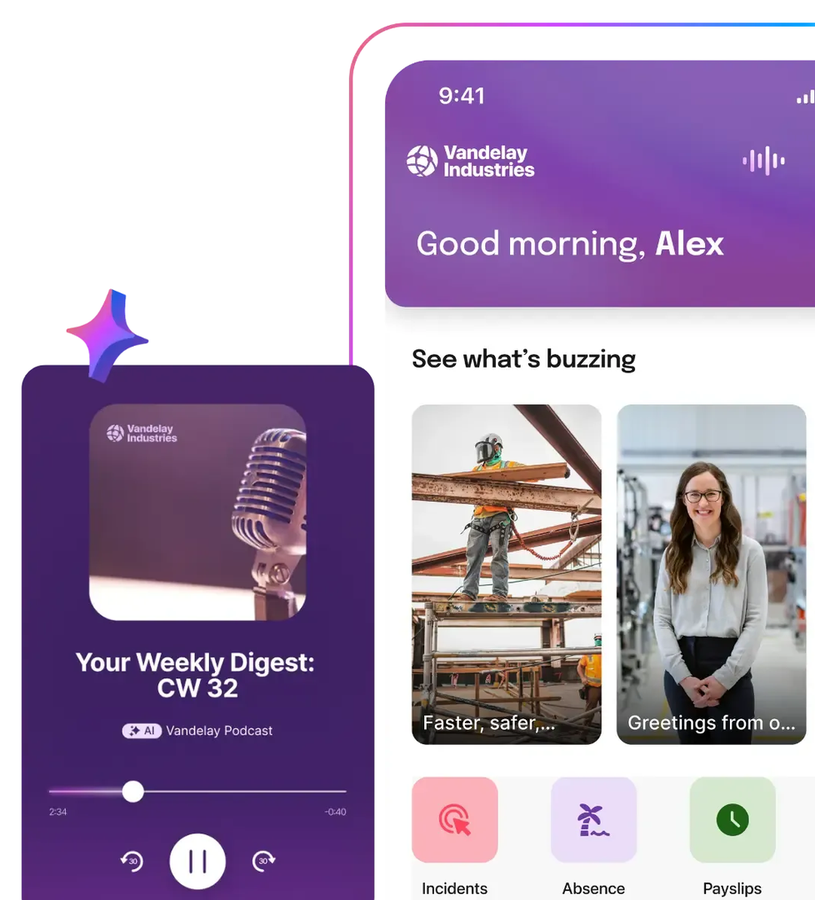
Staffbase publishes one update to the intranet, the mobile app, email, Microsoft 365 surfaces and SMS, which is the main reason mixed desk and frontline companies shortlist it.
Communicators target news to a department, team or jobsite. New users can sign in with a company or personal email address or an instant access code, so a corporate email isn't required. Staffbase publishes no price and says pricing depends on the workforce mix, with a tailored proposal after a first conversation. G2 reviewers praise ease of use and support, and the recurring complaints are limited customization and design options.
- you need one platform covering app, intranet, email, SMS and signage for a workforce where many people have no desk or company email
- you run Microsoft 365 or Workday and want policy updates delivered inside Teams and Outlook as well as the app
- you need a published USD price to budget quickly: we found none on Staffbase's pages, only a quote process
- you want a lightweight tool for a small team: Staffbase positions itself for enterprise configurations and G2 reviewers list limited customization and design options as a recurring negative
- Users like
- G2's aggregated review themes: ease of use, customer support, access ease, user interface design
- Users dislike
- G2's aggregated review themes: limited customization, limited design options, limited multimedia features, missing features
- Source: G2, 249 reviews
How an announcement runs in it
A communicator writes the update once and picks the audience. The same item can appear in the app and intranet, go out by email with read-rate reporting, appear in Teams or Outlook, and go to phones by SMS when it's urgent. Staffbase's own material describes acknowledgement tracking, but the published vendor pages didn't say which plan includes it or how it works over SMS, and we didn't find any approval workflow described. Ask for both in the demo.
- Starting price
- Not published; quote only
- Reach
- Intranet, mobile app, email, Teams and Outlook, SMS for urgent messages, digital signage
- Sign-in
- Company or personal email, or an instant access code
- Pricing model
- Shaped by workforce mix; tailored proposal after a first conversation
Workvivo
Workvivo, now part of Zoom (Workvivo by Zoom Limited), is an employee experience platform combining a social feed, intranet pages, chat, livestreams and AI tools.
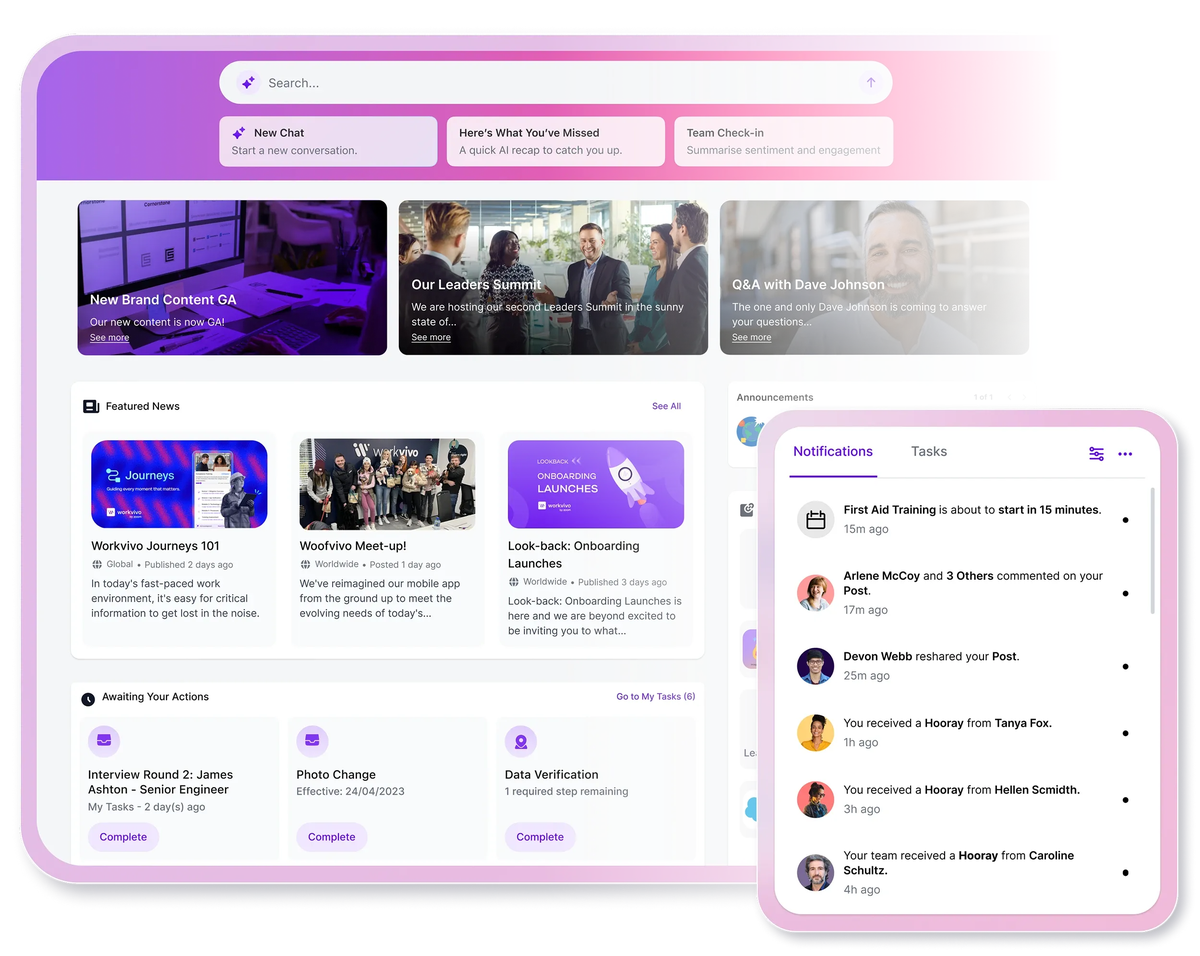
Workvivo is a social, mobile-first hub where an administrator can turn on Read and Acknowledge for a single post, which is the cleanest mandatory-read flow in this group.
Posts can be aimed at Everyone, Spaces, Teams or Locations. Workvivo has the highest G2 rating here, 4.8 from 2,717 reviews, and reviewers praise ease of use and engagement. The recurring complaints are slow loading and notification problems. We didn't find any pricing page or free trial on workvivo.com, so treat it as quote only.
- you want mandatory-read posts with a who-has-not-acknowledged report and reminders for policies
- you use Zoom, Microsoft 365 or a listed HRIS (BambooHR, Workday, Personio, HiBob, Gusto) and want a social feed employees actually open
- your frontline staff have no smartphone or app access: we found none of SMS, kiosk or QR options on Workvivo's pages
- you need a public USD price or trial: we found none on Workvivo's pages. G2 reviewers also mention notification problems and slow loading
- Users like
- G2's aggregated review themes: ease of use, engagement, employee engagement, communication, peer recognition
- Users dislike
- G2's aggregated review themes: slow loading, lack of notifications, notification issues, excessive notifications
- Source: G2, 2,717 reviews
How a mandatory-read post runs
With Read and Acknowledge on, the post is flagged as a mandatory read and each reader is prompted to acknowledge. The author gets a report of who has and hasn't acknowledged and can send reminders if they hold the Send Push permission, which is assigned through Workvivo. A pinned post that requires acknowledgement can't be unpinned from a reader's feed until they acknowledge it. These details come from summaries of Workvivo's help center, not the help pages themselves.
- Starting price
- Not published; quote only
- Required read
- Read and Acknowledge per post, with a report of who has not acknowledged
- Audience
- Everyone, Spaces, Teams or Locations
- HRIS
- BambooHR, Workday, Sage HR, Personio, HiBob, Gusto, Paychex, Dayforce and Justworks
Simpplr
Simpplr is an AI-powered employee experience platform built on an intranet, with newsletters, mobile access, recognition and employee listening modules.
Simpplr is intranet-first, and its must-read feature gives HR a per-person who-has-read-it export.
Simpplr's help center says important content can be flagged as must read so employees confirm they read it, with a reminder email on Mondays and a downloadable CSV of who has and hasn't read it. It integrates with Workday, UKG and Okta, among others. G2 shows 4.6 from 377 reviews, with ease of use as the recurring strength and limited customization and design options as the recurring complaint. Pricing is by quote, with a limited-space 14-day trial mentioned on the pricing page.
- you need must-read policy confirmation with a per-person read/unread export and your audience is the whole company or a public site's members
- your HRIS or identity stack is Workday, UKG, Okta or similar and you want an intranet-led platform rather than an email-first tool
- you need must-read targeting to a narrow group such as one department: per the help center it is only whole organization or site members, so you would need a dedicated segment or site
- you want published USD pricing or a self-serve start: we found only a quote form and a limited-space trial offer on Simpplr's pricing page
- Users like
- G2's aggregated positive themes for Simpplr: ease of use, helpful, features, collaboration, communication.
- Users dislike
- missing or lacking features and few design and customization options, per G2's negative theme tags
- Source: G2, 377 reviews

How a must-read policy runs
Per the help center, must read can go to the whole organization or to members of a public site only, so reaching one department means building a dedicated site or segment first. The awareness-check quiz on must-read content needs the paid Employee Listening add-on. Submissions from end users go through an approval step by a site owner, site manager or content manager. The frontline page lists reach through desktop, mobile, SMS and digital screens, but we didn't find any QR, kiosk or no-work-email signup described.
- Starting price
- Not published; quote only
- Must read
- Confirmation, Monday reminder email and a CSV of who has and has not read it
- Must-read audience
- Whole organization or members of a public site only
- Awareness check
- Needs the paid Employee Listening add-on
- Trial
- 14-day trials mentioned on the pricing page
Email-Led and Newsletter Tools
Some comms teams still run the program through email and newsletters, and that's fine. Poppulo and Axios HQ start there. Both fit companies where most employees have a work inbox, and both put the effort into drafting, targeting and measuring the message rather than into an intranet.
Poppulo
Poppulo is an employee experience platform covering internal email, a branded mobile app and intranet, employee advocacy and corporate and frontline digital signage.
Poppulo is the choice when your program is email-led and you also want a branded frontline app and digital signage from the same vendor.
Its pricing page lists Employee Communications with email, targeting, governance and approvals, workflow automation, SMS and HRIS integrations. Poppulo sells four separate quote-only offerings, with onboarding and training services priced separately. G2 shows 4.4 from 225 reviews. G2's summarized themes are ease of use and communication efficiency on the positive side, and limited features and limited customization on the negative side.
- your internal comms is email-led and you want targeting, governance and approvals, SMS and HRIS-fed lists in one offering
- you have shift staff without corporate email and want QR or SMS signup to an app plus signage at physical sites from one vendor
- you must collect policy acknowledgements per person: we found no acknowledgement tracking on Poppulo's pages, so confirm it in a demo
- you want one all-in-one price: Poppulo sells four separate offerings, each quote-only, with onboarding and training services priced separately
- Users like
- G2's aggregated positive themes: ease of use, communication efficiency, helpful, simple, customer support.
- Users dislike
- G2's aggregated negative themes: limited features, limited customization, missing features, formatting issues.
- Source: G2, 225 reviews

How an email-led program runs
A communicator builds an email or app post, targets it, and routes it through governance and approvals before it goes out. Poppulo's frontline material describes QR code or SMS signup to the branded app so employees can register without a corporate email, using an identifier such as an employee number, plus signage for sites without smartphone access. We didn't find any read-receipt or acknowledgement feature on the published vendor pages, and no step-by-step approval documentation, so confirm both in a demo if policy proof matters.
- Starting price
- Not published; quote only
- Offerings
- Four quote-only offerings, including Employee Communications and Employee Experience and Mobile App
- Governance
- Approvals and workflow automation listed under Employee Communications
- Frontline
- QR or SMS signup to the app without corporate email, plus signage
Axios HQ
Axios HQ is an AI-assisted internal communications platform built on the Smart Brevity format for planning, writing, sending and measuring internal newsletters and announcements.
Axios HQ turns leadership updates and newsletters into a drafting workflow, with AI first drafts, brevity scoring and approvals.
The owner drafts in the workspace, collaborators comment and approve, and the edition goes to email, Slack, Teams or SharePoint. Audiences can come from a CSV, directory sync or, on the Premier package, an HRIS sync through Finch for Workday, UKG, BambooHR and ADP. Pricing is by organization rather than per seat, with 5,000 messages a year in each package, and no USD price is published. G2 shows 4.7 from 120 reviews, praising the on-brand templates and ease of use and noting a rigid editor.
- you run an all-staff newsletter or leadership update program and want templates, Smart Brevity scoring and AI drafting
- your HRIS is on the Finch-supported list and you want audience lists to update automatically (Premier)
- your frontline staff have no work email, Slack or Teams: we found no SMS, app or kiosk delivery on Axios HQ's pages
- you need policy acknowledgement tracking: the published vendor pages show opens and clicks only, and we found no read-and-sign feature on Axios HQ's pages
- Users like
- Professional, on-brand look and Smart Brevity templates that make updates easier to read; ease of use
- Users dislike
- Limited customization and a rigid editor; one reviewer found it slow and glitchy, another found mobile editing awkward
- Source: G2, 120 reviews

How an edition runs
After sending, the analytics show opens, link clicks and poll responses per edition, with a Segments tab for comparing groups and peer benchmarks. They show opens and clicks, not a required acknowledgement, and we didn't find any SMS, app or kiosk delivery. That makes Axios HQ a strong fit for an all-staff newsletter to desk workers and a weak one for a safety notice to a warehouse floor.
- Starting price
- Not published; quote only
- Pricing model
- By organization, not per seat; 5,000 messages a year per package
- HRIS sync
- Premier only, via Finch, every 24 hours or 7 days
- Delivery
- Email, Slack, Teams, SharePoint and HTML export
Frontline and Deskless Apps
If a large share of your staff has no company email, the question isn't which intranet to buy, it's how people get an account at all. Beekeeper and Connecteam are built around that problem, and both let HR hand over access without an email address.
Beekeeper
Beekeeper is a mobile-first employee app for deskless workers that is now part of LumApps, and beekeeper.io redirects to a Beekeeper page on lumapps.com.
Beekeeper is built for the worker who has a phone number and no company email, and it lets HR print a QR invite instead of creating accounts one by one.
Admins can send login instructions by email or, for users with only a phone number, by SMS, and can generate personalized invite PDFs with a QR code. Beekeeper is now part of LumApps and beekeeper.io redirects there, so the packaging may change. It publishes no USD price. The only review source cited is TrustRadius, which shows 8 out of 10 from 8 reviews, so read that rating as a small sample. No G2 or Capterra page is cited.
- your frontline staff have no corporate email and you need to onboard them with printable QR invites or SMS login instructions
- you want a read-confirmation request on policy or safety messages with a one-click follow-up to people who have not confirmed
- you need a public price to budget: we found none on Beekeeper's or LumApps' pages, only a statement that existing customers keep their current pricing for now
- you want a settled product roadmap: beekeeper.io now redirects to LumApps, and the LumApps page says pricing for the combined offering will be refined, so packaging may change
- Users like
- Ease of use and a pleasant interface; the TrustRadius summary notes the app and web interface feel nearly the same
- Users dislike
- Price (one reviewer calls it the most dangerous thing) and occasional lag and a UI that could be more intuitive
- Source: TrustRadius, 8 ratings
How a campaign with read confirmation runs
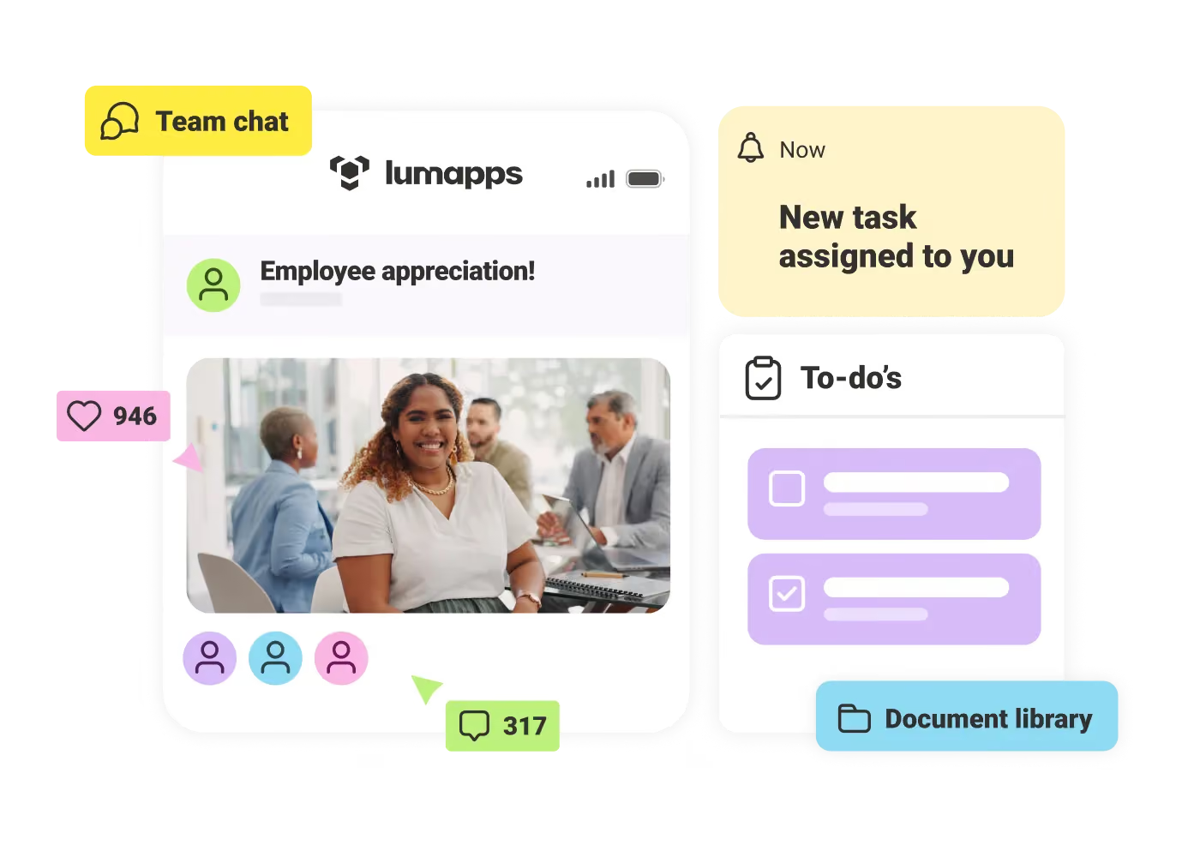
An admin goes to Engagement, then Campaigns, picks locations or groups, and can request a read confirmation, anonymize responses and schedule the send. The report shows how many users received, opened or replied, and the sender can follow up with people who haven't confirmed or opened, then export the results to Excel. SMS campaigns run through a Twilio integration and are arranged through Customer Success rather than switched on by default. The help center tells readers to check which plan includes Campaigns.
- Starting price
- Not published; quote only
- Read confirmation
- Optional per campaign, with follow-up to non-confirmers
- SMS
- SMS campaigns through a Twilio integration, arranged via Customer Success
- Ownership
- Part of LumApps; beekeeper.io redirects to lumapps.com/beekeeper
Connecteam
Connecteam is a mobile-first app for deskless teams that bundles scheduling, a time clock, checklists and chat, sold as hubs with a flat base fee.
Connecteam is the low-cost entry point for deskless teams, and the Communications Hub has its own price: from $29 a month for the first 30 users.
Basic is $29, Advanced $49 and Expert $99 a month for the first 30 users billed yearly, with per-user charges after that. A free plan covers up to 10 users, and there's a 14-day trial with no card. The phone number is the user's ID and email is optional, with SMS invites, a QR option and a Kiosk app for shared devices. G2 shows 4.6 from 3,506 reviews, with ease of use as the strength and missing features as the most common con.
- your staff work in the field or on a floor and need scheduling, GPS clock-in and checklists in one app
- you want a flat monthly fee for the first 30 users instead of a per-user price
- you run a restaurant that needs POS-driven labor budgeting: we found none on Connecteam's pages
- you want scheduling alone: the hub model adds modules you may not use
- Users like
- ease of use and a clean, visual design
- Users dislike
- an admin dashboard some reviewers find confusing, and frequent feature updates that are hard to keep up with, per Capterra
- Source: G2, 3,500 reviews
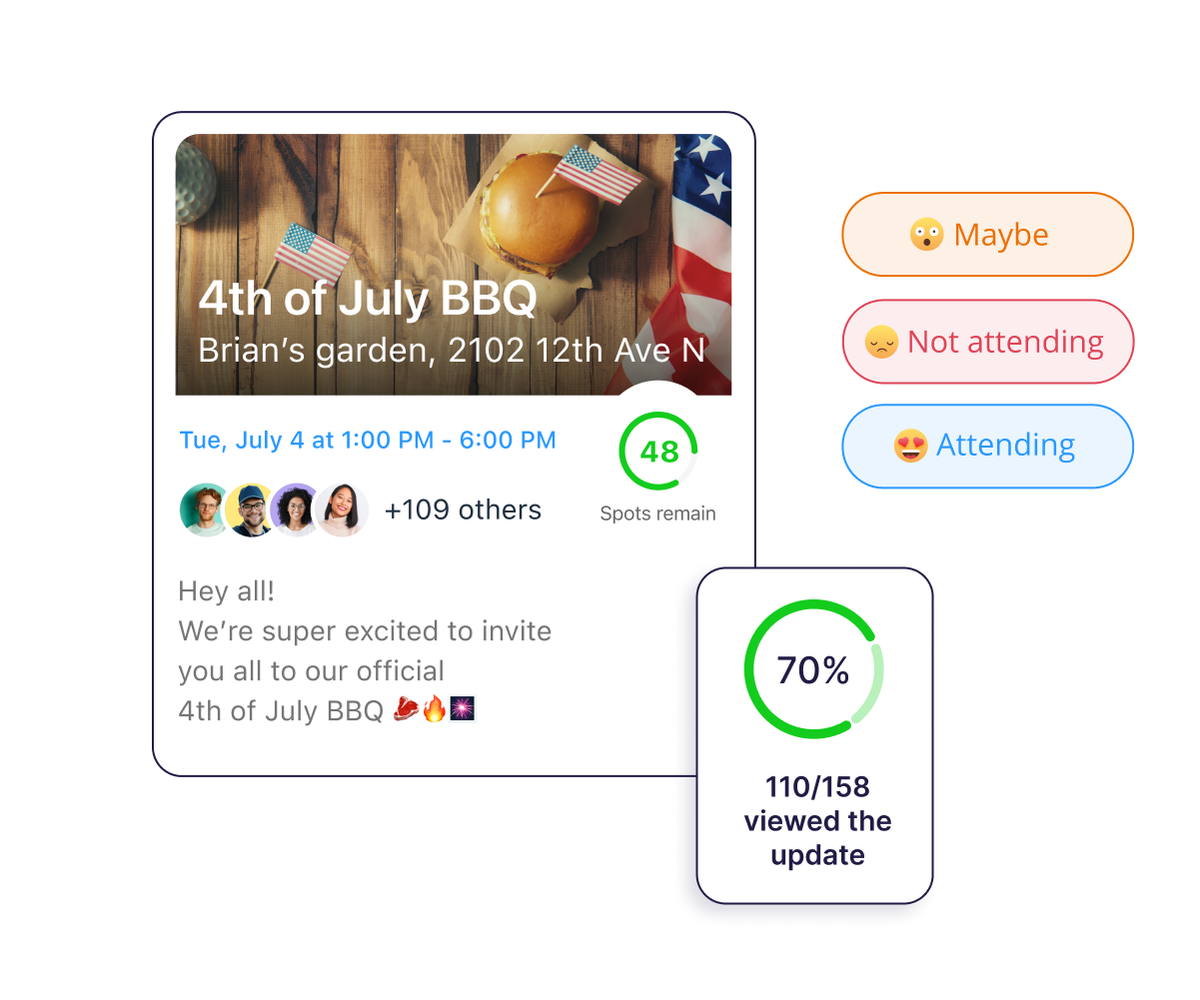
How an update with a confirm step runs
An admin creates an update from a template, chooses recipients and sets push, email or SMS notifications, with SMS using a purchased text budget. Reminders can go to people who haven't viewed it, and the admin sees who read it and when. On Expert and above a pop-up update forces the employee to confirm before continuing, and the insights page shows who confirmed. We didn't find any read-and-sign acknowledgement inside Updates, and no Okta, Entra, Slack or Teams integration named on the integrations page.
- Starting price
- Free for up to 10 users; Operations hub from $29 per month for the first 30 users
- Plans
- Operations hub Basic $29, Advanced $49, Expert $99 per month for 30 users
- Integrations
- ADP RUN, QuickBooks and Xero
- Geofences
- Up to 10 on Advanced and unlimited on Expert, radius adjustable
- Communications Hub
- Basic $29, Advanced $49, Expert $99 per month for the first 30 users
- Read confirmation
- Pop-up updates that force a confirm are on Expert and above
- Phone-based access
- Phone number is the user ID; SMS invites, QR codes and a shared-device kiosk
Chat Tools You Already Pay For
Plenty of companies announce things in Slack or Teams, and for desk-based teams that can be enough. The limit isn't conversation, it's proof and reach. They're built for conversation, so HR gets announcements and forms but little per-message evidence.
Slack
Slack is a channel-based messaging platform from Salesforce with canvases, clips, huddles and a no-code Workflow Builder.
If your people already live in Slack, a restricted announcements channel plus Workflow Builder forms covers more than most HR teams expect.
Slack has a free plan with 90-day message history, Pro at $7.25 per user per month billed annually ($8.75 monthly) and Business+ at $15 ($18 monthly). Only members active in a 28-day period are billed. The pricing page limits posting restrictions to #general on Free and Pro, and any channel on Business+ and Enterprise+. G2 shows 4.5 from 40,271 reviews. TrustRadius reviewers praise integrations and real-time messaging, and repeatedly cite noisy notifications and too many channels burying important information.
- your employees are already in Slack all day and HR only needs channel announcements plus form-based requests
- you want policy canvases with embedded PTO or IT request workflows without buying a separate intranet
- you must prove who read or acknowledged a policy: we found no read-receipt or acknowledgement feature on Slack's pages
- you have frontline staff without work accounts or devices: we found no SMS, QR or kiosk reach on Slack's pages
- Users like
- TrustRadius reviewers praise integrations with other tools and real-time messaging in channels; one says Slack keeps account conversations in one place and cuts Zoom meetings.
- Users dislike
- TrustRadius reviewers repeatedly cite noisy notifications and too many channels burying important information.
- Source: G2, 40,271 reviews
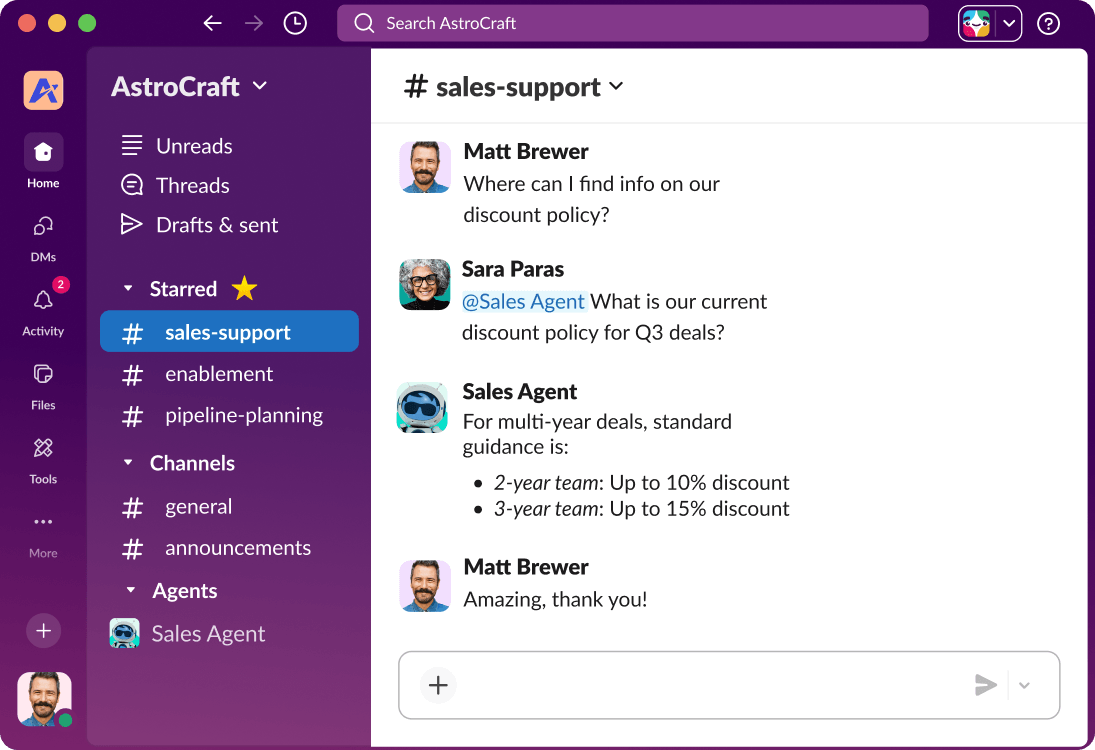
How an HR announcement runs
HR posts the announcement in a channel and keeps the policy in a canvas, which can embed a Workflow Builder button such as a PTO request. Workflow Builder is paid-only and supports scheduled and action triggers, forms and connector steps, so a recurring reminder or an acknowledgement form is possible. A form response is the closest thing to a recorded acknowledgement, because we didn't find any read receipt or acknowledgement feature on Slack's pages. We also found no SMS, QR or kiosk path for people without a Slack account.
- Starting price
- Free plan; Pro $7.25 per user per month billed annually ($8.75 monthly); Business+ $15 ($18 monthly); Enterprise+ by quote
- Workflow Builder
- Paid plans only: scheduled triggers, forms and connector steps
- Posting limits
- Restricting who posts beyond #general needs Business+ or Enterprise+
- Billing
- Only members active in a 28-day period are billed
Microsoft Teams and Viva Engage
Teams is Microsoft's chat and meetings app, and Viva Engage is its community and leadership communication layer, available as an app in Teams.
Microsoft Teams carries the chat, and Viva Engage adds leader announcements to targeted audiences, but most of the communications features sit behind an extra license.
Teams Essentials is $4 and Microsoft 365 Business Basic $7 per user per month billed yearly. Microsoft's documentation marks the leadership corner, campaigns and full analytics as Viva Suite features, and we didn't find the Viva license price on a Microsoft page. Viva Engage has 3.6 on G2 from 1,440 reviews. TrustRadius reviewers say it improves company-wide communication, and the complaints are an interface they call less intuitive and engaging, and old posts that are hard to find.
- you already pay for Microsoft 365 and want leaders to post to targeted audiences inside Teams and Outlook
- you can budget the Viva Suite or Communities and Communications license for leaders and comms staff
- you need a leadership corner or announcement analytics without extra licensing: Microsoft marks those as Viva Suite features
- you need acknowledgement tracking for policies: we found none on Microsoft's Viva Engage pages
- Users like
- TrustRadius reviewers say Viva Engage improves internal communication and supports organization-wide announcements and employee engagement.
- Users dislike
- TrustRadius reviewers say the interface is less intuitive and engaging, and old posts are hard to find amid information overload; for Teams, reviewers cite a clunky interface and lag.
- Source: G2, 1,440 reviews
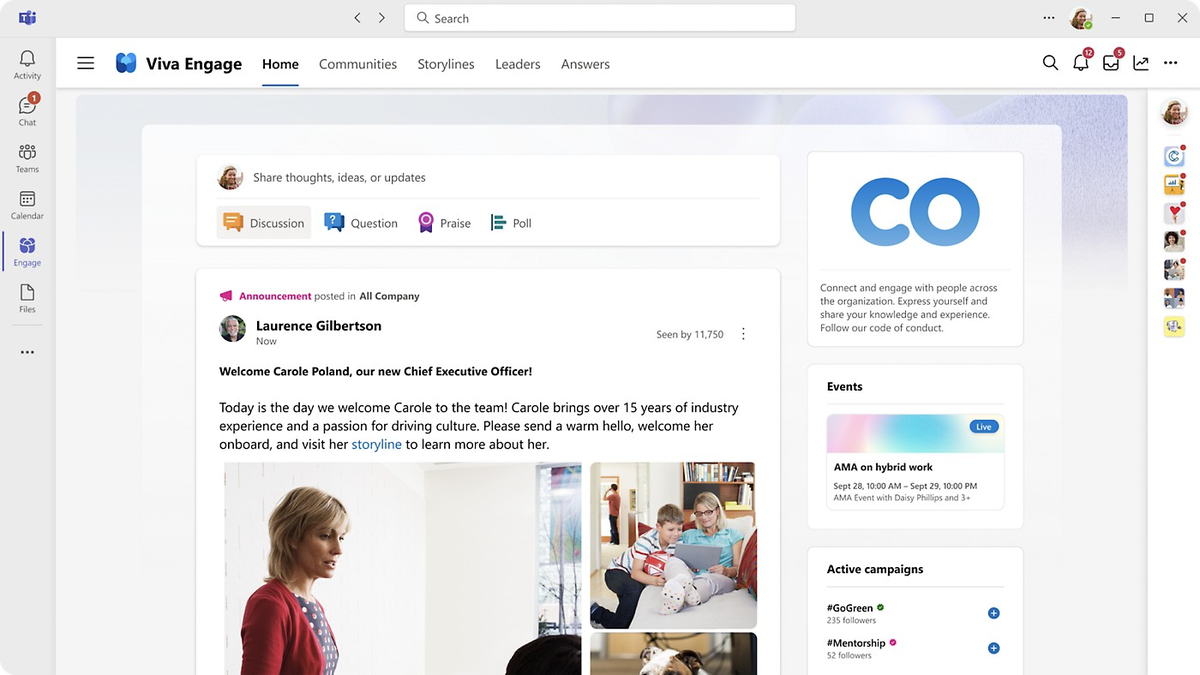
How a leader announcement runs
An identified leader gets an audience built from reporting lines, groups or attributes, then posts an announcement with notifications through Teams, Outlook or Viva Engage. Leaders can add up to 40 audiences, and audience analytics need a primary audience of at least 5 people. An identified leader without the Viva Suite or Communities and Communications license only gets storyline and stories. We didn't find any per-person read receipt or policy acknowledgement, and couldn't verify any SMS, QR or kiosk path for frontline staff.
- Starting price
- Teams Essentials $4, Microsoft 365 Business Basic $7 per user per month billed yearly; the Viva license for leadership features is priced separately
- Announcements
- Storyline announcements to audiences built from reporting lines, groups or attributes
- Licensing
- Leadership corner, campaigns and full analytics are marked as Viva Suite features
- Limits
- Leaders can add up to 40 audiences; audience analytics need an audience of at least 5
How Much Does Internal Communications Software Cost?
Internal communications software prices are public for only three of the nine tools, which is why the budget conversation starts with a sales call for most buyers.
| Tool | Published price (USD) | Pricing model |
|---|---|---|
| Connecteam | Free to 10 users; Communications Hub $29, $49 or $99 a month for the first 30 users, billed yearly | Flat fee for 30 users, then per user |
| Slack | Free; Pro $7.25 and Business+ $15 per user per month, billed annually | Per active user |
| Microsoft Teams and Viva Engage | Teams Essentials $4 and Business Basic $7 per user per month, billed yearly; Viva license not found | Per user, with a separate license for leadership features |
| Axios HQ | Not published | By organization, 5,000 messages a year per package |
| Staffbase | Not published | Shaped by workforce mix |
| Workvivo, Simpplr, Poppulo, Beekeeper | Not published | Quote only |
When you request quotes, ask for the same things from every vendor: the plan that includes required acknowledgement, whether SMS is metered, what implementation and training cost, and whether the HRIS sync is in the base price or a higher package. The Axios HQ and Beekeeper answers in particular depend on the package.
How to Choose Internal Communications Software
- Staff with no company email or work deviceBeekeeper, Connecteam or Staffbase
- Per-person proof that a policy was readWorkvivo, Simpplr or Beekeeper
- An all-staff newsletter to desk workersAxios HQ or Poppulo
- One platform for app, intranet, email and signageStaffbase or Poppulo
- A deskless team on a small budgetConnecteam
- Everyone already in Microsoft 365Teams with Viva Engage, plus the license
- Everyone already in Slack and HR only needs announcements and formsSlack
The best way to reach employees is the channel they already open during their shift, with a second channel for anything that needs proof. Work backward from your three most common message types, such as policy changes, safety alerts and benefits deadlines. For each one, write down the audience, including anyone with no work email, then ask each vendor to show that message going out and the report that comes back. The report is where the tools differ most.
Where Onboarding Coordination Fits Next to These Tools
Where onboarding coordination fits next to these tools comes down to one gap: an internal communications platform tells people things, and it doesn't know that a new starter's laptop is on backorder or that an access request is waiting for an identity that doesn't exist yet. The People Ops Manager covers that gap: it coordinates onboarding and offboarding across HR, IT, finance and hiring managers, and it works alongside your HRIS and comms tools. Reminders it sends through Slack wait for a recorded approval. For the onboarding side of the lifecycle, our guides to employee onboarding software, the onboarding process and the employee onboarding checklist go further. If the policy you need to announce is the handbook, start with our employee handbook template.
Frequently Asked Questions
What is internal communications software?
Internal communications software is the system a company uses to send messages to its own employees and measure what happened to them. It covers company news, policy updates, leadership posts, newsletters and alerts, delivered through an app, an intranet, email, chat or SMS.
How much does internal communications software cost?
Internal communications software costs whatever the vendor quotes, because most vendors don't publish a price. Of the nine tools here, Connecteam lists $29, $49 and $99 a month for the first 30 users on its Communications Hub, Slack lists $7.25 per user per month on Pro billed annually, and Microsoft lists Teams Essentials at $4. Staffbase, Workvivo, Simpplr, Poppulo, Axios HQ and Beekeeper sell by quote.
Can internal communications software prove who read a policy?
Internal communications software can prove who read a policy in some cases. Workvivo's Read and Acknowledge, Simpplr's must-read feature, Beekeeper's read confirmation and Connecteam's pop-up update on Expert and above record a confirmation. Others track opens or reads only. Ask each vendor to show the report you'd file as evidence.
How do you reach employees who have no company email?
Use a tool that signs people in with something other than a work email. Connecteam uses the phone number as the user ID and offers a shared-device kiosk, Beekeeper can send SMS login instructions and printable QR invites, Staffbase accepts an access code, and Poppulo describes QR or SMS signup.
Is Slack or Microsoft Teams enough for internal communications?
Slack or Microsoft Teams is enough for internal communications at a desk-based company that doesn't need proof of reads. Both handle announcements and quick forms. The gaps are per-person read or acknowledgement evidence, which we didn't find on either vendor's pages, and reach for staff without accounts.
What is the difference between an intranet and an employee communications app?
An intranet is a company site for news, documents and policies that people visit. An employee app pushes messages to a phone and works for people without a desk. Platforms such as Staffbase, Workvivo and Simpplr combine both.