The best HR service delivery software depends on where your employee questions land today and who has to answer them. A 300-person company that runs everything through a shared HR inbox needs a ticketing queue with a knowledge base. A 10,000-person employer with an HR shared services center needs tiers, SLAs and confidential case types. A team that already owns an IT service desk may only need an HR request catalog on top of it. This page compares eight tools, grouped by what kind of product they are, and it looks at how each one turns a question into a routed, measured case.
Prices and features come from vendor pricing pages, product pages, documentation and review sites read on November 2, 2026. Five of the eight vendors publish no price, so we say "quote only" instead of repeating a third party's estimate. We didn't run hands-on trials, so every entry describes documented features and says so where a page wasn't available or was silent.
- tools compared
- 8
- publish no price
- 5
- publish a per-agent price
- 3
- offer a free plan or trial
- 4
Best HR Service Delivery Software by Situation
 Best for large HR operations that already run ServiceNowServiceNow HR Service DeliveryHR cases, an Employee Center portal and journeys on the same platform as IT, with cross-team SLAs.
 Best if Workday HCM is your system of recordWorkday HelpCases and knowledge on the same worker record, with routing rules and per-team SLAs.
 Best if Employee Central is your HRISSAP SuccessFactors Enterprise Service ManagementTickets and a service representative workspace built on live Employee Central data.
 Best for a dedicated case layer on top of an HRISNeocase HRAn SLA engine, 27-language portals and routing by workload and skills over Workday, SAP or Oracle.
 Best when HR and IT share one service deskFreshserviceA request catalog and onboarding kits from $19 per agent per month billed annually.
 Best for small HR teams and Atlassian shopsJira Service ManagementAn HR service template that is included on the free plan for up to 3 agents.
 Best for AI agents with usage-based pricingZendeskA portal, catalog and AI agents from $29 per agent per month, with extra resolutions billed per use.
 Best for an AI agent that acts on HR transactionsLeena AIChat across Slack, Teams, SMS and voice that reads and writes in your HRIS.
HR Service Delivery Software at a Glance
| Tool | Type | Starting price (USD) | Rating |
|---|---|---|---|
| ServiceNow HR Service Delivery | Enterprise HR case management | Quote only | 4.3 (427) |
| Workday Help | HCM suite with built-in HR case management | Quote only; needs Workday HCM | 4.2 (2,490) |
| SAP SuccessFactors Enterprise Service Management | HRIS-attached HR service management | Quote only | No reviews yet |
| Neocase HR | Enterprise HR case management and HR service delivery | Quote only | 4.3 (Capterra, 7) |
| Freshservice | IT and employee service management with HR modules | $19 per agent per month billed yearly; 14-day trial | 4.6 (1,377) |
| Jira Service Management | Service management with HR service desk template | Free for 3 agents; $21.50 per agent for Standard | 4.3 (994) |
| Zendesk | Help desk adapted for HR and employee service | $29 per agent per month billed yearly | 4.3 (7,120) |
| Leena AI | AI agent for HR helpdesk and employee service | Quote only | 4.5 (Capterra, 13) |
 The People Ops Manager Our product | Onboarding coordination | Subscription via Stripe Checkout, card required | No reviews yet |
Ratings come from G2 unless marked Capterra. Where a rating describes a wider product than the HR tool, the cell says so.
What Is HR Service Delivery Software?
HR service delivery software is the system an HR team uses to receive, route, answer and measure employee questions and requests. Workday defines HR service delivery as the solutions, processes and models a company uses to deliver services to employees, covering everything from benefits questions to career advice across the lifecycle from onboarding to exit. The software side has four parts: a portal and knowledge base where employees look for answers first, case management where a request becomes a tracked item with an owner, rules that route it to the right team, and reporting on how long it took.
It isn't the same thing as an HRIS, and the difference is very practical. An HRIS such as those in our guides to HRIS software and HR software stores the employee record and runs core HR and payroll. HR service delivery software handles the conversation around that record: "where is my payslip", "I need an employment letter", "how much parental leave do I have". It also differs from an IT service desk, although two of the tools here, Freshservice and Jira Service Management, started there and added HR templates.
- Decide first whether you want a case system inside your HRIS (Workday Help, SAP SuccessFactors), a dedicated layer on top of it (ServiceNow, Neocase) or a service desk adapted for HR (Freshservice, Jira Service Management, Zendesk).
- Five of the eight vendors publish no price. Freshservice, Jira Service Management and Zendesk are the three you can budget from without a sales call.
- Plan gating matters more than the headline price: Freshservice's catalog starts on Growth and its onboarding kits are configured on Pro, and Zendesk's portal, catalog and SLAs start on Growth.
- Check who can see a case. HR cases hold pay, health and conduct data, and each tool restricts sensitive cases in a different way.
HR Service Delivery Models and Tiers
Workday describes four delivery models. In the traditional model a team of HR generalists handles everyday needs, usually regionalized. In the shared service model generalists and specialists sit in one HR shared-service center. In the self-service model employees use an intranet, a chatbot or digital journeys. Tiered delivery combines the shared service and self-service models, so HR only handles requests that can't be automated, and Workday says this is most common at enterprise companies.
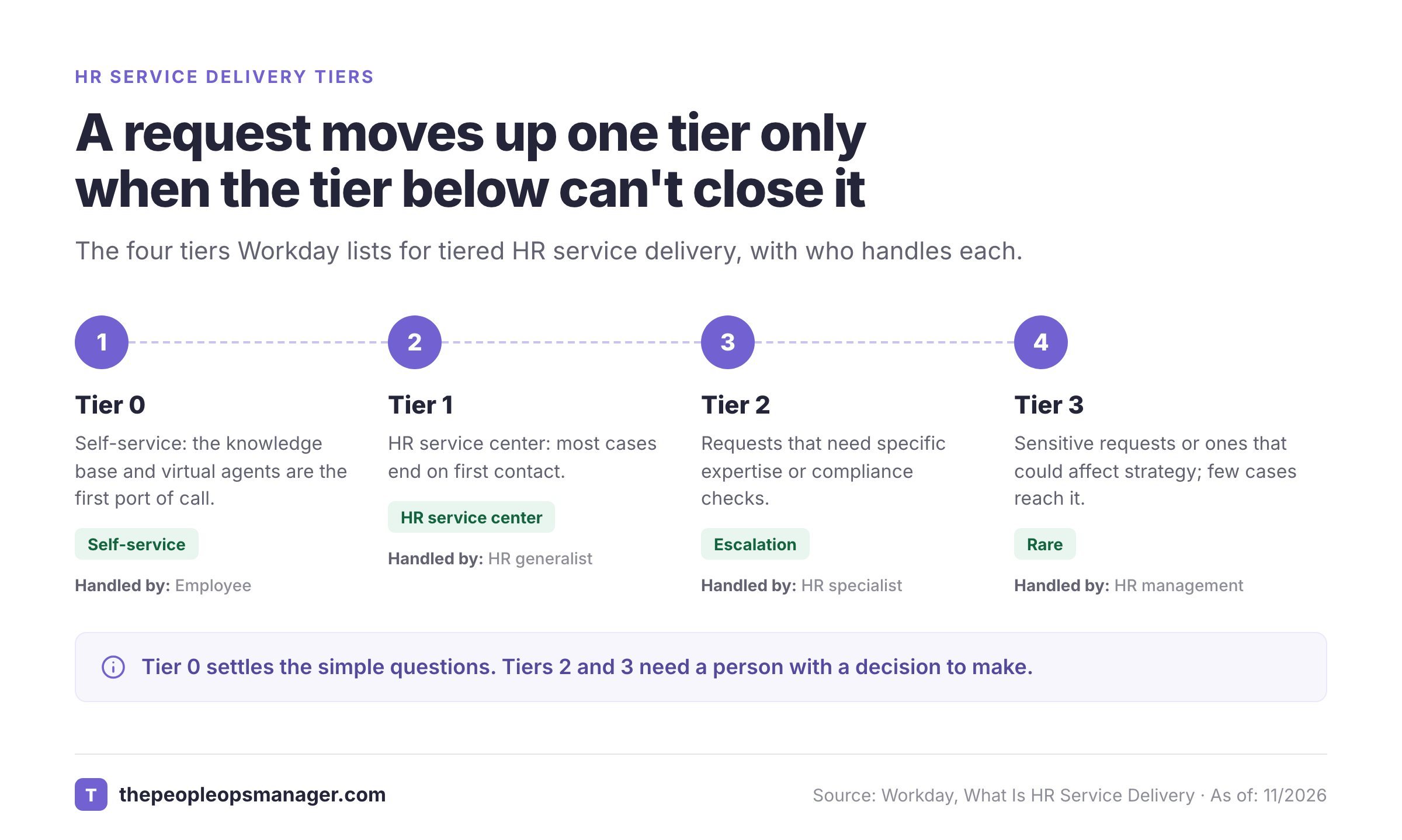
The tiers Workday lists run from zero to three:
- Tier 0, self-service. The company knowledge base and virtual agents are the first port of call.
- Tier 1, HR service center. An HR generalist answers, and most cases end on first contact.
- Tier 2, HR specialist. Requests that need specific expertise or compliance checks.
- Tier 3, HR management. Sensitive requests or ones that touch strategy, which few cases reach.
An interview on SSON cites a Gartner split of about 66 percent of inquiries resolved at tier zero, 28 percent at tier one and 6 percent escalated to tier two. We couldn't read the Gartner source, so treat those figures as an illustration of the shape, not a benchmark for your company. Every tool below implements some version of these tiers, but the differences show up in how it routes a case from one tier to the next. Tier 0 settles the simple questions, whereas tiers 2 and 3 need a person with a decision to make.
What Each Tool Covers
Most comparison pages call every tool "employee self-service" and stop there. The table below sorts the eight tools on what their own documentation says about case handling, the knowledge base and portal layer, the HRIS link and onboarding. It shows why a payroll platform with a self-service portal isn't the same product as a case management system. Where a page was silent the cell says "not described" instead of guessing.
| Tool | Case routing | Knowledge base | HRIS link | Onboarding |
|---|---|---|---|---|
| ServiceNow HR Service Delivery | HR cases with AI routing and categorization; sensitive data limited to HR roles | Employee Center portal shared with IT and workplace services | External: spokes for Workday HR, Oracle HCM and SuccessFactors | Lifecycle Events and Journey Designer across HR, IT and Workplace Services |
| Workday Help | Routing rules to service teams, SLAs per team, confidential case types | Workday Help, Assistant and knowledge articles in Workday Search | Built into Workday HCM; needs a Workday tenant | Separate: Workday Journeys list onboarding and termination as use cases |
| SAP SuccessFactors Enterprise Service Management | Tickets routed to HR teams in a service representative workspace; AI classification | Ask HR page; knowledge from a partner such as SharePoint | Designed around SuccessFactors Employee Central | Not described as a task engine on the pages we read |
| Neocase HR | Case Management with an SLA engine, OLAs and escalations; routing by workload and skills | Portal in 27 languages with an AI knowledge base | Layer on top of Workday, SAP SuccessFactors, Oracle HCM, ADP, Dayforce and others | Separate Employee Journey solution |
| Freshservice | Tickets routed to restricted HR agent groups; SLAs per request type | Service catalog from Growth; knowledge base | Standalone; Workday and BambooHR connectors on Pro and up | Onboarding kits with child tickets; configured on Pro and up |
| Jira Service Management | Queues from an HR template; restricted sensitive cases | Portal and Confluence knowledge base | Standalone; Workday is the only HRIS named | Journeys; plan tier not confirmed |
| Zendesk | Tickets with SLAs from Growth and skills-based routing from Professional | Portal and catalog from Growth; AI-powered search | Standalone; Workday is the only HRIS named | Task-list templates; tasks and approvals from Growth |
| Leena AI | Helpdesk with SLA policies behind an AI agent | Chat across many channels; knowledge articles generated from closed tickets | Reads and writes in the HRIS through integrations | Onboarding task tracking and a separate onboarding product |
Two patterns stand out. Rather than a long feature list, the real question is how much of this your HRIS already gives you. Only Workday Help and SAP's offering are built into an HRIS, which is why both need that HRIS. And the three service desks all cap their HRIS connections at Workday or, for Freshservice, Workday and BambooHR, on the pages we read, so a team on another HRIS should ask each vendor for its connector list before a demo.
From Question to Closed Case: Who Owns Each Step
A tool only helps if each step has an owner. The sequence below is the path of a typical benefits or payroll question through a tiered model. The steps are the same in every product here. What differs is whether the tool assigns the owner for you, as Workday and Neocase do with routing rules, or leaves it to a queue and an agent group that you build.
- EmployeeSearches the portal or asks the chatbot; most simple questions end here at tier 0 minute 0
- HR operationsKeeps the knowledge articles current and reviews which searches found nothing weekly
- HR generalistTakes the case at tier 1, answers from the record and closes it on first contact where possible within the SLA
- HR specialistTakes cases that need compliance checks or a decision, such as leave law or a pay correction tier 2 SLA
- Payroll, IT or facilitiesGets a hand-off task for anything outside HR, such as a payroll fix or an equipment request on routing
- HR leaderHandles sensitive or strategy-impacting cases personally, with restricted visibility tier 3
- HR operations leadReviews resolution time, SLA misses, satisfaction and tier 0 resolution rate and fixes the knowledge gaps behind them monthly
How We Compared the Tools
We looked at eight tools and read the same four kinds of source for each where they were available: a pricing page, a product or feature page, a help center or documentation page, and a review source. We recorded the same facts for every tool, which are the columns in the matrix above.
- Evidence. Everything is dated November 2, 2026. Where a page wasn't available or didn't say, the entry says "we found none" rather than claiming the feature doesn't exist.
- Ratings. G2 star ratings and review counts were read from each product's G2 page. Neocase and Leena AI use Capterra because G2 pages weren't available. Review text didn't load for several products, so praise and complaint lines are G2's or TrustRadius's summarized themes, not quotes, and some ratings describe a wider product than the HR tool, which each entry says.
- Left out. PeopleManagingPeople's list for this keyword includes payroll and PEO platforms such as Justworks and Paylocity. The same page scores Justworks 0 out of 5 on HR case management and on SLA and tier routing, so we didn't include tools that don't handle cases. Applaud and Dovetail Software also appear in that list, and we didn't cover them.
- No sponsored placements. We didn't use affiliate links and don't link to vendor sites.
Enterprise HR Case Management Suites
ServiceNow, Workday Help, SAP SuccessFactors Enterprise Service Management and Neocase are built for HR teams with tiers, specialists and sensitive case types. They suit employers with thousands of employees and someone to configure the system. None of them publishes a price.
ServiceNow HR Service Delivery
ServiceNow HR Service Delivery (HRSD) is a suite on the ServiceNow AI Platform for HR case and knowledge management, an Employee Center portal, lifecycle events and journeys, HR documents and AI agents.
ServiceNow HR Service Delivery is the broadest suite here: HR case and knowledge management, an Employee Center portal, lifecycle events and journeys, HR documents and AI agents on one platform, with no published price.
G2 shows 4.3 from 427 reviews. G2's summarized tags list ease of use, HR management, efficiency and features as strengths, and limited customization, cost and a steep learning curve as weaknesses. G2 also reports an average implementation time of 5 months. ServiceNow completed its acquisition of Moveworks on December 15, 2025, and we found no statement on how Moveworks is packaged with HR Service Delivery, so ask the sales team what an AI front door costs.
- you already run ServiceNow for IT and want HR, IT and workplace requests in one portal with cross-team SLAs and hand-offs
- you have a large, multi-country HR operation with specialist tiers, sensitive case types such as employee relations, and admin capacity to configure a platform
- you want a published USD per-agent price: we found none on ServiceNow's pages, and G2 reviewers tag it as expensive
- you want a light setup: G2 reports a 5 month average implementation time and reviewers tag a steep learning curve and limited customization
- Users like
- G2's aggregated tags list ease of use, HR management, efficiency and features
- Users dislike
- G2's aggregated tags list limited customization, expensive and a steep learning curve
- Source: G2, 427 reviews
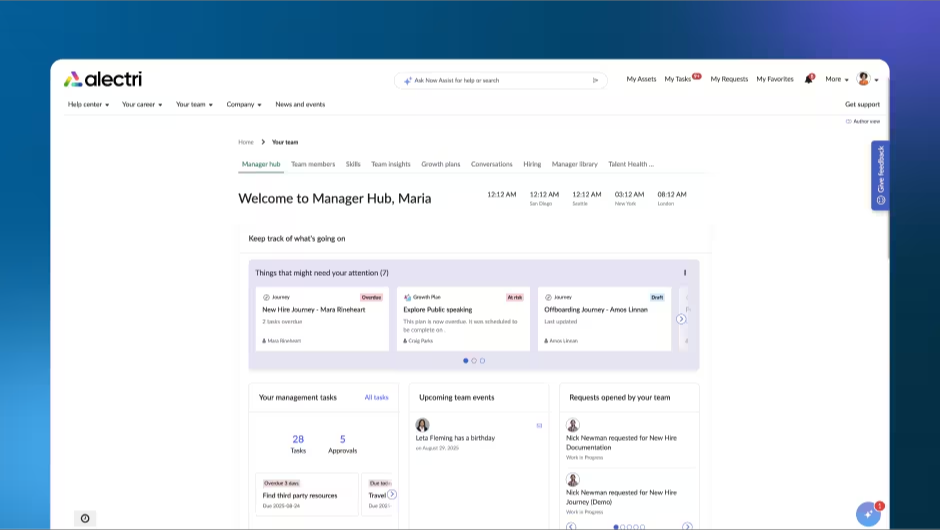
How a case moves through it
Employees start in Employee Center, a portal shared by HR, IT and workplace services, or in a conversational AI front door. Requests that need a person become HR cases in the Case and Knowledge Management app, which ServiceNow says uses AI-based routing and categorization and restricts sensitive HR data to HR roles. HR agents work cases in HR Agent Workspace, with case details in one pane, phone and chat, and Agent Assist recommendations. Lifecycle Events and Journey Designer bundle tasks, approvals and communications for events such as New Hire across HR, IT and Workplace Services, with reminders and progress tracking. HR Documents covers document generation, e-signature and retention. ServiceNow's product checklist names Workday HR, Oracle HCM and SuccessFactors integrations, and Amazon Connect for voice. We found no named Slack or Teams support for HR Service Delivery on the pages we read. Workforce Optimization and Process Mining for HR Service Delivery cover forecasting and process analysis, and the pages don't say which plan includes them.
- Starting price
- Quote only: USD price not published
- Implementation
- 5 months on average, per G2
- Case access
- Sensitive HR data restricted to HR roles
- Pricing
- Not published
Workday Help
Workday Help adds case management and knowledge management inside Workday HCM, so HR cases are created and resolved on the same worker record, with AI agents (Sana) on top.
Workday Help adds case and knowledge management inside Workday HCM, so an HR case sits on the same worker record as the employee's job, location and manager. It runs on a Workday HCM tenant and has no published price.
G2's 4.2 from 2,490 reviews is for Workday HCM as a whole, not for Help, so treat it as a signal about the suite. G2's tags for the suite list ease of use and comprehensive features as strengths, and a learning curve, limited customization and difficult navigation as weaknesses. Workday's admin guide says extra steps may be needed to enable Help depending on your subscription agreement, and we couldn't confirm whether it's part of base HCM or licensed separately.
- you already run Workday HCM and want HR cases to see the worker record, security model and org structure without syncing a second system
- you need confidential case types and per-team SLAs inside the HRIS, and have Workday admin capacity to configure routing rules and business processes
- you do not use Workday HCM: we found no standalone case management product on Workday's pages
- you need a published price or want to include IT and facilities in the same queue: Workday publishes none, and its case management is described as HR-focused with hand-offs through business processes
- Users like
- for the Workday HCM suite as a whole, G2 tags list ease of use, comprehensive features and HR management
- Users dislike
- for the suite as a whole, G2 tags list poor interface design, a learning curve, limited customization and difficult navigation
- Source: G2, 2,490 reviews
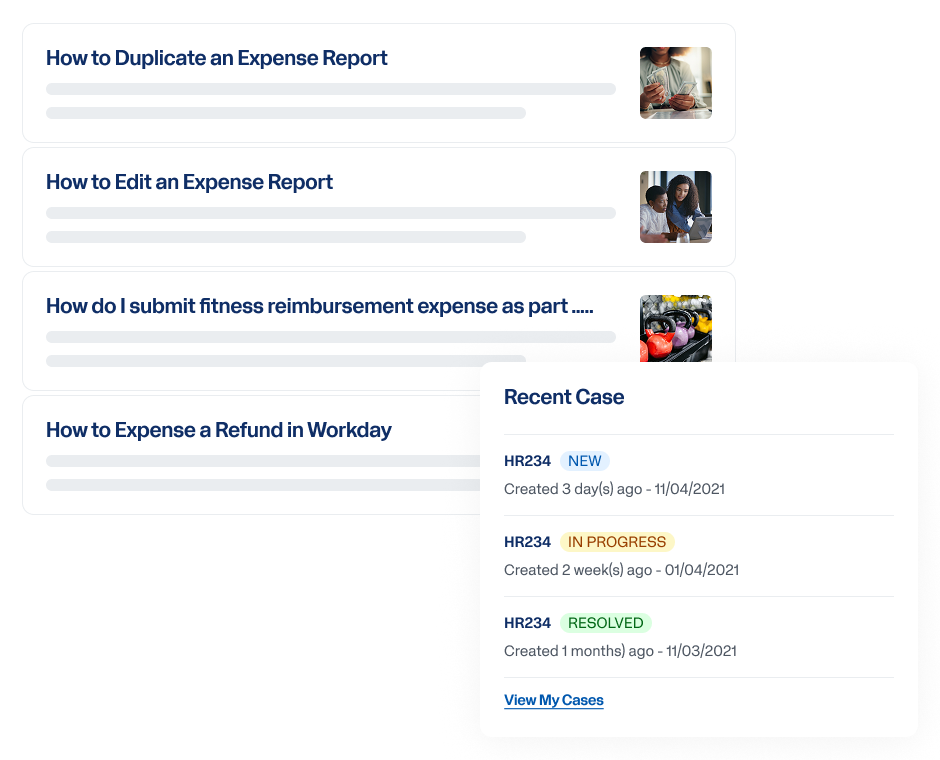
How a case moves through it
Employees see suggested knowledge articles and Workday tasks, then create a case from Workday Help, Workday Assistant, Workday for Slack, Workday for Microsoft Teams or email, where the tenant allows it. Routing rules assign each case to a service team, with a default team when no rule matches, and one case solver owns a case at a time. SLA metrics are set per service team, and the clock runs from case creation even if the case is reassigned. Closing a case triggers a satisfaction survey configured in the Resolve Case business process. Confidential case types can be routed to specific teams and are visible only to workers with Confidential Help Cases access. Workday's product page lists AI case assignment and classification, case summaries and its Sana agents. Onboarding is separate: Workday Journeys list employee onboarding and termination as use cases, but case management itself doesn't run those tasks.
- Starting price
- Quote only: USD price not published
- Requires
- Workday HCM tenant
- Channels
- Workday Help, Assistant, Slack, Teams, email
- Case owner
- One case solver at a time
SAP SuccessFactors Enterprise Service Management
SAP SuccessFactors Enterprise Service Management is SAP's AI-powered HR service management offering for self-service tickets, routing and a service representative workspace built on live Employee Central data; SAP's 2024 feature scope document describes the earlier Employee Central Service Center with the Ask HR page.
SAP SuccessFactors Enterprise Service Management is SAP's HR ticketing and service representative workspace, built on live Employee Central data, with no published price.
G2 has a single review for the earlier Employee Central Service Center listing, which is too few to rate, so we give no rating. SAP's product page says the 30-day SuccessFactors HCM trial includes Enterprise Service Management. We couldn't confirm whether it's a renamed Service Center. SAP's 2024 feature scope document describes the earlier product, and it says some features depend on the license agreement, with packages and pricing in SAP Discovery Center, which we didn't read.
- you already run SuccessFactors Employee Central and want cases routed with live employee records, org structure and policies from the same suite
- you want SAP's Joule for ticket deflection and case drafting and have SAP BTP or Fieldglass in your landscape for workflow hand-offs
- you do not use SuccessFactors Employee Central: SAP positions it with Employee Central as the data source and we found no standalone option on SAP's pages
- you need a public price or a self-serve setup: we found no USD price on SAP's pages (it points to SAP Discovery Center and sales), and the knowledge base depends on a partner integration you license separately
How a ticket moves through it
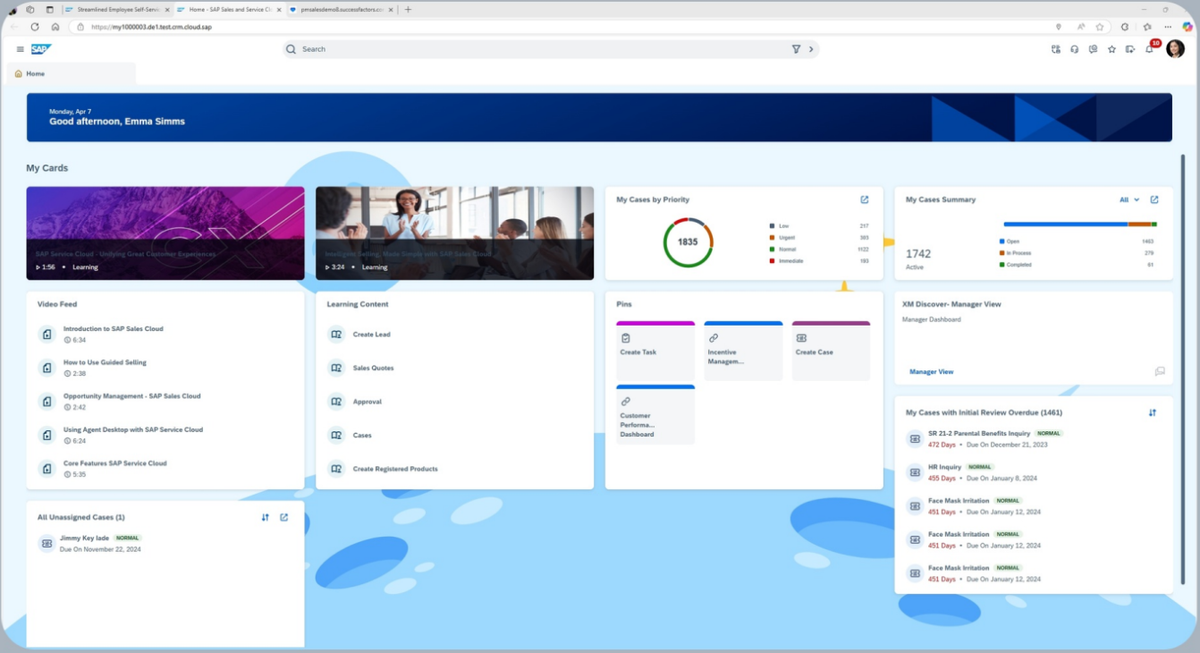
Employees create, update and track tickets from the Ask HR page or by emailing HR, and see quick actions and HR policies while they write the ticket. Depending on the ticket, it is routed to the relevant HR team in the service representative workspace. SAP says AI auto-classifies cases, summarizes content and drafts recommendations, with automated approvals and dynamic forms, and that its Joule assistant can deflect questions and create cases. Case status, SLA compliance and team performance appear in SAP Analytics Cloud dashboards embedded in the workspace. The knowledge base is a partner integration: SharePoint on the current product page, and SuccessFactors Work Zone or SAP Knowledge Central by MindTouch in the 2024 document. Channels are web, mobile, chatbot, Microsoft Teams and email; Slack isn't mentioned. SAP describes Employee Central as the core data source, and we found no statement that the product runs with another HRIS.
- Starting price
- Quote only: USD price not published
- Data source
- SuccessFactors Employee Central
- Knowledge base
- Partner integration such as SharePoint
- Trial
- 30-day HCM trial includes it
Neocase HR
Neocase HR is a modular cloud HR service delivery platform (case and knowledge management, self-service portal, business process management, document management, analytics, AI agent) developed by Sopra HR Software, part of the Sopra Steria Group.
Neocase HR is a dedicated HR case management and knowledge layer that sits on top of an HRIS such as Workday, SAP SuccessFactors or Oracle HCM, with an SLA engine and no published price.
Neocase is developed by Sopra HR Software, part of the Sopra Steria Group. Capterra shows 4.3 from 7 reviews, which is too few for a firm read. Reviewers praise customization and case management and cite a steep learning curve and a complex system to configure. There is no free trial, and the vendor lists no public price.
- You run Workday, SAP SuccessFactors or Oracle HCM and want a dedicated HR case management and knowledge layer with SLA and OLA control instead of the HRIS's native case tools
- You have an HR shared services center or multi-country HR and need 27-language portals, routing by workload and skills, and process workflows with document and e-signature handling
- You want published per-seat pricing or a free trial: the vendor publishes neither (quote only, modular billing by employee users plus usage for some features)
- You want a lightweight tool for a small team: Capterra reviewers describe a steep learning curve and a complex system to configure, and the vendor positions it at large and mid-sized companies
- Users like
- Capterra reviewers praise customization and case management
- Users dislike
- Capterra reviewers cite a steep learning curve and a complex system to configure
- Source: Capterra, 7 reviews
How a request becomes a case
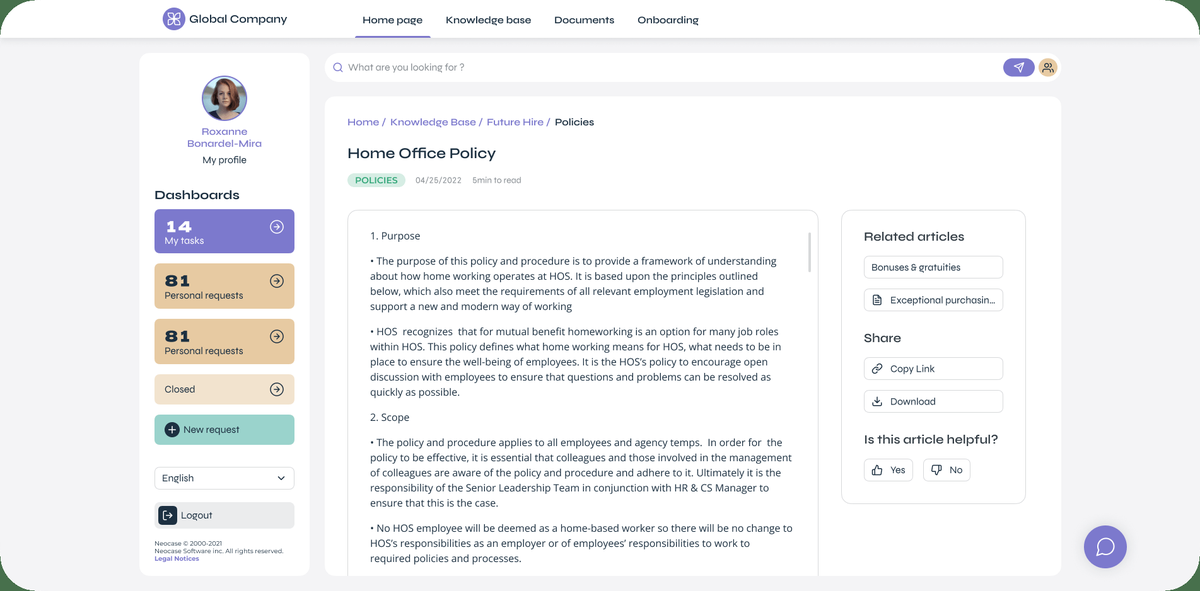
Employees submit requests through a web portal, a mobile app, email, a Microsoft Teams virtual agent or telephone. An AI-powered knowledge base answers from the individual employee's profile as tier 0, and unresolved requests become cases in the Case Management module, where AI distribution rules consider workload, skills and processing time. An SLA engine sets timeframes per process step with operational level agreements, monitors performance and manages escalations and alerts. Neocase lists 34 KPIs and more than 50 pre-built reports, including a Portal Performance Report for tier zero resolution, and an AI agent called Ask Neo HR that answers in 30 languages. Native connectors cover Workday, SAP SuccessFactors, Oracle HCM, ADP, Dayforce, Cegid Talentsoft, Access PeopleXD and Sopra HR 4YOU. Onboarding and offboarding journeys come from a separate Employee Journey solution, and the vendor says Neocase doesn't replace payroll.
- Starting price
- Quote only: USD price not published
- Portal languages
- 27
- SLA engine
- SLAs and OLAs with escalations
- Trial
- None
Service Desks Adapted for HR
Freshservice, Jira Service Management and Zendesk began as IT or customer support tools and added HR templates, catalogs and onboarding workflows. They suit teams of a few HR agents who want to start cheaply or who already run the platform for another department. All three publish a price. All three also name few HRIS connections on the pages we read, so the link to the employee record is the first thing to test.
Freshservice
Freshservice is Freshworks' service management platform that extends its IT service desk to HR, Finance and Facilities with a service catalog, knowledge base, onboarding and offboarding modules.
Freshservice extends an IT service desk to HR with a service catalog, a knowledge base and onboarding and offboarding modules, from $19 per agent per month billed annually.
G2 shows 4.6 from 1,377 reviews, mostly from IT use. Reviewers praise ease of use and task automation, and cite limited advanced reporting and a Teams integration that can't be fully customized. Plans per agent per month billed annually are Starter $19, Growth $49 and Pro $99, with Enterprise by quote and a 14-day free trial. The pricing page shows no monthly prices.
- You want HR requests in the same tool as IT with restricted HR groups, a catalog and onboarding kits, and your HRIS is Workday or BambooHR.
- You want per-agent pricing that starts low ($19) and have mixed IT and HR agents using one platform.
- You need the Slack or Teams chatbot: Virtual Agent is Enterprise only per Freshservice's HR setup article, and a G2 reviewer called the Teams integration limited.
- Your HRIS is not Workday or BambooHR: we found no other HRIS connector named on Freshservice's pages we read, and the connectors need Pro or higher.
- Users like
- G2 reviewers praise ease of use and task automation
- Users dislike
- G2 reviewers cite limited advanced reporting and a Teams integration that can't be fully customized
- Source: G2, 1,377 reviews
How a request moves through it
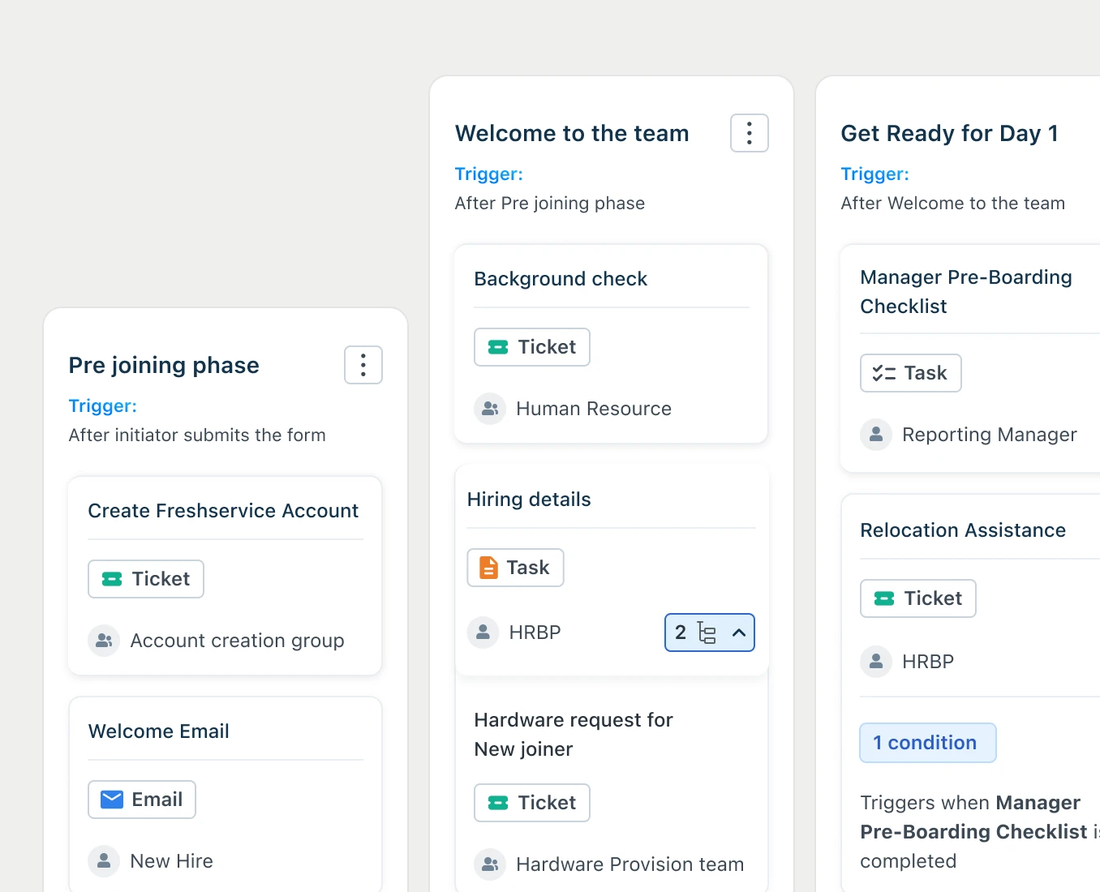
Employees submit HR requests from a service catalog, such as employment letters or record updates, or ask a Virtual Agent in Slack or Microsoft Teams. Each request becomes a ticket that workflow automation can route to a restricted HR agent group, so other agents can't see those tickets, with approval workflows and SLAs per request type. In onboarding, an employee submits an Onboard an Employee request in the portal, stakeholders such as the reporting manager approve it, and it is routed as child tickets to the departments. The catalog starts on Growth. The Employee Onboarding module with role-specific kits is configured on Pro and Enterprise, and Freshservice advises keeping a kit under 30 items. The Virtual Agent for Slack and Teams is Enterprise only. Workday and BambooHR connectors need Pro or Enterprise, and the BambooHR connector syncs name, employee ID, department, status, designation, manager, start date and cost center. The Freddy AI Copilot add-on costs $29 per agent per month on Pro and Enterprise.
- Starting price
- Starter $19, Growth $49, Pro $99 per agent per month billed annually; Enterprise by quote. 14-day free trial
- Catalog
- Growth plan and up
- Slack and Teams bot
- Enterprise only
- HRIS connectors
- Workday and BambooHR, Pro and up
Jira Service Management
Jira Service Management is Atlassian's service desk product, with an HR service management template and portal that handle employee requests and cases alongside IT.
Jira Service Management has an HR service management template with preconfigured request types and workflows, and it is included even on the Free plan for up to 3 agents.
G2 shows 4.3 from 994 reviews. The G2 review text didn't load, so strengths and weaknesses come from TrustRadius, where reviewers praise workflow customization, automation and an easy self-service portal and cite a complex interface, a steep learning curve outside the Atlassian ecosystem and limited portal customization. Atlassian's pricing page shows Free at $0, Standard at $21.50 and Premium at $55.28 per agent per month, with Enterprise by quote. We couldn't confirm the billing term behind the displayed figures.
- Your company already runs Jira and Confluence and wants HR policy content and cases in the same ecosystem.
- You are an HR team of up to 3 agents who want to start free, or you want confidential case access limited to the people involved.
- You want a ready-made HR product with employee records: it is a service desk, and reviewers on TrustRadius mention a steep learning curve outside the Atlassian ecosystem.
- Your HRIS is not Workday: we found no other HRIS connector on Atlassian's pages we read, and reviewers say the employee portal has limited customization.
- Users like
- TrustRadius reviewers praise workflow customization, automation and an easy self-service portal
- Users dislike
- TrustRadius reviewers cite a complex interface, a steep learning curve and limited portal customization
- Source: G2, 994 reviews
How a request moves through it
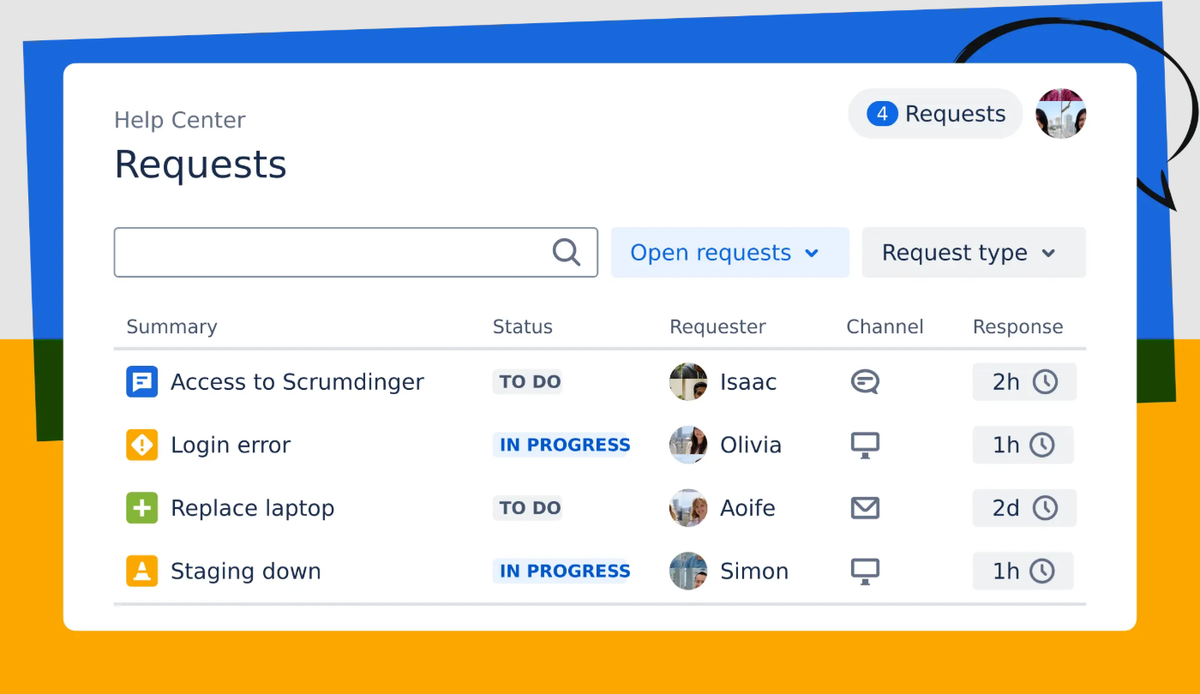
Employees reach HR through a branded portal, email, Microsoft Teams, Slack or an embedded widget, and see recommended knowledge articles first. Requests land in queues built from the template's request types and workflows, and HR can restrict sensitive cases so only the people involved can see them. Agents can create linked tasks for Legal, IT or Facilities and use canned responses. Confluence holds the HR knowledge base, and an embedded knowledge base is on every plan. Rovo AI search and chat start at Standard with 250 credits per user per month, and the virtual service agent is listed from Premium. Journeys define onboarding and offboarding tasks and dependencies across departments and can start from a work item or from Workday on offer acceptance. We couldn't confirm which plan includes Journeys, and Workday is the only HRIS Atlassian's HR guide names.
- Starting price
- Free for up to 3 agents; Standard $21.50 and Premium $55.28 per agent per month as shown on Atlassian's pricing page (billing term not stated); Enterprise by quote
- HR template
- Included on the Free plan
- Knowledge base
- Confluence
- Free plan
- Up to 3 agents
Zendesk
Zendesk offers an Employee Service version of its help desk with a service catalog, employee portal, tasks and approvals, and AI agents for HR and IT requests.
Zendesk sells an Employee Service version of its help desk with an employee portal, a service catalog and AI agents, from $29 per agent per month billed annually.
G2's 4.3 from 7,120 reviews is for Zendesk for Customer Service, not Employee Service. TrustRadius reviewers of Zendesk Suite praise multichannel centralization, automation and an intuitive interface, and cite limited AI response quality, inflexible reporting and integration gaps. None of that is HR-specific. Prices per agent per month are Team $29, Growth $59 and Professional $99 billed annually, or $39, $79 and $125 billed monthly, with Enterprise by quote and a 14-day trial.
- You want a polished employee portal with a service catalog and AI agents for 24/7 routine HR questions and are fine paying per automated resolution.
- Your support team already runs Zendesk for customers and you want to reuse the platform for HR.
- You need deep HRIS integrations: we found only Workday named on the pages we read.
- You need HR case management to be in the cheapest tier: the catalog, portal, tasks and SLAs start at Growth ($59), and Team lacks them.
- Users like
- TrustRadius reviewers praise multichannel centralization, automation and an intuitive interface
- Users dislike
- TrustRadius reviewers cite limited AI response quality, inflexible reporting and integration gaps
- Source: G2, 7,120 reviews
How a request moves through it
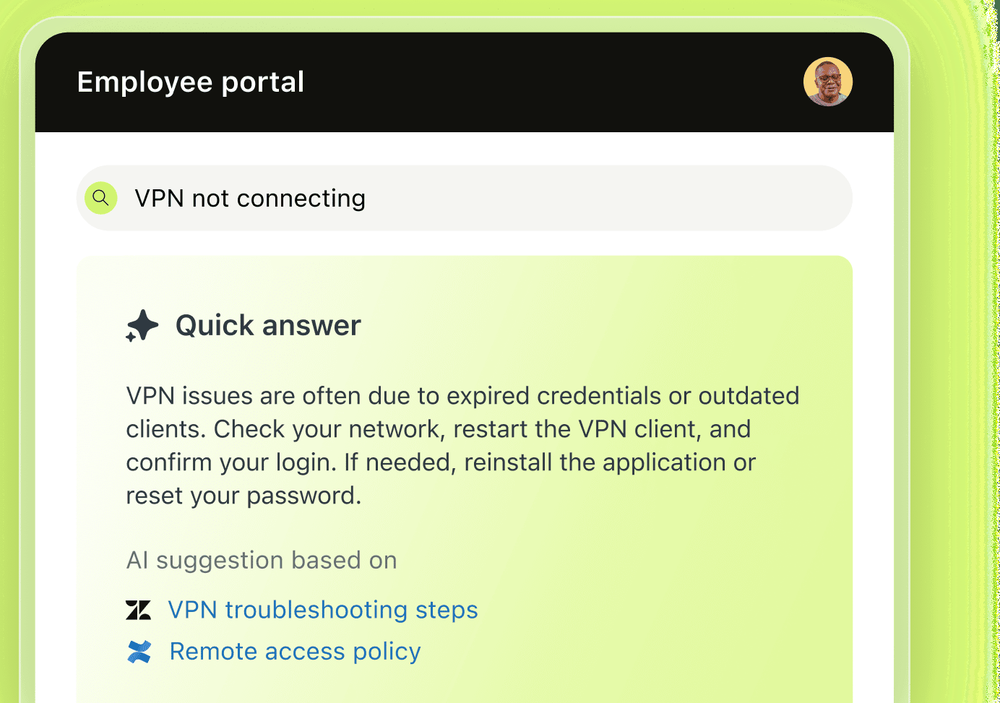
Employees ask by email, messaging, Slack or Microsoft Teams, or request from a service catalog in a portal with AI-powered search. AI agents answer routine questions and are billed per automated resolution: 5 per agent per month are included on Team and 10 on Growth and Professional, then extra resolutions cost $1.50 committed or $2.00 pay-as-you-go. Unresolved items become tickets that can be classified and routed. The catalog, portal, tasks and SLAs start on Growth, and Team has AI agents, a knowledge base and email support only. Skills-based routing starts at Professional. Zendesk's datasheet describes task-list templates for onboarding and offboarding with approvals across departments. Workday is the only HRIS connection we found named. Zendesk's dedicated HR guide loaded only in German for us, so these details come from the English datasheet and pricing pages.
- Starting price
- Employee Service Suite: Team $29, Growth $59, Professional $99 per agent per month billed annually ($39, $79 and $125 billed monthly); Enterprise by quote
- Catalog, portal and SLAs
- Growth and up
- AI agent resolutions
- 5 to 10 per agent per month included, then $1.50 to $2.00 each
- Trial
- 14 days
AI-First HR Helpdesk
Some buyers want the chatbot to do the work instead of routing a ticket to a person. This category puts an AI agent in front of the HRIS and keeps a helpdesk behind it for what the agent can't resolve. Vendor claims for deflection rates are marketing numbers, especially when no method is published, and we label them that way.
Leena AI
Leena AI is an agentic AI platform with pre-built AI Colleagues for back-office work, including the Universal HR Assistant 'Harrison' that answers employee HR questions and executes HR actions in connected systems.
Leena AI is an AI agent for HR questions and transactions that works over an existing HRIS, with a helpdesk behind it, and it publishes no price.
Capterra shows 4.5 from 13 reviews, and the reviews we read date from 2020 to 2022, before the current agent product. Reviewers praise ease of use and configurability and cite lengthy customization time and limited branding options. Pricing is quote only and no free trial is stated. Leena's claims of 60 to 70 percent ticket deflection and a 45-day go-live are the vendor's own and aren't independently verified.
- You run Workday, SAP or Oracle and want an AI agent that executes HR transactions from chat, not only answers questions, across Slack, Teams, voice and kiosks
- You have a large frontline or multi-channel workforce (phone, WhatsApp, kiosks) and want go-live in about 45 days per the vendor, rather than a long custom case-management build
- You need a published price or self-serve trial: pricing is quote only and no free trial is stated
- You mainly want a classic HR case management system with defined tiers 1 to 3 and a shared services workflow: Leena positions as an AI agent first, and the pages we read describe case handling mainly through its helpdesk docs; the HR page claims to avoid creating unnecessary cases
- Users like
- Capterra reviewers praise ease of use and configurability
- Users dislike
- Capterra reviewers cite lengthy customization time and limited branding options
- Source: Capterra, 13 reviews
How a question gets handled
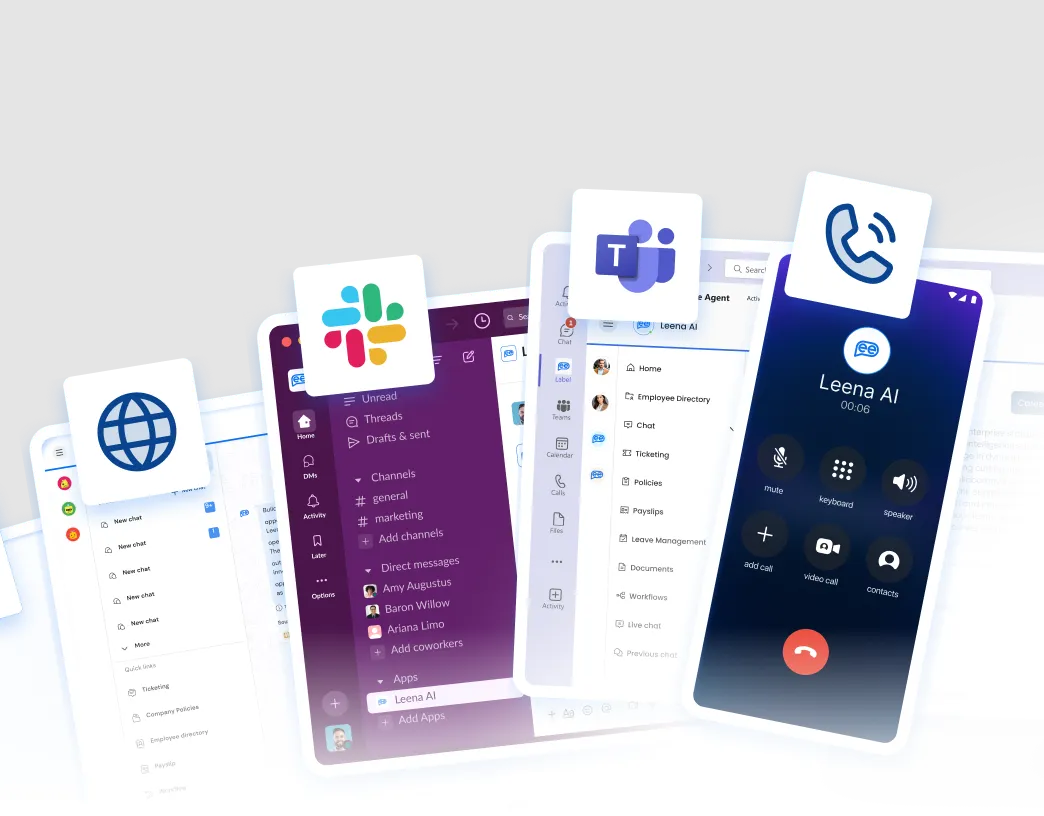
Leena's documentation describes a helpdesk with ticket creation by chat, SLA policies, reassignment with mandatory comments, internal notes, live chat, email ticketing and star ratings with follow-up forms. Helpdesk Insights clusters closed tickets, reports escalation rate, average resolution time and SLA breached time, and generates knowledge articles. The assistant handles leave and attendance, payslips, benefits enrollment, record updates, verification letters, transfers, separations and onboarding task tracking. Channels include web, mobile, Teams, Slack, Zoom, Google Chat, WhatsApp, SMS, email, voice and kiosks, and the vendor says it supports more than 100 languages. Leena's integrations page lists Workday, SAP SuccessFactors, Oracle Fusion, BambooHR, Dayforce, UKG Pro and UKG Ready under HRIS. One customer testimonial on Leena's site says it replaced ServiceNow for the HR helpdesk. We didn't verify whether the helpdesk is positioned as a full shared-services queue with defined tiers.
- Starting price
- Quote only: USD price not published
- Integrations
- 200+ pre-built, per the vendor
- Trial
- None stated
- Go-live
- About 45 days, a vendor claim
How Much Does HR Service Delivery Software Cost?
HR service delivery software costs from $0 for a three-agent team on Jira Service Management to a custom quote at the five enterprise-leaning vendors. Only Freshservice, Jira Service Management and Zendesk publish a number, and the price per agent counts HR staff who work cases, not every employee who asks a question. The table adds the plan gating we found, because that's where a $19 or $29 entry price turns into a larger bill.
| Tool | Entry price (USD) | Free option | Plan gating (USD) |
|---|---|---|---|
| ServiceNow HR Service Delivery | Quote only | None found | Plan for Lifecycle Events, Journey Designer and Now Assist not stated |
| Workday Help | Quote only | None for case management | Extra steps may be needed to enable it depending on your subscription agreement |
| SAP SuccessFactors Enterprise Service Management | Quote only | 30-day SuccessFactors HCM trial | Some features depend on the license agreement |
| Neocase HR | Quote only | None | Employee Journey and Advanced Analytics are separate offerings |
| Freshservice | $19 per agent per month billed yearly | 14-day trial | Catalog from Growth ($49); onboarding kits and HRIS connectors from Pro ($99); Slack and Teams bot on Enterprise |
| Jira Service Management | Free for 3 agents; Standard $21.50 per agent | Free plan; 14-day trial | HR template on Free; virtual service agent from Premium; Journeys tier not confirmed |
| Zendesk | $29 per agent per month billed yearly | 14-day trial | Portal, catalog, tasks and SLAs from Growth ($59); skills-based routing from Professional ($99); AI resolutions beyond the included 5 to 10 cost $1.50 to $2.00 each |
| Leena AI | Quote only | None stated | No module-by-plan matrix published |
The gating is especially easy to miss on a pricing page, so when you request quotes, ask each vendor the same things: which plan includes case management and the HR knowledge base, whether onboarding workflows are priced separately, how AI resolutions or tokens are metered, how many HRIS connectors are included, and what implementation takes. ServiceNow's 5 months average on G2 is the only implementation figure any of these vendors' review pages gave us.
How to Choose HR Service Delivery Software
Choosing HR service delivery software comes down to three questions: which HRIS holds your employee record, how many people work HR cases, and whether HR needs its own queue or can share one with IT. The table maps those answers to a starting shortlist. A demo run on five real cases from your own inbox settles it better than any feature list, although a two-week pilot is clearly better if the vendor allows one.
- Workday HCM is your HRISWorkday Help first; ServiceNow or Neocase if you need cross-department queues or a different case team
- SuccessFactors Employee Central is your HRISSAP SuccessFactors Enterprise Service Management, or Neocase as a layer on top
- Large HR operation and ServiceNow already runs ITServiceNow HR Service Delivery, for the shared portal and cross-team SLAs
- HR and IT share one small team and a tight budgetFreshservice from Growth for the catalog, or Jira Service Management free for up to 3 agents
- You already run Zendesk or Jira for another departmentZendesk Employee Service or the Jira HR template, to reuse the platform
- You want a chat agent that executes HR transactionsLeena AI, or Zendesk's AI agents if per-resolution pricing suits you
- A non-Workday, non-SAP HRIS you won't replaceNeocase or Leena AI, which name the widest connector lists, and verify yours before a demo
Privacy of HR Cases
HR cases hold pay, health, leave and conduct data, so check who can see what before you sign. The tools here handle it differently: ServiceNow says it restricts sensitive HR data to HR roles, Workday routes confidential case types to specific teams that need Confidential Help Cases access, Freshservice can route tickets to a restricted HR agent group so other agents can't see them, and Jira Service Management can restrict sensitive cases to the people involved. We found less on this for SAP, Neocase, Zendesk and Leena AI, so ask each vendor how a case is hidden from IT admins and non-HR agents. If you operate in the EU or handle US state-law data requests, our HR compliance guide lists what to check with legal.
Where Onboarding Coordination Fits
Where onboarding coordination fits comes down to one gap: a case system answers questions and routes requests, but it doesn't tell you that a new hire's laptop is on backorder or that an access request is waiting for an approval. The People Ops Manager covers that gap. It coordinates onboarding and offboarding across HR, IT, finance and hiring managers, and it works alongside your HRIS and your case tool. It doesn't replace an HR helpdesk. For the process itself, see our guides to employee onboarding software, the onboarding process and the employee onboarding checklist, and for suites that combine HR records with payroll, see human capital management software.
Frequently Asked Questions
What is HR service delivery software?
HR service delivery software is the system an HR team uses to receive, route, answer and measure employee questions and requests. It combines a portal and knowledge base, case management, routing rules and reporting, and it sits alongside the HRIS that stores the employee record.
What is an HR service delivery model?
An HR service delivery model is the way a company organizes who answers employee requests. Workday describes four: traditional, shared service, self-service and tiered. Tiered delivery combines a shared service center with self-service, so HR only handles requests that can't be automated.
What are the tiers in HR service delivery?
Workday lists four tiers. Tier 0 is self-service through a knowledge base and virtual agents. Tier 1 is the HR service center, usually a generalist who resolves most cases. Tier 2 is an HR specialist for compliance checks or specific expertise. Tier 3 is HR management for sensitive or strategic requests.
How much does HR service delivery software cost?
HR service delivery software costs from free to custom quotes. Jira Service Management is free for up to 3 agents, Freshservice starts at $19 per agent per month billed annually and Zendesk's Employee Service Suite starts at $29. ServiceNow, Workday, SAP SuccessFactors, Neocase and Leena AI publish no price.
Can I use an IT service desk for HR requests?
An IT service desk can handle HR requests, with limits. Freshservice, Jira Service Management and Zendesk all offer HR templates, catalogs or onboarding workflows, and each can restrict sensitive tickets. Their HRIS connections are narrower on the pages we read, so test whether agents can see the employee record inside a case.
What is the most commonly used HR software?
No source we found ranks HR software by use. HRIS suites such as Workday and SAP SuccessFactors hold the employee record at many large employers, and the tools in this article sit on top of them for questions and requests. Review counts on G2 show visibility, not market share.