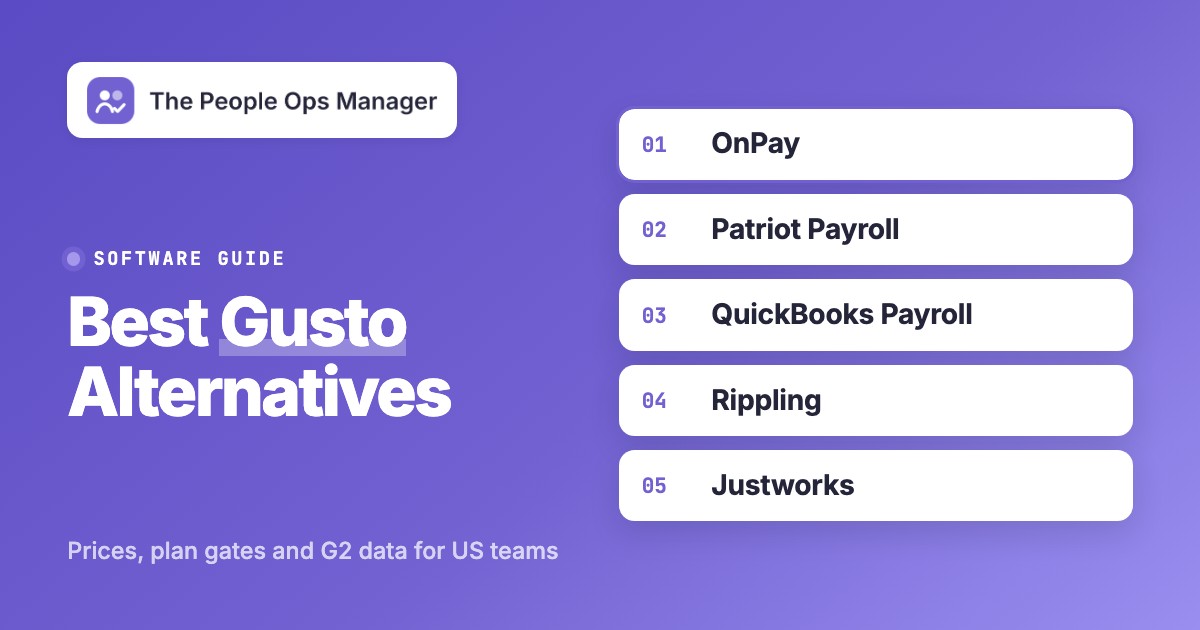
The best Gusto alternatives for US small businesses are Rippling, OnPay, Patriot Payroll, QuickBooks Payroll, Justworks, Paychex Flex and ADP RUN. Which one fits depends on why you're leaving: a plan gate you keep hitting, a payroll that doesn't talk to your books, support you can't reach, or a price that grew with headcount. This page starts from the reason, then names the tool, the plan that unlocks it and what you give up.
We read each vendor's pricing page and a feature or help page, plus the G2 or Capterra listing, and we say where a source wasn't available. We didn't run these products ourselves, so read every claim as documentation-level. If you're still deciding whether to leave, our Gusto review and Gusto pricing guide cover what you get today, and the payroll software guide puts these tools in a wider field.
Which Gusto alternative fits your reason for leaving?
Each pick below names the reason it wins and the plan or condition that matters. Prices are the published entry prices, and "quote only" means the vendor publishes none.
 Best if you need several states without a plan jumpOnPayThe same $49 a month plus $6 per worker as Gusto Simple, with multi-state payroll in the base plan.
 Best on base price for a handful of employeesPatriot PayrollBasic from $17 a month and Full Service from $37, with a per-worker fee on top.
 Best if your books already live in QuickBooksQuickBooks PayrollPayroll runs in the same account as accounting, from $50 plus $7 per employee.
 Best if app access and laptops are the real onboarding gapRipplingOne record can reach payroll, benefits and IT products. From $8 per employee plus a base fee.
 Best if you want a PEO with published pricesJustworksPEO Basic at $79 and PEO Plus at $124 per employee per month, plus a payroll-only plan.
 Best for a payroll specialist and a path to a PEOPaychex FlexFour payroll tiers with HR, benefits and PEO products behind them. Quote only.
 Best if you want a large vendor to file taxes and answer the phoneADP RUNFour packages with tax filing in each. Quote only.
 Our product · for the gaps between toolsThe People Ops ManagerWorks next to your payroll and HR tools and shows which new hire is blocked and who owns the task.
Why teams leave Gusto
Most teams leave because of scope, not quality. G2 gives Gusto 4.6 out of 5 from 14,080 reviews on November 15, 2026, and ease of use leads the praise with 5,185 mentions. The complaints that stand out are about what the product doesn't do or how fast someone answers.
Gusto's own plan page explains part of the scope complaint. Simple's described as basic payroll in one state, and multi-state payroll, time tracking and contractor invoice management start on Plus at $80 a month plus $12 per person. Same-day pay and instant pay are Premium features at $180 plus $22, or $90 and $100 per payroll on the cheaper plans. Remote I-9's $20 per submission and E-Verify's $5 more, unless you're on Premium. Priority support's a separate $30 a month plus $3 per person on Simple and Plus.
Capterra reviewers add limited reporting customization and slower support on urgent or complex cases, and they don't hold back on either, and some call mobile access limited. Those are review excerpts, so they don't say how many reviewers hit each issue. They're still a useful check on what the G2 counts suggest.
One more change matters if you pay contractors. Gusto's help center says its contractor-only plan closed to new customers on October 1, 2026, and existing customers keep their plan. Contractor payments now sit inside the main plans, so a business with no employees now has to pick a main plan or another vendor, and that's a real change if you're a solo owner.
Gusto alternatives compared
Gusto's listed first so each row reads as a trade against it. Prices are per month in US dollars, and "per person" means per paid employee or worker.
| Tool | How it differs from Gusto | Starting price | G2 rating |
|---|---|---|---|
 Gusto | Payroll first; multi-state, time tracking and custom onboarding tasks start on Plus | Simple $49 + $6; Plus $80 + $12; Premium $180 + $22 | 4.6 (14,080) |
| OnPay | One base plan with multi-state payroll and tax filing; HR and time tracking are add-ons | $49 + $6 per worker; HR add-on $15 + $2 | 4.8 (Capterra, 464) |
| Patriot Payroll | Lowest base price; tax filing starts on Full Service | Basic from $17; Full Service from $37; per-worker fee on top | 4.8 (Capterra, 3,640) |
| QuickBooks Payroll | Payroll in the same account as QuickBooks accounting | Payroll $50 + $7; Premium $88 + $13; Elite $134 + $17 | 4.5 (Capterra, 982) |
| Rippling | One employee record can drive payroll, benefits, devices and app access, each a separate product | From $8 per employee plus a base fee; modules by quote | 4.7 (14,761) |
| Justworks | PEO that carries benefits and compliance; payroll-only plan also available | Payroll $50 + $8; PEO Basic $79; PEO Plus $124 per employee | 4.6 (1,128) |
| Paychex Flex | Four payroll tiers with HR, benefits and PEO behind them | Quote only | 4.2 (Capterra, 1,805) |
| ADP RUN | Four packages with tax filing in each and phone support | Quote only | 4.6 (Capterra, 1,456) |
| The People Ops Manager Our product | Shows who is ready for day one, what is blocked and who owns it | Subscription via Stripe Checkout, card required | No reviews yet |
Entry prices checked November 2026 on vendor pages. Quote only means the vendor publishes no price.
Four of the seven alternatives publish a price you can model, and they're the easiest to check. OnPay matches Gusto Simple exactly at $49 plus $6. That's worth knowing, because the usual reason to switch isn't the headline price. It's what the headline price leaves out, and you can't see that until you've priced the add-ons.
Where the same feature sits in Gusto, OnPay and QuickBooks Payroll
Gusto gates several features by plan, so the quickest way to judge a switch is to see where the same feature sits elsewhere. Cells say "not stated" where the vendor's pricing page doesn't mention the feature.
| Tool (USD per month) | Multi-state payroll | Next-day direct deposit | Same-day pay | Time tracking | Onboarding tools |
|---|---|---|---|---|---|
| Gusto | Plus ($80 + $12) and Premium | Plus and Premium; $15 + $3 per person extra on Simple | Premium, or $90 per payroll on lower plans | Plus and Premium | Checklist on all plans; custom tasks from Plus |
| OnPay | In the base plan ($49 + $6) | Not stated on the pricing page | Not stated on the pricing page | Add-on, $15 + $4 | HR add-on, $15 + $2 |
| QuickBooks Payroll | Not stated on the pricing page | Entry tier, run payroll by 5:00 PM | Premium and Elite, run payroll by 7:00 AM | Premium and Elite | Premium and Elite |
OnPay's pricing page says "Pay workers in as many states as you need" and lists federal, state and local filings in the base plan. QuickBooks lists same-day direct deposit on Premium and Elite and next-day on the entry tier. Both are vendor statements and we didn't test them, so you'll want to see them in a demo.
The 7 best Gusto alternatives
Every entry follows the same order: what changes when you move from Gusto, what it costs and where the plan gate sits, and who should skip it. G2 and Capterra numbers come from the listings we read in October and November 2026.
OnPay
OnPay
OnPay is a small-business payroll service with one base plan that includes federal, state and local tax filing and multi-state payroll.
OnPay fits a small team that likes Gusto's price but keeps hitting the single-state limit on Simple.
OnPay publishes a payroll plan at $49 a month plus $6 per worker, the same entry price as Gusto Simple. What changes is what the base plan covers. The pricing page lists multi-state payroll, federal, state and local tax filings, unlimited pay runs and W-2 and 1099 year-end filings in the base plan, with phone, chat and email support. On Gusto, the same multi-state payroll starts on Plus at $80 plus $12.
The trade is breadth. HR is an add-on at $15 plus $2 per worker and Time Tracking another $15 plus $4. Health insurance, workers' comp and 401(k) are add-ons too. Capterra rates OnPay 4.8 from 464 reviews, with praise for ease of use, value and support.
- you want one price with full-service tax filing, multi-state payroll and W-2 or 1099 workers in one dashboard
- you want phone, email and chat support with extended weekday hours without a support tier
- you need deep reporting or benefits enrollment: reviewers call it less full-featured than larger suites
- you need a built-in time clock: time tracking is a paid add-on
- Users like
- ease of use, value and responsive support, per Capterra reviewers
- Users dislike
- limited reporting customization and fiddly PTO changes, per Capterra reviewers
- Source: Capterra, 464 reviews
How it works in practice
The pricing page shows a footer line saying plans start at $55 a month, which doesn't match the $49 base on the plan table, so you'll want the number in writing, because you won't see it otherwise. It doesn't say whether PTO and onboarding are inside the base plan or the HR add-on.
Capterra reviewers call OnPay less full-featured than larger suites and mention limited reporting customization and fiddly PTO changes.
- Starting price
- $49 per month plus $6 per worker; HR add-on $15 + $2; Time Tracking $15 + $4
- Add-ons
- HR +$15 base and $2/worker; Time Tracking +$15 base and $4/worker
- Entry price
- $49 a month plus $6 per worker
- Support
- Phone, chat and email
Patriot Payroll
Patriot Payroll
Patriot Payroll is a low-cost US payroll service. Basic calculates payroll and you file; Full Service files and deposits taxes for you.
Patriot Payroll fits a very small team that wants the lowest monthly base and is happy to run payroll with little else.
Patriot sells two payroll tiers. Basic is from $17 a month and calculates payroll while you file taxes yourself, and Full Service is from $37 a month and files and deposits federal, state and local payroll taxes and year-end W-2s and 1099s. Per-worker fees sit on top: Patriot lists $4 on Basic and $5 on Full Service, billed for workers actually paid.
Against Gusto Simple's $49 plus $6, that's the cheapest published route for a team of a few people, and it doesn't hide the per-worker fee. The cost is everything Gusto packs around payroll, and you'll feel it the day you need HR tools. Capterra reviewers give Patriot 4.8 from 3,640 reviews, praising ease of use and quick access to live support, and the complaints are the per-employee charge and limited net-to-gross calculations.
- you have a handful of employees and want the lowest monthly base price
- you want U.S.-based support and year-end W-2 and 1099 forms included
- you want tax filing at the lowest tier: Basic leaves filings and deposits to you
- you need a QuickBooks Online integration: a Capterra reviewer asked for one
- Users like
- ease of use, price and quick access to live support, per Capterra reviewers
- Users dislike
- a per-employee charge on top of the base fee and limited net-to-gross calculations, per Capterra reviewers
- Source: Capterra, 3,640 reviews
How it works in practice
Basic leaves tax filings and deposits to you, so a team that wants Gusto-style filing needs Full Service. Multi-state filing costs extra on Full Service, so price your states before you compare totals.
A Capterra reviewer said they'd wanted a QuickBooks Online integration, so check how payroll data reaches your books before you're committed.
- Starting price
- Basic from $17 per month; Full Service from $37 per month; per-worker fee on top
- Entry price
- Basic from $17; Full Service from $37 a month
- Per-worker fee
- $4 on Basic, $5 on Full Service
QuickBooks Payroll
QuickBooks Payroll
QuickBooks Payroll, now sold as QuickBooks Workforce, runs full-service payroll in the same account as QuickBooks accounting.
QuickBooks Payroll fits a business whose bookkeeper already works in QuickBooks and who's tired of a payroll sync that breaks.
Missing accounting integration is Gusto's most-mentioned complaint on G2, with 619 mentions, and QuickBooks Payroll answers it by running payroll in the same account as the books. Its pricing page lists three tiers: Workforce Payroll at $50 plus $7 per employee, Premium at $88 plus $13 and Elite at $134 plus $17, with a promotion of 50% off for the first three months.
The entry tier includes tax filing and payment, auto payroll, unlimited 1099 e-filing and next-day direct deposit. Same-day deposit, time tracking, hiring and onboarding, time off and up to five automated HR workflows start on Premium, and Elite adds tax penalty protection up to $25,000 a year, performance management and a personal HR advisor. Capterra rates it 4.5 from 982 reviews.
- your bookkeeper works in QuickBooks and you want payroll journal entries to land there without a sync to maintain
- you want same-day direct deposit: it starts on Premium
- you don't use QuickBooks accounting and want payroll alone: confirm what the accounting bundle costs
- you want hiring, onboarding and time off: they start on the $88 Premium tier
- Users like
- ease of use and tight accounting integration, per Capterra reviewers
- Users dislike
- bugs, price increases and slow phone support, per Capterra reviewers
- Source: Capterra, 982 reviews
How it works in practice
The page shows $50 plus $7 per employee as the standard price and a lower promotional price for the first three months, so confirm what you pay after the promotion ends. Capterra reviewers cite bugs, price increases and slow phone support.
If you'd like hiring and onboarding tools, they start on the $88 Premium tier, and that's above Gusto Plus at the same headcount.
- Starting price
- Workforce Payroll $50 + $7 per employee; Premium $88 + $13; Elite $134 + $17 per month; 50% off for 3 months for new customers
- Plans
- Payroll $50 + $7, Premium $88 + $13, Elite $134 + $17 per month
- Payroll
- Tax filing and payment, auto payroll, unlimited 1099 e-filing, next-day direct deposit
- Premium
- Same-day direct deposit, time tracking, hiring and onboarding, time off, up to five automated HR workflows
- Elite
- Tax penalty protection up to $25,000 a year, personal HR advisor, performance management
- Entry price
- $50 a month plus $7 per employee
- Same-day deposit
- From Premium, run payroll by 7:00 AM
Rippling
Rippling
A modular platform with a shared employee data model across HR, payroll, IT identity and device management, and finance products.
Rippling fits a team whose payroll is fine but whose new hires wait on app access and laptops.
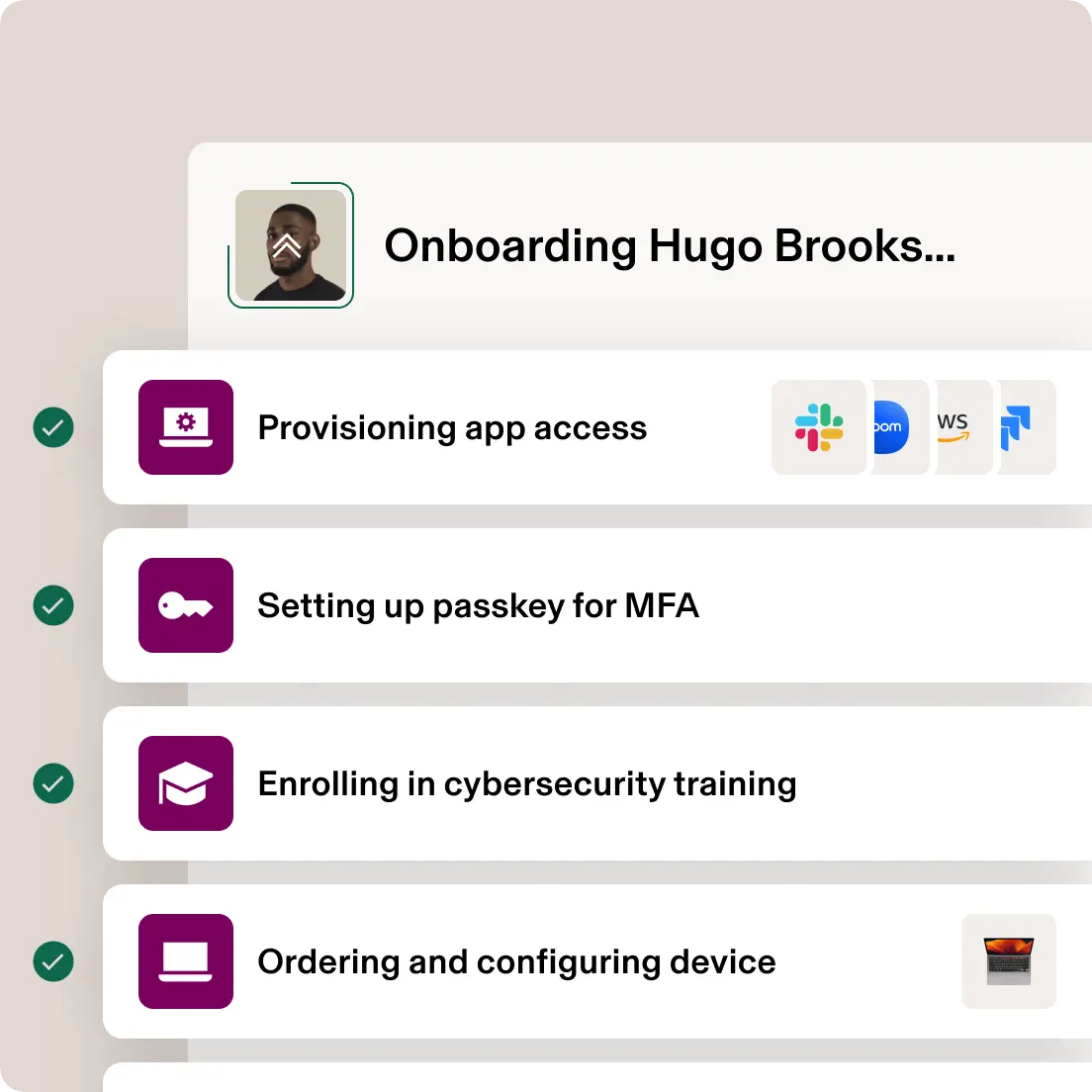
Moving from Gusto to Rippling swaps a payroll-first tool for a platform where one employee record can reach several products. According to Rippling, role-based app access can be granted to each new hire automatically, and device provisioning and lock or wipe at offboarding belong to its IT product. Gusto's own sources list work email on every plan and app accounts only on Plus and Premium, so Rippling goes further on the IT side.
What you give up is price clarity, and it's not a small cost. Gusto shows three plan prices, while Rippling's page doesn't go beyond saying that plans start at $8 per employee per month with a monthly base fee. Payroll's a separate product, and G2 reviewers cite costs that rise as modules are added. G2 rates Rippling 4.7 from 14,761 reviews.
- HR and IT jointly own onboarding and offboarding automation
- global payroll or EOR is in scope
- identity and device workflows are consolidation targets
- you only need basic HR records and time off
- you lack owners for configuration and access policies
- Users like
- ease of use with a single login (6,967 mentions)
- Users dislike
- missing features such as reporting and support response (1,241 mentions), slow performance (885) and a steep learning curve (857)
- Source: G2, 14,761 reviews
How it works in practice
Rippling's own onboarding article says you may still need IT to connect some apps, such as Office 365. G2's top complaints for Rippling are missing features such as reporting and support response (1,241 mentions), slow performance (885) and a steep learning curve (857).
Don't assume the $8 covers payroll, because it doesn't. If you only need payroll and basic HR records, Rippling's more tool than you need, and you'll pay for the difference. For a head-to-head, see our Rippling vs Gusto comparison.
- Starting price
- From $8 per employee per month plus a monthly base fee; full module quote required
- Integrations
- 179 verified on G2; 650+ per Rippling
- Capterra
- 4.9 from 4,886 reviews (October 2026)
- Performance
- Module with reviews, goals, 360, 1:1s and calibration; price not published
- US Payroll
- Separate product; starting rates depend on billing term
- IT
- Identity, access, device and inventory products
- Entry price
- From $8 per employee per month plus a base fee
Justworks
Justworks
Justworks is a PEO and payroll provider that publishes its PEO prices: PEO Basic at $79 and PEO Plus at $124 per employee per month, with Payroll at $8 per employee plus a $50 monthly base.
Justworks fits a small team that wants benefits and compliance handled through a PEO and wants to see the price first.
Justworks publishes its PEO prices: PEO Basic at $79 and PEO Plus at $124 per employee per month. It also sells a payroll-only plan at $8 per employee plus a $50 monthly base. Add-ons include HR consulting at $30 a month, time tracking at $8, US contractors at $8 and international contractors at $39.
A PEO changes the relationship: employees are covered under the PEO's arrangements for benefits and payroll taxes, and that's a different product from the payroll software Gusto sells. For a team that wants someone else to carry that load, it can be the right switch. G2 rates Justworks 4.6 from 1,128 reviews, with praise for ease of use and a clean interface.
- you want to see the PEO price before talking to sales
- you hire in small batches and want new hires to complete their own details and signatures in the platform
- you need to hold HR costs down: G2 reviewers tag it expensive
- you need an IT or device workflow: the onboarding guide covers payroll, benefits and documents, not accounts or laptops
- Users like
- ease of use and a clean interface, per G2 summaries
- Users dislike
- cost, with reviewers tagging it expensive and citing high fees
- Source: G2, 1,128 reviews
How it works in practice
G2 reviewers tag Justworks as expensive and cite high fees, so price the PEO tier against your own benefits spend. The onboarding guide covers payroll, benefits and documents, not laptops or app accounts.
If you want payroll only, the $50 plus $8 plan is above Gusto Simple's $49 plus $6, so a PEO is the reason to choose it. Our PEO software guide explains the difference.
- Starting price
- PEO Basic $79 per employee per month, PEO Plus $124
- Plans
- Payroll, PEO Basic, PEO Plus (EOR also listed at $599 per employee per month)
- Add-ons
- HR consulting $30, time tracking $8, US contractors $8, international contractors $39 per month
- ATS integrations
- Greenhouse, JazzHR and Lever
- Entry price
- Payroll $8 per employee + $50 base; PEO Basic $79
- Contractors
- US contractors $8 a month; international $39
Paychex Flex
Paychex Flex
Paychex Flex is Paychex's payroll platform with four payroll tiers, a tax administration service and optional HR, benefits and PEO products.
Paychex Flex fits a team that wants a payroll specialist, a large vendor and room to add HR or a PEO later.
Paychex Flex has four payroll tiers, Basic, Foundations, Advanced and Complete, and every plan says Request Pricing, so you can't model a total without a quote. Compared with Gusto, you give up published prices and gain a path from payroll into benefits, 401(k), time and attendance and a PEO with the same vendor, and a named payroll specialist on the higher tiers.
Capterra rates Paychex Flex 4.2 from 1,805 reviews and rates its customer service 3.9 of 5. Reviewers praise having payroll, benefits and time off in one place, and cite recurring glitches, login lockouts and slow support.
- you want payroll, benefits, 401(k) and time off with one vendor and a path to a PEO later
- you want a named payroll specialist on the higher tiers
- you want published prices: every Paychex plan says Request Pricing
- you rely on fast support: Capterra rates Paychex customer service 3.9 of 5 and reviewers cite slow responses
- Users like
- ease of use and having payroll, benefits and time off in one place, per Capterra reviewers
- Users dislike
- recurring glitches, login lockouts and slow support, per Capterra reviewers
- Source: Capterra, 1,805 reviews
How it works in practice
Third-party estimates for small teams vary widely and aren't a rate card, so get the proposal in writing with each add-on named.
A team that left Gusto over support responsiveness mightn't find Paychex better, so ask for support hours and escalation paths in the demo.
- Starting price
- Quote only; no prices published
- Plans
- Basic, Foundations, Advanced, Complete
- Entry price
- Quote only
- Tiers
- Basic, Foundations, Advanced, Complete
ADP RUN
ADP RUN
ADP RUN is ADP's payroll and HR platform for US businesses with 1 to 49 employees, sold in four packages with tax filing in every one.
ADP RUN fits a US team of 1 to 49 employees that wants a large vendor to file taxes and be reachable by phone.
ADP RUN is sold in four packages, Essential, Enhanced, Complete Payroll & HR Plus and HR Pro, with tax filing in every package. ADP positions it for businesses with 1 to 49 employees, and its pages list 24/7 phone and chat support. Compared with Gusto, you give up a published price and a tidy self-serve plan page, but you get a vendor that's hard to outgrow.
Capterra rates RUN 4.6 from 1,456 reviews. Reviewers praise automated tax filing, direct deposit and a simple payroll run, and complain about pricing with no public list and long phone waits at busy times.
- you want a provider that files and deposits federal, state and local payroll taxes and offers 24/7 phone and chat support
- you run payroll in several states and don't want a multi-state surcharge
- you want to see a price before talking to sales: ADP publishes none
- you need the cheapest per-employee cost: reviewers call ADP pricey and note extra fees for time tracking and benefits
- Users like
- automated tax filing and direct deposit, and a simple payroll run, per Capterra reviewers
- Users dislike
- pricing with no public list and long phone waits at busy times, per Capterra and TechJockey reviewers
- Source: Capterra, 1,456 reviews
How it works in practice
Reviewers note extra fees for time tracking and benefits, so ask which modules your quote includes. If you run payroll in several states, ask whether there's a multi-state surcharge.
We found no public detail on how ADP RUN handles onboarding tasks or I-9s beyond the package list, so ask for that in the demo.
- Starting price
- Quote only; no prices published
- Plans
- Essential, Enhanced, Complete Payroll & HR Plus, HR Pro
- Entry price
- Quote only
- Packages
- Essential, Enhanced, Complete Payroll & HR Plus, HR Pro
What do Gusto alternatives cost at your team size?
Costs diverge with headcount, because each vendor splits the bill into a base fee and a per-person fee. This calculator uses the published monthly prices, and the totals don't include promotions, add-ons or taxes.
Monthly cost in USD at published list prices, November 2026. Rippling, Paychex and ADP publish no comparable price. PEO plans bill per employee and aren't included.
At 10 people Gusto Simple and OnPay both come to $109 a month, Patriot Full Service to $87 and QuickBooks Payroll to $120 before any promotion. Gusto Plus comes to $200, and that's the number to compare if you need multi-state payroll or time tracking. By our arithmetic from the published prices, the gap between Simple and Plus widens by $6 for every added person.
How to switch from Gusto without breaking payroll
Switching payroll provider mid-year's manageable, but it's easy to get wrong, so plan it before you sign. We didn't test imports, so you'll want to verify each step in the vendor's demo.
- Pick the cut-over point. A quarter start or year start keeps tax filings with one provider per period. Mid-quarter works, but you'll need year-to-date totals loaded in the new system.
- Export your payroll history. Pull payroll journals, tax filing records, W-2 and 1099 copies and employee deduction details while you've still got access.
- Move benefits deliberately. If health insurance or a 401(k) runs through Gusto, ask each new vendor how those plans and deductions move, or whether you'll need your broker to re-enroll.
- Run payroll in parallel once. Compare one full cycle in the new system against Gusto before the cut-over, so you'll catch a tax setup error while it's cheap.
- Tell your team early. Employees will see a new app, a new pay stub layout and possibly new direct deposit timing, and they'll ask you first. Never cut over in the middle of a pay period, and always get the cut-over date in writing.
- Ask what the vendor imports from Gusto and what it drops
- Get confirmation in writing that year-to-date totals will load
- Confirm how benefits deductions and 401(k) contributions move
- Get one price covering payroll, filings, onboarding and add-ons
- Confirm support hours and who answers urgent payroll issues
- Name the person who owns configuration after go-live
When should you stay on Gusto?
Gusto's a payroll-first platform with a published price and a clean employee app, and for many small teams it's still the right call. Stay if you run payroll in one or two states on Plus and the price fits, if your complaints are about configuration rather than missing capability, and if your accounting tool already syncs the way you need. However, if your top complaint is support, don't assume a bigger vendor fixes it.
Gusto says it serves over 500,000 businesses, and a switch that doesn't fix your real problem isn't worth weeks of effort. If the gap is only coordination, such as nobody knowing which new hire is waiting on a laptop or an account, adding a coordination layer mightn't cost as much as replacing payroll, and it won't touch your pay runs. Our BambooHR vs Gusto page covers the HR side of that trade.
How to choose: a 15 minute switch test
A 15 minute switch test runs the same scenario through each shortlisted demo instead of the vendor's tour. It shouldn't take more than 15 minutes per vendor.
- Start from your current pay run. Ask the vendor to show a pay run for your states, your pay schedule and one contractor.
- Ask for your add-ons. Ask for the exact price of same-day pay, time tracking and the I-9 for your headcount.
- Ask who answers. Get the support hours, channels and escalation path for a failed deposit.
- Ask for the bill. Get a written monthly total with every add-on named.
For a wider view of the market, see our guides to payroll software and employee onboarding software.
Gusto alternatives FAQ
What are the best alternatives to Gusto?
The main Gusto alternatives for US small businesses are OnPay, Patriot Payroll, QuickBooks Payroll, Rippling, Justworks, Paychex Flex and ADP RUN. They differ on whether the price is published, whether multi-state payroll is in the base plan and whether a PEO or IT access comes with it.
Why is Gusto so popular?
Gusto publishes three plan prices, runs payroll and tax filings, and rates 4.6 out of 5 on G2 from 14,080 reviews, with ease of use the most-mentioned praise at 5,185 mentions. Gusto says it serves over 500,000 businesses.
How does Gusto compare to QuickBooks Payroll?
Gusto starts at $49 a month plus $6 per person and it's payroll-first, while QuickBooks Payroll starts at $50 plus $7 per employee and runs inside the same account as QuickBooks accounting. Missing accounting integration is Gusto's top complaint theme on G2, with 619 mentions.
Is there a free alternative to Gusto?
None of the seven tools in this list publishes a free payroll plan, and we won't guess. The lowest published base is Patriot Basic from $17 a month.
Which Gusto alternative is best for multi-state payroll?
OnPay lists multi-state payroll in its $49 plus $6 base plan, while Gusto starts multi-state payroll on Plus at $80 plus $12. Ask any vendor about state registration fees before you compare totals.
What are some payroll systems similar to ADP?
Paychex Flex, QuickBooks Payroll, OnPay and Patriot Payroll are the closest comparables to ADP RUN for small US teams, because each runs payroll and files taxes. ADP and Paychex don't publish prices, while OnPay ($49 + $6), QuickBooks ($50 + $7) and Patriot (from $17) do.