Rippling vs Gusto comes down to the work surrounding payroll. Gusto, a payroll-first HR platform, gives US employers published subscription prices and integrated payroll. Rippling, a modular workforce platform, connects HR and payroll to broader IT, device and finance workflows, but you'll need a quote for the full configuration.
Choose Gusto when you need dependable US payroll, benefits and onboarding without building a broad systems project. Choose Rippling when a hire, transfer or exit must also change device access, software permissions and workflows across departments. Neither choice removes the need for a named person to confirm that every day-one task is finished.
Rippling vs Gusto: Which is better for your team?
Rippling is the stronger choice for teams buying an employee system that spans HR, payroll and IT, while Gusto is the clearer choice for US payroll with published pricing. Your deciding question isn't which interface looks cleaner. It's whether employee changes must trigger actions outside payroll, and whether your team can support the configuration those actions require.
 Choose Gusto for payroll-first operations
- Published Simple, Plus and Premium prices make a US payroll budget calculable
- Unlimited payroll runs and tax filing are included on Simple
- Plus adds multi-state payroll, time tracking and wider app provisioning
- A better fit when device management stays in a separate IT system
 Choose Rippling for connected workforce operations
- One employee record can drive HR, payroll and IT changes
- IT products cover device deployment and app access
- Custom workflows can react to employee data and connected apps
- Module pricing needs a complete written quote, not a base-rate estimate
Here's where the practical distinction shows up: a new hire's first week. Payroll may be ready, yet the laptop, required apps, manager approvals or benefits enrollment can still be outstanding. Rippling can automate more of the technical steps. Gusto can also handle selected account provisioning, so the gap is narrower than it first looks.
| Tool | Price visibility | US payroll | Timekeeping | App provisioning | Device management | International operations |
|---|---|---|---|---|---|---|
| Rippling | From $8 per employee monthly plus base fee; final quote required | Available as a quoted module | Integrated T&A product with payroll | Broad IT and identity workflow coverage | Device deployment and management products Edge | Global HR and payroll product family |
| Gusto | Simple $49 + $6/person monthly; Plus $80 + $12; Premium $180 + $22 Edge | Included in published plans | Included in Plus; add-on available for Simple | Supported apps on Plus and Premium; work email on all plans | Not a comparable device-management suite | US payroll focus with global contractor payments |
The pricing comparison is deliberately asymmetric. Rippling's published starting figure doesn't include the undisclosed monthly base fee or a complete payroll and IT package. Gusto's listed plans include payroll, but optional services and payment-speed upgrades can change the invoice.
Match the platform to the scenario. The cleaner choice depends on who owns the work around payroll.
- A small US team wants payroll, tax filing and a budget it can calculate from published pricesGusto
- A US team in several states needs multi-state payroll and time tracking in one published planGusto
- HR and IT both own onboarding and every hire must also trigger device and app accessRippling
- A distributed team needs laptops configured and shipped from the employee recordRippling
How much do Rippling and Gusto cost?
Gusto publishes Simple at $49 per month plus $6 per person, Plus at $80 plus $12 per person and Premium at $180 plus $22 per person. Rippling advertises plans starting at $8 per employee per month with a monthly base fee, but its payroll and other selected products require a custom quote. Those aren't equivalent bundles, so comparing their starting figures as if they bought the same functionality is misleading.
| Gusto plan | Base price (USD per month) | Person price (USD per month) | Relevant scope |
|---|---|---|---|
| Gusto Simple | $49 | $6 | Single-state payroll, tax filing, basic PTO |
| Gusto Plus | $80 | $12 | Multi-state payroll, time tracking, scheduling |
| Gusto Premium | $180 | $22 | Named advisor, HR guidance, business compliance |
A payroll budget should include any add-ons you expect to activate and the employee or contractor billing rules, rather than just the advertised base fee.
What does Gusto cost for 10, 25 or 50 employees?
Gusto costs $109, $199 or $349 per month on Simple for 10, 25 or 50 people respectively. On Plus, the same team sizes cost $200, $380 or $680 before optional extras. The calculations apply the current published base fee and per-person price to an assumed stable count of billable employees.
| Gusto scenario | Monthly price (USD) | Annualized price (USD) |
|---|---|---|
| Gusto Simple, 10 employees | $109 | $1,308 |
| Gusto Simple, 25 employees | $199 | $2,388 |
| Gusto Simple, 50 employees | $349 | $4,188 |
| Gusto Plus, 10 employees | $200 | $2,400 |
| Gusto Plus, 25 employees | $380 | $4,560 |
| Gusto Plus, 50 employees | $680 | $8,160 |
The 10, 25 and 50 person totals are arithmetic examples, not customer invoices or promotional quotes, and they're based on stable headcount. A team with multi-state payroll can't use Simple as a like-for-like substitute for Plus. If the workforce includes contractors, you'll need to check which months trigger their per-person charge before projecting the annual total.
What should a Rippling quote include?
A usable Rippling quote needs the platform base fee, each selected module, employee billing basis, implementation work and any contractual commitments. The published starting price alone can't establish your payroll cost. Ask for separate line items for the core employee record, US payroll, time and attendance, benefits, app access and device management where relevant.
Your comparison should use the same workforce and the same work, or it won't mean much. Don't compare a Rippling HR-only starting figure with a Gusto plan that already processes payroll. Ask the vendor to show how a new hire, employee transfer and departure change each billed component, including the impact of inactive employees and contractors.
Which Gusto add-ons can change the comparison?
Gusto add-ons can make a lower plan less economical than upgrading. Its pricing page lists next-day pay for Simple at $15 per month plus $3 per person, Time & Attendance Plus for Simple at $6 per person monthly after a trial, same-day pay at $90 per payroll and instant pay at $100 per payroll. Plus includes next-day pay and time tracking, while Premium includes unlimited same-day and instant pay.
For an illustrative 10-person Simple team, adding next-day pay changes the published-plan arithmetic from $109 to $154 monthly. Adding both next-day pay and the listed time-and-attendance add-on yields $214 monthly, which is above the $200 Plus subscription for that headcount. These figures assume all 10 people incur the add-on rate. They're not a prediction of eligibility or payroll speed.
How do payroll and tax workflows compare?
Both products support US payroll and tax workflows, but they approach data changes differently. Gusto focuses on a payroll process that collects hours and deductions and runs tax filings. Rippling connects employee data, compensation changes and benefits deductions to payroll inside its broader employee system.
Gusto includes unlimited payroll runs and tax filings on Simple. Its AutoPilot feature can support recurring payroll once the necessary information is configured. Gusto's time-tracking workflow can move approved hours into payroll without a separate spreadsheet, while the included features depend on the chosen plan.
Rippling's payroll product syncs new hires, salary changes and benefits deductions from its HR data. Its pay-run comparison can flag changes in gross pay, taxes and deductions before approval. Rippling also offers time and attendance with policy checks and timesheet review, but you'll want to confirm which products appear on your quote.
For either platform, an HR owner still needs a procedure for late changes. A corrected bank account, missing time approval or retroactive compensation change should have a documented owner, cut-off and escalation path. The software can process approved data; it can't decide whether a disputed change is authorized.
How does employee onboarding differ between Rippling and Gusto?
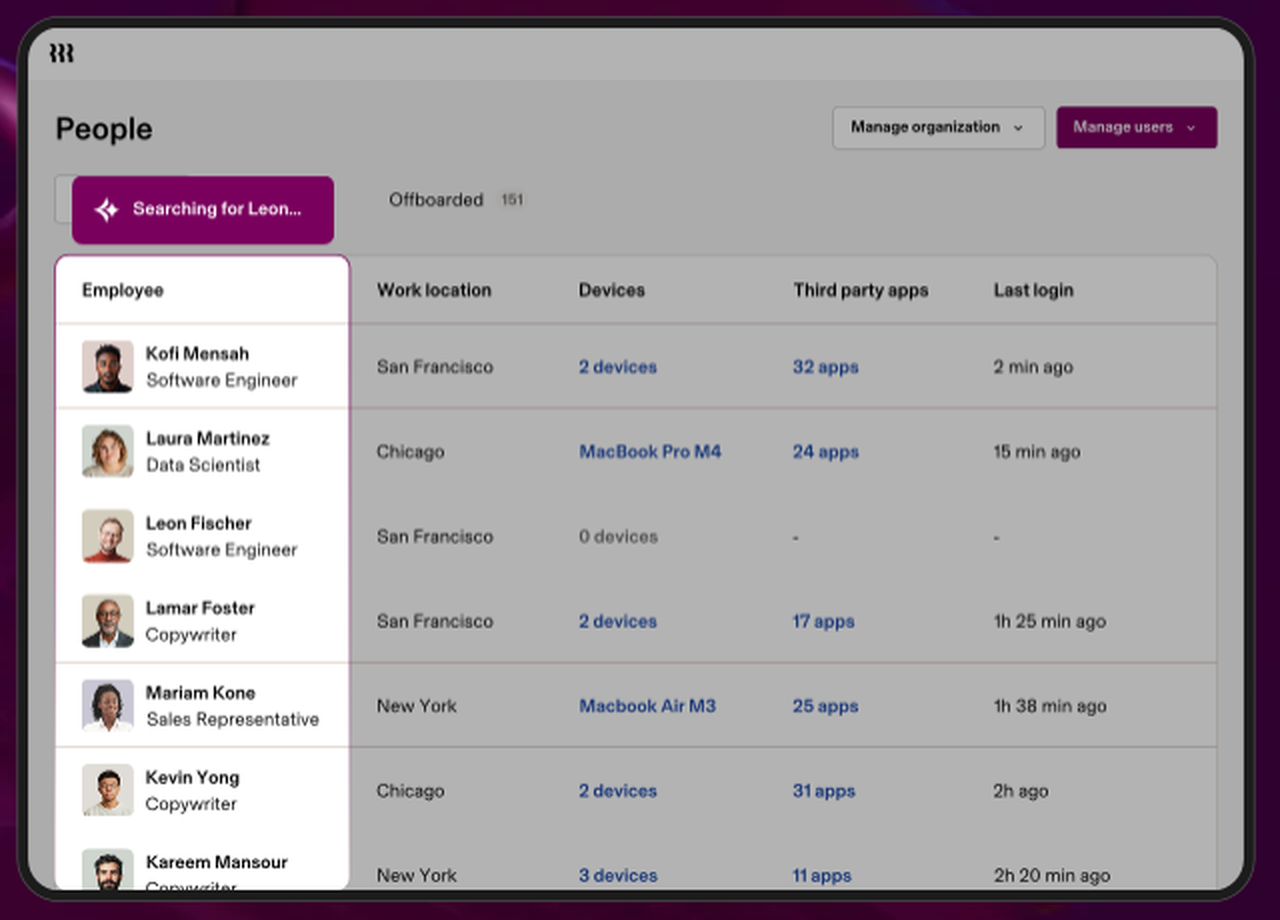
Rippling can connect onboarding to HR, payroll, software access and device deployment, while Gusto supports hiring documents, onboarding tasks, payroll setup and selected app provisioning. The gap isn't that Gusto lacks app accounts. The gap is the breadth of the IT and device workflows you want to manage from the employee record.
What can Rippling automate when someone joins?
Rippling can use employee data to trigger HR and IT actions when someone joins. Its HRIS documentation describes changes to employee data flowing through connected systems, and its IT product describes app provisioning and configured device deployment. That makes Rippling a candidate when IT's job is to prepare access before the start date and revoke it when employment ends.
The implementation decision is more nuanced than switching on an onboarding checklist. An HR event should identify the manager, work location, job role and effective date. IT needs to translate that event into approved device and app policies. If the role or location is wrong, automation can deliver the wrong access just as quickly as it'd deliver the right one.
What can Gusto automate when someone joins?
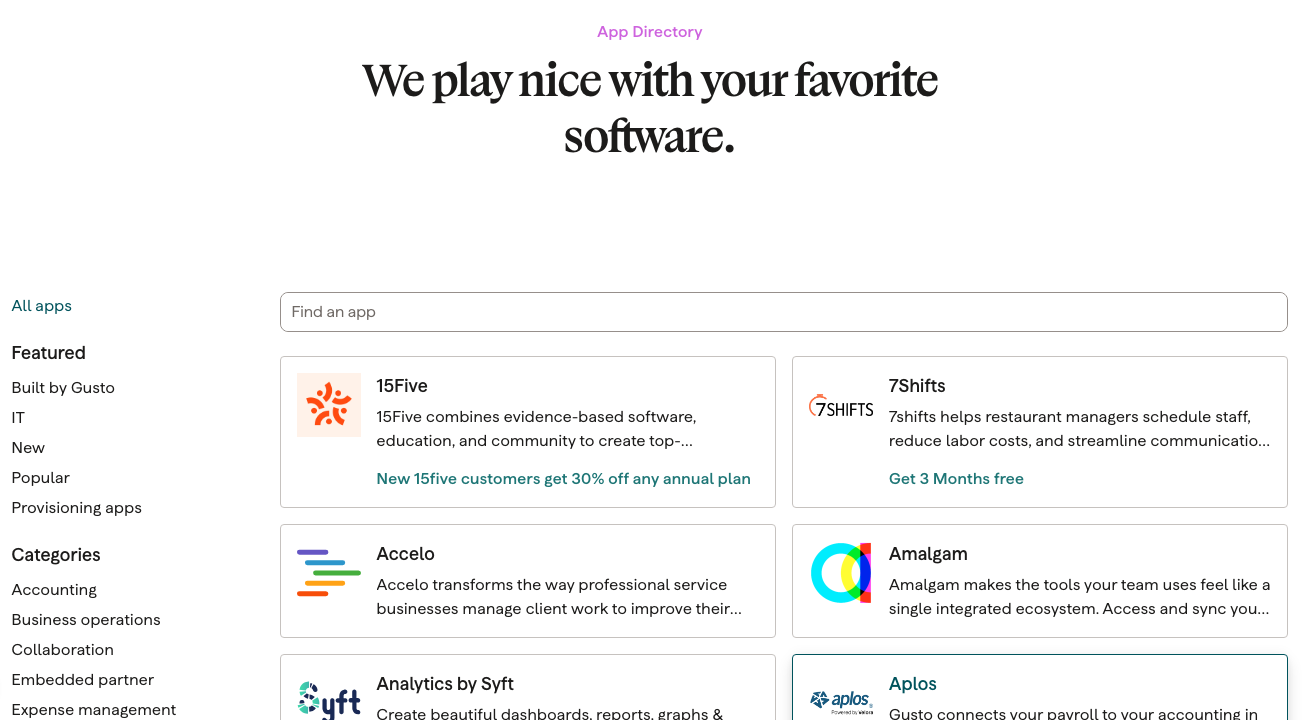
Gusto can support onboarding tasks, documents, e-signatures and account setup. Its help center confirms that Plus and Premium admins can create or match supported app accounts, including Slack and Zoom, while Google Workspace and Microsoft 365 work email provisioning are available on all Gusto plans. The provisioning flow supports employees and US contractors but excludes some international worker types.
Gusto's documented workflow starts from the new hire's onboarding checklist after the offer has been accepted. An admin selects connected apps and creates the accounts. That's useful for straightforward access handoffs, but it isn't the same scope as a platform that also ships and manages devices.
Who owns the handoff after the software runs?
The handoff owner shouldn't just be whoever started the task. It should be the person who can verify the task's outcome. HR confirms the employment record and required forms. IT confirms that the right device and accounts work. The manager confirms the employee can perform the role. Finance confirms any compensation or reimbursement dependencies that matter before payroll.
- People OpsConfirm start date, legal name, role, location and payroll enrollment Before start
- ITVerify device readiness and required account access, including exceptions Before day one
- Hiring managerCheck team introductions, role-specific training and first assignment Day one
- Payroll ownerReconcile pay schedule, compensation and missing approvals Before first payroll
- People OpsClose unresolved tasks only after evidence and owner sign-off After first-week review
The timeline is a suggested operating model, not a promise that either vendor will finish every task automatically, so adapt it to your own setup. A new hire onboarding template gives each owner a place to record proof. A full employee onboarding checklist covers the human work that payroll activation alone can't certify.
Which platform handles IT access and offboarding better?
Rippling offers broader IT and device controls, while Gusto offers a narrower set of supported app-provisioning integrations. Rippling's IT documentation describes employee changes triggering app and device provisioning, including offboarding. Gusto's help center documents creating, matching and removing access for supported apps, but it doesn't present the same device-management suite.
For a distributed workforce, device lifecycle management may be the deciding purchase requirement. You'll want the vendor to demonstrate laptop preparation, identity setup, app assignment, role changes and access removal in a real workflow. If you've already got a mature IT platform, duplicating those controls inside HR software may create more work than it saves.
Offboarding is where incomplete ownership gets costly. An employee may be marked terminated in payroll while an app account, shared folder or device remains active. A system event isn't proof that every connected service has responded, and it's no substitute for a check. Use an employee offboarding checklist and require an exception log for any app or device outside the automation scope.
Which is better for benefits, multi-state teams and contractors?
Gusto has a clear published path from single-state payroll to multi-state payroll on Plus and Premium, while Rippling offers a broader HR and global workforce product family. Both provide benefits-related capabilities, but the right choice depends on locations, worker types, current broker arrangements and the services actually included in your agreement.
Gusto's multi-state payroll page says Plus and Premium support multi-state payroll without an additional multi-state processing fee. Gusto also offers global contractor payments, but that doesn't make its US payroll plans equivalent to Rippling's global HR and payroll products. For cross-border employees, confirm the legal employer, supported countries, payroll entity and local compliance responsibilities separately.
The contractor-only pricing trap matters. Gusto's help center says its legacy contractor-only plan closed to new customers on October 1, 2026. Existing customers can retain it, but new customers shouldn't use that retired plan as the starting point for a fresh quote. US contractors on current Gusto plans incur a per-person fee only in months they receive payment or a historical payment is recorded.
For a company with contractors and employees, model the worker mix by month. If the team regularly adds contractors for projects, a headcount-only comparison will miss the actual billing pattern. If the company needs employer-of-record services, compare the specific EOR offering and contract rather than assuming standard US payroll covers it, because it often doesn't.
How should you use user reviews when comparing Rippling and Gusto?
Review sites can show how other buyers experienced setup and support, but they shouldn't replace a test of your own workflows. Review counts and ratings differ between product profiles, seller pages and category pages, so don't copy a number from a comparison site and treat it as a stable benchmark. Read recent reviews from companies with your headcount, locations and IT stack, and look for repeated complaints about support response and payroll corrections.
Gusto's small-business appeal fits its published payroll-first scope. Rippling's appeal is the breadth of connected functions, but that breadth can mean more configuration work than you'd expect. Weigh both against how much setup your team can realistically own.
A better evaluation asks each vendor to show the same exception: a new hire moves to another state shortly before payroll, changes manager and needs a different app permission. Observe who edits the record, which changes propagate, which approvals are required and where failures become visible. Request references from organizations with similar employee locations and an IT stack that's just as complex.
How should People Ops run a fair vendor evaluation?
A fair Rippling vs Gusto evaluation starts with identical scenarios, a complete cost scope and named task owners. Run a live payroll scenario, a new-hire onboarding scenario and an offboarding exception. Document what each product does natively, what requires an add-on and what still depends on another team.
Freeze the workforce scope
List employee locations, worker types, pay schedules, benefits requirements and required IT systems. Don't let one quote assume a smaller scope.
Request a complete written cost model
For Gusto, calculate the published plan and add-ons. For Rippling, request each module, the base fee, implementation terms and billing rules.
Demonstrate the same hire and exit
Use a realistic start date, an access exception and a manager change. Record what happens in HR, payroll and IT.
Assign owners to every unfinished task
Name the person who checks payroll data, devices, app access, benefits and first-week readiness.
Sign off with evidence
Keep the quote, tested workflow results, unresolved limitations and accountable approver together before purchase.
Frankly, the strongest demo isn't a polished dashboard. It's the exception that crosses a department boundary and needs someone to own the outcome. Treat a failed handoff as something you've got to resolve before signing, period.
- Confirm the same billable employee and contractor population in both proposals
- Get the exact Rippling platform base fee and module list in writing
- Calculate Gusto's plan, payment-speed and time-tracking add-ons
- Confirm payroll states, supported worker types and country coverage
- Demonstrate a new hire with a changed start date and manager
- Test account provisioning, account removal and device handling separately
- Assign an owner to exceptions outside the software's integration scope
- Confirm implementation, data migration, support and contract terms
- Record the decision and evidence before approving the vendor
Where does an onboarding coordination tool fit?
An onboarding coordination tool fits between HR, IT, finance and the hiring manager when their responsibilities span multiple systems. Rippling or Gusto can remain the system for employee data and payroll, while a separate readiness workflow tracks who has confirmed each dependency and which tasks still need approval.
The People Ops Manager's own product focuses on coordinating day-one readiness and blocked handoffs. It isn't an HRIS, payroll service or employment-verification tool. Consider that separate layer only if the vendor you choose and your existing systems still leave important tasks without an accountable owner.
Rippling vs Gusto FAQ
Rippling vs Gusto questions usually come down to payroll scope, published prices, app access and the practical work of changing systems. The answers below distinguish current documented capabilities from assumptions that need a sales demonstration.
Is Rippling cheaper than Gusto?
Rippling isn't demonstrably cheaper from its advertised starting price because the monthly base fee and selected modules require a custom quote. Gusto publishes payroll-inclusive prices, so compare full configurations rather than headline rates.
Does Gusto include payroll on its cheapest plan?
Gusto Simple includes unlimited payroll runs and tax filings at its published $49 monthly base plus $6 per person. Simple is intended for single-state payroll.
Can Gusto provision employee software accounts?
Gusto supports work email provisioning on all plans and additional supported app provisioning on Plus and Premium. It doesn't offer the same device-management scope as Rippling's IT products.
Can Rippling run payroll without its platform?
Rippling's payroll is part of its modular workforce platform. Ask sales for the platform fee and the payroll module together because the advertised starting figure isn't a complete payroll quote.
Is Gusto's contractor-only plan still available to new customers?
Gusto closed its contractor-only plan to new customers on October 1, 2026. Existing customers may keep the legacy plan, while new customers can pay contractors on current plans.
Which platform is better for onboarding across HR and IT?
Rippling offers broader native HR and IT automation, including device workflows. Gusto can handle onboarding and selected app accounts, but the buyer should test handoffs and assign owners for any remaining tasks.