Employee experience software covers three different jobs, and most tools do one of them well. Some tools listen: they run engagement, pulse and onboarding surveys and show managers what to do with the answers. Others communicate instead: they give employees a feed, an app, recognition and onboarding content. The rest sit inside a performance suite and add surveys to reviews and goals. This page compares nine tools across those jobs, covering what each one measures, what it costs when a price is public, what reviewers report, and who should skip it.
Prices and features come from vendor pricing, product and help-center pages read on November 9, 2026. Five of the nine tools publish no price, so we write "quote only" instead of repeating a third party's estimate. Ratings come from G2 unless the entry says otherwise, and the praise and complaint lines are G2's summarized review themes. We read vendor material and didn't run these products. Where a feature isn't on the published pages, the entry says so.
- tools compared
- 9
- publish a price
- 4
- quote only
- 5
- seats: Viva Glint's minimum
- 50
Best Employee Experience Software by Situation
 Best for a dedicated survey programCulture AmpOver 40 survey templates, pulse, onboarding and offboarding surveys, and benchmarks. Quote only.
 Best for large companies with an admin teamQualtrics Employee ExperienceEngagement, lifecycle touchpoints and 360s on one configurable platform. Quote only.
 Best for continuous listening on WorkdayWorkday Peakon Employee VoiceRotating question sets on a schedule instead of one annual survey, with a documented Workday sync.
 Best published price for Microsoft 365 companiesMicrosoft Viva Glint$2 per user per month for 50 or more seats, with Teams delivery.
 Best if reviews and goals live in the same toolLatticeEngagement at $4 per seat per month, $4,000 minimum, with eNPS, pulse and onboarding surveys.
 Best for HRIS-triggered onboarding and exit surveysLeapsomeSurveys fire a set number of days after the hire or exit date. Priced in euros.
 Best for a weekly manager-led pulseWorkleap OfficevibeWeekly pulse, manager reports and Good Vibes recognition inside Slack or Teams.
 Best for recognition plus a social feedWorkvivoFeed, badges and awards, with surveys (Seer) and onboarding Journeys as add-ons.
 Best for frontline staff with no work emailStaffbaseEmployee app with a surveys plugin and journeys, built for people without a desk.
 Not a survey tool: for onboarding tasks that wait on other teamsThe People Ops ManagerCoordinates onboarding across HR, IT and managers next to the tools above.
Employee Experience Software at a Glance
| Tool | Type | Starting price (USD) | Rating |
|---|---|---|---|
| Culture Amp | Employee feedback and performance platform | Not published; quote only | 4.5 (1,530) |
| Qualtrics Employee Experience | Enterprise listening and survey platform | Not published; based on employee count, quote only | 4.4 (466) |
| Workday Peakon Employee Voice | Continuous listening platform | Not published; quote only | 4.6 (117) |
| Microsoft Viva Glint | Engagement and lifecycle surveys for Microsoft 365 | $2 per user per month, 50 seats minimum | 4.6 (42) |
| Lattice | Performance suite with engagement | Engagement $4 per seat per month, $4,000 minimum a year | 4.7 (4,114) |
| Leapsome | Performance suite with engagement | EUR 4 per employee per month (no USD price found) | 4.8 (2,412) |
| Workleap Officevibe | Pulse surveys and manager feedback | From $4,999 a year plus $32 per manager per month | 4.3 (1,090) |
| Workvivo | Employee experience platform | Not published; quote only | 4.8 (2,717) |
| Staffbase | Employee app and intranet | Not published; quote only | 4.6 (249) |
| The People Ops Manager Our product | Onboarding coordination | Subscription via Stripe Checkout, card required | No reviews yet |
Quote only means the vendor doesn't publish a price. Ratings come from G2, except that Officevibe's is the rating for the whole Workleap listing. Prices checked November 9, 2026.
What Is Employee Experience Software?
Employee experience software is the set of tools a company uses to collect what employees think, communicate with them and act on the answers across the time they work there. That covers engagement and pulse surveys, onboarding and exit surveys, an app or feed for company news, recognition, and the reporting that tells a manager which team needs attention. The category is wide, but no single product does all of it equally well.
Employee experience and employee engagement are related, yet they aren't the same thing. Engagement is how committed people feel, and a survey measures it, though it only captures one moment. Experience is everything an employee runs into on the way: onboarding, the tools, their manager, how often they hear from leadership, how fast a request gets answered. Engagement software measures a slice of that, while experience software also covers the moments around it.
Examples of employee experience software include Culture Amp, Qualtrics, Workday Peakon, Microsoft Viva Glint, Lattice, Leapsome, Workleap Officevibe, Workvivo and Staffbase. They fall into three groups, which is how this page is organized.
- Listening platforms run the surveys and the analysis: Culture Amp, Qualtrics, Peakon and Viva Glint.
- Performance suites with engagement add surveys to reviews and goals: Lattice, Leapsome and Officevibe.
- Employee hubs put news, recognition and onboarding content in an app or feed, with surveys on top: Workvivo and Staffbase.
- Decide the job first: measuring sentiment, reaching people, or adding surveys to a performance suite. The nine tools split along those lines.
- Only four of nine publish a price, and Viva Glint's $2 per user per month is the lowest, with a 50-seat minimum.
- Surveys are only half of it. Whoever owns the follow-up decides whether the results change anything, so plan the owners before you pick the tool.
What Each Tool Measures: Survey Types and Anonymity
A long feature list says little about what an employee will actually be asked, so this table is where the real differences show. This table sorts the nine tools on the survey formats and the anonymity rules their own pages and help centers document.
| Tool | Pulse or continuous surveys | Onboarding or exit surveys | eNPS | Anonymity rule |
|---|---|---|---|---|
| Culture Amp | Yes, with built-in benchmarks | Yes: automated onboarding and offboarding templates | Not found on pages read | Surveys are confidential, not anonymous; settings lock at launch |
| Qualtrics Employee Experience | Yes: real-time pulse surveys | Yes: auto-triggered touchpoints, onboarding example over the first 90 days | Not found on pages read | Threshold of 5 for scores and comments by default in engagement projects |
| Workday Peakon Employee Voice | Yes: rotating questions on a cadence | Not detailed on the product page | Only cited as a customer result | Admin-set thresholds; documentation examples use 5 |
| Microsoft Viva Glint | Pulse not mentioned on the product page | Yes: onboarding and exit programs | Not mentioned | Groups of five or more by default; confidential surveys need at least three responses |
| Lattice | Yes | Yes, but identifiable rather than anonymous | Yes: one-question eNPS | Default threshold 5, adjustable from 3 to 10 |
| Leapsome | Yes: recurring pulse | Yes: triggered by days after hire or exit date | Yes: tracked over time | Anonymous by default; threshold can't be changed once the survey is active |
| Workleap Officevibe | Yes: weekly, biweekly or monthly | Not found on pages read | Shown in the pulse heatmap | Scores show only with 3 respondents in the reporting window |
| Workvivo | Yes, through Seer | Yes, through the Journeys add-on | Not found on pages read | Not found on pages read |
| Staffbase | Yes: weekly pulse in the surveys plugin | Onboarding journeys; exit surveys not found | Yes | Surveys described as anonymous quick feedback; threshold not found |
"Not found on pages read" means we looked at pricing, feature and help pages and didn't find it, not that the vendor can't do it. Ask for it in a demo before ruling a tool out.
Who Owns Each Step from Survey to Action
A survey nobody acts on makes the next one harder to get answered, and that's the real cost. The failure that comes up most is a result that lands with a manager who never saw it coming and has no time to respond. This is the sequence we'd set up whichever tool you buy. It's our recommended process, not a vendor feature list.
- People OpsPick the questions, decide anonymous or identifiable, and set the response threshold, because several tools lock these once the survey is live 4 weeks before
- ITConfirm the employee file or HRIS sync includes new starters, contractors and the correct manager for each person 1 week before
- ManagersGet a short brief on what the results will show them, and block time to review them 1 week before
- People OpsLaunch, send reminders on the channel people use, and watch participation by team launch day
- People OpsClose the survey and check which groups fall below the anonymity threshold end of window
- ManagersRead the team results and choose one to three actions, with a date and an owner for each within 2 weeks
- HR and leadershipReview company-level themes, then run a short pulse to see whether the actions moved anything about 90 days later
How We Compared the Tools
We looked at each tool through the People Ops lens: what it asks employees, who sees the answers, what the manager does next and what it costs. For every tool we read the pricing page, a product page, a help-center or documentation page and a review source. Where a page wasn't available or a feature wasn't documented, we left the claim out.
- Survey types: engagement, pulse, onboarding and exit, eNPS.
- Anonymity: thresholds, and whether they can change after launch.
- Action: benchmarks, suggested actions and manager follow-up.
- Reach: whether employees need a work email, Slack or Teams, or an app.
- Cost: the public price, or the pricing model when there isn't one.
- Fit: the company size each tool suits, and who should skip it.
Listening and Survey Platforms
These four exist to run surveys and analyze the answers, not to publish company news. They suit companies that already have a person or team responsible for listening, and they differ mainly in how much configuration they expect and how they're priced.
Culture Amp
Culture Amp Engage runs engagement, pulse, onboarding and offboarding surveys from over 40 templates, with benchmarks, AI comment summaries and manager action plans, sold by quote.
Culture Amp's the most template-rich dedicated survey tool here, with over 40 ready-made surveys and benchmarks drawn from a large response set.
Its Engage product covers engagement, pulse, onboarding and offboarding surveys, and AI Coach, Slack and Teams integrations and HRIS sync are included in every plan. Pricing is request-a-quote and depends on headcount, product and service tier. G2 shows 4.5 from about 1,530 reviews, with ease of use as the recurring strength and missing features as the most common complaint.
- you want a standalone, science-led survey tool with over 40 templates and large benchmarks
- you have 200 or more employees and want Customer Success support included by tier
- you need a figure before a demo: Engage and Perform are quoted by headcount, product and service tier, billed annually
- you need eNPS confirmed as a feature: we found none on its pages
- Users like
- fast live-chat support, per G2 summaries
- Users dislike
- reporting features that reviewers want improved, per G2 summaries
- Source: G2, 1,530 reviews
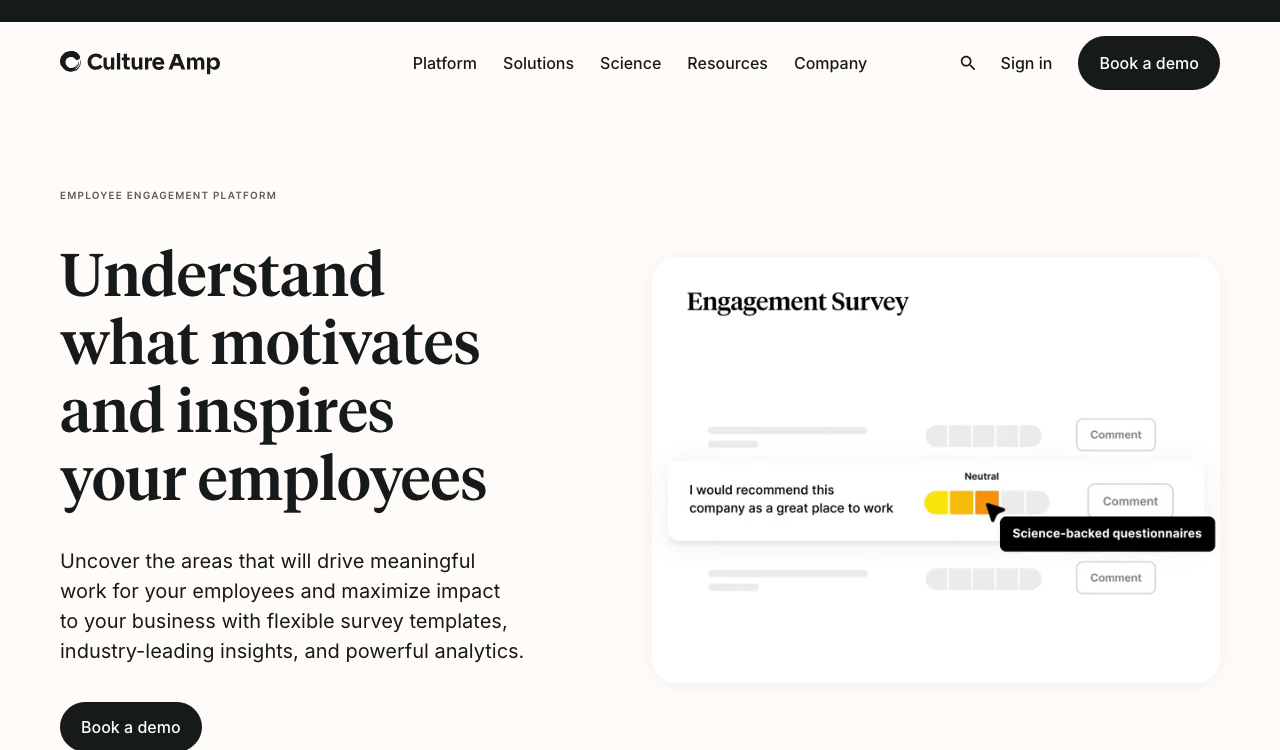
How a survey cycle runs
It's not a one-click launch: a survey starts as a draft on the Surveys and Programs page. The admin previews the survey and its reports, launches it, and can add participants or resend links while it runs. The engagement template has 57 questions and takes just under ten minutes, with a 20-question quick version. Culture Amp calls its surveys confidential rather than anonymous, and the confidentiality setting can't be changed after launch. Support scales by company size: under 200 employees get group Customer Success, and 1,000 or more add a People Scientist results call. We found no eNPS feature on the pages read.
- Starting price
- Not published; quote only
- Plans
- Engage, Perform, Full Platform; all quote-only
- Support tiers
- Under 200, 200 to 999, 1000+ employees
- AI
- AI Coach included in every plan
- Survey types
- Engagement (57-question template), pulse, onboarding and offboarding
- Confidentiality
- Surveys are confidential, not anonymous; settings lock at launch
- In every plan
- AI Coach, Slack and Teams integrations, HRIS sync
Qualtrics Employee Experience
Qualtrics Employee Experience runs engagement, pulse and lifecycle surveys, 360 feedback and manager action planning, priced by employee count on request.
Qualtrics Employee Experience is the heavyweight option: engagement, lifecycle touchpoints and 360 feedback on one configurable platform, meant for companies with someone to configure it.
Pricing is based on employee count and every product has a Request Pricing button. G2 shows 4.4 from 466 reviews. Reviewers point to cost and a learning curve for newcomers as the downsides, and to ease of use and support as the upside.
- you want engagement, onboarding touchpoints and 360s on one configurable platform
- you have staff to configure dashboards, HRIS imports and permissions
- you need a published price: every product has a Request Pricing button
- you want something one HR generalist can launch in an afternoon: reviewers cite complexity and cost
- Users like
- ease of use and customer support
- Users dislike
- high cost for smaller organizations and a learning curve for newcomers
- Source: G2, 466 reviews
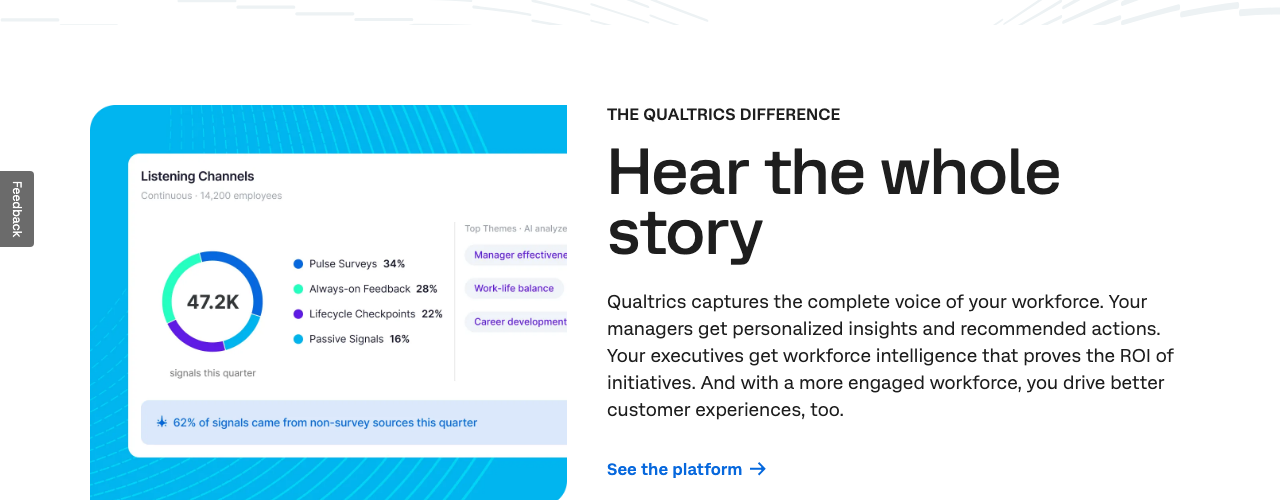
How an engagement project runs
Qualtrics documents an engagement project in five stages: prepare the questions and employee list, build the survey, configure participants and distribute, report, and close the project to prepare next year's cycle. Projects start with an anonymity threshold of 5 for both scores and comments, and results stay hidden until enough responses arrive. The vendor's page describes onboarding touchpoints triggered across the first 90 days, 360 frameworks and action planning with recommended actions for managers. We found no eNPS feature and no confirmed SAP connector on the pages read; the HRIS import documentation names Workday.
- Starting price
- Not published; based on employee count, quote only
- Survey types
- Engagement, pulse, lifecycle touchpoints and 360 feedback
- Anonymity
- Engagement projects start with an anonymity threshold of 5 for scores and comments
- Setup
- Five-stage project: prepare, build, distribute, report, close
Workday Peakon Employee Voice
Workday Peakon Employee Voice rotates short question sets to employees on a schedule and gives managers suggested action plans and confidentiality controls.
Workday Peakon Employee Voice replaces the single annual survey with rotating question sets, so each employee gets a short round on a schedule.
Workday describes it as a listening platform with action plans, benchmarks and AI-generated recommendations, and it lists Teams, Slack and a REST API. Pricing is by contact with sales, not a public list. G2 shows 4.6 from 117 reviews, with real-time insight and ease of use as the strengths and setup complexity and anonymity doubts in small teams as the recurring concerns.
- you run Workday HCM and want its documented employee sync
- you prefer continuous listening over a single annual survey
- you need a public price or self-serve trial: it is quote only
- you manage small teams where anonymity is hard to guarantee, a concern reviewers raise
- Users like
- real-time engagement insights and ease of use
- Users dislike
- complex setup, doubts about anonymity in small teams and cost
- Source: G2, 117 reviews
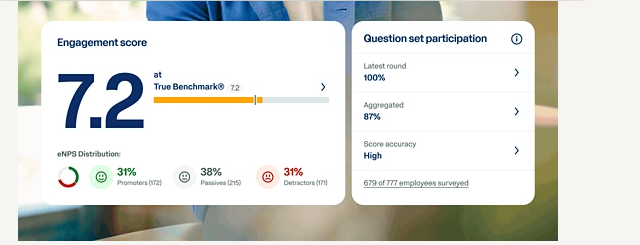
How a rotating survey round runs
The documentation lets an admin choose a manual round that sends all active questions to everyone on a chosen date, or rotating windows from once a week up to once every 12 months, with the default being once within three months. Confidentiality is configurable: documentation examples use 5 unique employees per segment. The Workday sync runs incrementally several times an hour after an initial full sync, and the docs recommend a full sync before each survey round. We found no SAP SuccessFactors connector on the pages read, and no detail on onboarding or exit survey formats.
- Starting price
- Not published; quote only
- Cadence
- Manual rounds or rotating windows from weekly to 12 months; default once within 3 months
- Confidentiality
- Admin-set thresholds, for example 5 responses per segment
- Workday sync
- Incremental sync several times an hour after a full sync
Microsoft Viva Glint
Microsoft Viva Glint runs engagement, onboarding, exit and 360 surveys with manager action plans and Teams delivery, licensed per user with a 50-seat minimum.
Microsoft Viva Glint is the only listening platform here with a published per-user price: $2 per user per month, paid yearly, with a 50-seat minimum.
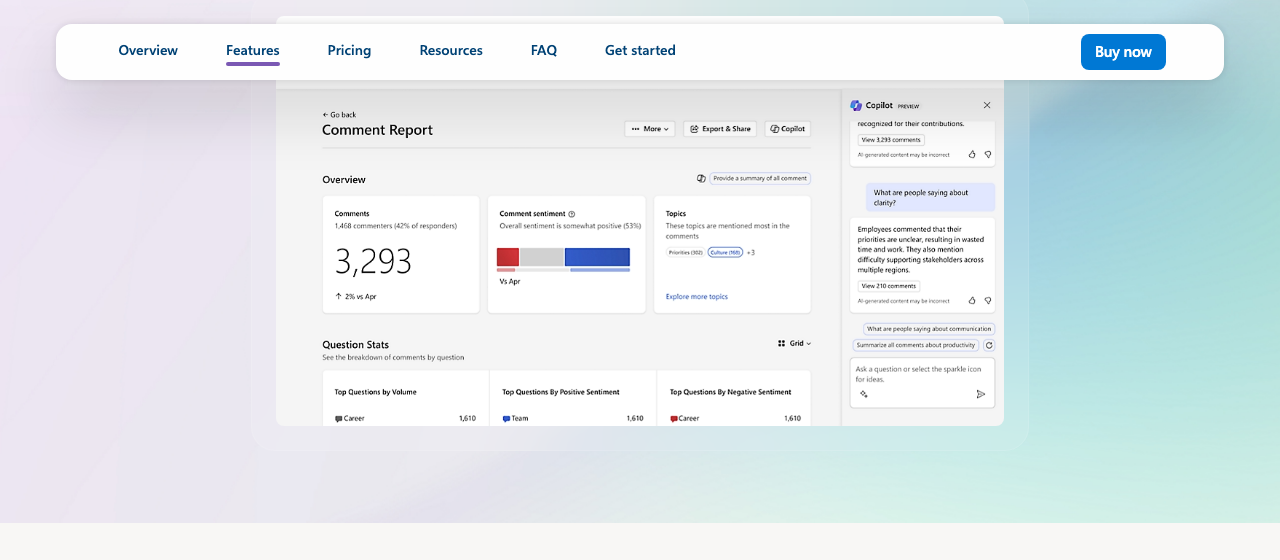
Microsoft's pricing page lists Viva Glint at $2, Viva Suite at $12 and a combined Employee Feedback tier at $6, all per user per month. At the minimum, that is $1,200 a year at list. The Glint product page covers engagement, onboarding, exit, diversity and inclusion, change management and 360 surveys. G2 shows 4.6 from 42 reviews, a small sample, with ease of use and support as the positives and one reviewer saying it isn't as confidential as advertised.
- you already run Microsoft 365 and Teams and want surveys inside it
- you want a published list price and can meet the 50-seat minimum
- you have fewer than 50 employees
- you don't use Microsoft 365 or Teams: we found no Slack delivery and no HRIS connector beyond file upload
- Users like
- ease of use and support
- Users dislike
- one reviewer said it is not as confidential as advertised
- Source: G2, 42 reviews
How an onboarding program runs
A lifecycle program is built from a template. The admin sets the program name and administrators, a response window (14 days by default for lifecycle programs) and a waiting period between surveys (365 days by default), then defines distribution as date-based lists relative to hire date and enables it. Confidential surveys need at least three responses, and the default statement groups five or more respondents. Delivery runs through the Viva Glint app in Teams. We found no Slack delivery and no HRIS connector beyond file upload. Pulse integration needs per-user licenses, and Viva Insights data and Copilot features need their own licensing.
- Starting price
- $2 per user per month, paid yearly (standalone Viva Glint); Viva Suite $12 per user per month; 50-seat minimum
- Survey types
- Engagement, onboarding, exit, diversity and inclusion, change and 360 surveys
- Confidentiality
- Default statement groups of five or more respondents; confidential surveys need at least three responses
- Lifecycle defaults
- 14-day response window and 365 days between surveys for lifecycle programs
Performance Suites with Engagement
If the company already runs reviews and goals, adding surveys to the same system keeps one set of people data, but you give up survey depth. These three sell engagement as a module or a plan next to performance.
Lattice
Lattice is a performance management platform sold as annual per-seat modules: Performance, Goals & OKRs and Engagement, with Compensation and Grow as add-ons.
Lattice sells engagement as one of three base products, and it's the clearest price in the group: $4 per seat per month with a $4,000 minimum annual agreement.
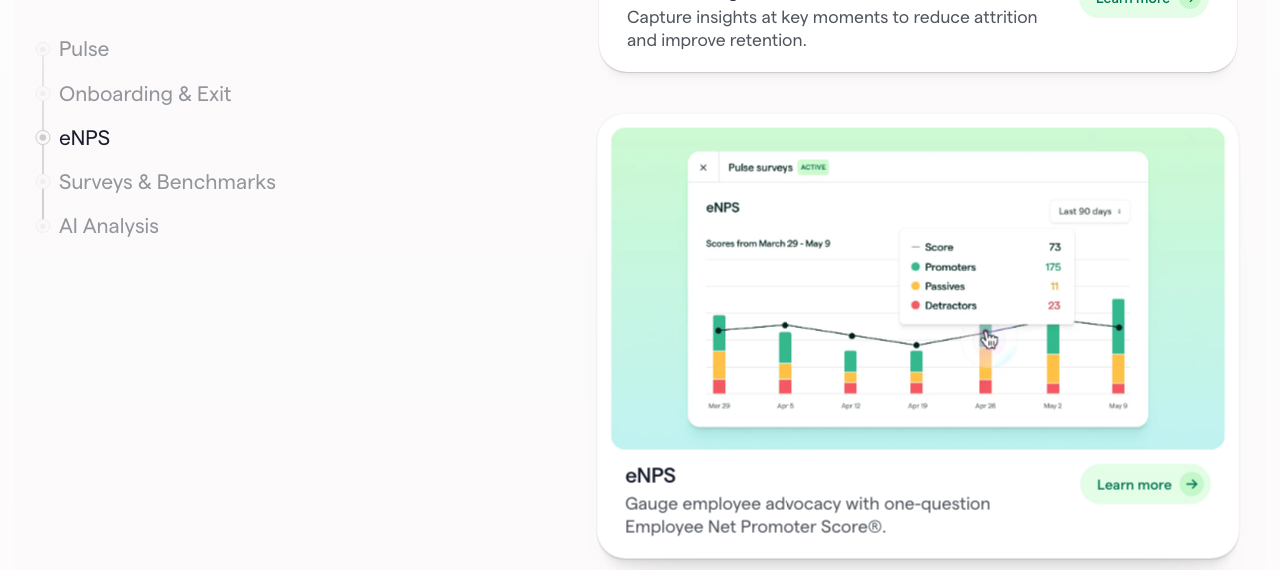
The pricing page lists Performance at $10, Goals and OKRs at $8 and Engagement at $4 per seat per month, billed annually in US dollars. Because of the minimum, Engagement alone reaches the floor at about 83 seats. Survey types are pulse, onboarding and exit, eNPS and engagement surveys, with benchmarks powered by Mercer and AI analysis of comments. G2 shows 4.7 from about 4,114 reviews, praising ease of use and support and criticizing cumbersome reporting.
- you want review cycles with calibration, promotions and PIPs in one plan
- you will buy goals and engagement later and want to price them as separate modules
- you have fewer than about 33 people: the $4,000 minimum annual agreement is the real floor
- you need monthly billing: Lattice bills all contracts annually
- Users like
- ease of use, per G2 summaries
- Users dislike
- navigation that can feel clunky, per G2 summaries
- Source: G2, 4,114 reviews
How a survey runs
An admin goes to Engagement, then Surveys, creates a survey, sets an end date (it doesn't close itself), chooses anonymous or identifiable, which is locked after launch, and sets the threshold. The default is 5, adjustable from 3 to 10. Onboarding and exit surveys are identifiable by design. Managers can build action plans from the feedback. The integrations page lists 12 HRIS tools, including Workday, BambooHR, Rippling, HiBob and Personio, plus Slack and Teams, though we found no detail on what each does for surveys.
- Starting price
- Engagement $4 per seat per month, billed annually; $4,000 minimum annual agreement
- Plans
- Performance $10, Goals & OKRs $8, Engagement $4 per seat per month; Compensation +$6, Grow +$4
- Minimum
- $4,000 annual agreement
- Calibration
- Performance plan; applies to manager ratings only
- Compensation
- Add-on at +$6 per seat per month; benchmarks powered by Mercer data per Lattice's FAQ
- Survey types
- Pulse, onboarding and exit, eNPS and engagement surveys
- Anonymity
- Default threshold of 5; minimum 3, maximum 10
- HRIS
- 12 listed, including Workday, BambooHR, Rippling, HiBob and Personio
Leapsome
Leapsome is a modular people platform; Performance Reviews is EUR 7 and Goals & OKRs EUR 4 per employee per month on its pricing page, which lists euros only.
Leapsome's the one here that triggers onboarding and exit surveys from HRIS dates, a set number of days after someone is hired or leaves.
Engagement Surveys is a separate module at EUR 4 per employee per month on its pricing page, which lists euros only, so we don't convert it. Performance Reviews are EUR 7, Goals EUR 4 and Learning EUR 4. The product covers engagement, onboarding, project and pulse surveys, with eNPS tracking and AI summaries. G2 shows 4.8 from about 2,412 reviews, with ease of use as the strength and missing features and a learning curve as the complaints.
- you want reviews, goals and engagement surveys as separate modules you add over time
- you want 360 and project-based reviews with configurable anonymity
- you budget in dollars: Leapsome shows Engagement Surveys at EUR 4 per employee per month and no USD amount
- you need calibration on the base module: it is documented as a Pro feature
- Users like
- ease of use and an all-in-one suite, per G2 summaries
- Users dislike
- no recurring complaint theme found in the summaries cited
- Source: G2, 2,412 reviews
How an automated pulse runs
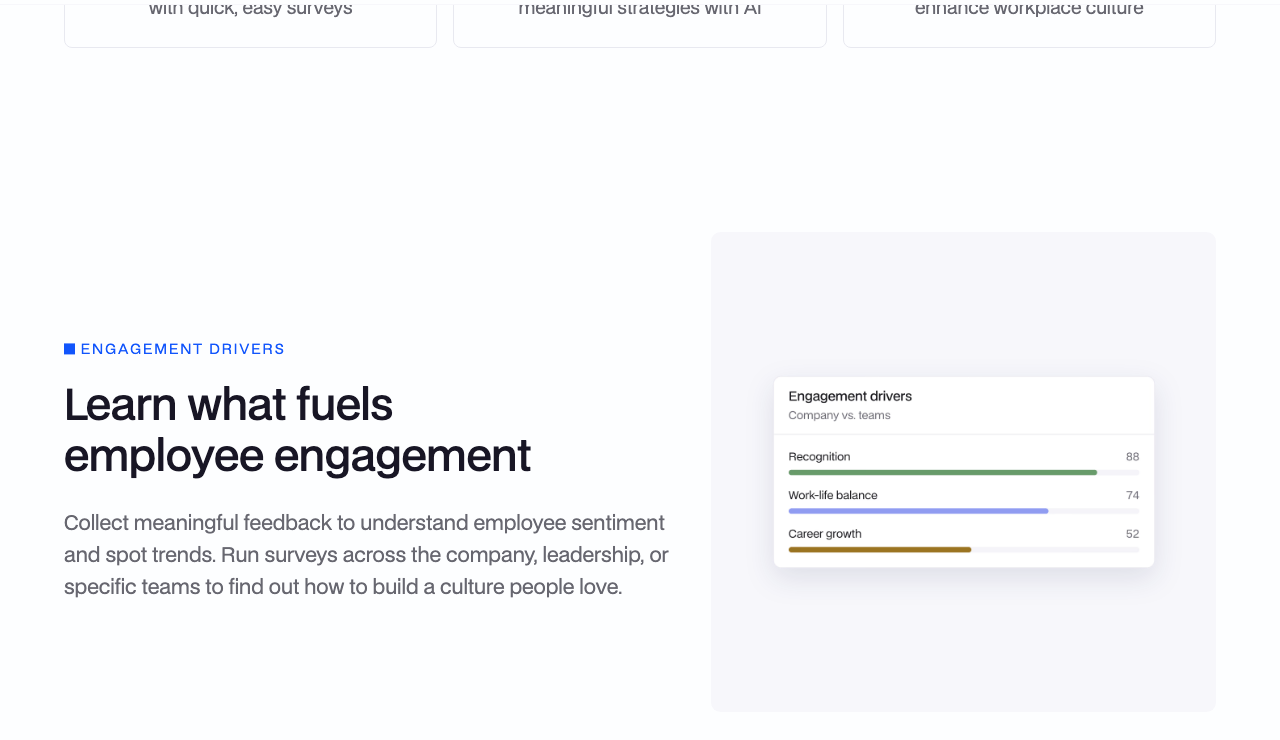
The blueprint in the help center is a monthly pulse of up to ten questions, with at least one open question and an anonymity threshold of 3, repeating every four weeks and open for seven days. Onboarding and exit automations are set in a Timing section as days after the hire date, with hire dates synced from Personio, BambooHR or HiBob. Surveys are anonymous by default, and the threshold can't be changed once the survey is active. We found no USD price and no benchmark dataset described on the pages read.
- Starting price
- Engagement Surveys EUR 4 per employee per month (euros on its pricing page; no USD price found)
- Modules (EUR per employee per month)
- Performance Reviews 7, Goals & OKRs 4, Engagement Surveys 4, Compensation 3
- Calibration
- Pro feature
- AI
- AI Review Assistant drafts; it never changes a rating on its own
- Survey types
- Engagement, onboarding, exit, project and pulse surveys; eNPS tracking
- Onboarding and exit
- Triggered by days after hire or exit date; hire dates sync from Personio, BambooHR or HiBob
- Blueprint
- Monthly pulse of up to 10 questions, anonymity threshold 3
Workleap Officevibe
Workleap Officevibe sends short weekly, biweekly or monthly pulse surveys, gives managers a report with suggested actions, and adds Good Vibes peer recognition.
Workleap Officevibe is the light option: a short weekly pulse that managers answer from a report, delivered in Slack or Teams.
Workleap's pricing page lists Standard from $4,999 a year plus $32 per manager per month, Pro from $11,999 a year, and Enterprise by quote for 250 or more employees. It doesn't show a separate Officevibe price, and the plans include performance management, goals and 1:1s. G2 shows 4.3 from 1,090 reviews for the whole Workleap listing, with ease of use as the positive and missing features as the negative.
- you want a manager-led weekly pulse in Slack or Teams
- you want surveys, recognition and 1:1s on one flat annual price
- you need onboarding journeys, a news feed or a frontline app: none found on Workleap's pages
- you want a per-employee price: cost depends on the number of managers
- Users like
- ease of use and communication
- Users dislike
- missing or limited features; G2's figure covers the whole Workleap listing
- Source: G2, 1,090 reviews
How a weekly pulse runs
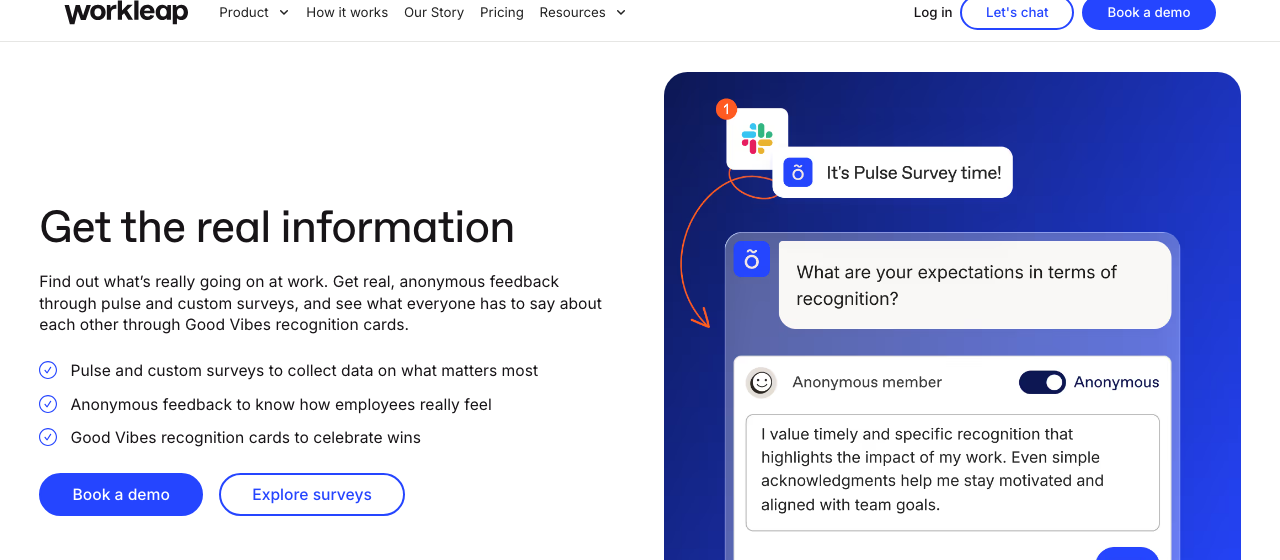
The Pulse Survey is a short questionnaire sent weekly, biweekly or monthly. Employees answer anonymously, and a score shows only when 3 respondents answered within the reporting window. Each week the manager checks the pulse, replies to anonymous feedback and picks one to three actions. Good Vibes cards add peer recognition. A heatmap compares teams on participation, eNPS and engagement. We found no onboarding journeys, no news feed and no frontline app, so employees need email, SMS, Slack or Teams.
- Starting price
- Workleap Standard from $4,999 a year plus $32 per manager per month; Pro from $11,999 a year; Enterprise by quote
- Cadence
- Weekly, biweekly or monthly pulse
- Anonymity
- Scores show only with 3 respondents in the reporting window
- Includes
- Good Vibes recognition and AI-suggested actions
Employee Hubs with Surveys
When the problem is reaching people at all, a survey tool won't help. These two start from the app or feed and add surveys and onboarding content on top. They suit companies with shift workers or a large mix of desk and frontline staff.
Workvivo
Workvivo, now part of Zoom (Workvivo by Zoom Limited), is an employee experience platform combining a social feed, intranet pages, chat, livestreams and AI tools.
Workvivo is a social, mobile-first hub where recognition and surveys sit next to the feed, though surveys and onboarding journeys are sold as extras.
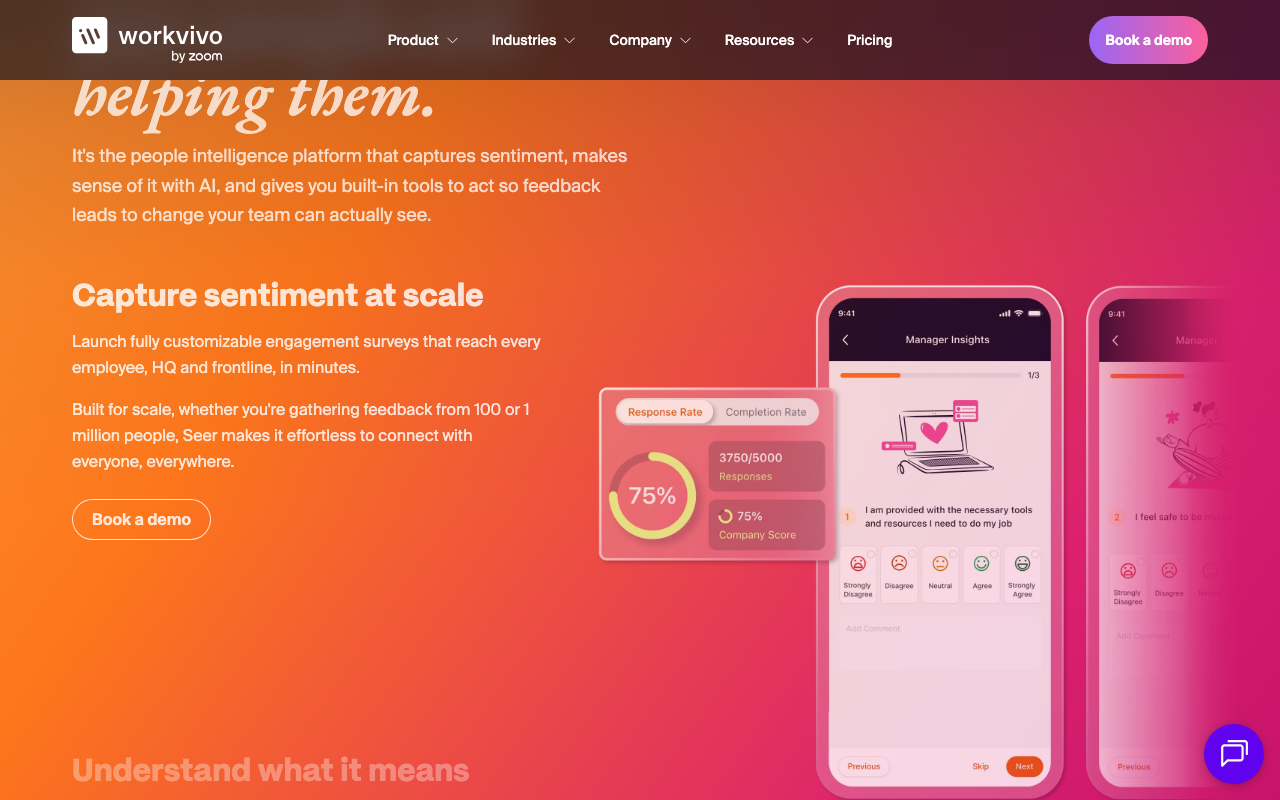
The HQ plan bundles news, campaigns, livestreams, knowledge pages, a people directory and badges and awards. Seer, the people-intelligence product, adds engagement and pulse surveys, benchmarking and AI comment analysis. Journeys, the onboarding and lifecycle automation, is documented as an add-on. Pricing is quote only with no free trial. G2 shows 4.8 from 2,717 reviews, with ease of use and peer recognition as the strengths and slow loading and notification overload as the complaints.
- you want mandatory-read posts with a who-has-not-acknowledged report and reminders for policies
- you use Zoom, Microsoft 365 or a listed HRIS (BambooHR, Workday, Personio, HiBob, Gusto) and want a social feed employees actually open
- your frontline staff have no smartphone or app access: we found none of SMS, kiosk or QR options on Workvivo's pages
- you need a public USD price or trial: we found none on Workvivo's pages. G2 reviewers also mention notification problems and slow loading
- Users like
- G2's aggregated review themes: ease of use, engagement, employee engagement, communication, peer recognition
- Users dislike
- G2's aggregated review themes: slow loading, lack of notifications, notification issues, excessive notifications
- Source: G2, 2,717 reviews
How a Journey runs
In Journeys an admin picks a trigger such as a start date, group or department, then drags steps onto the canvas, optionally requiring acknowledgement at each step. Vendor examples include 30/60/90-day check-ins and exit surveys. Recognition runs on badges (assigned by admins or by rule, including anniversaries), awards with nominations and voting, and shout-outs. A July 2026 release note says employees can take Seer surveys without activating an account. We found no anonymity threshold and no eNPS feature on the pages read.
- Starting price
- Not published; quote only
- Required read
- Read and Acknowledge per post, with a report of who has not acknowledged
- Audience
- Everyone, Spaces, Teams or Locations
- HRIS
- BambooHR, Workday, Sage HR, Personio, HiBob, Gusto, Paychex, Dayforce and Justworks
- Surveys
- Seer: engagement and pulse surveys, benchmarking, AI comment analysis
- Onboarding
- Journeys add-on: 30/60/90-day check-ins and exit surveys
- Recognition
- Badges, awards and shout-outs
Staffbase
Staffbase is an employee communications platform combining a branded employee app, intranet, email newsletters, SMS, digital signage and Microsoft 365 delivery.
Staffbase is communication-led: an employee app, intranet and email where surveys and journeys are plugins, and where frontline staff can log in without a corporate email.
The surveys plugin supports quick anonymous feedback, eNPS, recurring monthly or annual surveys and weekly pulse surveys, and it works in the app, intranet and email. A journeys plugin delivers onboarding content on a schedule. Pricing is quote only, and the vendor cites about 90 days from signed contract to branded launch. G2 shows 4.6 from 249 reviews, though that listing rates the communication features rather than surveys. Reviewers praise ease of use and support and cite limited customization.
- you need one platform covering app, intranet, email, SMS and signage for a workforce where many people have no desk or company email
- you run Microsoft 365 or Workday and want policy updates delivered inside Teams and Outlook as well as the app
- you need a published USD price to budget quickly: we found none on Staffbase's pages, only a quote process
- you want a lightweight tool for a small team: Staffbase positions itself for enterprise configurations and G2 reviewers list limited customization and design options as a recurring negative
- Users like
- G2's aggregated review themes: ease of use, customer support, access ease, user interface design
- Users dislike
- G2's aggregated review themes: limited customization, limited design options, limited multimedia features, missing features
- Source: G2, 249 reviews
How a pulse survey runs
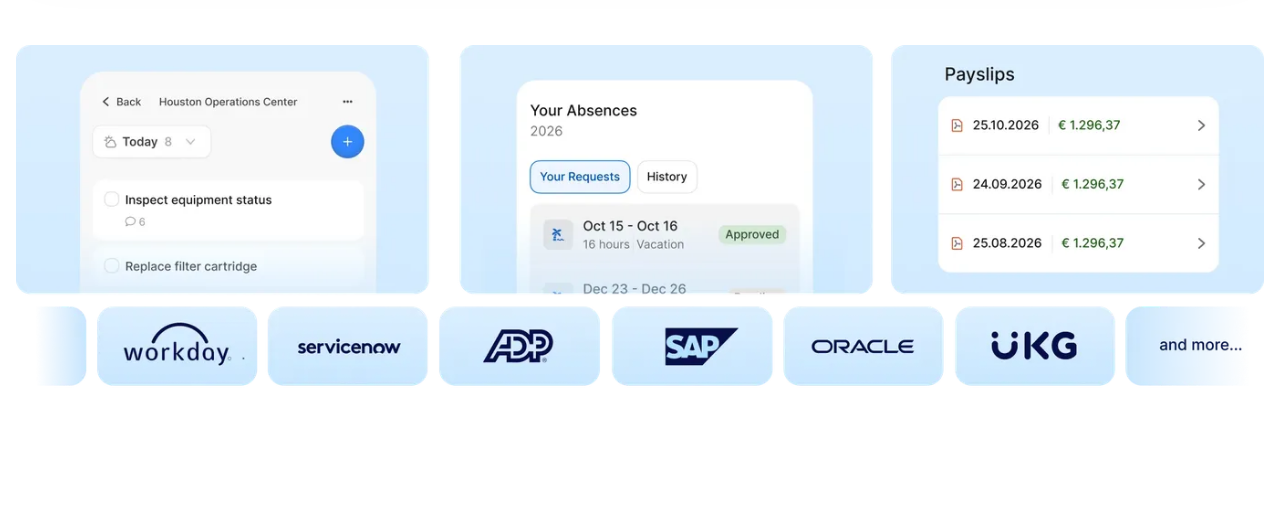
The support portal documents creating a survey, setting a one-off or recurring publication schedule, and reading the results. Staffbase's own guidance contrasts surveys with forms: surveys for quick feedback, eNPS and pulse, forms for detailed issue reports and IT or HR tickets. HR integrations cover SAP SuccessFactors and Workday, and the Microsoft 365 integration lists Teams, SharePoint and Outlook. We found no recognition or kudos feature, no benchmark dataset for surveys and no Slack integration on the pages read.
- Starting price
- Not published; quote only
- Reach
- Intranet, mobile app, email, Teams and Outlook, SMS for urgent messages, digital signage
- Sign-in
- Company or personal email, or an instant access code
- Pricing model
- Shaped by workforce mix; tailored proposal after a first conversation
- Surveys
- Surveys plugin: anonymous feedback, eNPS, recurring and weekly pulse surveys
- Journeys
- Journeys plugin for onboarding and lifecycle content
- HRIS
- SAP SuccessFactors and Workday setups documented
How Much Does Employee Experience Software Cost?
Four of the nine tools publish a price, and only two of those quote it in USD per user.
| Tool | Published price | Pricing model |
|---|---|---|
| Microsoft Viva Glint | $2 per user per month, paid yearly; Viva Suite $12; 50-seat minimum | Per user |
| Lattice | Engagement $4 per seat per month, billed annually; $4,000 minimum a year | Per seat |
| Workleap Officevibe | Workleap Standard from $4,999 a year plus $32 per manager per month; Pro from $11,999 | Flat fee plus per manager |
| Leapsome | EUR 4 per employee per month for Engagement Surveys; no USD price found | Per employee, per module |
| Culture Amp, Qualtrics Employee Experience, Workday Peakon Employee Voice, Workvivo, Staffbase | Not published | Quote only, by headcount or scope |
When you request quotes, don't stop at the headline number: ask for the same things from every vendor, namely whether surveys, benchmarks and AI summaries are in the base price, what implementation and success services cost, how the HRIS sync is charged and whether onboarding journeys are an add-on. The Workvivo and Viva Glint answers depend most on the package.
How to Choose Employee Experience Software
- A dedicated survey program with benchmarksCulture Amp or Qualtrics
- Continuous listening on rotating questions, with WorkdayWorkday Peakon
- Microsoft 365 company that wants a published priceViva Glint, if you have 50 or more employees
- Reviews, goals and surveys in one systemLattice or Leapsome
- Onboarding and exit surveys triggered from HRIS datesLeapsome, or Viva Glint with date-based lists
- A light weekly pulse for managersWorkleap Officevibe
- Staff with no work email or a feed with recognitionStaffbase or Workvivo
Don't start from the feature list. Start from the decision you want to change. If it's retention, you need survey data tied to HRIS fields such as tenure and team. If it's onboarding, you need lifecycle surveys at set days after the hire date. If it's reach, you need an app before you need a survey. Then ask each vendor to show a manager's results screen and the follow-up workflow, because that's where the tools differ most.
Where Onboarding Coordination Fits Next to These Tools
Where onboarding coordination fits next to these tools comes down to one gap: a survey platform tells you how a new hire feels on day 30, and it doesn't know that their laptop is on backorder or that an access request is waiting for an approval. The People Ops Manager covers that gap: it coordinates onboarding and offboarding across HR, IT, finance and hiring managers, and it works alongside your HRIS and survey tools. It isn't a survey platform. For the surrounding topics, our guides to employee onboarding software, performance management software and internal communications software go further.
Frequently Asked Questions
What is employee experience software?
Employee experience software is the set of tools a company uses to collect employee feedback, communicate with employees and act on the results. That covers engagement and pulse surveys, onboarding and exit surveys, a feed or app for company news, recognition and manager reporting.
How much does employee experience software cost?
Employee experience software costs whatever the vendor quotes, because most vendors don't publish a price. Of the nine tools here, Viva Glint lists $2 per user per month with a 50-seat minimum, Lattice lists Engagement at $4 per seat per month with a $4,000 minimum a year, and Workleap lists Standard from $4,999 a year plus $32 per manager per month. Culture Amp, Qualtrics, Workday Peakon, Workvivo and Staffbase sell by quote.
What is the difference between employee experience and employee engagement software?
Employee engagement software measures how committed employees feel, mostly through surveys. Employee experience software is broader: it also covers onboarding, communication, recognition and the moments around them. Many tools sold as one cover only part of the other.
Are employee survey responses anonymous?
Employee survey responses are anonymous only up to a threshold. Lattice defaults to a minimum of 5 responses, Qualtrics starts engagement projects at 5, and Officevibe shows scores with 3. Culture Amp calls its surveys confidential rather than anonymous, so check the wording and whether the setting can change after launch.
Can employee experience software run onboarding and exit surveys?
Employee experience software can run onboarding and exit surveys in several tools. Culture Amp, Lattice, Leapsome and Viva Glint document them, and Workvivo does through its Journeys add-on. Leapsome triggers them a set number of days after the hire or exit date.
Do small companies need employee experience software?
Small companies usually don't need it. Under a few dozen people, a short survey and regular one-to-ones cover most of it. The software starts to pay off when you need anonymity thresholds, benchmarks or team-level reports and the manual work has become the bottleneck.