
A learning experience platform (LXP) is the layer of your learning stack that decides what each employee sees next: it pulls courses, videos and articles from your own content and from libraries such as LinkedIn Learning or Coursera into one place, recommends items by role, skills and activity, and lets people build or follow pathways without waiting for an assignment. This guide compares eight LXPs by the team each one fits, with how pathways, skills and assignments work, which systems they connect to, what they cost and when to skip them.
Best Learning Experience Platforms at a Glance
 Best skills layer over an existing LMSDegreedPathways, skill ratings and one catalog across LinkedIn Learning, Udemy and Coursera; required training stays in your LMS.
 Best for compliance-heavy enterprisesCornerstone Learn+Learn+ bundles the LMS, the former EdCast learning experience and a content subscription under one license.
 Best for rule-based enrollmentDoceboEnrollment rules put new hires into an onboarding learning plan as soon as the HRIS feed adds them to a group.
 Best published price for small teams360Learning$8 per user per month for up to 100 users, monthly, with a 30-day trial.
 Best AI-native platform for 300+ usersSana LearnAI tutor, course generation from PDFs and an admin agent that asks before it acts; owned by Workday.
 Best ready-made content librarySkillsoft PercipioSkillsoft Teams: $240 per user per year for 2 to 300 seats, six catalogs and recurring compliance assignments.
 Best for Microsoft Teams and frontline staffFuseLearning plans and search inside Teams through the Fuse Flow app, plus the Lyra AI coach.
 Best for search across company knowledgeHowNowOne search over courses and each employee's own Google Drive, SharePoint, Confluence and Notion files.
 Our product · for the onboarding gapThe People Ops ManagerNot an LXP; coordinates the HR, IT and manager tasks that get a new hire into the learning platform on day one.
| Tool | Built around | Where it sits | Starting price | G2 rating |
|---|---|---|---|---|
| Degreed | Learning experience platform (LXP) | Skills layer above the LMS | Quote only | 4.3 (42) |
| Cornerstone Learn+ | LMS plus LXP suite | LMS and LXP in one | Quote only | 4.1 (543) |
| Docebo | Enterprise LMS + LXP | Enterprise LMS with skills layer | Quote only | 4.3 (752) |
| 360Learning | Collaborative LMS + LXP | Collaborative authoring and LXP layer | From $8/user/month | 4.6 (662) |
| Sana Learn | AI-native LMS + LXP | AI learning layer beside HRIS | Quote only, per user per month, from 300 users | 4.8 (121) |
| Skillsoft Percipio | Content-led LXP + skills platform | Content and skills inside LMS | Skillsoft Teams: USD 240 per user/year (2 to 300 seats); Enterprise quote only | 4.1 (113) |
| Fuse | LMS + LXP hybrid | LMS and LXP in one | Quote only | 4.4 (21) |
| HowNow | LXP with skills and knowledge search | LXP fed by HRIS data | Quote only | 4.5 (54) |
| The People Ops Manager Our product | Onboarding coordination | Shows who is ready for day one, what is blocked and who owns it | Subscription via Stripe Checkout, card required | No reviews yet |
Prices as listed on vendor pages, checked November 26, 2026. Quote only means the vendor publishes no price.
What Is a Learning Experience Platform?
A learning experience platform (LXP) is software that recommends and aggregates learning content for each employee, based on role, skills and activity, and lets people discover, save and share learning without waiting for someone to assign it. Industry analyst Josh Bersin is credited with coining the term, and in a 2019 piece he compared the LXP to YouTube or Netflix for corporate learning, as opposed to the administrator-driven LMS.
In practice, a learning experience platform does five jobs, listed below.
- Aggregation puts internal courses, documents and licensed libraries such as LinkedIn Learning, Coursera, Udemy or Go1 into one catalog, so employees stop searching five portals.
- Recommendations give each person a feed driven by job role, stated interests, skills and what similar colleagues use.
- Pathways are ordered collections of content that L&D, managers or employees build, often with skills attached.
- Skills profiles combine self, manager and peer ratings or assessments to show where a person stands and what to learn next.
- Social learning adds comments, reactions, expert-written content and sharing, so knowledge inside the company becomes learning content too.
Three things aren't LXPs, even though they show up next to them: course marketplaces that sell to the public, authoring tools that only build courses, and virtual lab software. An LXP can connect to all three, but it doesn't replace them.
In 2026, though, the category is harder to buy on its own. Fosway Group's 2026 9-Grid for Learning Systems declared that the LXP has died as a standalone category, because personalized recommendations are now expected in every learning system. Of the eight products below, only Degreed still sells itself mainly as a layer on top of someone else's LMS; the other seven assign training too.
LXP vs LMS: Do You Need Both?
The difference between an LXP and an LMS is who decides what people learn: an LMS (learning management system) assigns courses, sets due dates and keeps the completion record, while an LXP decides what each person should learn next and pulls content from everywhere. The LMS answers "did everyone finish the required training?", and the LXP answers "what should this person learn for their next role?"
| Question | LMS | LXP |
|---|---|---|
| Who decides what to learn | Admins and managers assign | Employees choose, with recommendations |
| Content sources | Courses uploaded to the LMS (SCORM, AICC) | Internal content plus licensed libraries and web content |
| Main record | Completions with dates for compliance | Activity, skills and interests |
| Data standard | SCORM, increasingly cmi5 | xAPI statements to a learning record store |
| Typical owner | L&D operations and compliance | L&D and talent development |
The standards matter when you connect the two. SCORM packages a course so it runs and reports inside an LMS. xAPI records learning that happens anywhere, such as a video, an article or a coaching session, as statements sent to a learning record store (LRS), and it is not tied to an LMS. cmi5 is the xAPI profile that lets an LMS launch and track xAPI content the way it launches SCORM courses. It's worth asking every vendor which of the three it imports and exports, because the answer decides whether your records survive a platform change.
Most US employers still need the LMS side because of recurring mandated training. New York's Labor Law requires harassment prevention training for all employees every year, Illinois requires it annually for every employer with staff in the state and tells employers to keep training records available for inspection, and California requires two hours for supervisors and one hour for other employees every two years at employers with five or more employees. That's assignment, due dates and audit records, which is LMS work rather than discovery.
So the real choice in 2026 is between the three setups below.
- Keep your LMS and add an LXP layer. Degreed fits this setup; Skillsoft Percipio can also feed Workday, SAP SuccessFactors, Cornerstone or Degreed as a content connector.
- Buy one platform that does both. In this list, Cornerstone Learn+, Docebo, 360Learning, Sana, Fuse and HowNow all assign with due dates and recommend content.
- Use your HR suite's learning module. In this setup, Workday HCM customers now get Workday Learning powered by Sana; the separate list of HRIS software covers which suites include learning.
Who Owns What in an LXP Rollout
An LXP rollout usually goes wrong long before anyone opens the catalog. Groups and enrollment rules run on HRIS fields, so a wrong manager or job title sends the wrong course to the wrong person, and nobody notices until an audit. These are the steps and their owners in the order most rollouts follow.
- People Ops and the HRIS adminClean job titles, departments, managers and start dates in the HRIS, because the sync turns them into groups and enrollment rules Before the contract is signed
- ITSet up SSO and user provisioning (SAML, SCIM) and decide which identity system is the source of truth Before the pilot
- L&DPick the skills framework: import your own, adopt the vendor's, or keep skills in the HRIS Before the pilot
- L&D with legal or complianceList the mandatory courses, their due dates and recurrence, and decide which system assigns them and keeps the record Before launch
- L&DConnect the content libraries you already pay for and retire duplicate courses During the pilot
- People OpsBuild the new-hire rule: start date or group membership triggers the onboarding path At launch
- ManagersAgree focus skills with each report and assign or endorse pathways First quarter after launch
- L&D and People OpsCheck which completions and skills flow back to the HRIS, and fix the gaps Every quarter
The step that's most often skipped is the last one. Each tool in this list documents its data flow differently, and several sync people into the LXP but don't send completions back, so ask for a field-level data map in the demo.
The 8 Best Learning Experience Platforms, by Team
We read vendor pricing, product and help pages and did not run these products. Ratings are G2 scores as of November 2026, and review counts change between snapshots.
Degreed
Degreed Learning aggregates licensed and internal content into AI-recommended feeds, Pathways and skill plans, with skills ratings and completion sync to LMS and HCM systems.
Fits a large company that already runs an LMS or Workday and pays for several content libraries, and wants one skills-based front door over all of them.
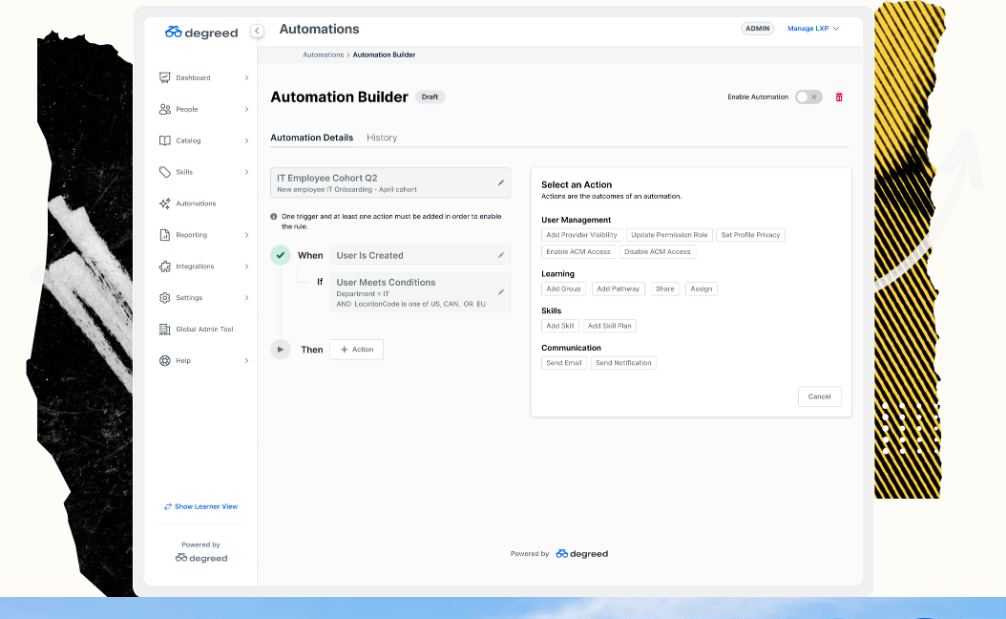
What that team gets: a recommendation feed per employee based on role, skills, interests and history, Pathways that anyone can build, and one catalog that pulls in LinkedIn Learning, Coursera, Udemy, Pluralsight and internal SharePoint content. Assigning a Pathway to other people needs the Assign Content permission, and publishing one to the whole company needs Manage Pathways, so L&D has to decide what managers may push before rollout. Skills are rated four ways (Skill Review, manager, peer and self), and the Skill Card shows the highest-ranked rating, with Skill Review on top. Automations can react when a user is created, for example adding a new IT hire to an onboarding Pathway.
What it misses: Required Learning comes from an outside LMS and can't be assigned or marked complete in Degreed, so compliance training stays where it is today. Custom skill taxonomies, skill inference and gap forecasting sit in the separate Skills+ product. Degreed's developer documentation lists skills sync with Workday; its SAP SuccessFactors integration covers catalog, completions and required learning, not skills.
- you run Workday and want skills, completions and required learning synced via Degreed's documented Workday API integration
- you pay for several content libraries (LinkedIn Learning, Udemy, Pluralsight, Coursera) and want them in one catalog with completions flowing back
- you want managers to rate skills on an 8-level framework with Skill Review, manager, peer and self ratings ranked by precedence
- you need Degreed itself to assign and certify mandatory compliance training: Required Learning comes from an external LMS and cannot be assigned or marked complete in Degreed
- you need custom skill taxonomies or skill inference on the base license: those sit in the separate Skills+ product
- you need skills sync from SAP SuccessFactors: the documented integration covers catalog, completions and required learning, not skills
- Users like
- the broad catalog, path tracking and connections to other learning platforms, per G2 summaries
- Users dislike
- reporting that reviewers call a work in progress, per G2 summaries
- Source: G2, 42 reviews
- Starting price
- Quote only
- Products
- Degreed Learning, Skills+, Academies (sold separately or bundled)
- Skill ratings
- Skill Review, manager, peer, self; Skill Review ranks highest
- Assignment rights
- Requires the Assign Content permission
- HRIS sync
- Workday: catalog, completions, required learning, skills
- SSO
- SAML 2.0 and OAuth 2.0 (Okta, ADFS named)
- Collaboration
- Teams, Slack, Copilot plug-ins and browser extension
- AI
- Maestro guided development; Degreed MCP for ChatGPT, Claude, Copilot
Cornerstone Learn+
Cornerstone Learn+ bundles learning management, the learning experience layer (formerly EdCast) and content subscriptions inside Cornerstone Galaxy, with AI recommendations and rule-based compliance assignments.
Fits a large or regulated employer that wants mandatory training, certifications and a learning experience in the same system, sold as one package.
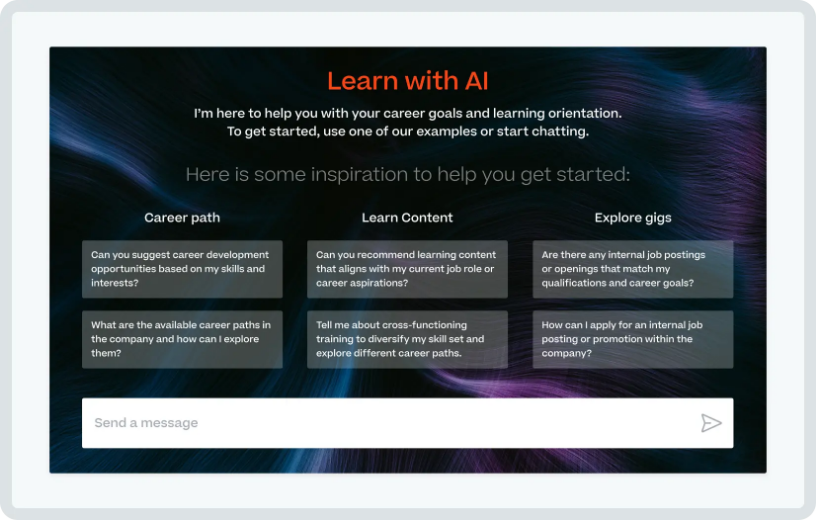
What that team gets: Learn+ bundles learning management, the learning experience layer that came from the 2022 EdCast acquisition, and a content subscription that draws on 200+ providers, including LinkedIn Learning, Coursera, OpenSesame, Skillsoft and Udacity. Dynamic assignments pick up new users who meet the criteria and can run relative to hire date or transfer date, with recurrence for annual training. Permissions can be limited to a user's own subordinates, so a manager assigns only to their team. The March 2026 release added a My Learning view that puts compliance tasks, development goals and recommendations side by side, a Course Assistant inside the course player and an Adaptive Learning Agent.
What it misses: there is no lighter LXP-only package, no trial and no public price; Learn+ is licensed per employee per year through sales. Readiness Agents need the Intelligence+ package. Recurrence and dynamic assignments are separate admin permissions, and the processing end date of a dynamic assignment can't be edited after submission, so assignment governance needs a plan before launch.
- you need onboarding and compliance training auto-assigned from hire or transfer dates with recurrence, via the dynamic Learning Assignment Tool
- you want LMS, LXP and a 200+ provider content subscription under one Learn+ license instead of an LXP plus a separate LMS
- you want learners to see compliance tasks, development goals and AI recommendations in one My Learning view (March 2026 release)
- you only want a lightweight LXP on top of an existing LMS: Learn+ is sold as a bundled LMS, LXP and content package
- you need Readiness Agents on a learning-only contract: they require the Intelligence+ package
- you need a self-serve start: there is no trial and pricing is per employee per year via sales
- Users like
- the depth of reporting, per G2 summaries
- Users dislike
- a learning curve on permissions and templates and trouble connecting licensed content, per G2 summaries
- Source: G2, 543 reviews
- Starting price
- Quote only
- Packages
- Learn+, Elevate+, Intelligence+, HCM+, Extended Enterprise+
- Learn+ includes
- Learning Management, Learning Experience, Content
- Content
- 200+ providers incl. LinkedIn Learning, Coursera, Skillsoft, Udacity
- Standards
- SCORM, AICC and xAPI content
- Assignments
- Dynamic rules relative to hire or transfer date, with recurrence
- AI 2026
- Course Assistant, Adaptive Learning Agent, Workforce AI
- Integrations
- Workday, Teams, Microsoft 365, Salesforce, Slack; webhooks and Extend Import
Docebo
Enterprise learning platform with rule-based enrollment, a curated Content Marketplace and a separately priced 365Talents skills intelligence layer.
Fits an L&D team of a mid-size or large company that wants enrollment to run from HRIS groups without anyone clicking Assign.
What that team gets: enrollment rules link groups or branches to courses or learning plans, and anyone added to the group is enrolled automatically. Docebo's own help article describes the onboarding pattern: an automatic group fills from a hire-date field, a rule enrolls it in an onboarding course, and a second group based on completing that course triggers a mandatory learning plan. Managers get a My Team page with courses, learning plans, checklists and reports for their reports. Third-party content comes through the Content Marketplace (Go1, OpenSesame, VIPRE, Edflex) under one Docebo contract, and LinkedIn Learning connects with a client ID and secret. Since January 2026 Docebo owns 365Talents, which now powers Skills Intelligence.
What it misses: enrollment rules aren't retroactive, so people already in a group when the rule is created aren't enrolled. A new Enrollment Rules Builder reaches all customers on January 20, 2027. Skills Intelligence, Microsoft Teams, Salesforce and Advanced Analytics are priced separately, and Elevate includes up to four integrations, which an HRIS, SSO, Teams and two content libraries already exceed.
- you want new hires auto-enrolled in an onboarding learning plan the moment the HRIS feed drops them into a group or branch
- you want third-party content from Go1, OpenSesame and LinkedIn Learning bought and curated inside one Content Marketplace contract
- you plan to buy Skills Intelligence (365Talents) to map role skill gaps to Docebo courses
- you need more than 4 integrations but not Enterprise: Elevate includes only up to 4
- you want to trial before talking to sales: there is no free trial, only a scoped proof of concept
- you expect skills mapping in the base plan: Skills Intelligence is priced separately
- Users like
- quick setup and how far the platform can be customized, per G2 review tags
- Users dislike
- reporting that falls short and a setup that takes work, per G2 review tags
- Source: G2, 752 reviews
- Starting price
- Quote only
- Plans
- Elevate and Enterprise, quote only
- Pricing model
- Monthly, yearly or registered active users
- Integrations included
- Up to 4 (Elevate), up to 6 (Enterprise)
- Enrollment rules
- Group or branch triggers, not retroactive
- Skills
- 365Talents acquired Jan 2026, separate product
- Content
- Content Marketplace: Go1, OpenSesame, VIPRE, Edflex
- HRIS named
- ADP Workforce Now, BambooHR; Workday in logo grid
360Learning
Collaborative learning platform where experts co-author courses, learners rate content with reactions, and HRIS connectors place users into groups that drive path enrollment.
Fits a company with up to 100 learners that wants to start on a monthly plan, or a larger one that wants subject-matter experts to write the courses.
What that team gets: the Team plan publishes its price, and courses come from experts inside the company, with AI-suggested co-authors, in-course forums and learner reactions. Each course gets a reaction score from -100 to 100 based on the last six months of views and reactions, and a Relevance Score from the end-of-course question on whether learners will use it. Skills can come from your own matrix or a standard ontology of about 20,000 skills, managers validate self-assessments, and profiles update as people finish skill-mapped courses. Managers can enroll their own reports in a path session where manager enrollment is switched on. On November 23, 2026, AI recommendations based on learning history went live on US-hosted platforms, for accounts with at least 50 users and 50 courses with attempts.
What it misses: HRIS sync needs the paid HCM Connect Solution, and the BambooHR connector runs one way, so completions don't go back to BambooHR. The Workday connector is priced separately. LinkedIn Learning, Coursera, Udemy and Go1 content needs the Curated Programs Solution.
- you want to start monthly on the Team plan at $8 per user with no annual commitment for up to 100 users
- you want HRIS field values (via SAP SuccessFactors, ADP or Personio connectors) to place employees into groups automatically with Advanced Group Synchronization
- you want course quality tracked by learner reactions and a Relevance Score rather than completion rates alone
- you have more than 100 learners and need list pricing: Business and Enterprise are quote only
- you need completions written back to BambooHR: that connector is one-way into 360Learning
- you expect LinkedIn Learning or Coursera content in the base plan: external providers need the Curated Programs Solution
- Users like
- the support team and how quickly experts can build a course, per G2 summaries
- Users dislike
- limited customization and missing enrollment options, per G2 summaries
- Source: G2, 662 reviews

- Starting price
- From $8/user/month
- Team plan
- $8/user/month, up to 100 users, monthly
- Trial
- 30 days
- HRIS sync
- Requires HCM Connect Solution
- Workday
- Separately priced connector, syncs learning history both ways
- Content providers
- 11 incl. LinkedIn Learning, Coursera, Udemy, Go1
- Path enrollment
- Up to 20,000 learners per session
- AI recs (US)
- From Nov 23, 2026, needs 50 users and 50 courses
Sana Learn
AI-native learning platform from Sana (owned by Workday since November 2025) that combines LMS, LXP, AI authoring, an AI tutor and virtual classroom, sold standalone to non-Workday companies.
Fits a company of 300 or more employees on an HRIS other than Workday that wants L&D to build courses with AI instead of buying authoring tools.
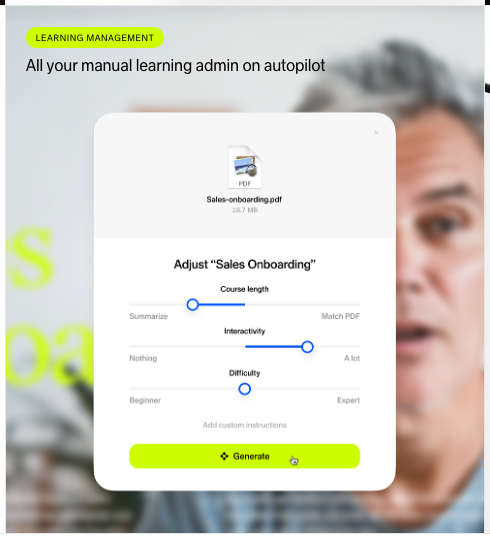
What that team gets: one subscription that covers the LMS, the LXP, authoring, a virtual classroom, the AI tutor, analytics and implementation. L&D can turn PDFs, documents and SCORM files into editable courses in bulk. The HRIS sync runs hourly, read-only, and feeds smart groups and enrollment rules; Sana lists SAP SuccessFactors, Oracle Cloud HCM, Rippling, BambooHR, HiBob, Personio, UKG and Dayforce among its connected systems. Since June 2026 an Admin mode agent handles bulk assignments and group building, and it shows a confirmation card before it acts. Since September 2026 an MCP connector lets admins manage courses and enrollments from Claude or ChatGPT, with approval needed for notifications and deletions.
What it misses: plans start at 300 users and the price is quoted. The HRIS sync doesn't write completions back. Workday completed its acquisition of Sana in November 2025: Workday HCM customers buy Workday Learning powered by Sana instead, where records stay in Workday Learning and each Sana content item can sit in only one Workday course.
- you run a non-Workday HRIS such as BambooHR, Personio, HiBob or SuccessFactors and want hourly HRIS-driven smart groups and enrolment rules
- you want L&D to turn existing PDFs and SCORM packages into editable courses in bulk and let an Admin mode agent handle bulk assignments with approval cards
- you have fewer than 300 employees: plans start at 300 users
- you run Workday HCM: you would buy Workday Learning powered by Sana instead, where each Sana content item can sit in only one Workday course
- Users like
- how quickly learners and admins find their way around, per G2 summaries
- Users dislike
- missing features, limited customization and no offline access, per G2 summaries
- Source: G2, 121 reviews
- Starting price
- Quote only, per user per month, from 300 users
- Owner
- Workday (acquisition completed Nov 4, 2025)
- Minimum
- 300 users
- HRIS sync
- One-way, read-only, hourly by default
- AI agent
- Admin mode with human confirmation for bulk actions
- Workday variant
- Workday Learning powered by Sana, GA Jul 22, 2026
- Standards
- SCORM import and conversion; xAPI not named
- Included
- LMS, LXP, authoring, virtual classroom, implementation
Skillsoft Percipio
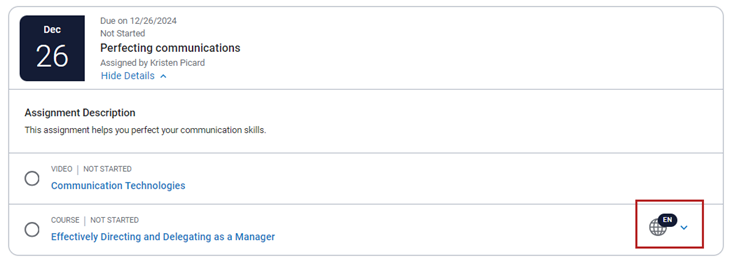
Skillsoft's learning and skills platform bundling six content catalogs, Skill Benchmarks, CAISY AI simulations and automated recurring assignments, sold self-serve to teams up to 300 seats.
Fits a team of up to 300 people that wants a large off-the-shelf catalog and recurring compliance assignments without a sales call.
What that team gets: Skillsoft Teams is the self-serve Percipio plan, with six catalogs (Business, Leadership Development, Technology, Software Development powered by Codecademy, Ethics and Legal, Health and Safety) and compliance courses in 15 to 30+ languages. An assignment is a five-step workflow: describe it, add content, add users or audiences, set emails, launch. With Days to complete, each learner's due date counts from the day they were added. Reminders go out before the due date and when it's overdue, optionally copied to the manager, and recurring assignments reset compliance training on a schedule. Skill Benchmarks score proficiency and recommend content from missed questions, and the Workday HCM integration sends skills gained back to Workday.
What it misses: an assignment holds at most 100 items, and managers can't bulk-add users by CSV. The value sits in Skillsoft's library, so a team that mostly builds its own courses pays for content it won't use. Above 300 seats you move to Enterprise, which is quoted.
- you want a self-serve plan at a published per-seat price with the full six-catalog library, including compliance courses in 15 to 30+ languages
- you need recurring compliance assignments with due-date reminders copied to managers and an audit-ready Certification Center
- you have more than 300 learners and want list pricing: Teams caps at 300 seats and Enterprise is quote only
- you mainly need to author your own content: the value is in Skillsoft's catalog, and assignments cap at 100 items
- Users like
- the breadth of content in many languages and Skill Benchmarks, per G2 summaries
- Users dislike
- video playback limits and few hands-on exercises, per G2 summaries
- Source: G2, 113 reviews
- Starting price
- Skillsoft Teams: USD 240 per user/year (2 to 300 seats); Enterprise quote only
- Teams price
- USD 240 per user per year, billed annually
- Seat range
- 2 to 300 on Teams
- Catalogs
- Six, incl. Codecademy-powered Software Development
- Assignments
- One-time or recurring, max 100 items
- LMS connectors
- Cornerstone, Degreed, Saba, SuccessFactors, SumTotal, Workday
- Data out
- API and xAPI
- 2026 release
- Next-gen Percipio GA Feb 4, 2026
Fuse
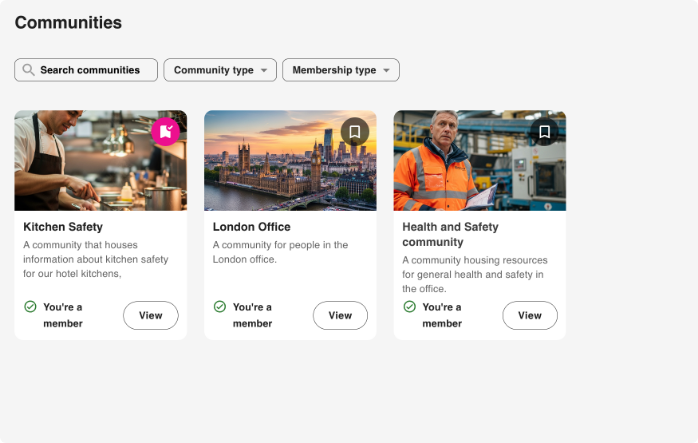
Fuse combines compliance-grade learning plans with enterprise search, AI Answers and the Lyra AI coach, organised around communities.
Fits an enterprise with large frontline teams that lives in Microsoft Teams and wants compliance plans and search in one contract.
What that team gets: Fuse combines LMS-style compliance tracking and certifications with search across learning content, AI Answers from the company's own material and the Lyra AI coach, launched in June 2026, which runs roleplays for sales meetings or complaint handling. Learning is organized in communities: a community admin builds a learning plan with General, Content, Visibility and Survey tabs and can add topics, events and SCORM courses. Content a learner already finished is marked complete in the plan, and managers can download progress reports for their reports. The Fuse Flow app brings search and learning plans into Microsoft Teams.
What it misses: an audience can be attached to a plan only after the first save, and due dates are set when editing, so L&D needs a community structure before it can assign. LinkedIn Learning completions don't come into Fuse; that reporting stays in LinkedIn's admin. No Slack app is documented, and deeper Teams integrations are in beta. Fuse publishes no price; Capterra lists a starting price of $25,000 a year.
- you want LMS compliance tracking and LXP-style search in one contract instead of an LXP layered on a separate LMS
- you want AI roleplay practice (Lyra) grounded in your own content for sales or service teams
- your people live in Microsoft Teams and you want learning plans and search there via the Fuse Flow app
- you rely on LinkedIn Learning completions for reporting: Fuse syncs the catalog but not completion data
- your team collaborates in Slack: no Slack app is documented, only Microsoft Teams
- you need a transparent, small-team price: Fuse is quote only and listed from about USD 25,000 per year
- Users like
- AI translation and how fast pathways can be built, per G2 summaries
- Users dislike
- content missing in the mobile app and friction for frontline staff without an email address, per G2 summaries
- Source: G2, 21 reviews
- Starting price
- Quote only
- Pricing
- Quote only, no public pricing page
- AI coach
- Lyra, launched June 2026, AI roleplays and in-task support
- Assignment
- Learning plans built per community by community admins
- LinkedIn Learning
- Catalog sync within 24h, no completion data
- Teams
- Fuse Flow app; extra Teams integrations in Beta
- Authoring
- Course+ AI authoring, 70+ languages
- Provisioning
- CSV import or REST Manage Users API
HowNow
HowNow is a seat-based LXP that syncs people from the HRIS daily, maps skills to job roles and searches connected knowledge tools alongside courses.
Fits a mid-size company on BambooHR, HiBob, Personio, Workday or SAP that wants the LXP to answer questions from company files as well as courses.
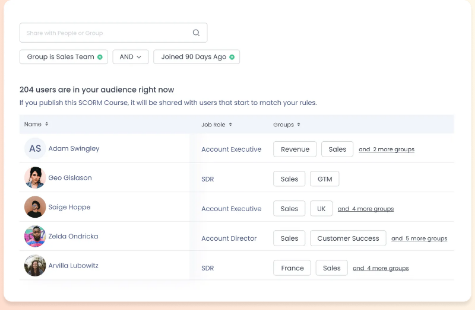
What that team gets: a daily HRIS sync that creates starters, sets job roles from job titles and sets managers from the reporting line, then deactivates leavers. A sync that would remove more than a quarter of synced people stops and changes nothing. Search covers courses and each employee's own Google Drive, OneDrive, SharePoint, Dropbox, Confluence and Notion files, and it runs as that user, so nobody sees a file they couldn't already open. Skills hang on job roles with target levels, and managers agree Focus Skills with each report. Learning budgets with request approval are built in, and audience rules can share a course with everyone who matches, for example the sales team in their first 90 days.
What it misses: the HR system is in charge, so admins can't rename, deactivate or change the job role of a synced person in HowNow; fixes happen in the HRIS. The sync is set up by HowNow's customer success team, and its help article doesn't say that completions flow back. Seats are taken at invite, and the price is quoted.
- your HRIS is BambooHR, HiBob, Workday, Personio or SAP and you want joiners, leavers, job roles and managers synced daily
- you want one search over courses plus Google Drive, SharePoint, Confluence and Notion files, respecting each user's permissions
- you want learning budgets with request approval and finance emails inside the learning platform
- you want to manage people in the LXP: synced profiles cannot be edited or deactivated in HowNow
- you need completions written back into the HRIS: the HR sync doc only describes inbound people data
- you need deep customisation of emails and assessments: G2 reviewers cite limited welcome email and question-type options
- Users like
- the support team and the HowNow+ content library, per G2 summaries
- Users dislike
- limited customization of welcome emails and assessment question types, per G2 summaries
- Source: G2, 54 reviews
- Starting price
- Quote only
- Pricing
- Quote only, seats bought in batches of 10 to 1,000
- HRIS sync
- Daily, inbound, set up by HowNow CSM
- Sync safeguard
- Stops if more than 25% of people would be removed
- Knowledge search
- Google Drive, SharePoint, Confluence, Notion, Dropbox
- Skills
- Job roles with target levels and manager Focus Skills
- AI coach
- HowNow Guru, number of Gurus capped by plan
- Content library
- HowNow+ with 10,000+ resources
What Does LXP Software Cost?
LXP software costs are mostly quoted: most vendors don't publish prices. Two in this list do, and one publishes a minimum instead of a price.
| Tool | What the vendor publishes | Free trial |
|---|---|---|
| 360Learning | Team plan $8 per user per month, up to 100 users, monthly; Business and Enterprise quote only | 30 days |
| Skillsoft Percipio | Skillsoft Teams $240 per user per year, 2 to 300 seats; Enterprise quote only | 30 days, card required |
| Sana Learn | Quote only, per user per month; plans start at 300 users; implementation included | Not offered on the pricing page |
| Degreed | Quote only; Degreed Learning, Skills+ and Academies sold separately or bundled | No |
| Cornerstone Learn+ | Quote only; licensed per employee per year | No, demo only |
| Docebo | Quote only; Elevate and Enterprise plans on monthly, yearly or registered active users | No, proof of concept with sales |
| Fuse | Quote only; Capterra lists a starting price of $25,000 a year | Not confirmed |
| HowNow | Quote only; seats bought in batches of 10 to 1,000 | Not published |
Three things drive the quote beyond headcount. The first is how users are counted: active-user pricing (Docebo, 360Learning's Business plan) costs less than per-employee licensing when only part of the company learns in a given month. The second is add-ons for skills, HRIS sync and content: Docebo's Skills Intelligence, 360Learning's HCM Connect and Curated Programs, and Degreed's Skills+ are all priced separately. The third is content licenses, which sit on top of the platform unless you buy a bundle such as Cornerstone's subscription or Skillsoft's catalogs.
For context, ATD's 2025 State of the Industry report put average direct learning spend at $1,254 per employee in 2024, ranging from $1,965 at organizations under 100 employees to $445 at those with 2,500 or more. External services, which include content licenses, took 29% of that budget.
How to Choose an LXP
To choose an LXP, start from the setup you've chosen above (LXP layer, one platform or HR suite), then test these six points in a demo. They're where the eight tools differ most, and they're hard to check after the contract is signed.
- Assignment with due dates and recurrence. Can the platform assign a course relative to hire date, repeat it every year and remind the manager when it's overdue? Cornerstone and Percipio document this in detail; Degreed leaves it to your LMS.
- HRIS sync in both directions. Which fields come in (job title, manager, department, start date), how often, and do completions and skills go back out? Sana and HowNow sync people in only; 360Learning's BambooHR connector is one way; Degreed and Percipio document skills going back to Workday.
- Retroactive rules. When you create a rule, does it pick up people already in the group? Docebo's enrollment rules don't, so existing staff need a manual enrollment.
- Content you already pay for. Check that your LinkedIn Learning, Coursera or Udemy licenses connect, and whether completions come back. Fuse imports the LinkedIn Learning catalog but not its completions.
- Skills ownership. Decide whether the LXP or the HRIS owns the skills taxonomy, and check whether the vendor's skills product is in your plan or a separate purchase (Degreed Skills+, Docebo Skills Intelligence).
- Data export. Ask for completions and skills as CSV or xAPI, and SCORM or cmi5 export for your own courses. Two of the eight vendors changed owners or bought a skills company in the past 13 months.
- Assign a course relative to a start date and repeat it yearly
- See the reminder a manager gets for overdue training
- Sync a test user from the HRIS and change their manager
- Export one employee's completions with dates
- Confirm which completions go back to the HRIS
- Connect one content library you already license
- Check whether skills tools are in the quoted plan
- Ask for the integration allowance in writing
If onboarding is the main reason you're buying, read the LXP part next to the onboarding process: our guides to employee onboarding software and new hire orientation cover the steps before the first course, and the HR compliance checklist lists the training records to keep.
FAQ
What is the difference between an LMS and an LXP?
The difference is who decides what people learn. An LMS (learning management system) assigns courses, tracks due dates and keeps completion records, which is what compliance training needs. An LXP (learning experience platform) recommends and aggregates content from many sources by role and skills, and lets employees find and share learning themselves. Most products in this list now do both to some degree; Degreed is the clearest LXP that relies on a separate LMS for required training.
What is an L&D platform?
An L&D platform is the software a learning and development team uses to deliver, assign and measure training. The term covers LMSs, LXPs, content libraries and skills tools, and in 2026 many vendors sell them as one suite, such as Cornerstone Learn+ or Docebo with Skills Intelligence.
What is an example of an LMS?
Examples of an LMS include Cornerstone, Docebo and 360Learning, which are LMSs with learning experience features built in. Workday Learning and SAP SuccessFactors Learning are LMS modules inside HR suites, and several LXPs in this list, including Degreed and Skillsoft Percipio, connect to them.
Is there free learning experience platform software?
Free learning experience platform software is rare as a full product. GoSkills and Leemons both describe free options on their own sites. In this list, 360Learning and Skillsoft Percipio offer 30-day free trials, which end in a paid plan.
Can an LXP handle compliance training on its own?
An LXP can handle compliance training only if it assigns courses with due dates, sends reminders and exports completion records per employee. New York requires harassment prevention training every year, Illinois every year and California every two years, and Illinois tells employers to keep training records for inspection. Cornerstone, Docebo, Percipio and Fuse cover that; Degreed expects it to come from an LMS.