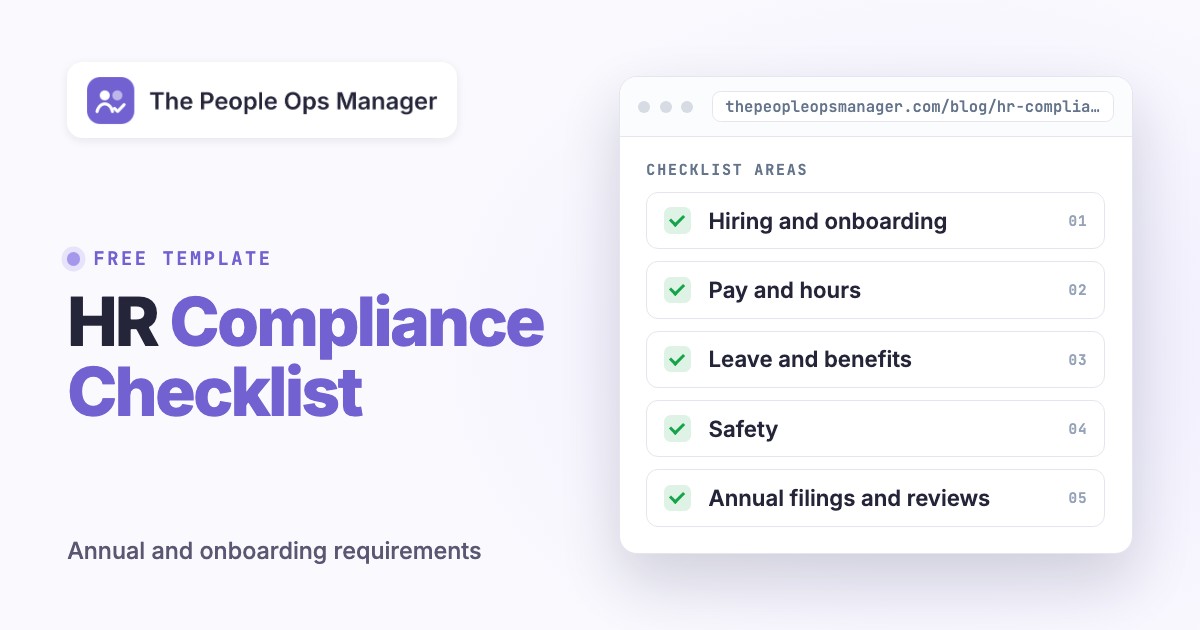
An HR compliance checklist lists the legal tasks HR has to complete for each hire and each year, with an owner, a deadline and the record that proves the task was done. The template below covers the six areas that carry most of the federal paperwork: hiring and onboarding, pay and hours, leave and benefits, safety, notices and records, and annual filings.
It covers U.S. federal requirements only. State and local rules add to them, so treat the checklist as the base layer and add one pass per state where you have employees. Each date and threshold links to the agency page it comes from. This is general information for HR and people operations teams, not legal advice.
- Every new hire needs a Form I-9 (section 1 by the first day of work, section 2 within 3 business days), a signed W-4 and a report to your state's new hire directory within 20 days.
- Annual work clusters in January: W-2 copies to employees and Form 940 by January 31, Form 941 for the fourth quarter, the OSHA 300A summary posted from February 1 and OSHA electronic submission by March 2 where it applies.
- Headcount decides the rest: ACA reporting from an average of 50 full-time employees including full-time equivalents, the EEO-1 report from 100 employees, and OSHA electronic submission from 250 employees at an establishment.
- Give every row an owner, a date and a piece of evidence, then review the list every quarter.
What Should an HR Compliance Checklist Include?
A useful HR compliance checklist gives every item five fields. Those fields are the task, the owner, the due date or frequency, the law or agency behind it and the record that proves it was done. A list of topics without them is a reading list, not a checklist, because nobody can tell who missed what, or by when.
The items fall into six areas, and the template uses the same order. Each area covers a different part of the work:
- Hiring and onboarding covers work authorization, tax forms, new hire reporting, classification and acknowledgments.
- Pay and hours covers time records, overtime, minimum wage, exempt status and contractor review.
- Leave and benefits covers FMLA and COBRA notices, ACA headcount and plan filings.
- Safety covers incident reporting, injury and illness logs and the annual summary.
- Notices and records covers posters, I-9 storage and one retention schedule.
- Annual filings and reviews covers W-2, Form 940, Form 941, the EEO-1 report and the yearly review.
The template below is the working checklist. For which employment laws apply at which headcount, what a violation costs and how the headcount tests are counted, read our guide to HR compliance. For the full onboarding sequence with IT and manager tasks, see the employee onboarding checklist.
HR Compliance Checklist Template (Free DOCX, XLSX and PDF)
HR compliance checklist template
Copy the tables into your own document or download them. Owners and dates in grey are examples: rename the owners to match your team, mark items that don't apply to you as N/A, and set a status for every row.
| Item | Owner | When | Evidence to keep | Status |
|---|---|---|---|---|
| Classify the role as employee or contractor, and as exempt or non-exempt | People Ops | Before the offer | Classification note with the duties | Open |
| Form I-9: employee completes section 1 | New hire | By the first day of work | Signed section 1 | Open |
| Form I-9: employer completes section 2 | HR | Within 3 business days of the first day of work | Completed form, stored apart from the personnel file | Open |
| Signed Form W-4 on file, effective with the first wage payment | Payroll | At start | Signed W-4 | Open |
| Report the new hire to the state directory of new hires | HR | Within 20 days of hire | Submission confirmation | Open |
| Offer letter and policy acknowledgments signed | HR | Before day one | Signed copies | Open |
| State and local setup checked for the work state | Payroll | Before the first paycheck | State checklist per state | Open |
| Item | Owner | When | Evidence to keep | Status |
|---|---|---|---|---|
| Record hours worked for non-exempt employees | Payroll | Every pay period | Time records | Open |
| Pay overtime at 1.5 times the regular rate after 40 hours in a workweek | Payroll | Every pay period | Payroll register | Open |
| Pay the higher of the federal and state minimum wage | Payroll | Yearly and when hiring in a new state | Rate table by state | Open |
| Review exempt roles against the salary and duties tests | People Ops | Yearly | Exemption analysis per role | Open |
| Review contractors who work set hours or use your equipment | People Ops | Yearly | Classification notes | Open |
| Keep payroll records at least 3 years and time cards at least 2 years | Payroll | Ongoing | Retention schedule | Open |
| Item | Owner | When | Evidence to keep | Status |
|---|---|---|---|---|
| Display the FMLA notice if you are a covered employer | HR | Always | Photo of the poster or intranet link | Open |
| Give leave notices and designations when an employee asks for leave | HR | When requested | Leave file, kept apart from the personnel file | Open |
| Send COBRA election notices if your plan is covered | Benefits | At each qualifying event | Notice with proof of delivery | Open |
| Count full-time employees and full-time equivalents for ACA | Finance | Monthly | Monthly headcount sheet | Open |
| File Form 5500 for each benefit plan that requires it | Benefits | July 31 for a calendar-year plan | Filing receipt | Open |
| Item | Owner | When | Evidence to keep | Status |
|---|---|---|---|---|
| Confirm whether OSHA injury and illness recordkeeping applies to each establishment | Safety lead | Yearly | Scope note | Open |
| Report a death within 8 hours and a hospitalization, amputation or loss of an eye within 24 hours | Safety lead | At the incident | Report confirmation | Open |
| Keep OSHA forms 300, 300A and 301 current | Safety lead | Ongoing | Logs and incident reports | Open |
| Post the annual summary (form 300A) from February 1 to April 30 | Safety lead | Yearly | Dated photo of the posting | Open |
| Submit injury and illness data electronically by March 2 if required | Safety lead | Yearly | Submission receipt | Open |
| Item | Owner | When | Evidence to keep | Status |
|---|---|---|---|---|
| Display the federal wage and hour notice, plus the EEOC and FMLA notices that apply | HR | Always | Poster inventory with dates | Open |
| Share required notices online for remote employees | HR | Always | Intranet page or onboarding packet | Open |
| Check the state labor department for state and local notices | HR | Yearly | State notice list | Open |
| Keep I-9s in their own file | HR | Ongoing | File index | Open |
| Maintain one written retention schedule using the longest period per record type | People Ops | Yearly | Retention schedule | Open |
| Item | Owner | When | Evidence to keep | Status |
|---|---|---|---|---|
| Furnish W-2 copies to employees and file W-2 and W-3 with the SSA | Payroll | By January 31 (February 1, 2027 for 2026 forms) | Filing receipt | Open |
| File Form 940 for federal unemployment tax | Payroll | January 31 | Filing receipt | Open |
| File Form 941 each quarter | Payroll | April 30, July 31, October 31 and January 31 | Filing receipt | Open |
| File Forms 1094-C and 1095-C if you are an applicable large employer | Finance | Early in the year, check the IRS page | Filing receipt | Open |
| File the EEO-1 report if the EEOC opens a collection and you are covered | People Ops | When the EEOC opens a collection | Submission receipt | Open |
| Review the handbook, posters and retention schedule | People Ops | Yearly | Review log | Open |
Four habits make the template work:
- Name one owner per row. Shared ownership usually means the date passes unnoticed. If two teams touch an item, such as an injury report that safety records and HR reviews, write the handoff in the evidence column.
- Set N/A on purpose. An item that doesn't apply to your headcount or industry gets marked N/A with the reason and the date, so the next reviewer doesn't have to rediscover it.
- Store the evidence where the row points. A status of "Done" without a place to find the proof won't help during an inspection.
- Add a copy for each state. Duplicate sections 1, 2 and 5 for every state where you have employees and fill in the state's own dates and notices.
New Hire HR Compliance Checklist: What to Complete for Every Employee
Every hire triggers the same short set of federal tasks, and most of them have a deadline counted from the first day of work. For I-9 section 2, the clock starts on the first day of work for pay, not on the day the offer is signed. Missing a deadline isn't a legal mystery, it's a paperwork problem you can prevent. Run the steps below in this order for each new employee, including remote hires.
Classify the role before the offer
Decide whether the person is an employee or a contractor, and whether an employee is exempt or non-exempt from overtime. Exempt status depends on salary and duties, not on a job title. Write down the duties you relied on.
Complete Form I-9 within the legal window
The employee completes section 1 no later than the first day of employment. You complete section 2 within 3 business days of the date of hire, which is the first day of work for pay. If the employee began on Monday, section 2 is due by Thursday of that week. Use the form edition listed on the USCIS Form I-9 page, which shows the edition date at the bottom of the form.
Get a signed Form W-4
The IRS says to ask each new employee for a signed Form W-4 when they start work and to make it effective with the first wage payment, as described on its hiring employees page. You also need each employee's name and Social Security number to prepare the Form W-2.
Report the new hire to the state
Federal law requires employers to report each new hire to the state directory of new hires not later than 20 days after the date of hire, or through the monthly transmissions the statute allows for electronic reporting. Your state agency sets the exact form and portal, and its timeline can't be longer than the federal limit.
Set up state and local requirements for the work state
Confirm state income tax withholding, state unemployment insurance registration, workers' compensation coverage and local requirements for the state where the person works, not where your headquarters is. The state agencies decide what applies, so keep one checklist per state.
Collect the offer letter and policy acknowledgments
No federal rule sets one deadline for these, but signed copies are the evidence in most employment disputes. Include the handbook acknowledgment. Our employee handbook template lists the sections to cover.
Give the employee access to required notices
Employers must keep the federal wage and hour notice posted where employees can see it, and covered employers must post the FMLA notice. The FMLA rule says electronic posting is sufficient when it meets the other requirements, so remote employees can get the notices on the intranet or in the onboarding packet.
Our onboarding process page shows how these steps sit next to the IT, manager and facilities tasks, and the preboarding checklist covers what to do between offer acceptance and day one.
Annual HR Compliance Checklist: Filings, Postings and Reviews by Month
Annual compliance work isn't spread evenly across the year; it lands in January. Payroll forms, the OSHA summary and the final quarterly tax return all come due within a few weeks of each other, so assign owners in December, not in the week the forms are due. This calendar lists the federal dates for a calendar-year employer, in the order they fall.
- PayrollFile Form 941 for the fourth quarter, file Form 940 and furnish W-2 copies to employees, then file W-2 and W-3 with the SSA January 31 (W-2 copies by February 1 in 2027)
- Safety leadSubmit injury and illness data electronically if your establishment is required to January 2 to March 2
- Safety leadPost the OSHA 300A annual summary and keep it posted until April 30 By February 1
- FinanceFile Forms 1094-C and 1095-C and furnish employee statements if you are an applicable large employer Early in the year, check the IRS page
- People OpsFile the EEO-1 report if you are covered and the EEOC has opened a collection When the EEOC announces it
- PayrollFile Form 941 for the first quarter April 30
- BenefitsFile Form 5500 for each plan that requires it, for calendar-year plans July 31
- PayrollFile Form 941 for the second quarter July 31
- PayrollFile Form 941 for the third quarter October 31
- People OpsReview the handbook, posters, classification decisions and retention schedule Once a year, before the January rush
The dates come from the agencies. The IRS lists the quarterly Form 941 due dates and the January 31 deadline for Forms W-2 and 940, and its W-2 instructions say copies for 2026 are due to employees by February 1, 2027, because January 31 falls on a Sunday. The OSHA summary rule is 29 CFR 1904.32, and the March 2 electronic submission date is in 29 CFR 1904.41. The IRS Form 5500 page gives the seventh-month rule. When a due date falls on a weekend or legal holiday, filings generally move to the next business day.
The EEOC says the EEO-1 Component 1 report is a mandatory annual collection for private employers with 100 or more employees and for some federal contractors with 50 or more, and that the 2024 collection is closed with 2025 updates to be posted on its data collections page. Check that page before you schedule staff time.
Which Checklist Items Apply to Your Company?
Your total employee count decides which checklist items apply to your company, so count first instead of guessing, and mark the rest N/A. Count every employee, include part-time staff, and for the ACA add full-time equivalents. A full-time employee for the ACA is someone with an average of at least 30 hours of service per week or 130 hours per month, according to the IRS.
| Item | Applies when | Source |
|---|---|---|
| Form I-9, Form W-4 and the new hire report | Every employer, for every hire | USCIS, IRS and 42 U.S.C. 653a |
| Wage and hour notice and pay records | Employers with employees covered by the federal minimum wage provisions | 29 CFR 516.4 |
| FMLA notice | Employers covered by the FMLA, even if no employee is currently eligible | 29 CFR 825.300 |
| ACA reporting | An average of at least 50 full-time employees, including full-time equivalents, in the preceding calendar year | IRS |
| OSHA injury and illness records | Many employers with more than 10 employees; some industries are exempt | OSHA |
| OSHA electronic submission | Establishments with 250 or more employees that must keep records, and establishments with 20 to 249 employees in listed industries | 29 CFR 1904.41 |
| EEO-1 report | Private employers with 100 or more employees and some federal contractors with 50 or more | EEOC |
| Form 5500 | Sponsors of employee benefit plans that must file the return | IRS |
The FMLA, COBRA and anti-discrimination thresholds, and how each one is counted, are in the HR compliance guide. Put the next threshold on your hiring-plan calendar so the notices and filings are ready before you cross it.
Multi-State and Remote Employees: What Changes in the Checklist?
If you hire remote workers in several states, the federal items stay the same, but a second layer repeats for each state where an employee works. The state where the person does the work usually matters more than the state of your headquarters, so build the state layer from the employee's work address.
Repeat five checks for each state where you have employees.
- Minimum wage and overtime. State law can set a higher rate or different overtime rules than federal law. The Department of Labor keeps a table of state minimum wage laws, and you pay the higher rate that applies.
- New hire reporting. Report to the directory of the state where the employee works, using that state's form and portal.
- Payroll tax accounts. Check whether you need to register for state income tax withholding and unemployment insurance, and whether local taxes apply.
- Workers' compensation. Confirm that your coverage includes the state, since the rules and the insurers differ by state.
- State and local notices. The Department of Labor tells employers to contact their state labor department for state posting requirements.
Some state laws reach smaller employers than the federal ones, so don't use the federal headcount thresholds as the only test. Keep a short one-page checklist per state and note the date you last checked it.
How to Use the Checklist as an Audit
An HR audit checklist is the same list used differently: instead of doing each task, you check that the task was done and that the proof exists. You can turn the template into an audit in an afternoon.
Set a status for every row
Use three values: Done, Gap and N/A. Done means you found the evidence, not that someone remembers doing it.
Sample the evidence
Open the proof for a sample of rows, for example the last few new-hire I-9s, one pay period's time records and the posted OSHA summary. Compare each one with the row's deadline.
Log every gap with an owner and a date
Write the fix, the owner and the due date next to the gap, then re-check on that date. A gap with no owner will still be there at the next audit.
Repeat on a schedule
Run a short check each quarter for the fast-moving rows: new-hire forms, overtime and incident reports. Run the full list once a year before the January filings.
How long to keep the evidence
Evidence is only useful if it still exists when someone asks. These are the federal minimum retention periods for the records the checklist produces. If a state sets a longer period, keep the longer one.
| Record | Minimum retention period | Source |
|---|---|---|
| Form I-9 | The later of 3 years after the date of hire or 1 year after employment ends | USCIS |
| Payroll records | 3 years | 29 CFR 516.5 |
| Time cards and wage rate tables | 2 years | 29 CFR 516.6 |
| Personnel and employment records | 1 year, or 1 year from the termination date for an involuntary termination | EEOC |
| OSHA 300 log, annual summary and 301 incident reports | 5 years following the end of the calendar year they cover | 29 CFR 1904.33 |
Worked Example: A 60-Person Company With Employees in Three States
A filled-in audit for a 60-person company with staff in three states might look like the table below. The company, the people and the findings are made up to show the format, and they aren't data from a real audit.
| Item | Owner | Status | Finding | Fix |
|---|---|---|---|---|
| Form I-9 section 2 for this year's hires | HR manager | Gap | Two forms were completed on business day five | Add a day-two reminder to the onboarding plan and re-check next quarter |
| Overtime for non-exempt employees | Payroll lead | Done | Time records and payroll register match for the sampled pay period | None needed |
| State new hire reports | HR coordinator | Gap | Reports for the newest state went to the wrong portal | File the late reports and add the state's portal to its one-page checklist |
| FMLA notice | HR manager | Done | Posted at the office and on the intranet | None needed |
| OSHA 300A summary | Safety lead | N/A | Industry is partially exempt, scope note dated this month | Re-check the scope each year |
| ACA reporting | Finance lead | N/A | Average headcount is below 50 full-time employees including equivalents | Re-count monthly |
| EEO-1 report | People Ops | N/A | Fewer than 100 employees and no federal contract | Re-check when headcount grows |
| Retention schedule | People Ops | Gap | Three different retention periods across three states | Write one schedule using the longest period per record type |
In this made-up example, three of eight rows show a gap. The count matters less than the log: each gap has an owner and a date, so the next audit starts from the open items instead of from zero.
Where The People Ops Manager Fits
Several checklist rows sit inside onboarding and offboarding: the new hire completes section 1, HR completes section 2, payroll records the W-4 and a manager approves an access change. When those tasks are spread across HR, IT, payroll and managers, the usual gap is that nobody can see which one is still open. That's the gap the product below is built for. It isn't a compliance engine, it doesn't give legal advice and it doesn't store identity documents, so it doesn't replace your HRIS or an I-9 system.
HR Compliance Checklist FAQ
What should an HR compliance checklist include?
An HR compliance checklist needs an owner and a piece of proof on every row. A row with neither is a reminder, not a control. The task, its due date and the agency behind it complete the line, and the rows group naturally into six areas, from hiring through annual filings.
How often should you review an HR compliance checklist?
You should review an HR compliance checklist quarterly for the rows that change fastest and yearly for everything else, plus straight away after a trigger such as crossing 50 or 100 employees or opening in a new state. Putting the yearly review in December keeps it ahead of the January filings.
What is on a new hire compliance checklist?
Three items have fixed windows: I-9 section 2 within 3 business days, the state new hire report within 20 days and a W-4 that takes effect with the first paycheck. State tax and insurance setup, signed acknowledgments and notice access round out the list.
What is the difference between an HR compliance checklist and an HR audit checklist?
The compliance checklist is the to-do list. The audit checklist is the test of that list: for each row you ask for the proof, record Done, Gap or N/A and assign a fix to a named person.
Do small businesses need an HR compliance checklist?
Yes, small businesses need one, because the I-9, the W-4, new hire reporting, wage records and the required notices apply to employers of any size. Most other items switch on at a headcount, so a small company can mark them N/A and write down why.
Where can I get an HR compliance checklist in PDF or Excel?
This page offers the same checklist as a Word file, an Excel workbook and a PDF at no cost and without sign-up. Use the Excel version if you want to filter by status or owner.