Compensation planning software runs the pay-change cycle: it turns the budget finance has funded into guidelines, gives each manager a worksheet to recommend merit, bonus or equity changes, routes those recommendations through approvals and sends the approved numbers back to the HRIS or payroll. This guide compares nine tools on how that cycle actually runs in each one: how budgets are split, how guidelines are enforced, who approves, when letters go out, and which plan or product you need to buy. For market data and pay benchmarking, see our guide to compensation management software.
Best Compensation Planning Software at a Glance
 Best for guardrails on every entryPaveSoft stops ask for a justification and hard stops block the submit; letters release after the cycle is finalized.
 Best for testing a cycle firstWorkleap CompensationSandbox mode and budget pools, with a merit matrix for base pay.
 Best add-on to performance reviewsLatticeCompensation costs $6 per seat per month on top of a Lattice plan, with a $4,000 annual minimum.
 Best when payroll runs on DayforceDayforceLock the cycle, approve it, then post the result to payroll.
 Best when finance plans on the org chartChartHopEach manager gets a budget pool inside the same system as headcount planning.
 Best for multi-currency cyclesHiBobOne budget currency with decisions in local currencies; Compensation is a selectable module.
 Best for Workday HCM customersWorkdayPlanner, reviewer and controller roles on the same worker record.
 Best when an analyst owns the processPayscalePaycycle tracks spend as managers enter recommendations; survey and market tools are separate products.
 Best for local-currency planningSalary.com CompAnalystPlanning runs in CompXL, which converts local-currency plans into a single rollup.
 Our product · for the starter gapThe People Ops ManagerDoesn't plan pay; coordinates the onboarding tasks that keep new hires' records complete.
| Tool | Built around | Handoff it owns | Starting price | G2 rating |
|---|---|---|---|---|
| Pave | Compensation data and planning platform | Market data to pay ranges to manager merit decisions | Market Data Lite is free; every other plan, including the Compensation Planning add-on, is quote only | 4.7 (46) |
| Payscale | Compensation data and planning suite | Survey data to job pricing to merit budgets | Quote only; the pricing page lists Core, Premier and Elite tiers without prices and doesn't say which includes Paycycle | 4.2 (703) |
| Workleap Compensation | Compensation planning for small and mid-size teams | Pay bands to budget pools to merit letters | Quote needed; Workleap's pricing page lists tiers from $4,999 a year plus $32 per manager per month and doesn't say which tier includes Compensation | 4.4 (1,231) |
| Salary.com CompAnalyst | Compensation data and planning suite | Job match to market price to salary structure | Quote only; no public pricing page | 4.4 (1,086) |
| ChartHop | Org planning and people analytics platform | Org planning and analytics | Not published; ChartHop Core plus modules, priced by proposal (the form asks for employees including contractors) | 4.3 (159) |
| Lattice | Performance management platform | Performance suite with engagement | Performance $10 plus Compensation add-on $6 per seat per month, billed annually; $4,000 minimum annual agreement | 4.7 (4,114) |
| HiBob | Core HR platform for mid-sized and multi-country teams | Workflows and task lists start from the offer; approval paths are built in | Not published; the pricing page is a demo request | 4.5 (2,754) |
| Dayforce | Enterprise HCM suite with workforce management | HR, global payroll, time and scheduling, talent, analytics | Not published; custom quote | 4.2 (962) |
| Workday | Enterprise HCM suite | Core HR, payroll, time, talent acquisition, analytics | Not published; custom quote | 4.2 (2,473) |
| The People Ops Manager Our product | Onboarding coordination | Shows who is ready for day one, what is blocked and who owns it | Subscription via Stripe Checkout, card required | No reviews yet |
Prices as listed on vendor pages, checked November 25, 2026. Quote-only means the vendor publishes no price for planning.
What Is Compensation Planning Software?
Compensation planning software is a tool that runs a company's pay-change cycle: finance funds a budget, People Ops turns it into guidelines, managers recommend increases and bonuses inside those guidelines, approvers sign off in order, and the approved numbers flow back to the HRIS or payroll. It isn't payroll, and it isn't a salary survey. It sits between the two, and it is where a pay decision gets its audit trail.
Six capabilities are worth testing in a demo, because they are where tools differ. Ask how the funded budget splits between merit, promotion and bonus, and whether a manager gets a fixed amount or a pool shared with the team. Check whether the tool enforces a merit matrix or only shows a range, and whether an entry outside the matrix is blocked or only flagged. Look at what a manager sees when recommending pay, such as compa-ratio, range position and performance rating. Find out who signs after the manager and what happens when an approver is on leave or a manager leaves mid-cycle. Confirm that letters generate from the cycle and when they can be released. Finally, ask how employee data gets in, whether it refreshes after launch and how the result goes back to payroll.
Who Owns Each Step of a Compensation Cycle?
A pay cycle rarely fails in the worksheet. It fails when the budget isn't agreed, ratings aren't final or the HRIS shows the wrong manager, and the software can only enforce what the owners decide. This is the order most cycles follow, with the owner of each step.
- Finance and People OpsAgree the funded budget and how it splits between merit, promotion and bonus Before the cycle is configured
- Compensation or People OpsUpdate pay ranges and set the merit guidelines Before the cycle is configured
- HRIS adminFix reporting lines, job levels, start dates and ratings in the HRIS Before launch
- ManagersFinish performance ratings Before worksheets open
- ManagersRecommend increases and bonuses inside the budget During the planning window
- Department headsReview recommendations in order and send back outliers After managers submit
- Finance and People OpsApprove exceptions and the total At close
- People Ops and payrollLock the cycle, release letters and load the changes into payroll After final approval
The size of the pot matters when you set the budget split. WorldatWork's survey put the US average salary increase budget at 3.7% for 2025 and 3.6% projected for 2026. Mercer's survey of 1,013 US organizations found a planned average merit increase of 3.2% inside a 3.5% total budget for 2026, and its July 2026 follow-up showed the same 3.2% merit and 3.5% total for 2027, with 87% of employers still calling their 2027 budgets preliminary. Configure the tool while the budget is still moving, and expect to change the pools after finance signs off.
The 9 Best Compensation Planning Software Tools
We read vendor pricing, product and help pages and did not run these products. Ratings are G2 figures; where a rating covers the whole suite rather than the planning module, the card says so.
Pave
Pave sells compensation data in tiers (a free Lite tier, then Pro and agentic plans) and adds Compensation Planning, Team View and Total Rewards as add-ons on its top plan.
Fits a company that already benchmarks pay and wants managers to plan merit, bonus and equity in one tool, with rules that catch bad entries before finance sees them.
An admin picks a budget philosophy once per cycle. Top-down gives each planner an amount and is the only mode that supports holdbacks; bottom-up sums employee-level amounts. Switching later clears every budget. Guidelines come as a classic philosophy plus matrix or as an advanced template, configured per pay type, and Smart Flags check each entry: a soft stop asks the planner for a justification, a hard stop blocks the submit until the entry is fixed or an admin overrides it. Approval chains follow the manager hierarchy from the HRIS, and each planner submits in order. A cycle moves from Inactive to Active to Finalized, and HRIS data doesn't refresh while it is Active, so late hires and manager changes need a decision before launch. Letters can be shared only after the cycle is finalized.
- you want soft and hard stops on every entry, with a written justification for exceptions
- you plan cash and equity in the same cycle, including refresh grants
- you expect planning without the top data tier: the Compensation Planning add-on pairs with Agentic Workflows
- you need to change the budget model mid-cycle: switching between top-down and bottom-up clears all budgets
- Users like
- compensation management and ease of use, per G2 summaries
- Users dislike
- insufficient detail and limited data in benchmarking and budgeting, per G2 summaries
- Source: G2, 46 reviews
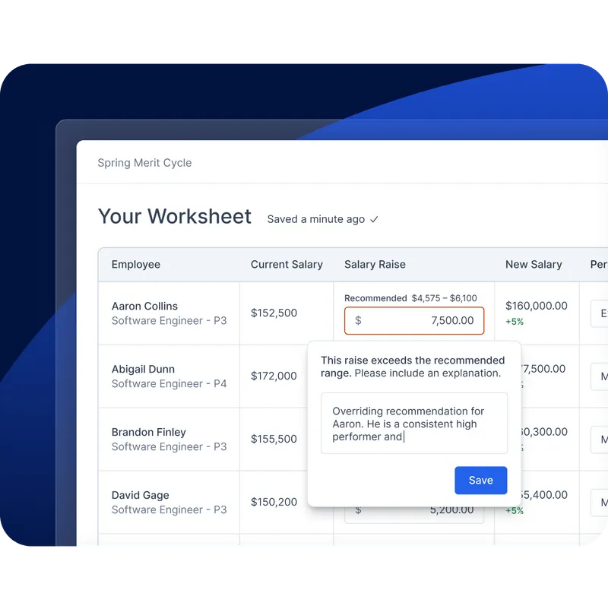
- Starting price
- Market Data Lite is free; every other plan, including the Compensation Planning add-on, is quote only
- Planning
- Compensation Planning add-on, sold with Agentic Workflows; quote only
- Budgets
- Top-down (amount per planner, supports holdbacks) or bottom-up (per employee, summed); the choice is set once per cycle and switching clears all budgets
- Cycle types
- Cash (merit, promotion, bonus) and equity (performance, promotion, refresh)
- Letters
- Released per employee only after the cycle is finalized; the employee portal tracks released, viewed and confirmed
- HRIS
- ADP, BambooHR, Deel, Gusto, HiBob, Justworks, Paylocity, Personio, Rippling, SAP SuccessFactors, UKG, Workday and others
- Rating scope
- G2 rating covers the whole Pave product
Payscale
Payscale sells several products: Payfactors for market data and pricing, MarketPay for survey management and pricing workflows, and Paycycle for merit cycles from budget to approval.
Fits a compensation team that wants cycles, market data and survey tools from one vendor and has implementation support in the budget.
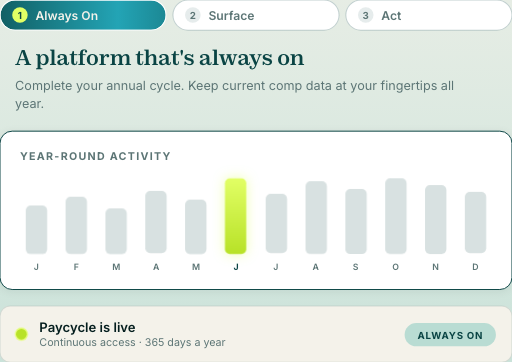
Paycycle is Payscale's planning product, formerly called Payscale Compensation Planning, and it runs merit, bonus and pay-increase cycles. Managers enter recommendations while a live view tracks spend against the budget, and entries outside the guideline matrix are flagged before final approval. Compensation statements go out from the platform. Public documentation is thin, because the user guide sits behind a customer login, so budget allocation, approvals and letters need to be confirmed in a demo. Rollout starts with a kickoff where you hand over merit matrices and salary ranges, then user acceptance testing and a data refresh before launch, and the implementation team supports you until a week after go-live. Payscale's benchmarking product, Ascent (formerly Payfactors), is sold separately.
- you want one vendor for survey data, market pricing and merit cycles, each bought as its own product
- you want a vendor-led rollout that starts from your existing matrices and ranges
- you need to see how approvals and letters behave before a demo: Payscale's public pages document neither
- you plan equity grants in the same cycle: the Paycycle page lists merit, bonus and pay increases and doesn't mention equity
- Users like
- pricing and benchmarking depth, per G2 category scores
- Users dislike
- budgeting scores below pricing: 7.4 for Payfactors, 7.8 for MarketPay on G2 compensation budgeting
- Source: G2, 703 reviews
- Starting price
- Quote only; the pricing page lists Core, Premier and Elite tiers without prices and doesn't say which includes Paycycle
- Paycycle pricing
- Quoted by employees in scope, workflow complexity and implementation support
- Paycycle HRIS
- Remote, BambooHR, SAP, Gusto, Paylocity, UKG, Oracle, ADP, Namely, Workday, Humi and Paycom
- Rating scope
- G2 rating shown is Payfactors; there is no Paycycle-specific rating
Workleap Compensation
Workleap Compensation builds pay bands, runs merit cycles with multiple budget pools and a sandbox mode, and uses Mercer market data. It connects to nine named HR and payroll systems.
Fits a small or mid-size HR team that wants to test a merit cycle in a sandbox before real managers see it.
An admin builds a review from budget pools. A pool is a name plus the pay change reasons it covers, such as merit or promotion, and a reason can sit in only one pool. Whether budget is tracked is chosen when the review is created and can't be switched afterwards. The merit matrix covers base pay only: it can hold a single target with an exception threshold or a min-max range, and it can use compa-ratio, market compa-ratio, range penetration and performance rating, alone or in pairs. The matrix is locked once created. Each team gets one reviewer and any number of approvers, generated from the org structure and editable even on a live review. Bonus payouts load by CSV, equity grants need a supported equity band format, and a sandbox can't be turned into a live review.
- you want to test merit scenarios in a sandbox before managers see the review
- you run BambooHR, HiBob, ADP Workforce Now, UKG Pro or Workday and want the vendor's listed sync
- you want guidelines for bonuses or equity: the merit matrix covers base pay only
- you want a cost you can plan from the website: the pricing page lists tiers but doesn't say which one includes Compensation
- Users like
- a 9.1 out of 10 compensation management score in G2's comparison view
- Source: G2, 1,231 reviews
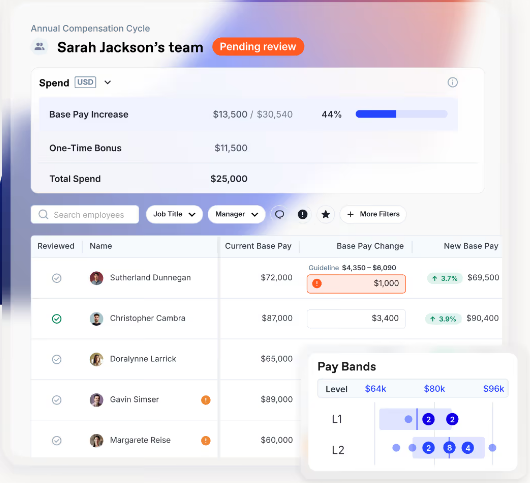
- Starting price
- Quote needed; Workleap's pricing page lists tiers from $4,999 a year plus $32 per manager per month and doesn't say which tier includes Compensation
- Data
- Mercer benchmarks plus imported third-party data
- Integrations
- BambooHR, ADP Workforce Now, Dayforce, HiBob, UKG Pro, Namely, Paylocity, Paycor, Workday
- Limits
- A sandbox can't be converted to a live review; trial accounts are sandbox only; bonus payouts and equity grants need CSV or supported equity band formats
- Pricing page
- Tiers listed from $4,999 a year plus $32 per manager per month (Standard) and $11,999 plus $32 (Pro), Enterprise on quote for 250+ employees; the page doesn't say which tier includes Compensation
- Rating scope
- G2 rating covers all Workleap products, not Compensation alone
Salary.com CompAnalyst
CompAnalyst covers market pricing with AI-guided job matching, salary structures, planning and pay equity workflows, and connects to HRIS systems such as ADP Workforce Now, UKG and BambooHR.
Fits a team that already buys Salary.com market data and wants cycles from the same vendor, with the planning itself running in CompXL.
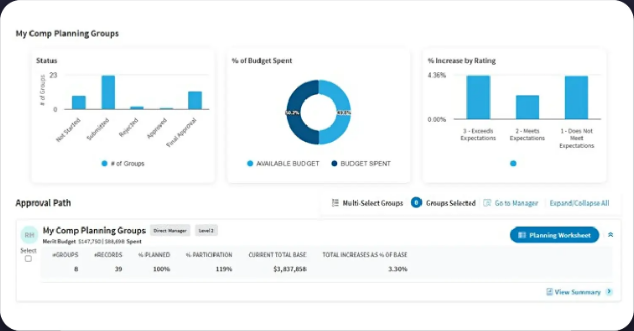
Salary.com sells planning as CompXL Merit Planning, a separate product from CompAnalyst. CompXL covers salary increases, lump sums, promotion adjustments and market-based changes, and its page lists bonus and equity planning too. Managers plan in their own currency and totals roll up across 96+ currencies, proration rules handle new hires, promotions, transfers and leaves down to the day, and approval hierarchies send automated reminders. Guidelines can use performance rating and position in range with budget guardrails. CompAnalyst itself includes merit modeling to forecast program cost ahead of a cycle. Salary.com doesn't publish help documentation for matrices, worksheets, letters or locking, so ask for each in a demo.
- you plan merit across several currencies and want totals converted in one view
- you want proration for leaves, transfers and mid-year hires handled by rule rather than by spreadsheet
- you expect planning inside CompAnalyst: cycles run in the separate CompXL product
- you want to read the cycle mechanics before a demo: Salary.com publishes no help documentation for them
- Users like
- ease of use, support and market data, per G2 summaries
- Users dislike
- interface design and data accuracy concerns, per G2 summaries
- Source: G2, 1,086 reviews
- Starting price
- Quote only; no public pricing page
- Integrations
- CompXL lists ADP, UKG, Dayforce and Paylocity among its HRIS and payroll connections
- Rating scope
- G2 rating covers the whole Salary.com line; CompXL has too few G2 reviews to rate
ChartHop
ChartHop is a people platform that turns connected HRIS data into a live org chart, analytics dashboards and headcount plans, sold as ChartHop Core plus modules.
Fits a company where finance and HR plan headcount and pay on the same people data and want each manager to get a budget pool inside that system.
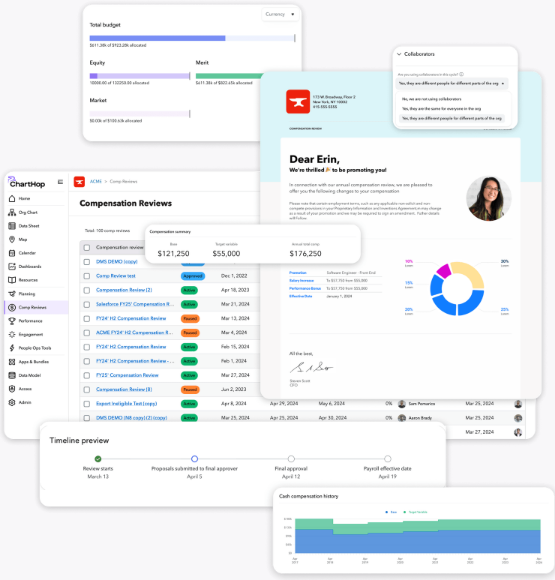
ChartHop sells Compensation as a module on ChartHop Core, its HRIS-based platform. A cycle sets budgets, guidelines, comp bands and approval workflows, and regions or departments can run on different timing. Each manager sees a budget pool, team performance data and bands, with live graphs of budget impact, and leaders see cycle cost by team and department. Budgets and guidelines can be edited only while a review is paused, and a paused review is read-only for reviewers and approvers. Final approvers can be added after launch but not removed. If a manager leaves before the org data reference date, their reviews move to the next reviewer up the chain, and an option to skip incomplete reviews after the due date sends unsubmitted ones to final approval. Salary, bonus and equity reviews sit in one place, and performance input works best with ChartHop's Performance module or imported data.
- finance and HR already share ChartHop's org chart and want a budget pool per manager
- you want to pause a live review to change budgets or guidelines instead of rebuilding it
- you want planning without the HRIS: Compensation sits on ChartHop Core and uses its data
- you plan performance-linked pay without a performance tool: ratings come from ChartHop Performance or an import
- Users like
- people data, org charts and ease of use, per G2 summaries
- Users dislike
- limited dashboard customization and weak integrations with some ATS tools, per G2 summaries
- Source: G2, 159 reviews
- Starting price
- Not published; ChartHop Core plus modules, priced by proposal (the form asks for employees including contractors)
- Integrations
- ADP, BambooHR, Dayforce, Deel, Gusto, Paychex, Paycom, Paylocity, Personio, SAP SuccessFactors, UKG, Workday and Carta for equity
- Rating scope
- G2 rating covers the whole ChartHop platform
Lattice
Lattice is a performance management platform sold as annual per-seat modules: Performance, Goals & OKRs and Engagement, with Compensation and Grow as add-ons.
Fits a company that already runs Lattice reviews and wants pay decisions to sit next to the performance data.
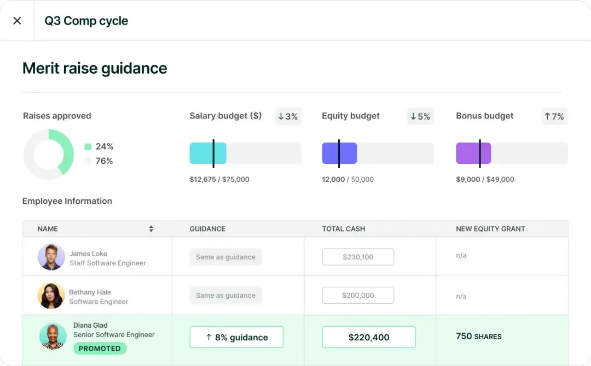
Compensation is an add-on at $6 per seat per month on top of a base plan, billed annually with a $4,000 annual minimum. A cycle covers merit and bonus. The admin chooses how budget reaches managers: a raise target per employee, a budget sent to each manager, or guidance only with no allocation. Raise guidance loads from a CSV template as monetary amounts, not percentages, with separate columns for hourly and salaried staff, and an employee gets a merit increase or a promotion increase, not both. Approval chains are custom, and admins can edit approval steps in a draft or active cycle and preview which employees the change affects. Going over budget raises a callout but doesn't stop the cycle, and the spend chart counts only submitted recommendations. Statements are customizable and e-signable, with signature status tracked. Lattice's pages don't describe equity planning.
- managers already rate people in Lattice and should see performance beside salary range when they recommend pay
- you want to reroute approvals in a live cycle when a manager is unresponsive or a team reorganizes
- you need a hard budget stop: Lattice only flags an overspend and the cycle keeps running
- you plan equity grants in the same cycle: Lattice's pages describe merit and bonus only
- Users like
- ease of use, per G2 summaries
- Users dislike
- navigation that can feel clunky, per G2 summaries
- Source: G2, 4,114 reviews
- Starting price
- Performance $10 plus Compensation add-on $6 per seat per month, billed annually; $4,000 minimum annual agreement
- Minimum
- $4,000 annual agreement
- HRIS
- ADP, BambooHR, Gusto, HiBob, Humaans, Namely, Personio, Rippling, TriNet, UKG, Workday and Zenefits
- Budget options
- Per-employee raise targets, budgets sent to managers, or guidance only with no allocation
- Over budget
- A callout appears but doesn't stop the cycle
- Statements
- Customizable and e-signable, with signature status tracked
- Rating scope
- G2 rating covers the whole Lattice platform
HiBob
HiBob (the product is called Bob) is a core HR platform with workflows, approvals and optional modules for payroll, hiring and performance.
Fits a mid-sized or multi-country company that runs Bob as its HRIS and wants Finance guardrails inside every manager's worksheet.
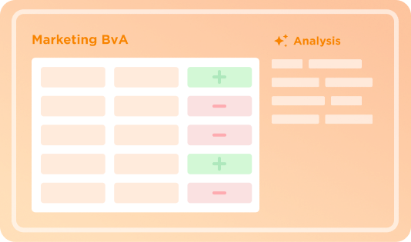
Bob Compensation is a selectable module: Core HR is in every plan, and the module has no published price. Finance sets the budget as a percentage or a number in one budget currency, and managers decide in local currencies using exchange-rate settings. Each manager gets a worksheet with budget, guidelines, eligibility rules and indicators that flag employees due for an increase or showing pay-parity issues, alongside comp ratio, performance data and range position. Co-planners can be named, and approval flows route by role level, budget impact, location and org hierarchy, with extra sign-offs for senior executives. Plan types cover salary review, variable pay, equity and bonus allocation. HiBob doesn't publish letter or locking mechanics on its product pages.
- you plan across several countries and want one cycle with decisions in local currency
- you want Finance to set guardrails that managers see in their own worksheet
- you don't run Bob as your HRIS: the module works on Bob's employee data
- you need letter and locking behavior spelled out before buying: HiBob's product pages don't document either
- Users like
- the design (847 mentions) and helpful support (548)
- Users dislike
- missing features such as navigation and task history (399 mentions), limited dashboards for complex structures (302) and limited customization (274)
- Source: G2, 2,754 reviews
- Starting price
- Not published; the pricing page is a demo request
- Rating scope
- G2 rating covers the whole Bob suite
Dayforce
Dayforce, formerly Ceridian, runs forecasting, scheduling, time and payroll on one system with shared compliance rules.
Fits a Dayforce HCM customer that wants the approved cycle to post into the payroll engine.
Setup walks through nine tabs: Details, Eligibility, Organization, Management Assignments, Pay Components, Budgets, Worksheet Setup, Instructions, and Schedule and Approval. Editing an earlier tab can make later ones outdated until the cycle is regenerated. Guidelines cover salary increases, bonuses and equity, as a percent or a flat amount, and a matrix can combine performance rating with compa-ratio or range penetration, plus pay group and pay grade. A hard stop blocks an entry; a soft stop asks the manager to justify it. Budgets are allocated manually in the worksheet or automatically. An admin locks the cycle, then approves it: worksheets turn Approved, managers are notified, reward letters become available as one PDF per employee, and the Post button pushes pay components to HR and payroll. After approval the cycle can't be changed.
- you run Dayforce payroll and want approved increases posted into it from the cycle
- you want a matrix that mixes performance rating, compa-ratio or range penetration, pay group and pay grade
- you expect to correct a cycle after approval: Dayforce locks it for good
- you want flat-amount guidelines for bonus factors: Dayforce doesn't allow them
- Users like
- ease of use and customizable options (153 mentions)
- Users dislike
- poor customer support (59 mentions), outdated help articles and limited reporting (49 and 48)
- Source: G2, 962 reviews

- Starting price
- Not published; custom quote
- Compensation cycle
- Nine setup tabs, then lock, approve and post
- Rating scope
- G2 rating covers the whole Dayforce suite
Workday
Workday HCM is an enterprise suite built on one worker record, with payroll, time, talent acquisition and analytics listed as modules and onboarding run through configurable business processes.
Fits a large employer on Workday HCM that wants merit, bonus and stock reviews on the same worker record.
An admin starts the review by launching the compensation review process for a review event. Planners propose awards in a configurable grid, a manager's manager reviews or sends the entry back, and a controller can finalize at any time. A manager can't submit until all direct reports' awards are complete. Merit reviews cover promotions, allowances and lump sums, bonus reviews cover cash and deferred stock bonuses, and stock reviews cover shares, options or cash by amount, percent or units. Budget pools, holdbacks and reserves can be imported per review event, and matrices can use performance, potential and compa-ratio. A planner can view up to 500 employees in the same organization hierarchy. Workday's compensation page also lists continuous bonus cycles and off-cycle adjustments that don't disrupt a review in flight.
- you already run Workday HCM and want planning on the same worker record
- you plan stock grants and deferred bonuses next to merit in one review event
- you have no HRIS administrator or partner: the review setup is configured, not self-served
- you have planners who manage more than 500 people in one hierarchy: the awards grid is limited to 500 employees per planner
- Users like
- ease of use (117 mentions) and an integrated HR, payroll and analytics record
- Users dislike
- poor interface design and navigation (38 and 36 mentions), a steep learning curve (33) and limited customization (31)
- Source: G2, 2,473 reviews
- Starting price
- Not published; custom quote
- Compensation G2
- Workday Compensation has its own G2 listing: 4.3 from 77 reviews (checked November 25, 2026); the rating badge shows Workday HCM
- Rating scope
- The badge rating covers Workday HCM
How Do These Tools Set Merit Guidelines?
A merit matrix is a grid that sets the allowed increase for each combination of performance rating and position in the pay range. Position in range is usually compa-ratio, which is an employee's salary divided by the midpoint of the pay range. Under Salary.com's merit pay guide, a compa-ratio below about 0.80 is well below market and 0.90 to 1.10 is competitive. The matrix only works once it is costed against the funded budget. This example uses made-up numbers for a team of five people who each earn $100,000.
| Performance rating | Compa-ratio below 0.90 (%) | Compa-ratio 0.90 to 1.10 (%) | Compa-ratio above 1.10 (%) |
|---|---|---|---|
| Exceeds expectations (5) | 6.0 | 4.5 | 3.5 |
| Strong (4) | 5.0 | 3.5 | 2.5 |
| Meets expectations (3) | 3.0 | 2.0 | 1.0 |
| Below expectations (2) | 1.0 | 0 | 0 |
| Unsatisfactory (1) | 0 | 0 | 0 |
Read against that matrix, five recommendations cost $13,500, or 2.7% of the $500,000 payroll, which leaves $4,000 of a 3.5% budget ($17,500) for promotions and exceptions.
| Employee | Rating | Compa-ratio | Matrix increase (%) | Cost (USD) |
|---|---|---|---|---|
| Employee A | 4 | 1.00 | 3.5 | 3,500 |
| Employee B | 5 | 0.95 | 4.5 | 4,500 |
| Employee C | 3 | 1.05 | 2.0 | 2,000 |
| Employee D | 4 | 1.12 | 2.5 | 2,500 |
| Employee E | 2 | 0.88 | 1.0 | 1,000 |
The tools differ in how they let a manager move outside that grid, and in what the grid can contain.
| Tool | How guidelines are set | What to know |
|---|---|---|
| Pave | Classic philosophy plus matrix, or an advanced template, per pay type | Planners can override a prefill; soft and hard stops enforce the rest |
| Payscale Paycycle | Guidelines by division, department or manager | Entries outside the matrix are flagged before final approval |
| Workleap Compensation | Merit matrix for base pay, single value or range | Locked after creation; variables are compa-ratio, market compa-ratio, range penetration and rating |
| Salary.com CompXL | Performance and position in range with budget guardrails | Matrix detail isn't published |
| ChartHop | Guidelines and bands set per cycle | Editable only while the review is paused |
| Lattice | Raise guidance loaded by CSV as minimum and maximum amounts | Amounts, not percentages; overspend only raises a callout |
| HiBob | Allocation guidelines and eligibility rules in each worksheet | Indicators flag pay-parity issues |
| Dayforce | Matrix from rating, compa-ratio or range penetration, pay group and pay grade | Hard stop blocks, soft stop asks for a justification |
| Workday | Matrices on performance, potential and compa-ratio | Planner grid limited to 500 employees per hierarchy |
Is There Free Compensation Planning Software?
No tool in this list has a free planning plan. Pave's free Market Data Lite tier gives benchmarks to companies of 1 to 200 employees that connect an HRIS, but planning is a separate quote-only add-on. Lattice's Compensation add-on has no free tier either. For a team where one person owns the cycle, a spreadsheet with a budget tab, a matrix tab and one worksheet per manager does the job. It stops working when several managers edit copies at once, when an approver needs a record of who changed what, or when letters have to be produced from the final numbers.
How Much Does Compensation Planning Software Cost?
Most vendors price planning on a quote. This table shows exactly what each one publishes.
| Tool | What the vendor publishes | Planning priced separately |
|---|---|---|
| Pave | Market Data Lite free; every other plan quote only | Yes, as an add-on |
| Payscale | Core, Premier and Elite tiers without prices | Quoted by employees in scope, workflow complexity and implementation support |
| Workleap | Tiers from $4,999 a year plus $32 per manager per month; Enterprise on quote for 250+ employees | The page doesn't say which tier includes Compensation |
| Salary.com | No public pricing page | CompXL is a separate product |
| ChartHop | Proposal that asks for employee count, contractors included | Compensation is a module on ChartHop Core |
| Lattice | Compensation add-on at $6 per seat per month; $4,000 annual minimum | Yes, on top of a base plan at $10 for Performance |
| HiBob | Custom per-employee quote | Compensation is a selectable module |
| Dayforce | No price published | Quote only |
| Workday | No price published | Quote only |
Lattice is the only tool here with a per-seat list price for planning. At 200 seats on Performance plus the Compensation add-on, list prices come to $16 per seat per month, or $38,400 a year, if every seat takes both. Ask each vendor to quote the same scope: employees in the cycle, number of managers planning, bonus and equity cycles, HRIS integration and implementation.
Compensation Planning vs Compensation Management vs Benchmarking
Benchmarking compares your pay with the market and produces ranges. Planning decides how much of the budget each person gets in a cycle. Compensation management is the wider discipline that includes both, plus pay structures, equity and total rewards. Vendors blur these labels: Pave and Payscale sell data and planning as separate products, Salary.com splits CompAnalyst from CompXL, and Lattice and ChartHop sell planning as an add-on or module to a performance or HRIS platform. Our compensation management software guide covers the data side in depth.
Software that handles pay and performance together is a talent management suite or a performance platform with a pay module. Lattice adds Compensation to its review plans, HiBob and ChartHop offer Performance and Compensation modules, and Dayforce and Workday include both on one HCM record. Our guides to performance management software and HRIS software cover those platforms. Sales commission and incentive compensation tools are a different product class and aren't compared here.
What to Check Before Launching a Cycle
Most cycle problems come from the data, not the tool. Run this before you open worksheets to managers.
- Reporting lines in the HRIS match who actually manages whom
- Every employee has a job level and pay range, or a written exception
- Performance ratings are final before worksheets open
- Finance has signed the funded budget and the split between merit, promotion and bonus
- The merit matrix is costed against that budget
- Every team has a named planner and approver, with a backup for anyone on leave
- The rule for mid-cycle hires, leavers and transfers is decided
- Exchange rates for the cycle are agreed
- The letter template is approved
- Pay ranges match the ranges in your job postings
The last item on the checklist is a legal point as well as a data point. Several US states already require pay ranges in job postings, and Virginia (July 1, 2026) and Maine (July 29, 2026) have joined them. A planning tool that holds your current bands is the cleanest source for those ranges.
Where The People Ops Manager Fits
The People Ops Manager doesn't plan pay and isn't a compensation tool. A cycle reads whatever the HRIS holds, so the place it touches this topic is the hire: a starter needs a manager, a start date and a role in the HRIS before any cycle can include them. It coordinates onboarding tasks across HR, IT, finance and hiring managers and shows what is blocked. For that side, see our employee onboarding checklist.
Frequently Asked Questions
What is the best compensation planning software?
The best compensation planning software depends on the stack. Pave fits teams that want soft and hard stops on every entry, Workleap fits teams that want a sandbox first, Lattice fits companies that already run its performance reviews, Dayforce and Workday fit companies on those HCM suites, and ChartHop fits teams that plan headcount and pay together.
How much does compensation planning software cost?
Most vendors quote planning individually. Lattice lists its Compensation add-on at $6 per seat per month on top of a base plan, with a $4,000 annual minimum. Workleap lists tiers from $4,999 a year plus $32 per manager per month. Pave, Payscale, Salary.com, ChartHop, HiBob, Dayforce and Workday publish no planning price.
Is there free compensation planning software?
None of the tools compared here has a free planning plan. Pave offers a free market data tier for companies of 1 to 200 employees, but planning is a quote-only add-on. A spreadsheet works for a single owner and a few managers.
What are the different types of compensation plans?
Compensation plans fall into base pay, variable pay such as bonuses and commissions, equity and benefits. The tools here plan merit increases, promotions, lump sums and bonuses in most cases. Pave, Workday, Dayforce, HiBob and ChartHop describe equity planning too, Workleap's merit matrix covers base pay only, and Lattice's pages describe merit and bonus. Sales commission plans belong to a separate product class.
What is the difference between compensation planning and benchmarking?
Benchmarking compares pay with the market and produces ranges. Planning uses those ranges and a funded budget to decide each person's increase in a cycle. Some vendors sell them as separate products.
What software manages compensation and performance together?
Performance platforms with a pay module, such as Lattice, and HRIS or HCM suites such as HiBob, ChartHop, Dayforce and Workday. In each, ratings feed the worksheet so managers see performance next to range position.