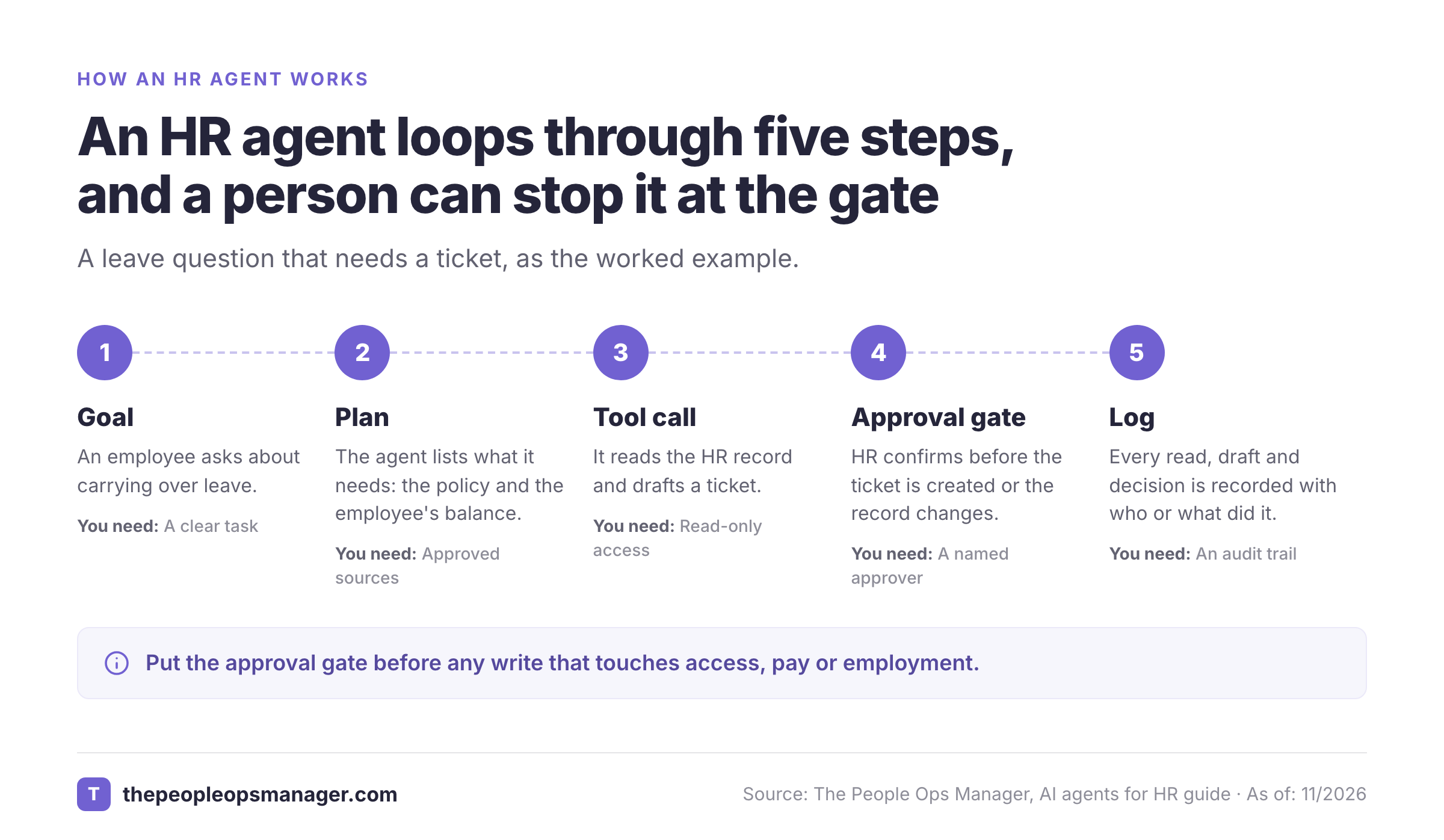
- An AI agent for HR is software that takes a goal, reads and writes in your HR systems through connected tools, and finishes multi-step tasks. A chatbot only answers.
- Start every agent at read-only, move to drafts and proposals next, and keep approvals with named people.
- Screening and ranking candidates carries the most legal exposure: New York City, Illinois and a federal court case already apply to it.
- Pick one high-volume workflow with a clear written policy, run it for a month and measure it before you widen the scope.
What Are AI Agents for HR?
An AI agent for HR is software that uses a large language model to pursue a goal, such as answering a leave question or preparing a new hire's accounts, by reading data and calling tools in your HR systems, and that stops for a person when a step needs approval. The agent decides which steps to take and in what order. A person sets the goal, the permissions and the limits.
Three parts make an agent different from a prompt in a chat window:
- A goal and a plan. The agent breaks "get Maya ready for her start date" into steps such as checking the HR record, listing the IT tasks and finding what is overdue.
- Tools. It reads and writes through connections to the HRIS, the ticketing system, the calendar or the identity provider. Without tools it can only talk, and that's the line between an agent and a chat window.
- Guardrails. Permissions, approval steps and an activity log decide what it may do alone, what needs a person and what it can never touch.
HR teams use agents for work that is repetitive, spans several systems and follows a written policy: answering policy questions, coordinating onboarding, scheduling interviews and chasing overdue tasks. The same idea applied to hiring decisions or pay is where most of the risk sits, covered further down.
How Are AI Agents Different From HR Automation and Chatbots?
Rule-based automation follows steps you wrote in advance, a chatbot answers questions, and an agent chooses its own steps toward a goal using tools. All three have a place in an HR stack, though plenty of tasks don't need more than the simplest one.
| Type | How it decides | What it can touch | HR example | Where it breaks |
|---|---|---|---|---|
| Rule-based automation | Fixed if-then steps you configure | Whatever the workflow connects | Send a welcome email when the hire is marked confirmed | Any case you didn't script, such as a hire with two start dates |
| Chatbot or assistant | Generates an answer from a prompt and some documents | Usually nothing, it only replies | Explain the parental leave policy from the handbook | Outdated or conflicting documents produce a confident wrong answer |
| AI agent | Plans steps toward a goal and picks tools at run time | Connected systems, within granted permissions | Check which of a new hire's tasks are blocked and open an access request | Too many permissions, or no approval step before a risky change |
If a task is the same every time, automation's cheaper, faster to test and easier to explain to an auditor. An agent pays off when the steps vary: a leave question that depends on location and contract type, or an onboarding case where a late laptop changes what the other teams should do. For more on the rule-based side, see our guide to HR automation.
How Much Should an HR Agent Be Allowed to Do on Its Own?
Treat autonomy as a ladder with five rungs, and decide per task how high the agent may climb. Most HR work should stop at the third or fourth rung.
| Level | What the agent does | Example | Who decides |
|---|---|---|---|
| 1. Answer | Replies from approved documents, read-only | "How many days of leave carry over?" | Nobody, the reader checks the cited policy |
| 2. Draft | Prepares text or a summary for a person to edit | A first draft of a review summary for the manager | The person who sends it |
| 3. Propose | Creates a request in a queue, changes nothing yet | "Grant design tool access for Maya Patel" waiting in an approval list | A named approver |
| 4. Act with approval | Executes after a person confirms the exact action | Orders the replacement laptop once IT approves | The approver, per action |
| 5. Act alone | Executes and reports afterward | Sends a reminder to an owner of an overdue task | Nobody per action, reviewed in the log |
The Model Context Protocol, the open standard many AI clients use to connect to tools, says the same thing in its own terms. Its specification for tools says there should always be a human in the loop with the ability to deny tool invocations, and that clients should prompt for confirmation on sensitive operations and log tool usage for audit.
Run a new HR agent in shadow mode first: it proposes, a person does the work, and you compare the two before the agent gets any write access. Require every answer from an HR agent to carry a citation to the policy it used, so a reviewer can catch a stale or misrouted answer.
A practical rule: level 5 only for actions that are easy to undo and affect nobody's pay, access or employment. Reminders and status summaries qualify, but access changes, offers, terminations and anything that touches compensation don't.
What Are the Best Use Cases for AI Agents in HR?
Clearly, the best use cases are high-volume, policy-driven tasks that cross two or more systems, where a mistake is cheap to catch. The table shows the highest autonomy level we'd allow for each, based on the ladder above.
| Use case | What the agent does | Systems it reads | Highest sensible level | Main risk |
|---|---|---|---|---|
| HR helpdesk | Finds the right policy for the employee's location and answers, or opens a ticket | Policy library, the employee's own record | 3 | Quoting a policy for the wrong country or contract type |
| Onboarding coordination | Builds the task plan, chases owners, reports who is blocked | HRIS, ticketing, identity provider | 5 for reminders, 3 for access | Access granted before the identity or device exists |
| Offboarding | Lists final-pay, handover and equipment tasks, proposes access removal | HRIS, ticketing, identity provider | 3 | Removing the wrong account or removing access too early |
| Interview scheduling | Proposes slots, sends invitations, reschedules | Applicant tracking system, calendars | 5 | Double bookings, which are cheap to fix |
| Candidate screening | Summarizes applications for a recruiter | Applicant tracking system | 2 | Disparate impact on protected groups, see the risks below |
| Performance review drafting | Pulls feedback together into a draft | Review tool | 2 | Leaking confidential feedback, bias carried into the summary |
| Leave and absence questions | Explains eligibility and checks a balance | HRIS | 3 | Wrong eligibility answer |
| Pay and compensation questions | Explains how a pay component is calculated | Payroll system | 1 | Exposing pay data to the wrong person |
| Workforce analytics | Flags patterns such as rising overtime in a team | HRIS, time tracking | 2 | Profiling individuals instead of reading trends |
Large HR suites now ship agents of their own. Oracle's HR page, for example, groups agents into conversational ones that talk to people and functional ones tied to a task or role, with a supervisory agent that plans the work. If you already run a suite, check what it includes before you build anything. For service desks specifically, see HR service delivery software.
How Does an AI Agent Coordinate a New Hire's First Week?
Onboarding really shows the split between agent work and human work better than any other HR process, because the tasks sit with four different owners and depend on each other. Access can't be approved before the identity exists, and the identity can't be created before HR confirms the record.
In practice the agent reads the HR record from a system such as BambooHR or Personio, opens tickets in Jira, checks the identity in Microsoft Entra and posts its reminders in Slack. Here's one start date handled with an agent that proposes and people who decide:
- AgentReads the confirmed HR record and creates the task plan with owners, due dates and prerequisites day -10
- HRVerifies the record and the signed contract day -9
- AgentReminds IT and the hiring manager of tasks due this week and lists what is blocked day -7
- ITCreates the account and prepares the laptop day -5
- AgentCreates an access request for the design tool and puts it in the approval queue day -3
- ManagerApproves or rejects the access request after reading the risk level day -2
- AgentReports the starter as ready, with the verified tasks behind it day -1
- HRConfirms readiness and welcomes the new hire day 1
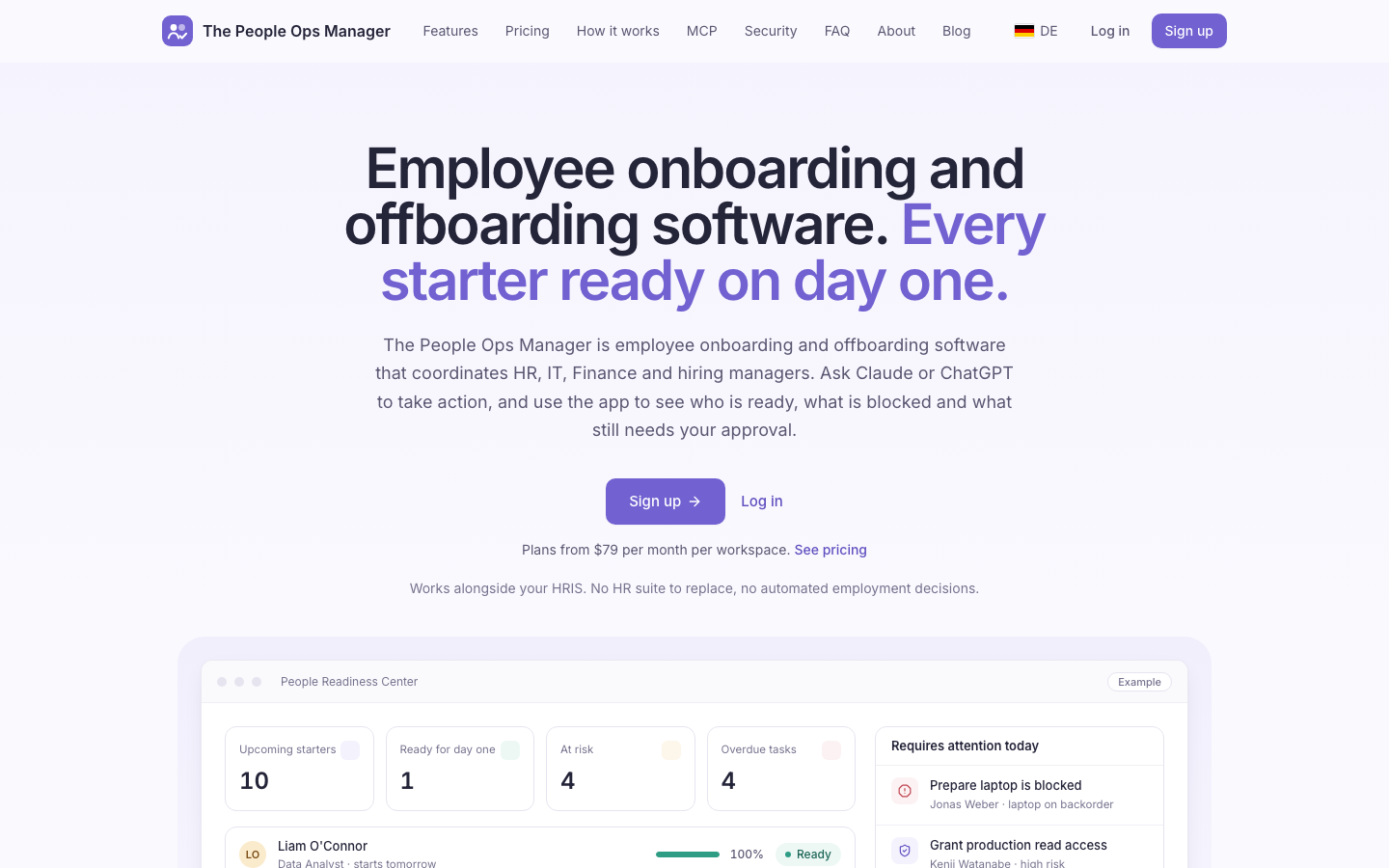
The agent doesn't grant the access itself. It prepares, reminds and reports, and every change with a security effect waits for a person. That's the design behind The People Ops Manager: its agents work through Claude, ChatGPT or another MCP client, read only the fields your role may see, and turn every write into an approval request that an owner or admin decides. For the IT side of the same process, see the IT onboarding checklist.
What Are the Risks of AI Agents in HR?
The biggest risks are legal exposure when an agent influences hiring decisions, data exposure through over-broad permissions, and projects that deliver no value. Each has a concrete, checkable form.
- Hiring and promotion decisions are regulated. New York City's Local Law 144 bars employers from using an automated employment decision tool unless it has had a bias audit within one year of use, the audit information is public and notices have been given to candidates and employees, according to the city's Department of Consumer and Worker Protection. Illinois amended its Human Rights Act effective January 1, 2026: employers must notify employees when they use AI for covered employment decisions, and using AI that has a discriminatory effect is a civil rights violation.
- Vendors can be pulled into litigation. In May 2025 a federal court in California allowed an age discrimination claim against Workday over its AI applicant screening to proceed as a collective action. The order was a preliminary certification and decided nothing on the merits, though it covers applicants aged 40 and over whom Workday's AI features scored, sorted, ranked or screened (order on govinfo.gov). If you use such tools, you'll be asked how, so keep records.
- Permissions decide the blast radius. An agent with write access to the HRIS and the identity provider can do real damage from one wrong instruction or one prompt injection, a malicious line hidden in a document or ticket it reads. Apply least privilege: an allowlist of tools and fields per agent, an escalation path to a named person and a rollback plan for every write.
- Test and retire HR agents like any account. Give an HR agent a sandbox with dummy employees, an allowlist of tools, a rollback plan for every write and a kill switch that cuts its access within minutes. Test it against prompt injection by planting a line such as "ignore your instructions" in a policy document and checking that the agent refuses. Revoke its credentials when a pilot ends, because stale tokens are an HR data risk nobody remembers to close.
- Many projects fail on value. Gartner predicted in June 2025 that over 40 percent of agentic AI projects will be canceled by the end of 2027, citing rising costs, unclear business value and inadequate risk controls. It also warned about "agent washing", where vendors relabel chatbots and assistants as agents, and estimated that only about 130 of the thousands of vendors are real. Ask a vendor to show the agent completing a multi-step task in a system, not answering a question.
How Do You Start With AI Agents in HR Safely?
Start with one narrow workflow, give the agent read-only access, add approval steps before any write and review the log weekly. These six steps work for a helpdesk agent, an onboarding agent or a scheduling agent.
Pick one workflow with a written policy
Choose a task that is frequent, follows rules you can write down and costs little when it goes wrong, such as answering leave questions or chasing onboarding tasks. Skip anything that decides hiring, pay or discipline.
Clean the source documents
Remove outdated policies, label each one by country or employee group and name one person who keeps them current. An agent repeats what it reads, so it's only as good as the documents behind it.
Grant read-only access first
Connect only the systems and fields the task needs. Leave out compensation, identity documents, health and family data unless the task can't work without them.
Put an approval step in front of every write
Move the agent from answering to proposing: it creates a request, a named approver decides and the decision is recorded. Set a higher confirmation bar for access changes.
Test with real questions and bad inputs
Run common questions, vague ones, conflicting policies and a document that contains an instruction aimed at the agent. Check the answer, the source it actually cited and whether it asked for help when it should have.
Pilot, measure and review the log
Run it with a small group for a month. Track the share of requests resolved without HR, the share the agent handed over, wrong answers found and time saved. Widen the scope only if the numbers hold.
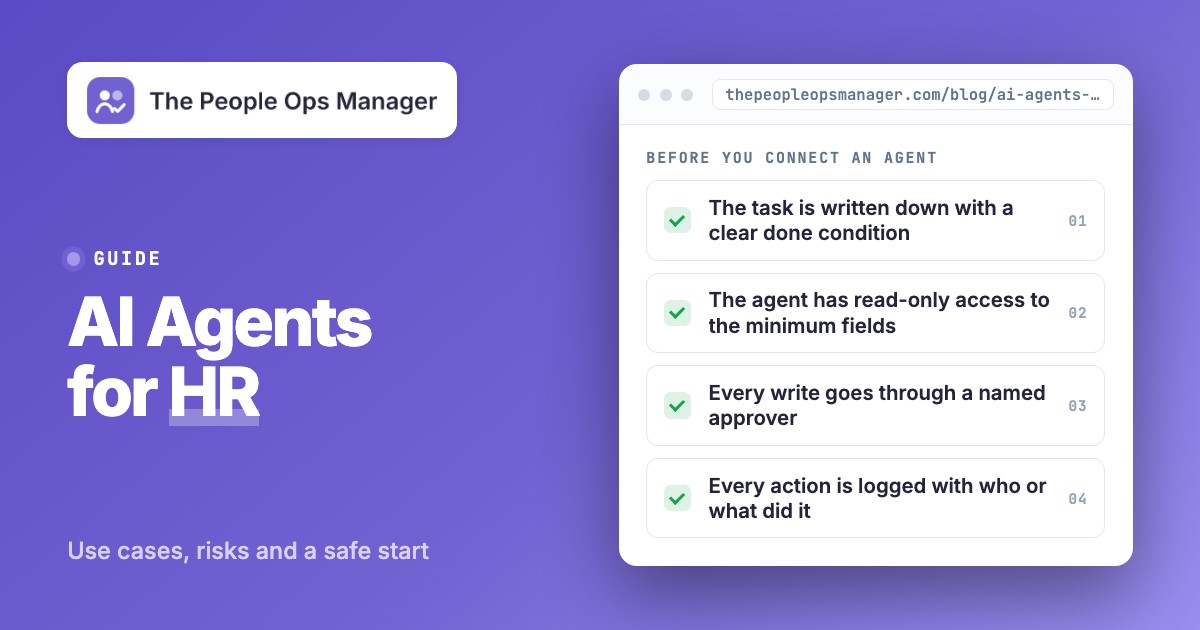
- The task is written down with a clear done condition
- Each source document has an owner and a country or group label
- The agent has read-only access to the minimum fields
- Every write goes through a named approver
- High-risk changes such as access removal need a second confirmation
- Every action is logged with who or what did it
- Hiring, pay and discipline decisions stay with people
- Employees are told when an agent handles their request
For the broader picture of where agents fit in a People Ops function, see our guide to HR operations and the HR compliance overview.
Will AI Agents Replace HR?
No, HR won't be phased out. Agents take over tasks, such as answering routine questions, scheduling and chasing, but they don't take over accountability. Someone still has to own a hiring decision, a pay decision or a difficult conversation, and the laws above assume that a person does. Expect the mix of HR work to shift toward designing policies, setting guardrails, reviewing what agents did and handling the cases that need judgment.
FAQ
Is there an AI tool for HR?
Yes, several kinds. HR suites such as Oracle's ship their own agents, applicant tracking systems add scheduling and screening features, and general AI assistants can connect to HR systems through the Model Context Protocol. Check which tasks the product completes in your systems, not only which questions it answers.
Can an AI agent make hiring decisions on its own?
It can be configured to, yet the legal exposure is the highest of any HR use case, and especially so for screening. New York City requires a bias audit and notices for automated employment decision tools, and Illinois requires notice and bars AI with a discriminatory effect. Keep the decision with a person and use the agent for logistics and summaries.
What data should an HR agent not see?
Anything the task doesn't need. For most agents that means compensation, identity documents, health information and family details. Limit each agent to the fields its task requires, and test that it respects each employee's own access rights.
Do I need an engineer to run an HR agent pilot?
For a read-only helpdesk agent built on an HR suite or an approved AI platform, HR operations and IT can usually run the pilot together. Connecting write access to the HRIS or the identity provider needs IT to set permissions and logging.
How do you test an HR agent before launch?
Use a sandbox with dummy employees, run the agent in shadow mode, plant a prompt injection in a policy document and check that every answer carries a citation to the policy it used. Keep least privilege and a rollback plan in place until the results hold, and watch for misrouted answers by country.
How is an HR agent different from asking ChatGPT a question?
A chat answers from the text you give it. An agent is connected to your systems, plans several steps, can read live records and can create or change things, which is why it needs permissions, approvals and a log.